
1. Introducción
The ANYSECU HB880 is a hands-free Bluetooth headset designed for motorcycle helmets, enabling communication with two-way radios and mobile phones. It features Push-to-Talk (PTT) functionality, allowing seamless switching between radio and phone calls, enhancing safety and convenience during rides. This manual provides detailed instructions for installation, operation, and maintenance of your HB880 headset.
2. Contenido del paquete
Antes de la instalación, verifique que todos los elementos enumerados a continuación estén presentes en su paquete:
- HB880 Bluetooth Main Unit
- Helmet Speakers (2)
- Micrófono de pluma
- Wireless PTT Controller
- 2-Pin Radio Adapter Cable
- Cable de carga USB
- Helmet Mounting Bracket (Pinch Cock and Sticker options)
- Microphone Windshield Foam

Figura 2.1: Encimaview of the ANYSECU HB880 Bluetooth Helmet PTT Headset components, including the main unit, speakers, microphone, wireless PTT controller, and radio adapter.
3. Producto terminadoview
The HB880 main unit features intuitive controls for power, volume, and Push-to-Talk (PTT) functions. The wireless PTT controller provides convenient remote activation of the PTT feature.

Figura 3.1: Diagram illustrating the HB880 main unit's connections to a mobile phone, wireless PTT controller, and two-way radio.

Figura 3.2: The HB880 main unit connected to its helmet speakers and boom microphone.
4. Configuración e instalación
4.1 Carga del dispositivo
Before first use, fully charge the HB880 main unit. Connect the USB charging cable to the charging port on the unit and to a standard USB power source. Charging typically takes less than 3 hours. The indicator light will change to show charging status.
4.2 Instalación del casco
Follow these steps to properly install the HB880 headset into your motorcycle helmet:
- Choose Affixing Method: Select either the pinch cock clip for thin-shelled helmets or the adhesive sticker for thick-shelled helmets. The pinch cock is easier to remove, while the sticker provides a more permanent fit.
- Coloque el pedestal: Attach the chosen mounting pedestal to the right side of your helmet. Ensure it is in a position that allows the main unit to be easily accessible and does not obstruct your vision or helmet functionality.
- Instalar auriculares y micrófono: Carefully install the earphones inside the helmet, aligning them with your ears. Route the microphone boom towards your mouth, ensuring it is close for clear voice transmission. Hide excess cable within the helmet lining.
- Conecte la unidad principal: Slide the HB880 main unit onto the installed pedestal until it locks securely.
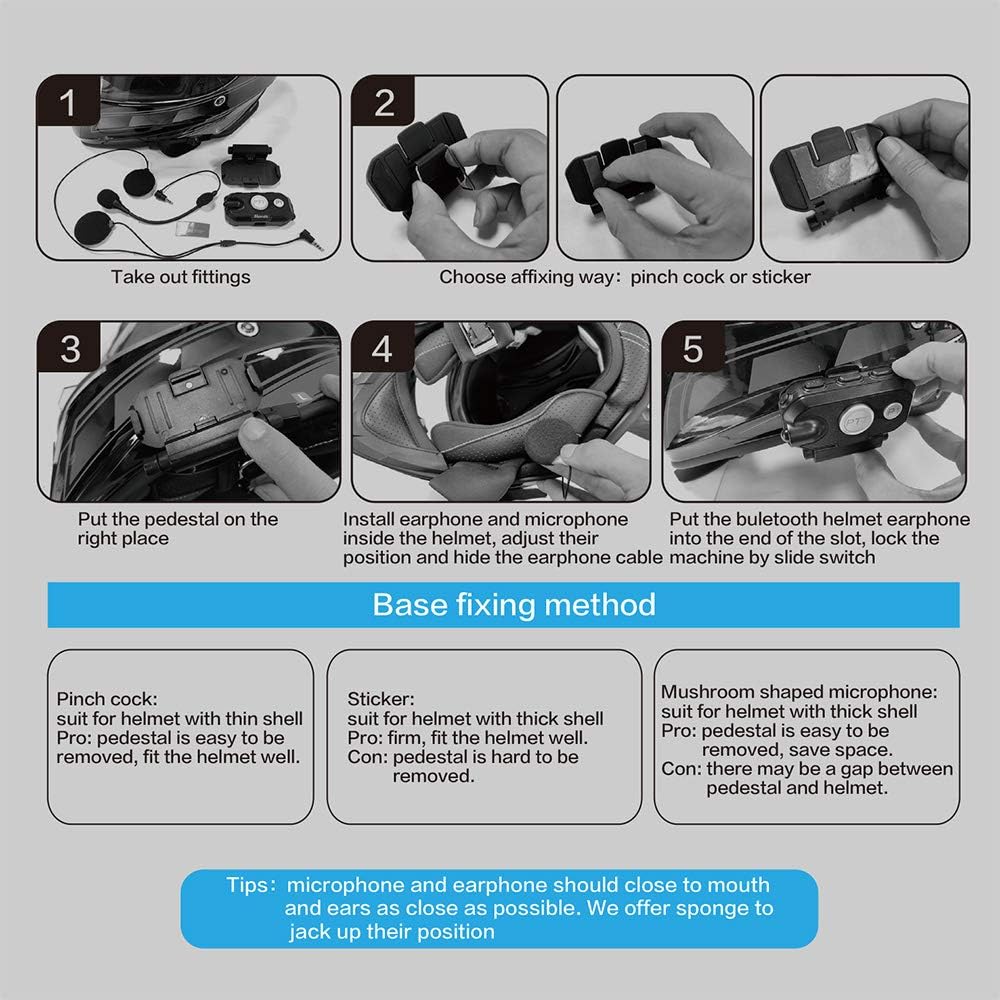
Figura 4.1: Step-by-step guide for installing the HB880 Bluetooth headset components into a motorcycle helmet.
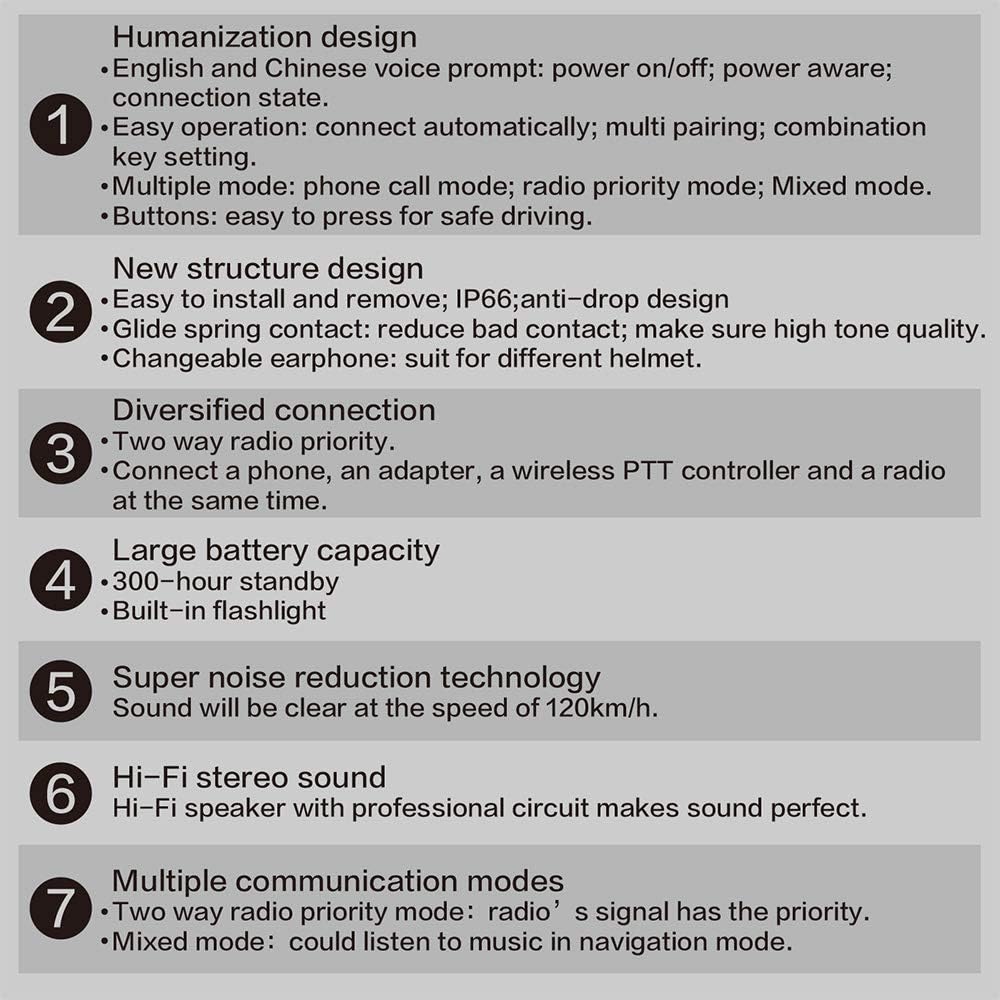
Figura 4.2: Visual representation of the HB880 headset installed on a helmet, connected to a two-way radio via adapter, and paired with a wireless PTT controller.
4.3 Conexión a una radio bidireccional
Use the provided 2-pin adapter cable to connect your HB880 main unit to a compatible two-way radio. Ensure the connection is secure.
4.4 Emparejamiento Bluetooth
The HB880 supports pairing with both mobile phones and the wireless PTT controller.
- Emparejamiento con teléfono móvil:
- Ensure the HB880 is powered off.
- Mantenga presionado el botón de encendido hasta que la luz indicadora parpadee rápidamente, lo que indica el modo de emparejamiento.
- On your mobile phone, go to Bluetooth settings and search for "HB880" or a similar device name.
- Select the HB880 to pair. Once connected, the indicator light will change.
- Pairing with Wireless PTT Controller:
- Ensure the HB880 is in pairing mode (refer to mobile phone pairing steps).
- Activate pairing mode on the wireless PTT controller (refer to its specific instructions, usually a long press of the PTT button).
- Los dispositivos se conectarán automáticamente.
Note: The HB880 can connect to a phone, an adapter, a wireless PTT controller, and a radio simultaneously.
5. Operación
5.1 Encendido y apagado
- Encendido: Press and hold the power button until you hear an audible prompt.
- Apagado: Press and hold the power button until you hear an audible prompt.
5.2 Control de volumen
Use the volume buttons on the HB880 main unit to adjust the audio level. Press the '+' button to increase volume and the '-' button to decrease volume.
5.3 Función Pulsar para hablar (PTT)
The PTT button on the main unit or the wireless PTT controller activates transmission on your connected two-way radio. Press and hold to transmit, release to listen.
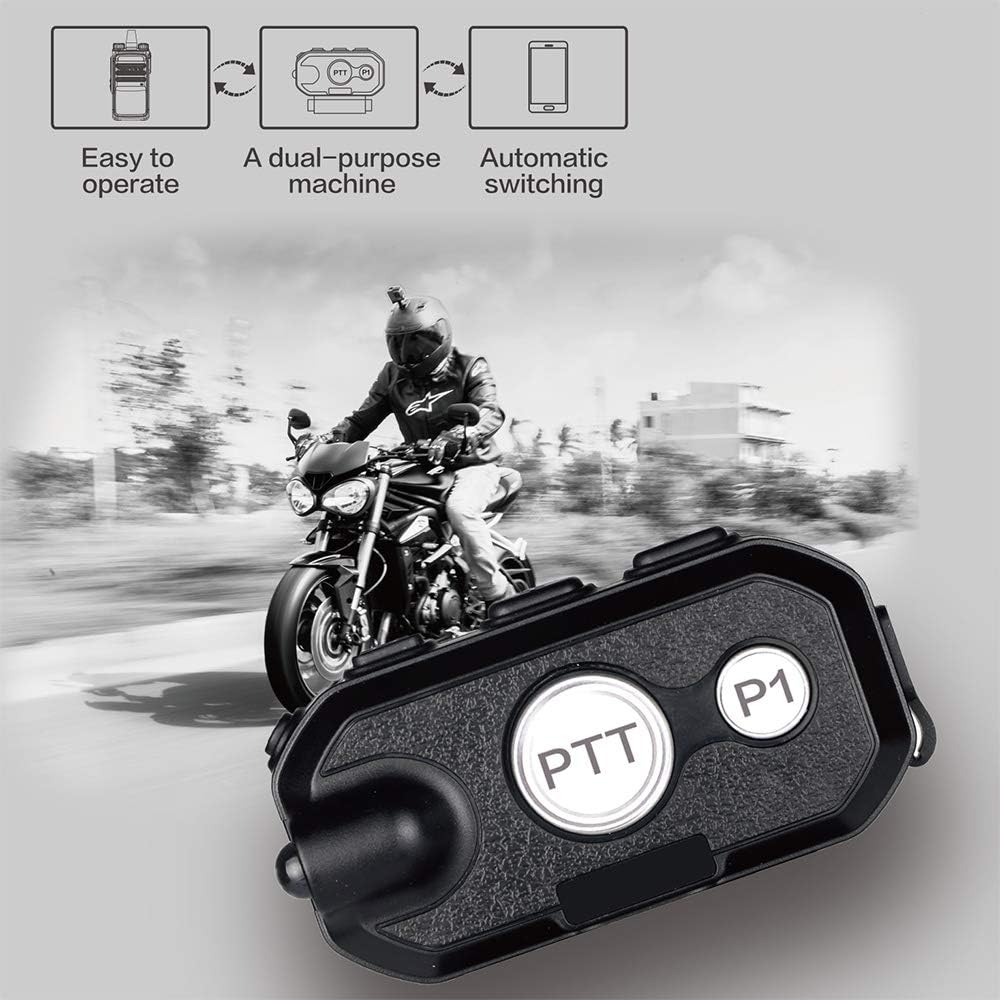
Figura 5.1: The HB880 main unit highlighting the PTT button, shown in a motorcycle riding context.
5.4 Modos de comunicación
The HB880 supports multiple communication modes:
- Modo de llamada telefónica: When a phone call is received, the headset will automatically switch to phone call mode.
- Radio Priority Mode: Two-way radio signals take priority over other audio sources.
- Modo mezclado: Allows listening to navigation audio from a phone while maintaining radio communication.
The device features automatic switching between connected devices based on activity.
6. Mantenimiento
- Limpieza: Wipe the main unit and other components with a soft, dry cloth. Avoid using harsh chemicals or abrasive cleaners.
- Almacenamiento: Guarde el dispositivo en un lugar fresco y seco cuando no esté en uso.
- Cuidado de la batería: To prolong battery life, avoid fully discharging the battery frequently. Charge the device regularly, especially if stored for extended periods.
- Microphone Windshield: Ensure the microphone windshield foam is securely attached to prevent it from falling off during use.
7. Solución de problemas
| Problema | Posible causa | Solución |
|---|---|---|
| Sin energía / El dispositivo no se enciende | Batería baja | Cargue el dispositivo por completo. |
| Cannot pair with phone/PTT controller | Device not in pairing mode; previously paired device interfering | Ensure HB880 is in pairing mode. Disconnect or "forget" previous pairings on your phone/controller and try again. |
| Volumen de audio bajo | Volume set too low; poor speaker placement | Increase volume using the '+' button. Ensure speakers are positioned directly over your ears inside the helmet. |
| Intermittent audio / Poor connection | Loose cable connections; interference | Check all cable connections (speakers, microphone, radio adapter). Ensure devices are within Bluetooth range. |
| Los botones no responden | Botón atascado o defectuoso | Gently check if the button is physically stuck. If the issue persists, contact customer support. |
| Microphone foam falls off | Ajuste holgado | Secure the foam windshield more firmly, possibly using a small rubber band if necessary. |
8. Especificaciones
- Modelo: HB880-K
- Versión de Bluetooth: V4.1 Class2
- Rango de operación: 10 metros (33 pies)
- bluetooth profesionalfiles: HFP, HSP, PTT
- Tiempo de hablar: Aproximadamente 50 horas
- Tiempo en espera: Aproximadamente 300 horas
- Tiempo de carga: Menos de 3 horas
- Dimensiones (Unidad principal): Aproximadamente 5.91 x 3.15 x 3.94 pulgadas
- Fabricante: Anysec
- Código postal: 049500289744
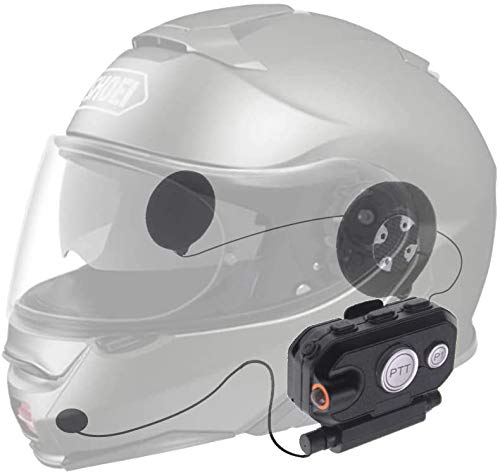
Figura 8.1: Summary of key features and specifications for the HB880 headset.
9. Garantía y soporte
Para obtener información sobre la garantía o asistencia técnica, contacte directamente con su distribuidor o el fabricante. Conserve el recibo de compra como comprobante para cualquier reclamación de garantía.


