
Goshyda KX-T6001CID
Goshyda KX-T6001CID Big Button Corded Telephone User Manual
Model: KX-T6001CID | Brand: Goshyda
Introducción
Thank you for choosing the Goshyda KX-T6001CID Big Button Corded Telephone. This manual provides detailed instructions to help you set up, operate, and maintain your new telephone. Please read this manual thoroughly before use to ensure proper functionality and to take full advantage de sus características.
Información de seguridad
- No exponga el teléfono al agua ni a la humedad.
- Avoid placing the telephone in direct sunlight or near heat sources.
- Utilice únicamente el cable de línea telefónica proporcionado.
- No intente abrir ni reparar el teléfono usted mismo. Deje todas las reparaciones a personal cualificado.
- Mantener fuera del alcance de los niños.
Contenido del paquete
Verifique que todos los artículos estén presentes en el paquete:
- 1 x Auricular
- 1 x Telephone Base Unit
- 1 x cable de auricular
- 1 x cable de línea telefónica
- 1 x Manual de usuario

Image: The Goshyda KX-T6001CID telephone, showing the base unit, handset, and coiled cord.
Producto terminadoview
Familiarize yourself with the main components and controls of your telephone.

Imagen: Frente view of the telephone, highlighting the LCD display, large numeric keypad, and function buttons.
Keypad and Display:
- Teclado numérico (0-9, *, #): Para marcar números de teléfono.
- Pantalla LCD: Muestra el identificador de llamadas, la hora, la fecha y las opciones de menú.
- Botones M1/M2: One-touch memory dialing keys.
- SET/STORE Button: Used for entering settings menu and saving entries.
- Botones ARRIBA/ABAJO: Navigate through menu options or adjust volume.
- RING Button: Adjust ringer volume.
- Botón VOL: Adjust earpiece/speaker volume.
- FL/BRT (Flash/Brightness) Button: Flash function for call waiting, also adjusts LCD brightness.
- Botón REDIAL: Vuelve a marcar el último número marcado.
- H.F (Hands-Free) Button: Activates speakerphone mode.

Imagen: Un primer plano view of the large, easy-to-read buttons on the telephone's keypad.
Configuración
1. Connecting the Telephone:
- Connect one end of the coiled handset cord to the handset and the other end to the handset jack on the left side of the telephone base unit.
- Connect one end of the telephone line cord to the LINE jack on the back of the telephone base unit.
- Conecte el otro extremo del cable de la línea telefónica a la toma telefónica de pared.
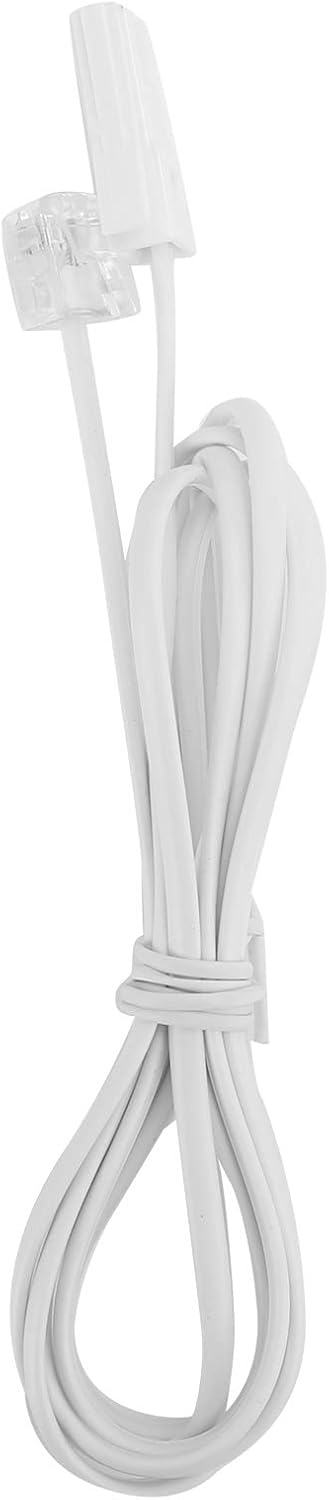
Image: The telephone line cord, used to connect the phone to the wall jack.
2. Configuración inicial:
Upon initial connection, the LCD display may prompt you to set the date and time. Follow the on-screen instructions using the UP y ABAJO Botones para ajustar valores y el ESTABLECER/ALMACENAR Botón para confirmar.
Instrucciones de funcionamiento
Haciendo una llamada:
- Levante el auricular o presione el HF Botón para altavoz.
- Marque el número de teléfono deseado utilizando el teclado numérico.
- Espere a que la llamada se conecte.
- Para finalizar la llamada, cuelgue el auricular o presione la tecla HF botón de nuevo.
Responder una llamada:
Cuando suene el teléfono, levante el auricular o presione el HF botón para responder.
Rellamada:
Levante el auricular o presione HF, luego presione el VOLVER A MARCAR Botón para llamar al último número marcado.
Using Memory Keys (M1/M2):
Almacenar un número:
- Levante el auricular o presione HF.
- Prensa ESTABLECER/ALMACENAR.
- Marque el número de teléfono que desea almacenar.
- Prensa ESTABLECER/ALMACENAR de nuevo.
- Presione cualquiera M1 or M2 to save the number to that memory key.
Dialing from Memory:
Levante el auricular o presione HF, luego presione cualquiera M1 or M2 para marcar el número almacenado.
Características
- DTMF/FSK Dual System Caller ID: Supports both DTMF and FSK caller ID systems for displaying incoming call information.

Image: The telephone's display, showing its capability for DTMF/FSK dual system caller ID function.
- FLASH Time Adjustment: Adjustable FLASH time (90/95/100/120/180/300/600/1000ms) for compatibility with various PBX systems or call waiting services.
- 16 Ringtone Options: Choose from 16 different ringtones.

Image: The telephone with graphic elements suggesting a choice of 16 ringtones.
- Adjustable LCD Brightness: Five levels of LCD screen brightness adjustment for optimal viewEn.
- 3 Alarm Clock Functions: Set up to 3 different alarm clocks, each with unique alarm sounds.
- 10 Groups of Dual Key Memory: Store up to 10 frequently called numbers using dual-key memory functions.
- 1-99 Hours Do Not Disturb Function: Set a "Do Not Disturb" period from 1 to 99 hours.
Mantenimiento
- Limpie el teléfono con un paño suave y seco.amp Paño. No utilice limpiadores abrasivos ni disolventes.
- Keep the telephone away from dust and extreme temperatures.
- Asegúrese de que los cables no estén enredados ni pellizcados para evitar daños.
Solución de problemas
| Problema | Posible causa | Solución |
|---|---|---|
| Sin tono de marcado | El cable de la línea telefónica está desconectado o defectuoso. | Check all cable connections. Try a different telephone line cord. Test the wall jack with another phone. |
| No puedo hacer ni recibir llamadas | Line issue, or phone is in "Do Not Disturb" mode. | Verify phone line service. Check if "Do Not Disturb" is active and disable it. |
| No se muestra el identificador de llamadas | Caller ID service not subscribed or incompatible system. | Contact your telephone service provider to ensure Caller ID service is active. |
| La pantalla está oscura o en blanco | LCD brightness setting is too low. | Adjust the LCD brightness using the FL/BRT button or menu settings. |
Presupuesto
| Característica | Detalle |
|---|---|
| Modelo | KX-T6001CID |
| Marca | Goshyda |
| Material | Acrilonitrilo butadieno estireno (ABS) |
| Color | Blanco |
| Tipo | Teléfono con cable |
| Tipo de marcador | Teclado único |
| Identificador de llamadas | Yes (DTMF/FSK Dual System) |
| Destello | 90/95/100/120/180/300/600/1000ms |
| Tonos de llamada | 16 opciones |
| Brillo de la pantalla LCD | 5 niveles ajustables |
| Funciones de alarma | 3 grupos |
| Función de memoria | 10 groups of dual key memory |
| No molestar | 1-99 horas |
| Peso del artículo | 481 gramos |
| Dimensiones (L x An x Al) | 10 x 10 x 10 milímetros (aproximadamente) |
| Fuente de poder | Battery Powered (likely referring to LCD/memory backup, as corded phones are line-powered for basic functions) |
Garantía y soporte
This Goshyda product is covered by a standard manufacturer's warranty. For specific warranty details, please refer to the documentation included with your purchase or contact Goshyda customer support.
For technical assistance or further inquiries, please contact Goshyda customer service through their official websitio o la información de contacto proporcionada con su producto.
Ask a question about this manual
Ask about setup, troubleshooting, compatibility, parts, safety, or missing instructions. Manuals+ will review the question and use this page’s manual context to help answer it.