
Introducción
The SOWO CONF360 is a versatile Bluetooth speakerphone designed for clear and efficient conference calls. It features 4 AI microphones for 360-degree voice pickup and 4 speakers for 360-degree sound output, ensuring an optimal audio experience for up to 10 people. This manual provides instructions for setting up, operating, and maintaining your device.
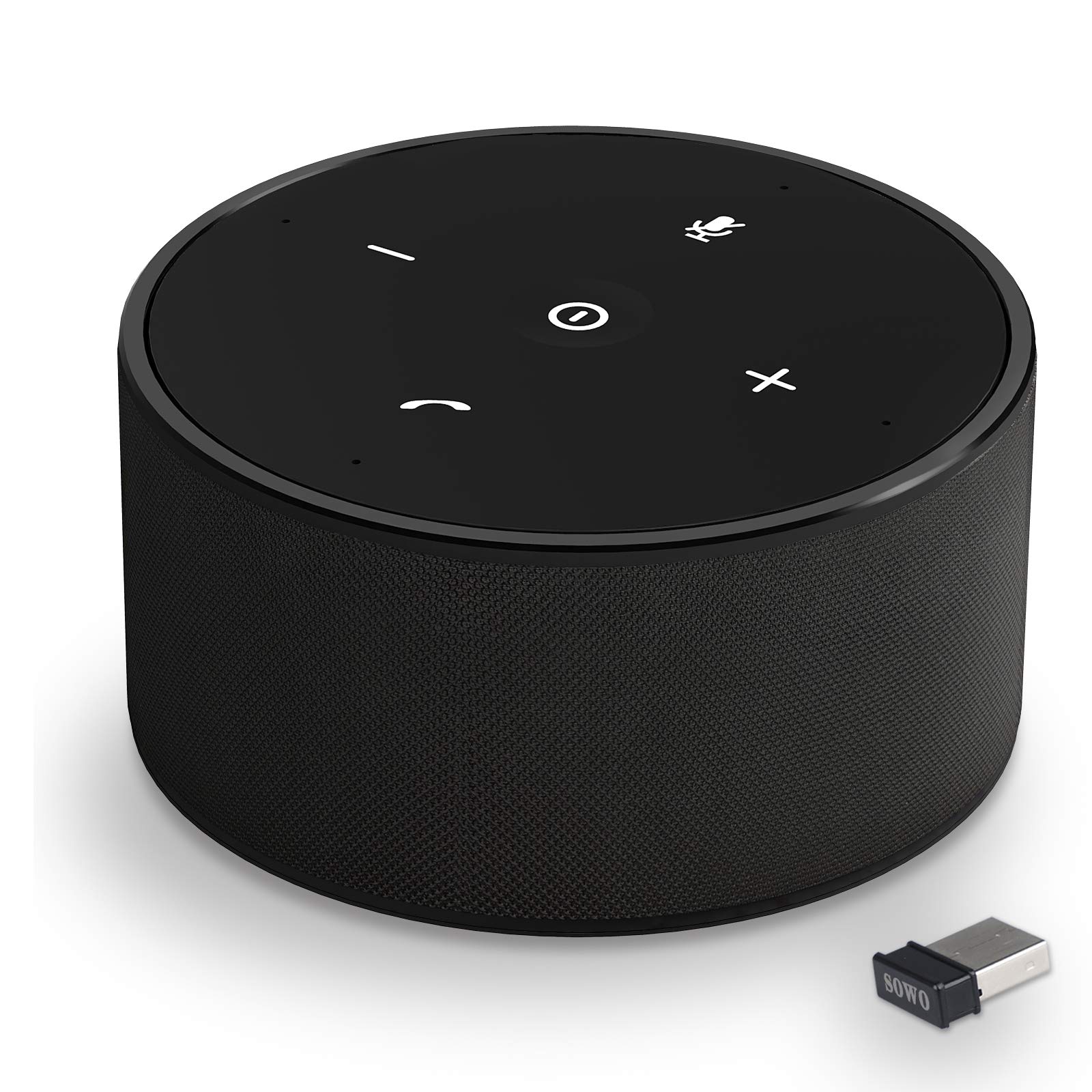
Figura 1: The SOWO CONF360 Bluetooth Speakerphone, a compact and portable device for conference calls.
Contenido del paquete
Por favor, marque la casilla correspondiente a los siguientes artículos:
- Bluetooth conference speaker (1)
- Manual de instrucciones (1)
- cable USB (1)
- 3.5mm audio cable (1)
- Bluetooth adapter (1)
Producto terminadoview
The SOWO CONF360 features an intuitive control layout for easy operation.

Figura 2: Arriba view of the SOWO CONF360 speakerphone, illustrating its omnidirectional voice pickup and sound output with four integrated microphones and speakers.
Controles e indicadores
- Botón de encendido: Located in the center, used to turn the device on/off.
- Bajar volumen (-): Disminuye el volumen del audio.
- Subir volumen (+): Aumenta el volumen del audio.
- Botón de silencio: Silencia o reactiva el micrófono.
- Phone Symbol Button: Manages call functions (answer, end call).
- Indicadores LED: Provide status feedback for power, Bluetooth connection, and call status.
Configuración
1. Carga del dispositivo
Before first use, fully charge the speakerphone. Connect the provided USB cable to the charging port on the device and to a DC 5V/1A power source (e.g., computer USB port or wall adapter). A full charge typically takes 2 to 3 hours.
2. Encendido y apagado
- Para encender: Press and hold the Power Button until the LED indicators light up.
- Para apagar: Press and hold the Power Button until the LED indicators turn off.
3. Conexión a dispositivos
The SOWO CONF360 supports multiple connection methods:

Figura 3: Various connection options for the SOWO CONF360, including USB dongle, Bluetooth, USB cable, and AUX cable.
Conexión Bluetooth
- Asegúrese de que el altavoz esté encendido.
- Activa el Bluetooth en tu dispositivo (smartphone, tablet, portátil).
- Buscar "SOWO CONF360" in your device's Bluetooth settings.
- Select "SOWO CONF360" to pair. The LED indicator will confirm a successful connection.
USB Dongle Connection (for devices without Bluetooth)
- Plug the provided USB Bluetooth adapter into an available USB port on your computer.
- The speakerphone will automatically connect to the dongle. No driver installation is typically required.
Conexión de cable USB
- Connect the speakerphone to your computer using the provided USB cable.
- The device will be recognized as an audio input/output device. Select it in your computer's sound settings.
3.5mm AUX Audio Cable Connection
- Connect one end of the 3.5mm audio cable to the AUX port on the speakerphone.
- Conecte el otro extremo al conector de salida de audio de su dispositivo.
- Note: Microphone functionality may be limited or unavailable when using AUX connection, depending on the connected device.
Instrucciones de funcionamiento
Realizar y recibir llamadas
- Para contestar una llamada: Press the Phone Symbol Button.
- Para finalizar una llamada: Press the Phone Symbol Button again.
- Hacer una llamada: Initiate the call from your connected device. The audio will automatically route through the speakerphone.
Control de volumen
- Aumenta el volumen: Presione el botón Subir volumen (+).
- Disminuir volumen: Presione el botón para bajar el volumen (-).
Función de silenciamiento del micrófono
- Silenciar: Press the Mute Button. The LED indicator for mute will illuminate.
- Para activar el silencio: Press the Mute Button again. The mute LED indicator will turn off.
Funciones de audio avanzadas

Figura 4: The SOWO CONF360 employs advanced technology for background noise reduction, ensuring ultra-clear voice transmission during calls.
The SOWO CONF360 incorporates smart voice enhancement and noise filtration technology. A custom DSP algorithm optimizes your voice in real-time and reduces background noise, ensuring clear communication. The device is designed to prevent echo and delay, even at maximum volume.
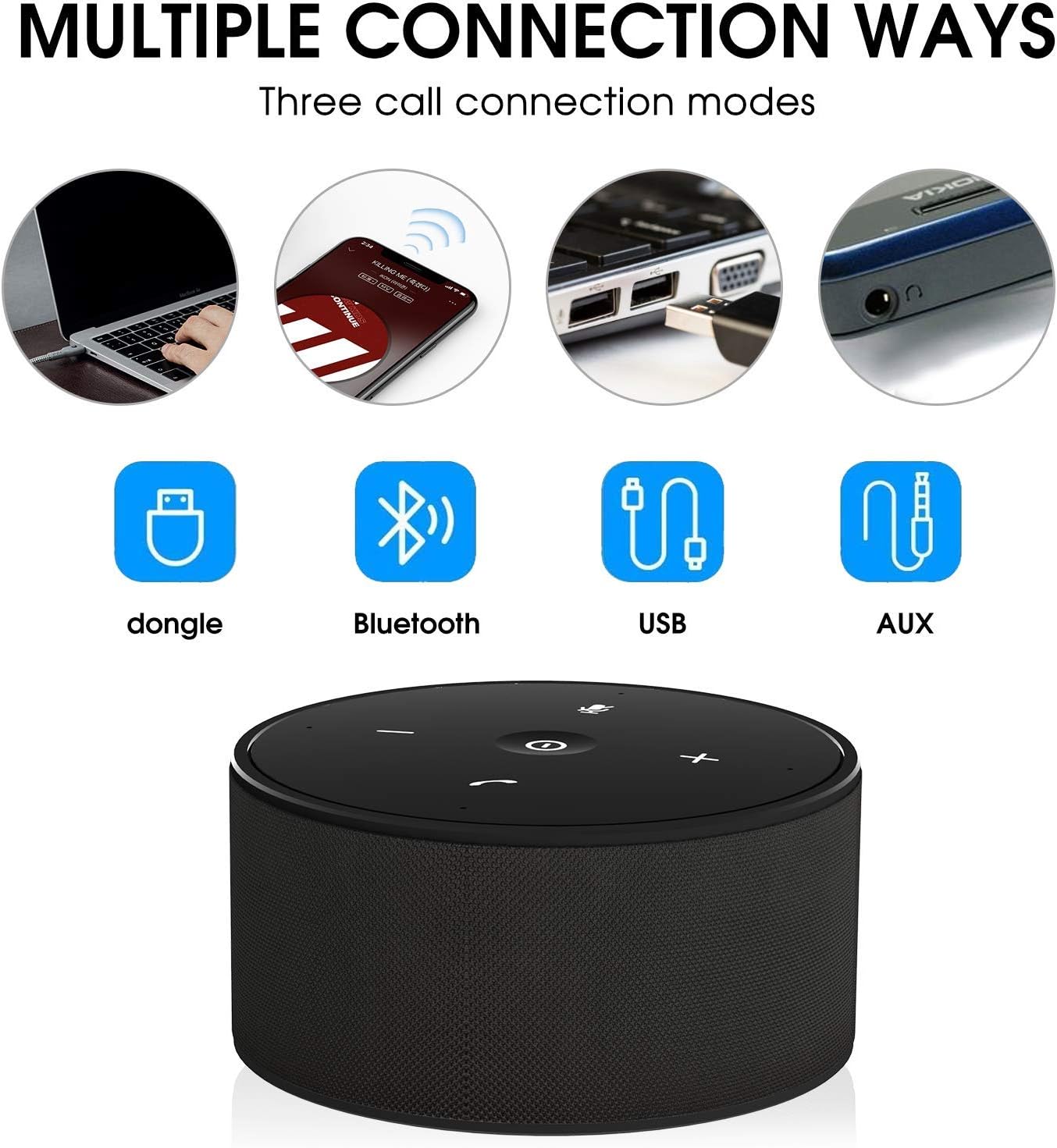
Figura 5: The SOWO CONF360 features advanced echo cancellation, providing clear audio even at high volumes, unlike other devices that may produce echo.

Figura 6: Intelligent pickup enhancement using AI DSP technology balances voice within a 5-meter radius, ensuring consistent audio quality for all participants.
Mantenimiento
- Limpieza: Utilice un paño suave y seco para limpiar el dispositivo. No utilice limpiadores abrasivos ni disolventes.
- Almacenamiento: When not in use, store the speakerphone in a cool, dry place, preferably in its protective carrying case.
- Cuidado de la batería: Para prolongar la vida útil de la batería, evite descargarla por completo con frecuencia. Cargue el dispositivo regularmente, incluso si no lo usa.
Solución de problemas
| Problema | Posible causa | Solución |
|---|---|---|
| El dispositivo no se enciende. | Batería baja. | Cargue el dispositivo durante 2-3 horas. |
| No se puede conectar a través de Bluetooth. | Bluetooth not enabled on device; speakerphone not in pairing mode; too far from device. | Ensure Bluetooth is on. Restart speakerphone and try pairing again. Move closer to the device. |
| No hay sonido o la calidad del sonido es mala. | Volume too low; incorrect audio output selected; loose cable connection. | Increase volume on both speakerphone and connected device. Check audio settings on your computer/phone. Ensure cables are securely connected. |
| El micrófono no funciona. | Micrófono silenciado; entrada de audio incorrecta seleccionada. | Press the Mute Button to unmute. Check audio input settings on your computer/phone. |
| Echo or feedback during calls. | High volume in a small room; speakerphone too close to a wall. | Reduce volume. Adjust speakerphone placement. |
Presupuesto
| Característica | Detalle |
|---|---|
| Modelo | CONF360 |
| Especificación de Bluetooth | V5.0 |
| Potencia de salida | 10W + DSP |
| Micrófonos | 4 high sensitivity microphones |
| Rango de captación de voz | Up to 5 meters (16 feet) 360-degree |
| Dimensiones (L x An x Al) | 122mm x 122mm x 66mm (approx. 11.99 x 11.99 x 5.99 cm) |
| Peso | 435g (approx. 535.24 g with packaging) |
| Max Bluetooth Communication Distance | 30M (actual use may vary) |
| Entrada de carga | DC 5V / 1A |
| Tiempo de carga | 2 ~ 3 horas |
| Duración de la batería (tiempo de conversación) | Up to 12 hours (actual use may vary) |
| Tipo de batería | Iones de litio |
| Conectividad | Bluetooth, USB, entrada auxiliar de 3.5 mm |
| Compatibilidad | Windows 7/8/10, Mac OS, Android, iOS. Optimized for Zoom, Skype, WebEx, Google Hangout, FaceTime. |
Garantía y soporte
The SOWO CONF360 Bluetooth Speakerphone comes with an 18-month quality assurance period. For any issues or support inquiries, please contact the SOWO after-sales team. Contact information can typically be found on the product packaging or the official SOWO websitio.