
1. Introducción
The FISCHER Wireless Bicycle Computer Model 50338 is designed to provide essential cycling data without the need for cables. It features an easy-to-read LCD display and offers 18 functions to track your rides. This manual provides instructions for installation, operation, and maintenance to ensure optimal performance. The computer operates wirelessly via radio transmission, is adjustable for any wheel size, and can display distances in either kilometers or miles. It is also splash-protected, making it suitable for use in light rain.

Imagen 1: Frente view of the FISCHER Wireless Bicycle Computer.
2. Qué incluye
The package for your FISCHER Wireless Bicycle Computer includes all necessary components for immediate use:
- Fischer Wireless Bicycle Computer Unit
- Sensor de velocidad inalámbrico
- Soporte de montaje del manillar
- Mounting Hardware (ties/bands)
- Baterías (preinstaladas o incluidas por separado)

Image 2: All components of the FISCHER Wireless Bicycle Computer system.
3. Configuración e instalación
Follow these steps to correctly install your bicycle computer:
3.1. Instale las baterías
Ensure batteries are correctly inserted into both the computer unit and the wireless speed sensor. The product includes metallic lithium batteries with an average life of 200 hours.
3.2. Mount the Handlebar Bracket
- Position the handlebar mounting bracket on your bicycle's handlebar.
- Secure the bracket firmly using the provided mounting hardware (e.g., zip ties or rubber bands). Ensure it is stable and does not rotate during use.
- Slide the bicycle computer unit onto the bracket until it clicks into place.
3.3. Mount the Speed Sensor
- Attach the wireless speed sensor to the front fork of your bicycle.
- Position the sensor so that it aligns with the spokes of your wheel. The sensor detects wheel rotations.
- Secure the sensor using the provided mounting hardware. Ensure it is close enough to the wheel spokes to register rotations but does not interfere with wheel movement.
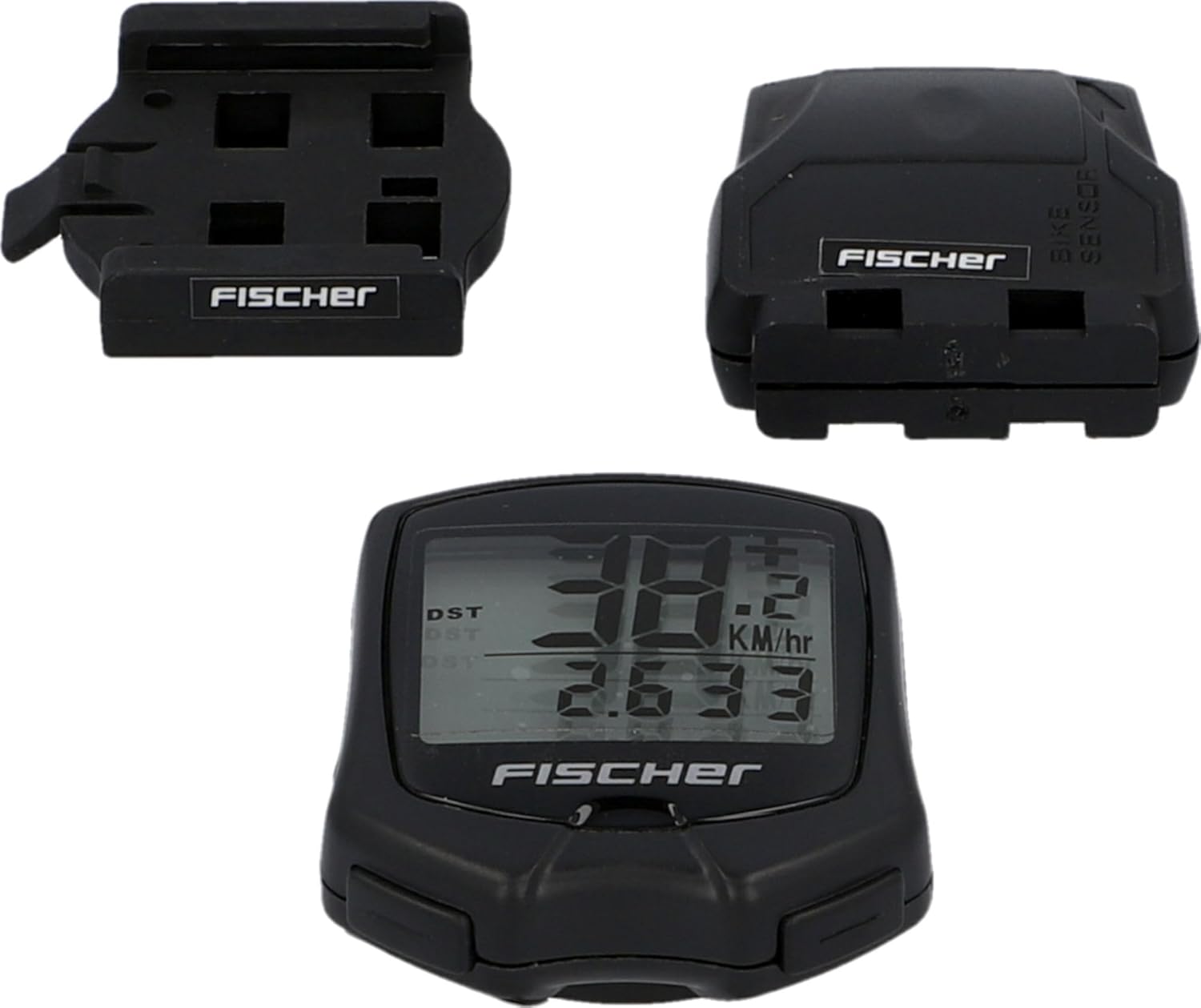
Image 3: Wireless speed sensor and handlebar mount installation overview.
3.4. Ajustes iniciales
After installation, configure the computer for accurate readings:
- Wheel Size Calibration: The computer can be adjusted for any wheel size. Refer to the specific instructions in the included quick start guide for entering your wheel circumference. This is crucial for accurate speed and distance measurements.
- Selección de unidad: Choose between kilometers per hour (km/h) or miles per hour (mph) for speed and distance display.
4. Operating the Bicycle Computer (18 Functions)
The FISCHER Wireless Bicycle Computer features an intuitive button interface for accessing its 18 functions. The LCD display shows multiple data points simultaneously.
4.1. Navegación básica
Use the buttons on the computer unit to cycle through different display modes and access settings. Typically, there are one or two buttons for mode selection and setting adjustments.
4.2. Funciones clave
While the full list of 18 functions is detailed in the product's quick start guide, common functions include:
- Velocidad actual: Muestra tu velocidad de ciclismo en tiempo real.
- Velocidad media: Shows the average speed for your current ride.
- Velocidad máxima: Registra la velocidad más alta alcanzada durante tu recorrido.
- Tiempo de viaje: Tracks the duration of your current cycling activity.
- Distancia del viaje: Mide la distancia recorrida en tu recorrido actual.
- Distancia total (odómetro): Acumula la distancia total recorrida en todos los recorridos.
- Reloj: Muestra la hora actual.
- Modo de escaneo: Automatically cycles through various data displays.
- Temperatura: (If available) Displays ambient temperature.
- Calorías quemadas: (If available) Estimates calorie consumption.
For detailed instructions on each function and how to reset trip data, please refer to the comprehensive user manual provided with the product.
5. Mantenimiento
Proper maintenance ensures the longevity and accuracy of your bicycle computer.
5.1. Limpieza
Clean the computer unit and sensor with a soft, damp cloth. Do not use abrasive cleaners or solvents. The device is splash-protected, meaning it can withstand light rain, but it is not designed for submersion.
5.2. Reemplazo de la batería
When the display becomes dim or functions become erratic, it's time to replace the batteries. Both the computer unit and the sensor use metallic lithium batteries. Refer to the quick start guide for specific battery types and replacement procedures. Dispose of old batteries responsibly.
6. Solución de problemas
If you encounter issues with your FISCHER Wireless Bicycle Computer, try the following solutions:
- No Speed/Distance Display:
- Check if the speed sensor is correctly aligned with the wheel spokes and is within range of the computer unit.
- Ensure batteries in both the computer and sensor are fresh and correctly inserted.
- Verify that the wheel size setting is correctly entered.
- Lecturas inexactas:
- Recalibrate the wheel size setting.
- Ensure the sensor is securely mounted and not moving during rides.
- Compruebe si hay posibles interferencias electromagnéticas de otros dispositivos electrónicos.
- La pantalla está en blanco o tenue:
- Replace the batteries in the computer unit.
- Check for extreme temperatures, which can affect LCD performance.
If problems persist, contact Fischer customer support for further assistance.
7. Especificaciones
| Número de modelo | 50338 |
| Marca | pescador |
| Tecnología de conectividad | Wireless (Proprietary) |
| Tipo de pantalla | Pantalla LCD |
| Tipo de sensor | Sensor de velocidad |
| Composición de la batería | Metallic Lithium |
| Duración media de la batería | 200 horas |
| Tipo de montaje | Montaje del manillar |
| Dimensiones del producto (L x An x Al) | 4 x 13 x 20 cm (packaging); 10L x 10W x 10H millimeters (item) |
| Peso | 100 gramos |
| Color | Negro |
| Protección del agua | Splash-protected |
| Interfaz de entrada | Botones |
8. Garantía y soporte
8.1. Información de garantía
This product is subject to a return policy with a duration of 30 days for refund or replacement, as per Amazon's policy. For specific manufacturer warranty details, please refer to the documentation included with your product or visit the official Fischer websitio.
8.2. Atención al cliente
For technical assistance, troubleshooting not covered in this manual, or warranty claims, please contact Fischer customer support. Contact information can typically be found on the product packaging, the official Fischer websitio, o a través de su minorista.