
ROIDMI X20
Manual de instrucciones de la aspiradora inalámbrica ROIDMI X20
Modelo: X20
1. Instrucciones de seguridad importantes
Please read this instruction manual carefully before using the ROIDMI X20 Cordless Vacuum Cleaner. Keep this manual for future reference.
- Este aparato está diseñado exclusivamente para uso doméstico. No lo utilice con fines comerciales ni industriales.
- No utilice la aspiradora para recoger agua u otros líquidos, cenizas calientes, colillas de cigarrillos, objetos afilados o materiales peligrosos.
- Ensure the power adapter and charging dock are compatible with your local power supply.
- No utilice la aspiradora si el cable o el enchufe están dañados. Si el aparato no funciona correctamente, se ha caído, dañado, se ha dejado a la intemperie o se ha sumergido en agua, devuélvalo a un centro de servicio.
- Mantenga el cabello, la ropa suelta, los dedos y todas las partes del cuerpo lejos de las aberturas y las partes móviles.
- No permita que los niños operen la aspiradora. Es necesaria una supervisión estricta cuando se utilice cerca de ellos.
- Utilice únicamente accesorios y accesorios recomendados por el fabricante.
- Always turn off the appliance before connecting or disconnecting the motorized brush, extension rod, or other accessories.
- The battery pack must be removed from the appliance before it is scrapped. The appliance must be disconnected from the supply mains when removing the battery pack. The battery pack is to be disposed of safely.
2. Producto terminadoview y componentes
The ROIDMI X20 Cordless Vacuum Cleaner comes with several components designed for various cleaning tasks.

Image: The ROIDMI X20 main unit and various cleaning attachments, including different brush heads, a crevice tool, a dusting brush, and the magnetic charging dock.
Componentes principales:
- Unidad principal: Contiene el motor, el depósito de basura y la batería.
- Varilla de extensión: Conecta la unidad principal al cepillo para piso u otros accesorios para un mayor alcance.
- Cepillo de rodillo suave: Ideal for hard floors.
- Carbon Fiber Brush: Suitable for carpets.
- Accesorio para trapeador: Para limpieza húmeda de suelos duros.
- Herramienta para grietas: Para espacios estrechos y esquinas.
- Plumero: Para superficies delicadas y tapizados.
- Magnetic Wireless Charging Dock: Para una carga y almacenamiento cómodos.
- Adaptador de corriente: Para cargar el dispositivo.
3. Configuración y uso inicial
Asamblea:
- Inserte la varilla de extensión en la unidad principal hasta que encaje firmemente.
- Attach the desired floor brush (soft roller or carbon fiber) to the other end of the extension rod until it clicks.
- Para uso portátil, conecte los accesorios directamente a la unidad principal.
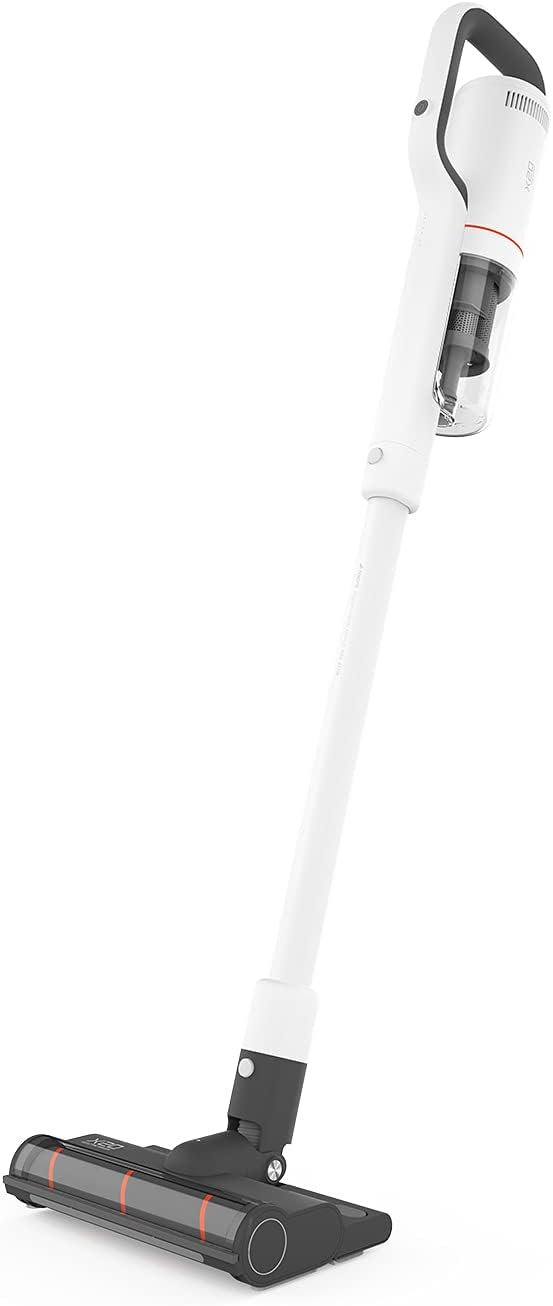
Image: The ROIDMI X20 Cordless Vacuum Cleaner fully assembled with the extension rod and floor brush attached, ready for use.
Cargando:
Before first use, fully charge the vacuum cleaner. The ROIDMI X20 features magnetic wireless charging.
- Mount the magnetic wireless charging dock to a wall in a convenient location, ensuring it is near a power outlet.
- Conecte el adaptador de corriente a la base de carga y conéctelo a una toma de corriente.
- Place the vacuum cleaner onto the charging dock. The indicator light on the main unit will illuminate to show charging status.
- A full charge typically takes approximately 2.5 hours. The battery life is up to 65 minutes depending on the power mode used.
4. Instrucciones de funcionamiento
Modos de encendido/apagado y succión:
- Press the power button on the main unit to turn the vacuum cleaner on. It will start in the standard suction mode.
- Press the mode button to cycle through the three available power levels (Standard, Strong, Max).
- Presione nuevamente el botón de encendido para apagar la aspiradora.
Aspirar:
The ROIDMI X20 is suitable for both hard floors and carpets.

Image: A person using the ROIDMI X20 Cordless Vacuum Cleaner to clean a grey carpet in a living room setting.
- Para pisos duros: Use the soft roller brush. Move the vacuum cleaner slowly over the surface to ensure thorough cleaning.
- Para alfombras: Use the carbon fiber brush. For deeper cleaning, select a higher suction mode.

Image: A person using the ROIDMI X20 Cordless Vacuum Cleaner to clean a light wooden floor, demonstrating its maneuverability.
Función de trapeado:
The ROIDMI X20 integrates vacuuming and mopping for simultaneous cleaning.
- Fill the water tank of the mop attachment with clean water.
- Attach the mop cloth securely to the mop attachment.
- Attach the mop attachment to the floor brush.
- Proceed with vacuuming as usual. The mop attachment will simultaneously wipe the floor.
Usando archivos adjuntos:
Detach the extension rod and attach the crevice tool or dusting brush directly to the main unit for cleaning furniture, car interiors, or hard-to-reach areas.
Control de la aplicación:
The ROIDMI X20 can be connected to a smartphone app for additional control and monitoring features. Refer to the app's instructions for pairing and functionality.
5. Mantenimiento
Regular maintenance ensures optimal performance and extends the lifespan of your ROIDMI X20.
Vaciar el cubo de basura:
- Asegúrese de que la aspiradora esté apagada.
- Localice el botón de liberación del depósito de basura en la unidad principal.
- Presione el botón para separar el depósito de basura.
- Vacíe el contenido en un cubo de basura.
- Vuelva a colocar el depósito de basura de forma segura.
Limpieza de filtros:
The ROIDMI X20 uses a HEPA filter. Clean the filters regularly to maintain suction power.
- Retire el cubo de basura.
- Retire con cuidado el conjunto del filtro del depósito de polvo.
- Tap the HEPA filter gently to remove loose dust.
- Rinse the filter under running water (ensure it is completely dry before reinstallation, which may take 24-48 hours).
- Vuelva a montar los filtros y el depósito de polvo una vez que estén completamente secos.
Cleaning Brush Rolls:
Hair and debris can get tangled in the brush rolls, affecting performance.

Image: A close-up of the ROIDMI X20 floor brush with a cleaning tool next to it, used for removing tangled hair and debris from the brush roll.
- Apague la aspiradora y retire el cepillo para piso.
- Locate the brush roll release mechanism (usually a latch or screw).
- Retire el cepillo giratorio.
- Utilice tijeras o la herramienta de limpieza proporcionada para cortar y eliminar cualquier cabello o fibra enredada.
- Limpie cualquier residuo del alojamiento del cepillo giratorio.
- Vuelva a insertar el cepillo giratorio y asegúrelo.
Cleaning Mop Attachment:
After each use, remove and clean the mop cloth. It can typically be hand-washed or machine-washed.
6. Solución de problemas
If you encounter issues with your ROIDMI X20, refer to the following common problems and solutions:
| Problema | Posible causa | Solución |
|---|---|---|
| La aspiradora no se enciende | La batería está baja o agotada Botón de encendido no presionado correctamente | Charge the vacuum cleaner fully Asegúrese de que el botón de encendido esté presionado firmemente |
| Baja potencia de succión | Cubo de basura está lleno Los filtros están obstruidos El rodillo del cepillo está enredado Obstrucción en la boquilla/manguera | Vaciar el cubo de basura Limpie o reemplace los filtros Limpiar el rodillo del cepillo Verifique y elimine cualquier obstrucción |
| El rodillo del cepillo no gira | El rodillo del cepillo está enredado Obstrucción en el cabezal del cepillo El cabezal del cepillo no está bien colocado | Limpiar el rodillo del cepillo Eliminar cualquier obstrucción Asegúrese de que el cabezal del cepillo esté bien fijado |
| El vacío se detiene durante el funcionamiento | La batería está agotada Protección contra sobrecalentamiento activada | Recargar la batería Turn off the vacuum and allow it to cool down for at least 30 minutes before resuming use |
7. Especificaciones
Key technical specifications for the ROIDMI X20 Cordless Vacuum Cleaner:
| Característica | Especificación |
|---|---|
| Marca | ROIDMI |
| Nombre del modelo | X20 |
| Característica especial | Bagless, Vacuum Mop Combo |
| Tipo de filtro | Filtro HEPA |
| Componentes incluidos | Battery, Mop, Various Brushes |
| Sin cable | Sí |
| Capacidad del cubo de basura | 500 mililitros |
| Usos recomendados | Alfombra, suelo duro |
| Factor de forma | Palo |
| Color | Blanco |
| Nivel de ruido | 72 dB |
| Duración de la batería | Hasta 65 minutos |
| Método de control | Pulsar botón, aplicación |
| Número de niveles de potencia | 3 |
| Peso del artículo | 13.2 libras |
| Dimensiones del paquete | 23.86 x 12.68 x 8.11 pulgadas |
8. Garantía y soporte
The ROIDMI X20 Cordless Vacuum Cleaner comes with a manufacturer's warranty. Please refer to the warranty card included in your product packaging for specific terms and conditions, including warranty period and coverage details.
For technical support, troubleshooting assistance beyond this manual, or warranty claims, please contact ROIDMI customer service through their official websitio o la información de contacto proporcionada en la documentación de su producto.
Ask a question about this manual
Ask about setup, troubleshooting, compatibility, parts, safety, or missing instructions. Manuals+ will review the question and use this page’s manual context to help answer it.