
1. Introducción
The Qilmy 1080P Wireless WiFi Home Security Camera is designed to provide reliable surveillance for your home. This device combines a high-definition camera with motion detection, night vision, and remote viewing capabilities, all integrated into a standard light bulb form factor for easy installation. This manual will guide you through the installation, setup, and operation of your new security camera.
2. Características principales
- Resolución Full HD 1080P: Proporciona información de video clara y detallada.tage.
- Conectividad WiFi inalámbrica: Easy connection to your home network for remote access.
- Motion Detection & Instant Alarm: Automatically detects movement and sends alerts to your connected device.
- Visión nocturna clara: Garantiza la visibilidad en condiciones de poca luz.
- Remoto Viewen: Monitor your property from anywhere using a smartphone app.
- Integrated Flood Light: Features 3 built-in flood lights that can activate automatically upon motion detection.
- Fácil instalación: Screws into a standard E27 light socket.
- Ranura para tarjeta micro SD: Para el almacenamiento local de grabaciones.

Imagen: Más alláview of the Qilmy Home Security Camera's key features, including 1080P resolution, video recording, 360 panoramic viewing, Wi-Fi connection, light function, motion detection, remote viewing, and Micro SD card slot.
3. ¿Qué hay en la caja?
- Qilmy 1080P Wireless WiFi Home Security Camera (Bulb-shaped)
- E27 Light Socket Adapter (for mounting)
- Tornillos de montaje y anclajes de pared
- Guía de inicio rápido

Image: Contents of the Qilmy Home Security Camera package, showing the camera, an E27 socket adapter, mounting hardware, and a quick start guide.
4. Configuración
4.1 Instalación física
- Elija una ubicación: Select a location with a standard E27 light socket that provides the desired viewángulo de visión y está dentro del alcance de su red Wi-Fi de 2.4 GHz.
- Apagado: Asegúrese de que la alimentación de la toma de luz esté apagada en el disyuntor antes de la instalación.
- Instalar cámara: Carefully screw the Qilmy security camera into the E27 light socket. If no existing socket is available, use the provided E27 adapter and mounting hardware to install it on a wall or ceiling.
- Encendido: Restore power to the light socket. The camera will power on and emit a voice prompt indicating it is ready for configuration.

Image: A person's hands installing the Qilmy Home Security Camera into a ceiling light fixture, demonstrating its easy and quick installation process.
4.2 Conexión Wi-Fi y configuración de la aplicación
- Descargar aplicación: Download the recommended mobile application (e.g., "iCSee" or similar as indicated in the Quick Start Guide) from your smartphone's app store.
- Registrar Cuenta: Open the app and register a new user account if you don't already have one.
- Agregar dispositivo: Follow the in-app instructions to add a new device. This typically involves scanning a QR code on the camera or selecting the device type and following prompts.
- Conectarse a Wi-Fi: Connect the camera to your 2.4GHz Wi-Fi network. Ensure your smartphone is also connected to the same 2.4GHz network during the setup process.
- Configuración: The camera will confirm successful connection with a voice prompt. Once connected, you can access live video and adjust settings through the app.

Image: A smartphone displaying the live feed from the Qilmy Home Security Camera, illustrating Wi-Fi connection and remote viewing capabilities from anywhere, anytime.
5. Instrucciones de funcionamiento
5.1 en vivo ViewGrabación y grabación
- Abra la aplicación móvil para view La transmisión en vivo de su cámara.
- Utilice la interfaz de la aplicación para grabar vídeos o capturar capturas de pantalla manualmente.
- Acceder a foo grabadotage stored on the Micro SD card or cloud storage (if subscribed).
5.2 Detección de movimiento y alertas
- Habilite la detección de movimiento en la configuración de la aplicación.
- Ajuste los niveles de sensibilidad para minimizar las falsas alarmas.
- Reciba notificaciones push instantáneas en su teléfono inteligente cuando se detecte movimiento.
- The camera can automatically activate its floodlights and siren alarm upon detecting motion, deterring intruders.
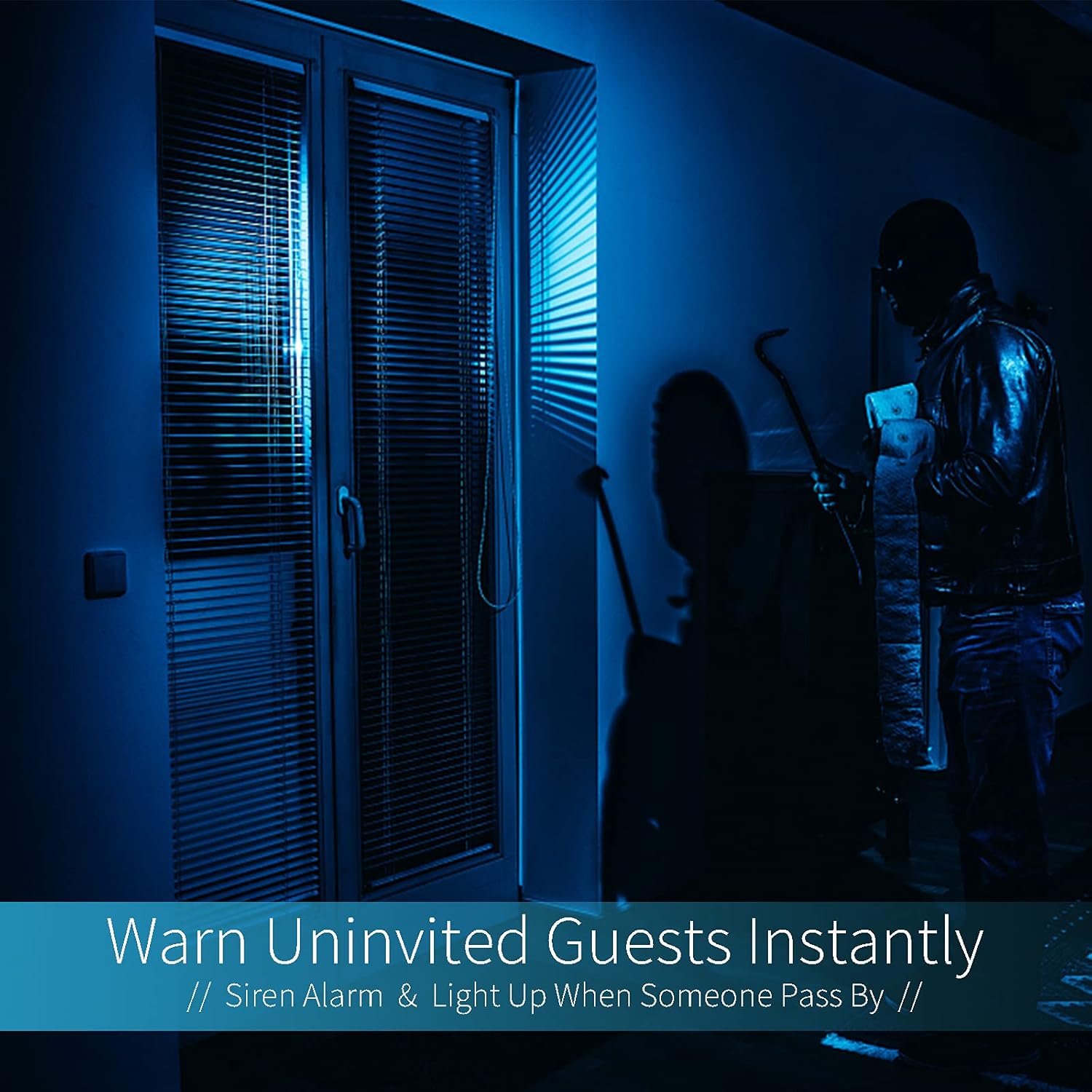
Image: A dark room with a security camera's light illuminating a figure, depicting the camera's ability to warn uninvited guests instantly with a siren alarm and light activation upon motion detection.
5.3 Función de luz
- The camera features built-in floodlights.
- Control the floodlights manually through the app.
- Configure the floodlights to turn on automatically when motion is detected, especially during nighttime.

Image: A comparison of a standard light bulb and the Qilmy Home Security Camera, highlighting its dual function as both a light bulb and a security camera with 3W consumption.
6. Mantenimiento
- Limpieza: Limpie suavemente la lente y el cuerpo de la cámara con un paño suave y seco. No utilice productos químicos agresivos ni limpiadores abrasivos.
- Actualizaciones de firmware: Revise periódicamente la aplicación móvil para verificar si hay actualizaciones de firmware disponibles para garantizar un rendimiento y seguridad óptimos.
- Gestión de tarjetas SD: Si utiliza una tarjeta Micro SD, vuelva a cargarla periódicamente.view y borra comida viejatage to free up space, or enable loop recording if supported by the app.
- Estabilidad de la red: Asegúrese de que su red Wi-Fi sea estable y fuerte para que la cámara funcione sin interrupciones.
7. Solución de problemas
| Problema | Posible causa | Solución |
|---|---|---|
| La cámara no se enciende. | No llega corriente al enchufe de la luz; la cámara no está bien atornillada. | Check the circuit breaker. Ensure the camera is securely screwed into the E27 socket. |
| No se puede conectar a Wi-Fi. | Contraseña de Wi-Fi incorrecta; la cámara está demasiado lejos del enrutador; se utilizó una red Wi-Fi de 5 GHz. | Verifica la contraseña de Wi-Fi. Acerca la cámara al router. Asegúrate de estar conectado a una red Wi-Fi de 2.4 GHz. |
| No hay alertas de detección de movimiento. | Detección de movimiento deshabilitada; sensibilidad demasiado baja; notificaciones de aplicaciones bloqueadas. | Enable motion detection in the app. Increase sensitivity. Check app notification settings on your phone. |
| Mala calidad de vídeo. | Señal Wi-Fi débil; lente sucia. | Mejore la intensidad de la señal Wi-Fi. Limpie la lente de la cámara con un paño suave. |
| Remoto viewing no funciona | Internet connection issue on camera or phone; app not updated. | Check internet connectivity for both camera and phone. Update the app to the latest version. |
8. Especificaciones
- Número de modelo: ZXL2023011
- Resolución de captura de video: 1080p Full HD
- Tecnología de conectividad: Inalámbrico (Wi-Fi)
- Tecnología de comunicación inalámbrica: Wi-Fi (solo 2.4 GHz)
- Fuente de energía: AC/DC (E27 light socket)
- Quétage: 3 vatios
- Características especiales: Motion Sensor, Night Vision, Integrated Flood Light
- Factor de forma: Dome (Bulb-shaped)
- Tipo de montaje: Wall Mount (via E27 adapter)
- Dimensiones del artículo (largo x ancho x alto): 6.45 x 4.1 x 3.54 pulgadas
- Peso del artículo: 7.8 onzas (222 gramos)
- Clasificación de protección internacional: IP67
- Dispositivos compatibles: Teléfono inteligente
- Código postal: 605660998393
9. Garantía y soporte
Specific warranty information and detailed support contact details are typically provided with the product packaging or on the manufacturer's official website. Please refer to the documentation included with your purchase for the most accurate and up-to-date warranty terms and customer support options.