
Introducción
Thank you for choosing the MEDION MD 10319 Tower Fan. This manual provides essential information for the safe and efficient operation of your new fan. Please read these instructions carefully before use and keep them for future reference.
Instrucciones de seguridad importantes
Siga siempre las precauciones básicas de seguridad al utilizar aparatos eléctricos para reducir el riesgo de incendio, descarga eléctrica y lesiones a las personas.
- Asegúrese de que la fuente de alimentación voltage coincide con la etiqueta de clasificación del ventilador.
- No utilice el ventilador si el cable o el enchufe están dañados. Si el cable está dañado, debe ser reemplazado por el fabricante, su agente de servicio técnico o personal cualificado para evitar riesgos.
- Mantenga el ventilador alejado del agua y otros líquidos. No lo sumerja en agua.
- No introduzca los dedos ni objetos extraños en la rejilla mientras el ventilador esté funcionando.
- Desenchufe el ventilador de la toma de corriente cuando no esté en uso, cuando lo traslade de un lugar a otro y antes de limpiarlo.
- Este aparato no está diseñado para ser utilizado por personas (incluidos niños) con capacidades físicas, sensoriales o mentales reducidas, o con falta de experiencia y conocimientos, a menos que hayan recibido supervisión o instrucciones sobre el uso del aparato por parte de una persona responsable de su seguridad.
- Se debe supervisar a los niños para garantizar que no jueguen con el aparato.
- Coloque el ventilador sobre una superficie plana y estable para evitar que se vuelque.
Contenido del paquete
Por favor revise el paquete para ver los siguientes componentes:
- MEDION MD 10319 Tower Fan
- Base (two halves)
- Tuerca de seguridad
- 4 Mounting Screws for Base
- Control remoto (con 2 pilas AAA)
- Manual de instrucciones
Montaje y configuración
Siga estos pasos para ensamblar su ventilador de torre:
- Retire con cuidado todos los componentes del embalaje.
- Assemble the two halves of the base by interlocking them.
- Align the assembled base with the bottom of the fan unit. Ensure the power cord passes through the designated slot in the base.
- Secure the base to the fan unit using the 4 mounting screws provided.
- Tighten the securing nut from underneath the base to firmly attach it to the fan body.
- Inserte las 2 pilas AAA en el control remoto, respetando la polaridad.
- Coloque el ventilador sobre una superficie firme y nivelada.
- Conecte el cable de alimentación a una toma eléctrica adecuada (220 V).
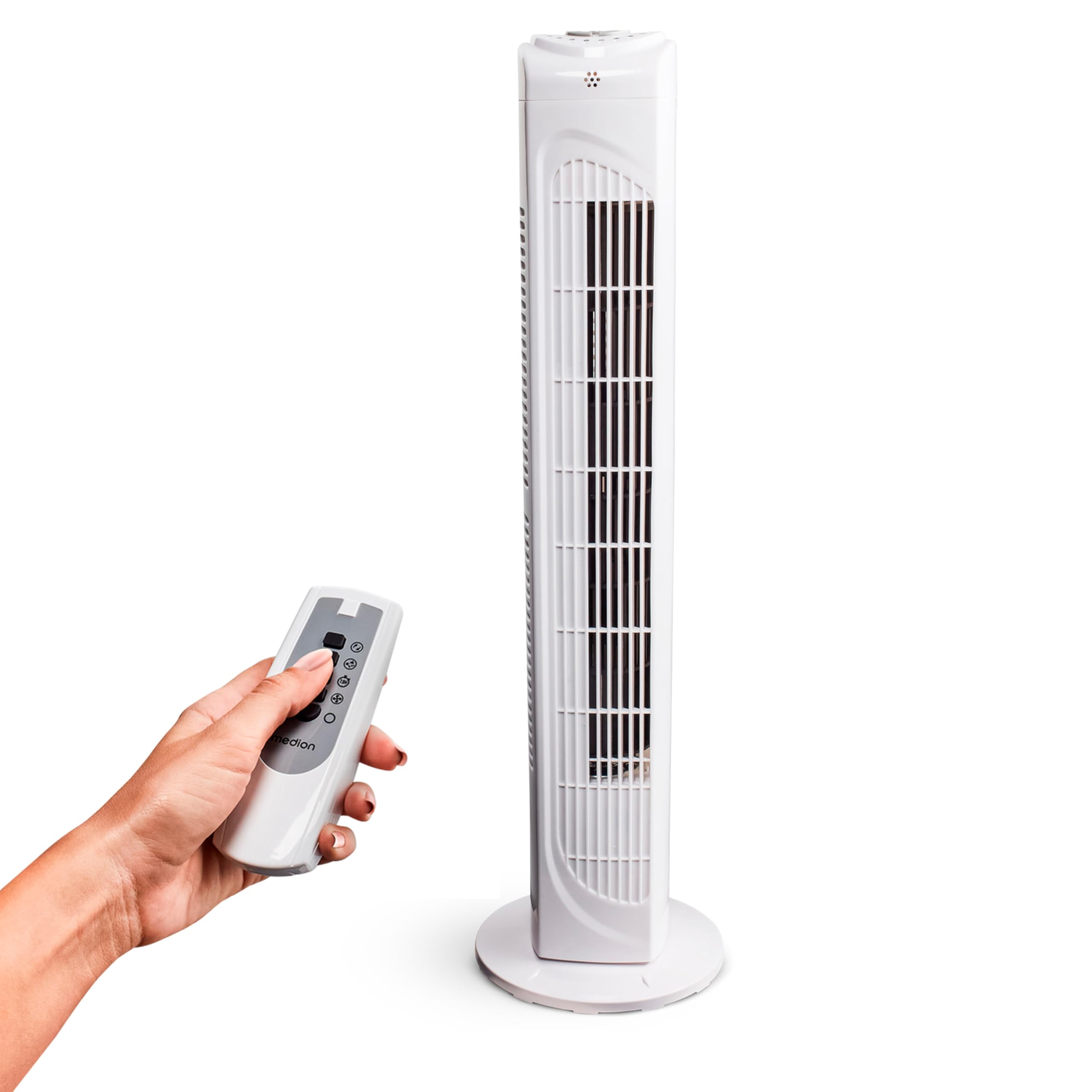
Image: The MEDION MD 10319 Tower Fan, fully assembled with its base, ready for use.

Image: A hand demonstrating the integrated carrying handle on top of the fan for easy portability.
Producto terminadoview
Panel de control
The control panel is located on the top of the fan unit. It features buttons for power, speed, oscillation, and timer functions.

Imagen: Detallada view of the fan's top control panel, showing buttons for power, speed settings (3 levels), timer, and oscillation.
Mando a distancia
The included remote control allows you to operate all fan functions from a distance.
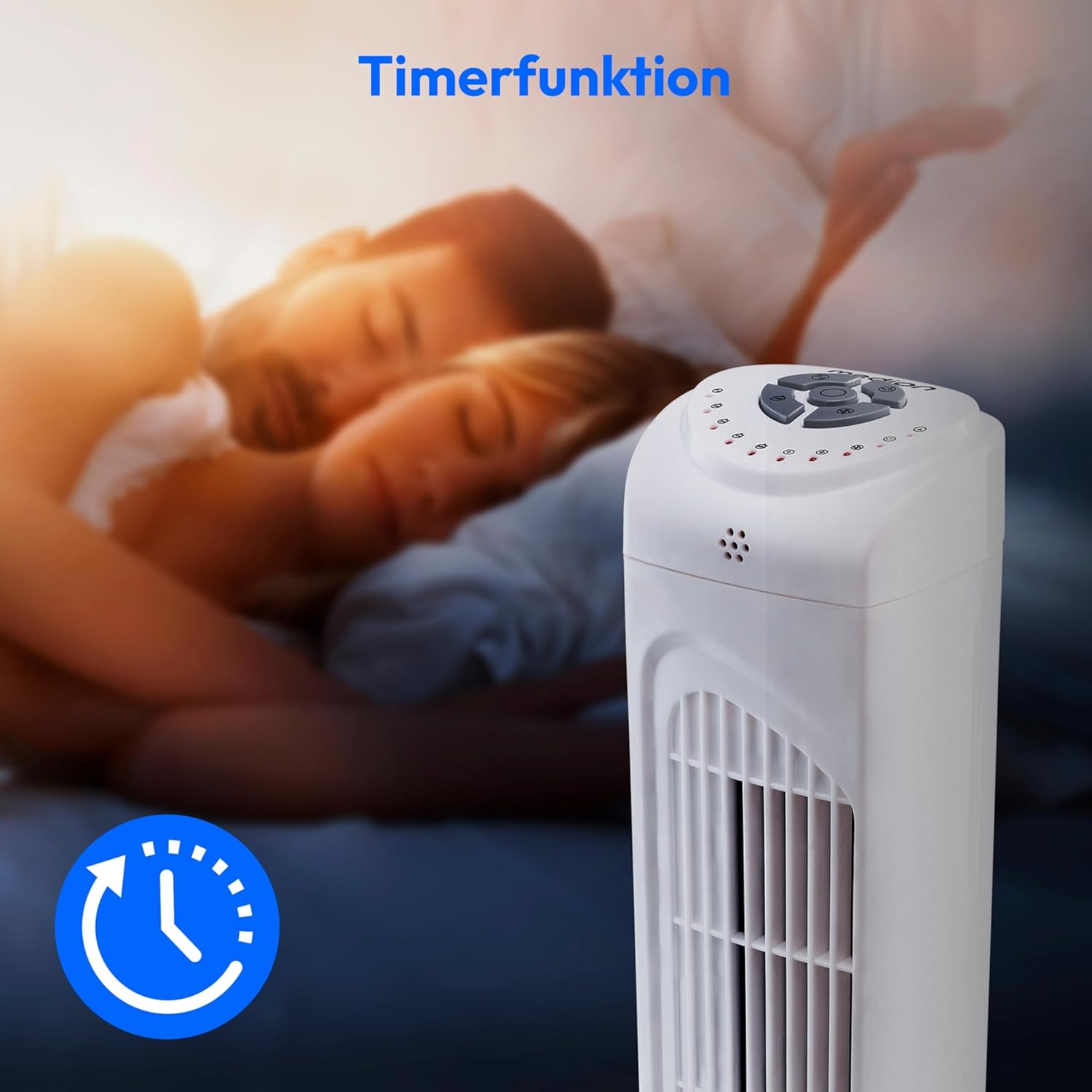
Image: A hand holding the remote control, which features buttons for power, speed, oscillation, and timer, mirroring the main control panel.
Instrucciones de funcionamiento
Encendido/apagado
- Presione el FUERZA button on the control panel or remote control to turn the fan ON.
- Presione el FUERZA Pulse de nuevo el botón para apagar el ventilador.
Ajuste de la velocidad del ventilador
El ventilador tiene 3 configuraciones de velocidad: baja, media y alta.
- Presione el VELOCIDAD button repeatedly to cycle through the speed settings.
- The current speed level will be indicated by LED lights on the control panel.
Función de oscilación
The oscillation function allows the fan to rotate horizontally, distributing air over a wider area.
- Presione el Comisión de control de operaciones button on the control panel or remote control to activate oscillation. The fan will rotate approximately 60 degrees.
- Presione el Comisión de control de operaciones button again to stop oscillation. The fan will stop in its current position.

Image: The tower fan oscillating, indicated by blue arrows showing a 60-degree rotation for wider air distribution.
Función de temporizador
The timer function allows you to set the fan to automatically turn off after a specified period, up to 7.5 hours.
- Presione el MINUTERO button repeatedly to set the desired operating time (e.g., 0.5h, 1h, 2h, 4h, up to 7.5h).
- The selected timer duration will be indicated by LED lights on the control panel.
- To cancel the timer, cycle through the settings until no timer LEDs are illuminated, or turn the fan off.

Image: The fan with a timer icon, illustrating its use for setting automatic shut-off, ideal for use during sleep.
Mantenimiento
Regular cleaning will help maintain the performance and extend the lifespan of your fan.
- Desenchufe siempre el ventilador de la toma de corriente antes de limpiarlo.
- Utilice un paño suave y seco.amp Paño para limpiar las superficies exteriores del ventilador. No utilice limpiadores abrasivos ni disolventes.
- Utilice una aspiradora con un accesorio de cepillo para eliminar suavemente el polvo de las rejillas de entrada y salida de aire.
- No permita que entre agua en el interior del ventilador.
- Guarde el ventilador en un lugar fresco y seco cuando no lo utilice durante períodos prolongados.
Solución de problemas
If you encounter any issues with your MEDION MD 10319 Tower Fan, please refer to the following common problems and solutions:
| Problema | Posible causa | Solución |
|---|---|---|
| El ventilador no se enciende. | No hay suministro de energía. El botón de encendido no está presionado. | Compruebe si el cable de alimentación está enchufado de forma segura a una toma de corriente que funcione. Press the POWER button on the fan or remote. |
| El control remoto no funciona. | Las baterías están agotadas o insertadas incorrectamente. Obstrucción entre el control remoto y el ventilador. | Reemplace las baterías (2 x AAA) y asegúrese de la polaridad correcta. Retire cualquier objeto que bloquee la señal. Asegúrese de estar dentro del alcance. |
| El ventilador hace un ruido extraño. | El ventilador no está sobre una superficie nivelada. Obstruction in the fan grille. | Coloque el ventilador sobre una superficie estable y plana. Unplug the fan and carefully check for any foreign objects in the grilles. |
| La función de oscilación no funciona. | Oscillation button not activated. | Press the OSC button on the control panel or remote control. |
Presupuesto
| Característica | Detalle |
|---|---|
| Marca | MEDION |
| Nombre del modelo | MD 10319 |
| Tipo | Tower Fan / Floor Fan |
| Color | Blanco |
| Fuente de poder | Eléctrico con cable |
| Quétage | 45 W |
| Volumentage | 220 voltios |
| Número de velocidades | 3 |
| Características especiales | Oscillating, Timer Function |
| Ángulo de oscilación | 60° |
| Función de temporizador | Hasta 7.5 horas |
| Método de control | Control remoto, botones en la unidad |
| Nivel de ruido | 50 decibelios |
| Dimensiones del producto (Pr. x An. x Al.) | 28 cm x 28 cm x 79 cm |
| Peso del artículo | 2.5 kilogramos |
| Material | Plástico |
| Tipo de conector de alimentación principal | CEE 7/7 (Schuko) |

Image: The MEDION MD 10319 Tower Fan with its height (79 cm) and base width (28 cm) clearly indicated.
Garantía y soporte
Your MEDION MD 10319 Tower Fan comes with a manufacturer's warranty. Please refer to the warranty card included in your package for detailed terms and conditions, including the warranty period and coverage.
For technical support, service, or spare parts, please contact MEDION customer service. Contact information can typically be found on the MEDION official websitio o en la documentación de la garantía.