
1. Introducción
Thank you for choosing the Cecotec ForceClima 7450 Touch Connected Portable Air Conditioner. This manual provides essential information for the safe and efficient operation, maintenance, and troubleshooting of your new appliance. Please read it thoroughly before use and keep it for future reference.

Figure 1.1: Cecotec ForceClima 7450 Touch Connected Portable Air Conditioner
The ForceClima 7450 Touch Connected is designed to provide effective cooling, ventilation, and dehumidification for spaces up to 15 m². It features a powerful 7000 BTU cooling capacity, a user-friendly touch control panel, a remote control, and Wi-Fi connectivity for convenient operation via your smartphone.
2. Instrucciones de seguridad
Para reducir el riesgo de incendio, descarga eléctrica o lesiones al usar su acondicionador de aire, siga estas precauciones básicas:
- Conecte siempre la unidad a una toma de corriente con conexión a tierra y con el voltaje correcto.tage (230 voltios).
- No opere el aire acondicionado con un cable o enchufe dañado.
- Asegúrese de que haya una ventilación adecuada alrededor de la unidad. No bloquee las entradas ni las salidas de aire.
- No introduzca los dedos ni objetos extraños en las entradas/salidas de aire.
- Keep the unit away from water and other liquids. Do not use it in bathrooms or very humid environments.
- Desenchufe el aparato antes de limpiarlo o realizar cualquier mantenimiento.
- No intente reparar ni modificar la unidad usted mismo. Para reparaciones, contacte con personal de servicio técnico cualificado.
- Ensure the exhaust hose is properly installed to expel hot air outside.
- Supervise a los niños para asegurarse de que no jueguen con el aparato.
3. Contenido del paquete
Carefully unpack your air conditioner and check that all items are present and in good condition:
- Cecotec ForceClima 7450 Touch Connected Portable Air Conditioner Unit
- Mando a distancia
- Manguera de escape
- Kit de sellado de ventanas
- Manguera de drenaje
- Manual de usuario
4. Características del producto
The Cecotec ForceClima 7450 Touch Connected offers a range of features for optimal comfort:
- Capacidad de enfriamiento: 7000 BTU, suitable for rooms up to 15 m².
- Fuerza: 790 vatios.
- Opciones de control: Intuitive touch control panel, remote control, and Wi-Fi connectivity via smartphone app.
- Mostrar: Clear LED screen showing current settings.
- Modos de funcionamiento:
- Modo de enfriamiento: For effective temperature reduction.
- Modo de ventilador: Hace circular el aire sin enfriar.
- Modo de deshumidificación: Elimina hasta 20 litros de humedad por día, mejorando la calidad del aire.
- Modo nocturno: Operates quietly for undisturbed sleep.
- Velocidades del ventilador: Two adjustable speeds (Low and High).
- Función de temporizador: Programmable for up to 24 hours.
- Portabilidad: Equipado con ruedas para fácil movimiento.
5. Configuración
Siga estos pasos para configurar su aire acondicionado portátil:
5.1 Colocación de la unidad
Place the air conditioner on a flat, stable surface, ensuring there is at least 30 cm of clear space around the unit for proper airflow. Position it near a window or opening for exhaust hose installation.
5.2 Installing the Exhaust Hose
- Conecte un extremo de la manguera de escape a la salida de aire en la parte posterior de la unidad.
- Extend the exhaust hose and attach the window adapter to the other end.
- Open the window and install the window sealing kit. Secure the window adapter into the opening of the sealing kit to ensure hot air is expelled outside and warm air does not re-enter the room.
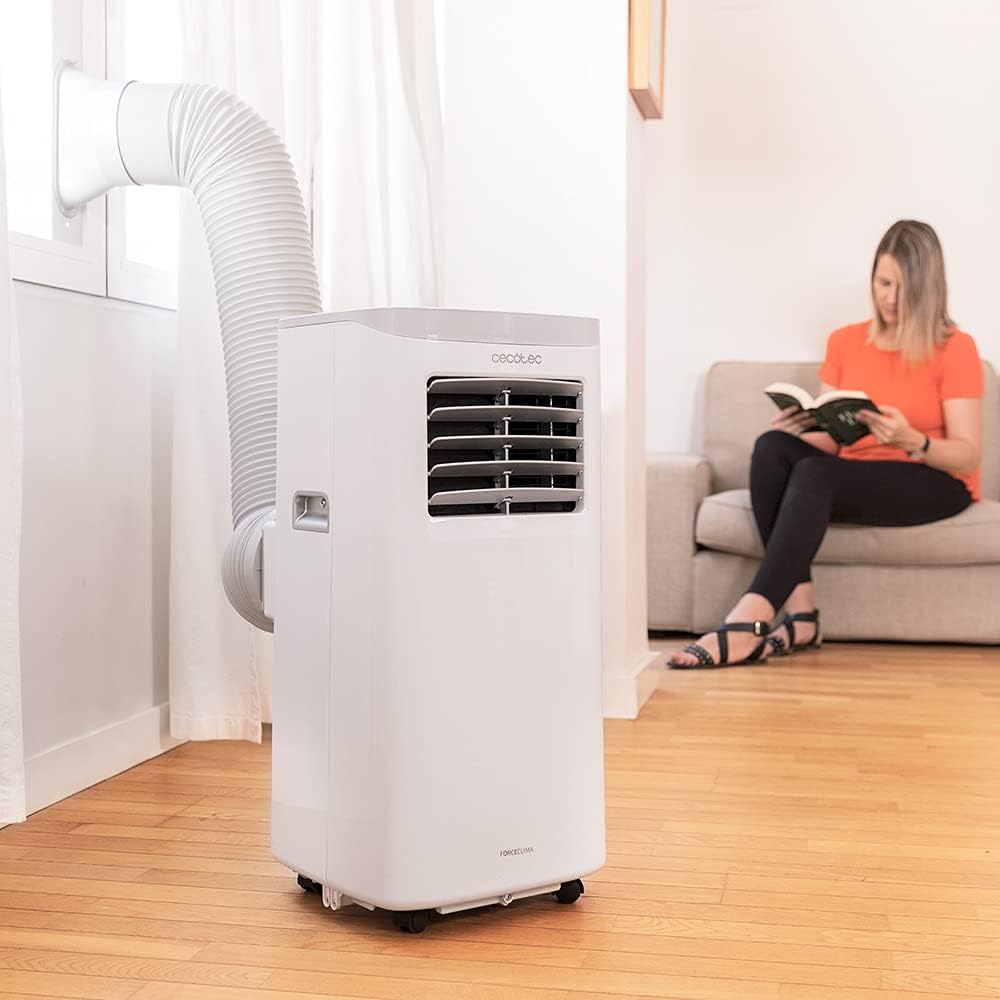
Figure 5.1: Proper installation of the exhaust hose in a window
5.3 Conexión de alimentación
Plug the power cord into a standard 230V grounded electrical outlet. Ensure the outlet is suitable for the appliance's power requirements.
6. Instrucciones de funcionamiento
Your Cecotec ForceClima 7450 Touch Connected can be operated using the touch control panel, the remote control, or the dedicated smartphone app.
6.1 Funcionamiento del panel de control

Figura 6.1: Panel de control táctil

Figura 6.2: Interacción con el panel de control
- Botón de encendido: Pulse para encender o apagar la unidad.
- Botón de modo: Cycle through Cooling, Fan, Dehumidification, and Night modes. The selected mode will be indicated on the LED display.
- Botones de ajuste de temperatura (arriba/abajo): Ajuste la temperatura deseada en el modo Enfriamiento.
- Botón de velocidad del ventilador: Alterne entre velocidades de ventilador bajas y altas.
- Botón del temporizador: Set the auto-off timer (up to 24 hours).
6.2 Operación del control remoto
The remote control allows you to operate all functions of the air conditioner from a distance. Ensure there are no obstructions between the remote control and the unit's receiver.
- Los botones del mando a distancia corresponden a las funciones del panel de control.
- Insert 2x AAA batteries (not included) into the remote control before first use.
6.3 Control de Wi-Fi (aplicación para smartphone)
The Cecotec ForceClima 7450 Touch Connected can be controlled remotely via a smartphone app. This allows you to manage settings from anywhere with an internet connection.
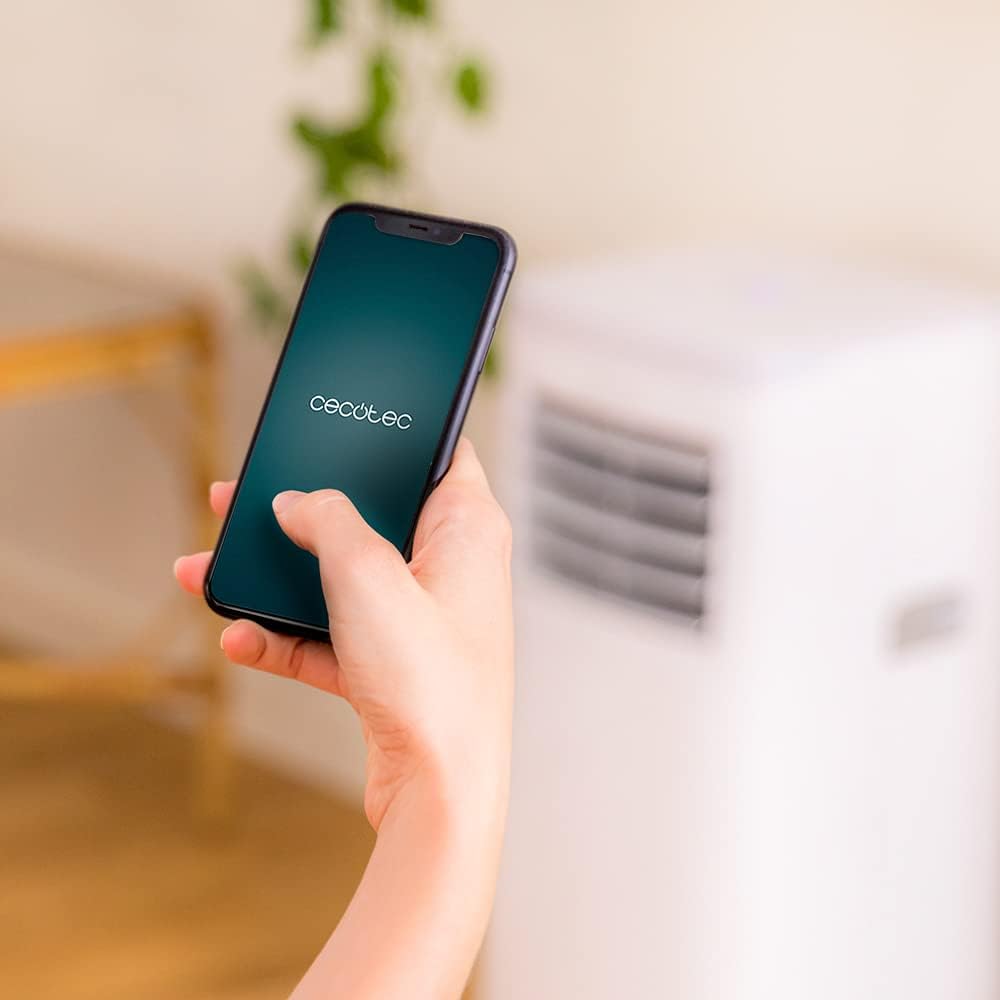
Figure 6.3: Controlling the unit via the Cecotec App
- Descarga la aplicación oficial de Cecotec desde la tienda de aplicaciones de tu smartphone (iOS o Android).
- Registre una cuenta o inicie sesión.
- Follow the in-app instructions to add your ForceClima 7450 Touch Connected unit. This typically involves putting the unit into pairing mode and connecting it to your home Wi-Fi network.
- Once connected, you can control all functions, including power, mode, temperature, fan speed, and timer, directly from your smartphone.
7. Mantenimiento
El mantenimiento regular garantiza un rendimiento óptimo y prolonga la vida útil de su aire acondicionado.
7.1 Limpieza del filtro de aire
El filtro de aire debe limpiarse cada dos semanas o con mayor frecuencia, según el uso y la calidad del aire. Un filtro sucio puede reducir la eficiencia de refrigeración y el flujo de aire.
- Desconecte el aire acondicionado de la toma de corriente.
- Locate and remove the air filter from the back or side of the unit (refer to the diagram in your quick start guide if unsure).
- Clean the filter using a vacuum cleaner to remove dust. For stubborn dirt, wash it gently with lukewarm water and a mild detergent.
- Allow the filter to dry completely before reinserting it into the unit. Do not expose it to direct sunlight.
7.2 Drenaje del agua acumulada
During cooling and dehumidification, water will accumulate inside the unit. The unit has an internal water tank, but for continuous operation or high humidity, manual drainage may be required.
- When the internal tank is full, the unit may stop operating and display an indicator.
- Desconecte la unidad.
- Coloque una bandeja o balde poco profundo debajo de la salida de drenaje en la parte inferior trasera de la unidad.
- Retire el tapón de drenaje y deje que salga toda el agua.
- For continuous drainage, attach the provided drainage hose to the outlet and direct it to a floor drain or suitable container.
- Vuelva a colocar el tapón de drenaje de forma segura después de drenar.
7.3 Limpieza del exterior de la unidad
Limpie el exterior de la unidad con un paño suave yamp paño. No utilice productos químicos agresivos, limpiadores abrasivos ni disolventes, ya que pueden dañar la superficie.
8. Solución de problemas
Antes de ponerse en contacto con el servicio de atención al cliente, consulte los siguientes problemas y soluciones comunes:
| Problema | Posible causa | Solución |
|---|---|---|
| La unidad no se enciende | Sin energía; Cable de alimentación no enchufado; Tanque de agua lleno | Check power supply; Plug in power cord; Drain water tank |
| La unidad no enfría eficazmente | Dirty air filter; Exhaust hose not properly installed; Room too large; Doors/windows open | Clean air filter; Ensure proper hose installation; Close doors/windows; Check room size (max 15 m²) |
| La unidad es ruidosa | Unit not on a flat surface; Obstruction in fan; Normal operating sound (65 dB) | Place on flat surface; Check for obstructions; Note that some noise is normal for portable ACs |
| La conexión wifi falla | Contraseña de Wi-Fi incorrecta; Router demasiado lejos; Problemas con la aplicación | Verify password; Move unit closer to router; Restart app/unit; Consult app's troubleshooting guide |
| Fuga de agua | Drain plug loose; Drainage hose not properly connected | Secure drain plug; Ensure drainage hose is tightly connected |
9. Especificaciones
| Característica | Especificación |
|---|---|
| Número de modelo | 05957 |
| Capacidad de enfriamiento | 7000 BTU |
| Consumo de energía | 790 vatios |
| Volumentage | 230 voltios |
| Nivel de ruido | 65 dB |
| Área de cobertura | Aproximadamente 15 m² |
| Capacidad de deshumidificación | Hasta 20 litros/día |
| Dimensiones (D x W x H) | 30.5 x 32.8 x 67.8 cm |
| Peso | 20 kilogramos |
10. Garantía y soporte
Cecotec products are manufactured to high-quality standards. This product is covered by a manufacturer's warranty against defects in materials and workmanship from the date of purchase. Please retain your proof of purchase for warranty claims.
For technical support, spare parts, or warranty service, please contact Cecotec customer service through their official website or the contact information provided in your product's packaging. Do not attempt to repair the unit yourself, as this may void the warranty.