
Introducción
This manual provides essential information for the proper use and maintenance of your Blitzwolf BW-AT2C Smartwatch. Please read these instructions carefully before using the device to ensure optimal performance and longevity. This smartwatch features Bluetooth calling, comprehensive health monitoring, various sports modes, and smart notifications.
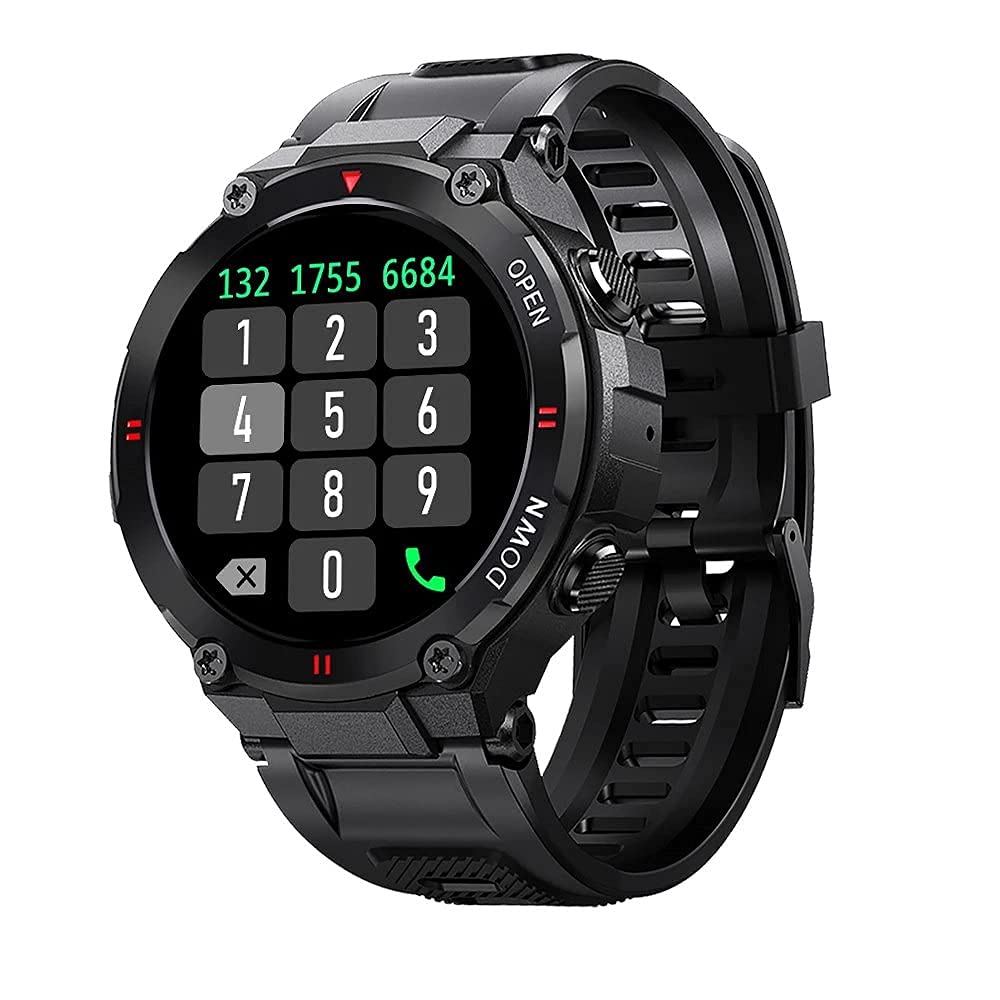
Imagen: Frente view of the Blitzwolf BW-AT2C Smartwatch, displaying a digital watch face with time, date, battery, and step count.
Producto terminadoview
The Blitzwolf BW-AT2C Smartwatch is designed for daily use, fitness tracking, and communication. It features a durable build and a clear display.
- Mostrar: 1.3-inch IPS full touch screen.
- Control: Full touch screen and two side buttons.
- Sensores: Heart rate, blood pressure, blood oxygen, pedometer, sleep monitor.
- Conectividad: Bluetooth 5.0 for calls and data synchronization.
- Durabilidad: Resistencia al agua IP54.

Image: The smartwatch displaying weather information, highlighting its robust design and metal buttons.

Imagen: Trasera view of the smartwatch, showing the optical heart rate sensor and magnetic charging contacts, along with the model number BW-AT2C.
Configuración
1. Carga del dispositivo
Before initial use, fully charge your smartwatch. Connect the magnetic charging cable to the charging contacts on the back of the watch and plug the USB end into a power adapter (not included) or a computer's USB port. The watch screen will indicate charging status. A full charge takes approximately 2 hours.
2. Instalación y emparejamiento de la aplicación
- Descargar la aplicación: Buscar "Da Fit" in your smartphone's app store (Google Play Store for Android or Apple App Store for iOS) and install it.
- Habilitar Bluetooth: Asegúrese de que Bluetooth esté habilitado en su teléfono inteligente.
- Abrir la aplicación Da Fit: Launch the "Da Fit" application on your smartphone.
- Agregar dispositivo: In the app, navigate to the "Device" section and select "Add Device". The app will search for available devices.
- Seleccione su reloj: Choose "BW-AT2C" from the list of found devices to initiate pairing.
- Confirmar emparejamiento: Siga las instrucciones en pantalla tanto en el teléfono como en el reloj para confirmar el emparejamiento.
- Habilitar función de llamada: For the Bluetooth call feature, you may need to pair the watch a second time through your phone's Bluetooth settings. Look for "BW-AT2C_CALL" or similar in your phone's Bluetooth device list and connect to it.
Nota: For full functionality, ensure the "Da Fit" app has all necessary permissions (e.g., location, notifications, contacts) enabled on your smartphone.
Instrucciones de funcionamiento
Navegación básica
- Pantalla táctil: Desliza el dedo hacia la izquierda/derecha, arriba/abajo para navegar por los menús y las funciones. Toca para seleccionar.
- Botones laterales: The top button typically acts as a power/wake button and a back button. The bottom button may be a shortcut to sports modes or other functions, depending on customization.
- Pantalla de activación: Levante la muñeca o presione un botón lateral para activar la pantalla.
- Ajuste de brillo: Adjust screen brightness through the watch settings or the Da Fit app for better visibility in various lighting conditions.
- Esferas de reloj personalizadas: Change watch faces directly on the watch or via the Da Fit app. You can also customize watch faces with your own photos.
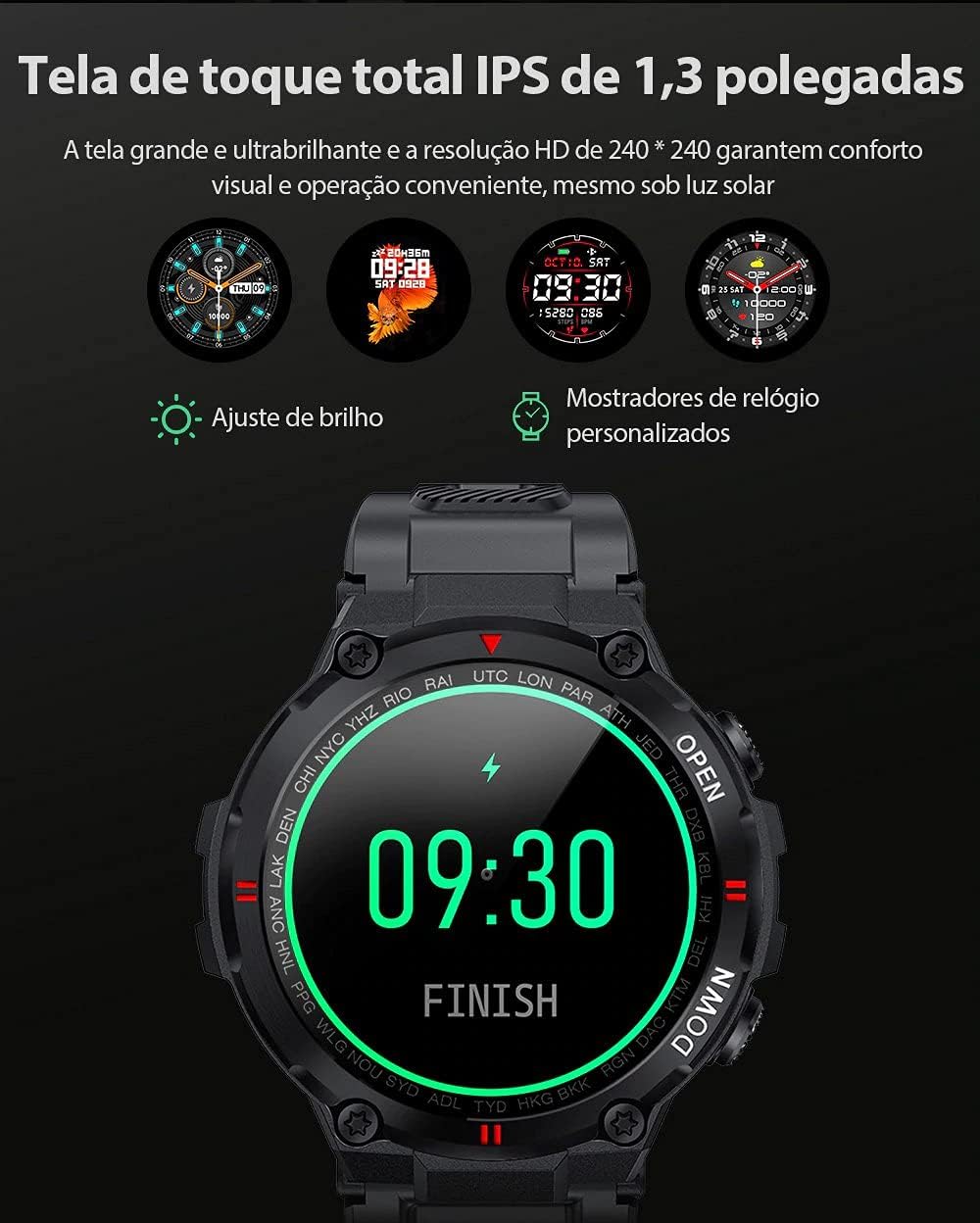
Image: The smartwatch displaying multiple customizable watch faces and options for brightness adjustment.
Realizar y recibir llamadas
The BW-AT2C allows you to make and receive calls directly from your wrist after successful Bluetooth pairing (including the call function pairing).
- Recibir llamadas: Al recibir una llamada, el reloj mostrará el identificador de llamada. Puedes responder o rechazar la llamada directamente desde la pantalla del reloj.
- Haciendo llamadas: Acceda al teclado de marcación o a la lista de contactos del reloj para iniciar una llamada.

Image: A comparison showing the BW-AT2C model with its Bluetooth call function (dial pad visible) next to the BW-AT2 model without this feature.
Control de música
Control music playback on your smartphone directly from your watch. Functions include play, pause, skip forward, and skip backward.
Vigilancia de la salud
El reloj inteligente monitorea continuamente varias métricas de salud.
- Frecuencia cardíaca: Monitorización de frecuencia cardíaca en tiempo real. View your current heart rate and historical data in the app.
- Presión arterial: Mida su presión arterial a demanda.
- Oxígeno en sangre (SpO2): Controle sus niveles de saturación de oxígeno en sangre.
- Monitoreo del sueño: Realiza un seguimiento de tus patrones de sueño, incluido el sueño profundo, el sueño ligero y los tiempos de vigilia.
- Podómetro: Counts your daily steps, distance, and calories burned.

Image: The smartwatch screen showing a graph of heart rate data, indicating current BPM and historical trends.
Modos deportivos
The watch supports multiple sports modes to track your workouts accurately. Available modes include Walking, Running, Cycling, Skipping Rope, Badminton, Basketball, and Football. Select your desired mode before starting an activity to record relevant data.
Notificaciones
Receive notifications from your smartphone directly on your watch. This includes call reminders, message alerts, and app notifications from platforms like WhatsApp, Instagram, Facebook, and Twitter. Ensure notification permissions are granted in the Da Fit app and your phone's settings.

Image: The smartwatch on a user's wrist, showing an incoming call alert and SMS reminder, indicating its notification capabilities.
Otras características
- Despertador: Set up to three alarms via the app.
- Cronógrafo: Utilice el cronómetro incorporado para cronometrar actividades.
- Recordatorio de sedentarismo: The watch will alert you if you remain inactive for too long.
- Control remoto de la cámara: Utilice su reloj como obturador remoto para la cámara de su teléfono.
- Find Watch/Find Phone: Locate your watch or phone using the respective functions in the app or on the watch.
- Calendario: Acceder a la información del calendario.
Mantenimiento
- Limpieza: Limpie el reloj y la correa regularmente con un paño suave y seco. Para la suciedad difícil, utilice un paño ligeramente seco.amp Paño y séquelo completamente. Evite productos químicos agresivos.
- Resistencia al agua (IP54): The BW-AT2C is IP54 water-resistant, meaning it is protected against dust ingress and splashing water from any direction. It is suitable for daily use like hand washing or light rain. Do not submerge the watch in water, wear it while swimming, showering, or in saunas. Prolonged exposure to water or high-pressure water jets may cause damage.
- Contactos de carga: Mantenga los contactos de carga magnéticos limpios y secos para garantizar una carga adecuada.
- Almacenamiento: Guarde el reloj en un lugar fresco y seco cuando no esté en uso.
Solución de problemas
| Problema | Solución |
|---|---|
| El reloj no se enciende. | Asegúrese de que el reloj esté completamente cargado. Conéctelo al cargador durante al menos 30 minutos. |
| No se puede emparejar con el teléfono inteligente. |
|
| No se reciben notificaciones. |
|
| La función de llamada no funciona. | Ensure you have paired the "BW-AT2C_CALL" device in your phone's Bluetooth settings in addition to the main watch pairing. |
| Datos de salud inexactos. | Ensure the watch is worn snugly on your wrist, not too tight or too loose. Keep the sensor clean. Note that this device is not a medical device and data is for reference only. |
Presupuesto

Image: Diagram illustrating the dimensions of the Blitzwolf BW-AT2C Smartwatch, including watch face diameter, strap width, and total length.
| Característica | Detalle |
|---|---|
| Marca | Lobo relámpago |
| Modelo | BW-AT2C |
| Color | Negro |
| Versión de Bluetooth | 5.0 |
| Sistema operativo compatible | Android 4.4+ / iOS 8.0+ |
| Modo de operación | Full Touch Screen + 2 Side Buttons |
| Aplicación complementaria | El Fit |
| Resistencia al agua | IP54 |
| Vigilancia de la salud | Heart Rate, Blood Pressure, Blood Oxygen, Sleep, Pedometer |
| Modos deportivos | Walking, Running, Cycling, Skipping Rope, Badminton, Basketball, Football |
| Tamaño de pantalla | 1.3 pulgadas IPS |
| Resolución | 240 x 240 píxeles |
| Capacidad de la batería | 400 mAh |
| Tiempo de espera | Aprox. Días 30 |
| Tiempo de uso | Approx. 4-7 days (varies by usage) |
| Tiempo de carga | Aproximadamente 2 horas |
| Tipo de carga | Carga magnética |
| Material de la correa | Silicona |
| Ancho de la correa | 22mm (Removable) |
| Dimensiones del producto | 52 x 12 mm (Watch Face) |
| Peso del producto | 55 gramos |
Garantía y soporte
For warranty information and technical support, please refer to the documentation provided with your purchase or visit the official Blitzwolf webSitio. Conserve su comprobante de compra para reclamaciones de garantía.
If you encounter issues not covered in the troubleshooting section, please contact customer support for assistance.