
Introducción
Thank you for choosing the Soul S-GEAR Wireless Bluetooth Earbuds. These earbuds are designed to provide a high-quality audio experience with the convenience of wireless connectivity, active noise cancellation, and a comfortable in-ear fit. Featuring Bluetooth 5.0, IPX4 water resistance, and a long-lasting battery with fast charging, the S-GEAR earbuds are perfect for daily use.
Lea este manual detenidamente antes de utilizar sus auriculares para garantizar un funcionamiento correcto y maximizar su vida útil.
Contenido del paquete
- Soul S-GEAR Wireless Earbuds (Left and Right)
- Estuche de carga
- Cable de carga USB-C
- Puntas para los oídos de varios tamaños
- Manual de usuario
Producto terminadoview
Familiarize yourself with the components of your Soul S-GEAR earbuds and charging case.
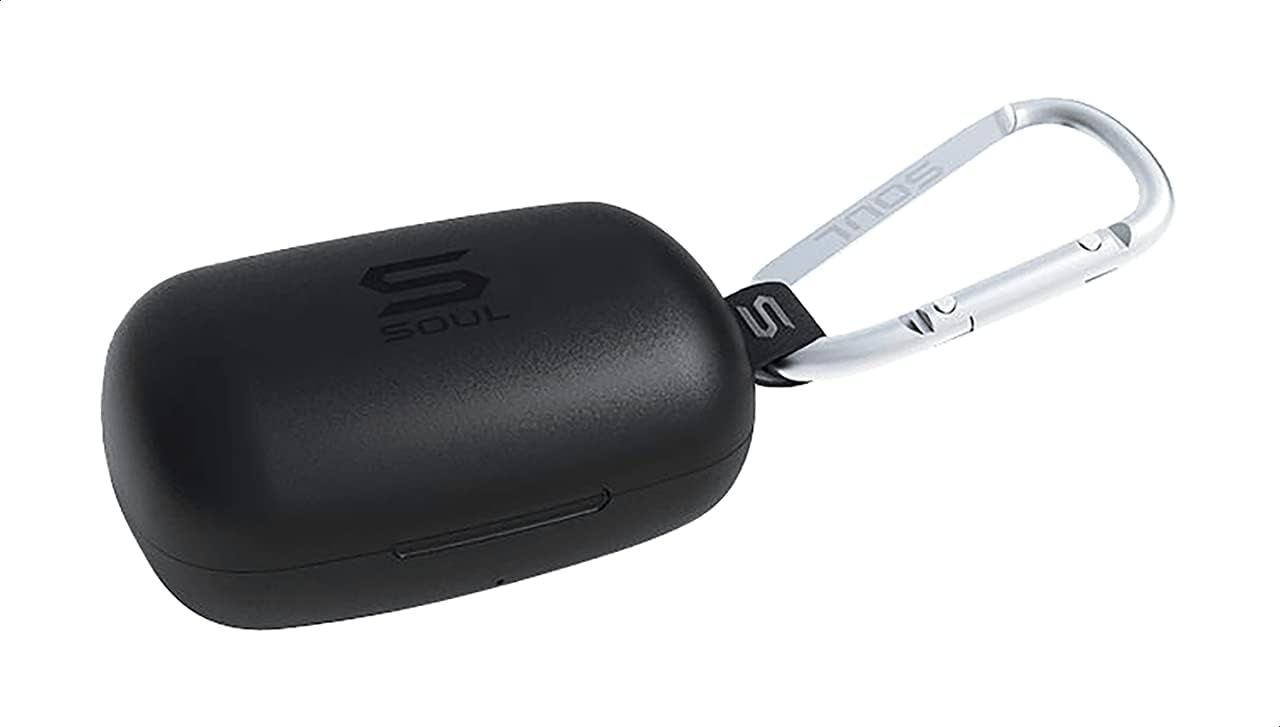
Figura 1: The Soul S-GEAR charging case in black, with the Soul logo visible. A carabiner clip is attached for portability.
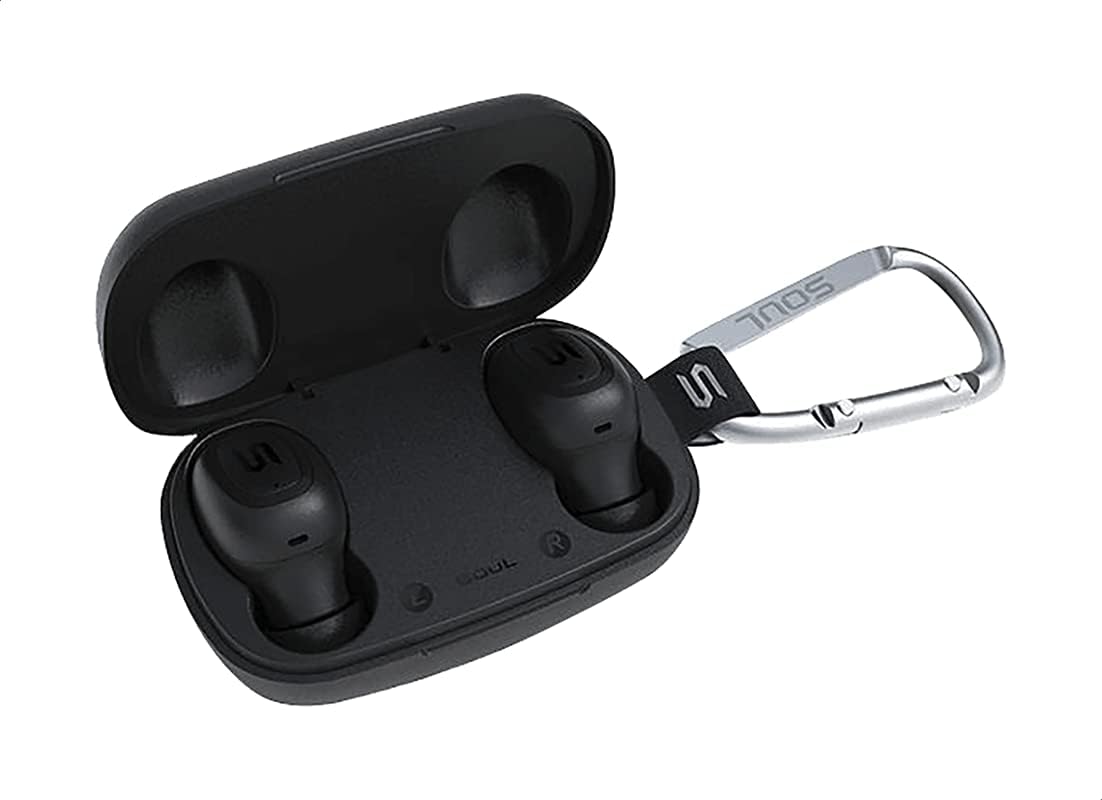
Figura 2: The Soul S-GEAR charging case opened, revealing the two black earbuds securely placed inside their charging slots. The carabiner clip is also visible.
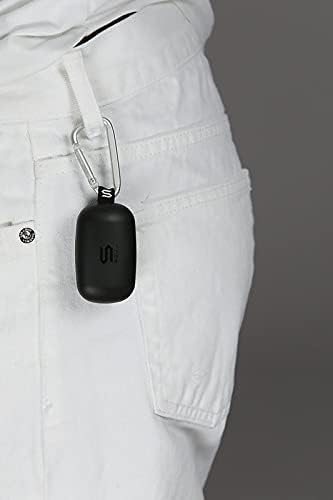
Figura 3: The Soul S-GEAR charging case, with its carabiner clip, attached to the belt loop of white pants, demonstrating its portability.
Configuración
1. Carga de los auriculares y el estuche
- Coloque los auriculares en el estuche de carga. Asegúrese de que estén correctamente colocados en sus respectivas ranuras (izq./der.).
- Conecte el cable de carga USB-C al puerto de carga del estuche y conecte el otro extremo a una fuente de alimentación USB (por ejemplo, adaptador de pared, puerto USB de computadora).
- The indicator lights on the case will show the charging status. Allow approximately 1-2 hours for a full charge.
- Una vez que esté completamente cargado, desconecte el cable de carga.
2. Emparejamiento inicial con un dispositivo
- Abra el estuche de carga. Los auriculares se encenderán automáticamente y entrarán en modo de emparejamiento. Las luces indicadoras parpadearán para indicar que están listos para emparejarse.
- En tu dispositivo (teléfono inteligente, tableta, etc.), activa el Bluetooth y busca dispositivos disponibles.
- Select "Soul S-GEAR" from the list of found devices.
- Once connected, you will hear an audible confirmation, and the earbud indicator lights will stop flashing.
- The earbuds feature automatic pairing. After the initial setup, they will automatically connect to the last paired device when removed from the case.
Instrucciones de funcionamiento
The Soul S-GEAR earbuds feature touch controls for easy management of audio and calls.
Encendido/apagado
- Encendido: Open the charging case, or press and hold the touch sensor on both earbuds for 3 seconds.
- Apagado: Place the earbuds back into the charging case and close the lid, or press and hold the touch sensor on both earbuds for 5 seconds.
Reproducción de música
- Reproducir/Pausa: Toque el sensor táctil de cualquiera de los auriculares una vez.
- Pista siguiente: Toque dos veces el sensor táctil en el auricular derecho.
- Pista anterior: Toque dos veces el sensor táctil en el auricular izquierdo.
Gestión de llamadas
- Responder/Finalizar llamada: Toque el sensor táctil de cualquiera de los auriculares una vez.
- Rechazar llamada: Mantenga presionado el sensor táctil en cualquiera de los auriculares durante 2 segundos.
Cancelación activa de ruido (ANC)
- Activar/Desactivar ANC: Triple-tap the touch sensor on the left earbud to cycle through ANC On, Ambient Mode, and ANC Off.
Asistente de voz
- Activar asistente de voz: Triple-tap the touch sensor on the right earbud.
Cargando
The Soul S-GEAR earbuds and charging case provide up to 24 hours of total playtime. The case supports USB-C fast charging.
- Carga de auriculares: Place earbuds into the charging case. They will charge automatically.
- Carga de la caja: Connect the USB-C cable to the case and a power source. The LED indicator on the case will show charging status.
- A full charge for the case typically takes 1.5-2 hours.
Mantenimiento
- Limpieza: Limpie regularmente los auriculares y el estuche de carga con un paño suave, seco y sin pelusa. No utilice productos químicos agresivos ni materiales abrasivos.
- Consejos para los oídos: Retire las almohadillas y límpielas con agua y jabón suave si es necesario. Asegúrese de que estén completamente secas antes de volver a colocarlas.
- Resistencia al agua: The earbuds are IPX4 rated, meaning they are resistant to splashing water from any direction. They are not designed for submersion in water. Do not expose them to heavy rain or immerse them. Ensure earbuds are dry before placing them back in the charging case.
- Almacenamiento: Guarda los auriculares en su estuche de carga cuando no los uses para protegerlos y mantenerlos cargados. Evita temperaturas extremas.
Solución de problemas
| Asunto | Solución |
|---|---|
| Los auriculares no se emparejan |
|
| Sin sonido de un auricular |
|
| El estuche de carga no carga |
|
| La cancelación activa de ruido no funciona |
|
Presupuesto
| Característica | Detalle |
|---|---|
| Marca | Alma |
| Nombre del modelo | S-GEAR (Soul S Gemar) |
| Número de modelo | SS56BK |
| Tecnología de conectividad | Inalámbrico (Bluetooth 5.0) |
| Factor de forma de los auriculares | En el oído |
| Control de ruido | Cancelación activa de ruido |
| Micrófono | Integrado |
| Método de control | Tocar |
| Resistencia al agua y al polvo | IPX4 |
| Recreo | Hasta 24 horas (con estuche de carga) |
| Puerto de carga | USB-C (carga rápida) |
| Dispositivos compatibles | Multiple Bluetooth-enabled devices |
| Material | Plástico |
| Color | Negro |
| Dimensiones del paquete | 11.8 x 9.8 x 4.2 cm |
| Peso del artículo | 152 gramos |
Información de seguridad
- No desmonte, repare ni modifique el producto.
- No exponga el producto al fuego ni a altas temperaturas.
- Evite utilizar los auriculares a volúmenes excesivamente altos durante períodos prolongados para evitar daños auditivos.
- Mantenga el producto fuera del alcance de los niños y las mascotas.
- Utilice únicamente los cables de carga y adaptadores proporcionados o certificados.
- Deseche el producto de manera responsable de acuerdo con las regulaciones locales.
Garantía y soporte
The Soul S-GEAR Wireless Bluetooth Earbuds come with a standard manufacturer's warranty. For detailed warranty terms and conditions, please refer to the warranty card included in your package or visit the official Soul websitio.
For technical support, troubleshooting assistance, or any inquiries regarding your product, please contact Soul customer service through their official websitio o la información de contacto proporcionada en el embalaje de su producto.