1. Introducción
Gracias por la compraasing the Ledwood Drop 400 Wireless LED Speaker. This manual provides essential information for setting up, operating, and maintaining your speaker. Please read it carefully before use to ensure proper functionality and to maximize your listening experience.
2. Información de seguridad
- No exponga el altavoz al agua, la humedad o temperaturas extremas.
- Evite dejar caer o someter el altavoz a impactos fuertes.
- No intente desmontar ni reparar el altavoz usted mismo. Contacte con personal de servicio técnico cualificado.
- Mantenga el altavoz alejado de fuentes de calor y de la luz solar directa.
- Utilice únicamente el adaptador de corriente proporcionado para cargar.
- Limpie el altavoz con un paño suave y seco. No utilice limpiadores abrasivos.
3. Contenido del paquete
Por favor, compruebe que todos los artículos estén presentes en el paquete:
- 1 x Ledwood Drop 400 Wireless LED Speaker
- 1 x adaptador de corriente
- 1 x 3.5mm AUX Input Cable
- 1 x control remoto
- 1 micrófono con cable.
- 1 x Manual de usuario (este documento)
4. Producto terminadoview
The Ledwood Drop 400 is a powerful wireless speaker featuring dynamic LED lighting and multiple connectivity options.
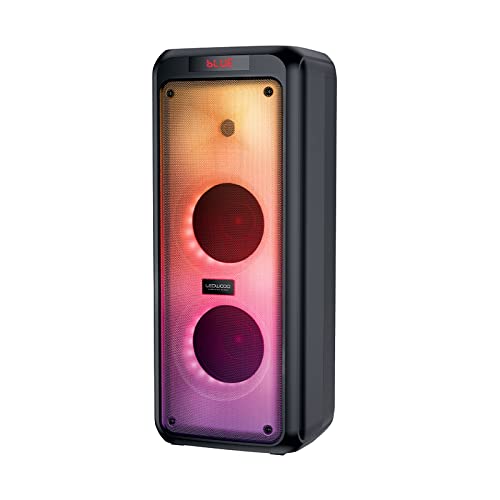
Figura 4.1: Frente view of the Ledwood Drop 400 speaker, showcasing its LED light panel.
Panel de control y puertos

Figure 4.2: Top control panel with input ports and function buttons.
The top panel includes controls for power, volume, mode selection, playback, and inputs for USB, SD card, AUX, and two microphones. A digital display indicates the current mode or status.
5. Configuración
5.1 Carga del altavoz
- Conecte el adaptador de corriente provisto al puerto DC IN del altavoz.
- Enchufe el adaptador en un tomacorriente de pared estándar.
- The charging indicator will illuminate. The speaker is fully charged when the indicator changes color or turns off (refer to the speaker's display for specific indications).
- Una carga completa proporciona aproximadamente 6 horas de tiempo de reproducción.
5.2 Encendido / Apagado
- To power on, press and hold the Power button on the control panel or remote control.
- Para apagar, mantenga presionado el botón de Encendido nuevamente.
6. Instrucciones de funcionamiento
6.1 Emparejamiento Bluetooth
- Power on the Ledwood Drop 400 speaker. It will automatically enter Bluetooth pairing mode, indicated by a flashing 'BLUE' on the display and an audible prompt.
- Habilite Bluetooth en su teléfono inteligente, tableta u otro dispositivo habilitado para Bluetooth.
- Buscar available devices and select "Ledwood Drop 400" from the list.
- Once connected, the speaker will provide an audible confirmation, and 'BLUE' on the display will stop flashing.
- Ahora puedes reproducir audio desde tu dispositivo a través del altavoz.
6.2 Reproducción de tarjeta USB/SD
- Insert a USB flash drive or an SD card (pre-loaded with MP3 audio files) en el puerto correspondiente en el panel de control del altavoz.
- The speaker will automatically switch to USB or SD card mode and begin playing the audio files.
- Utilice los botones Reproducir/Pausa, Pista siguiente y Pista anterior en el altavoz o el control remoto para administrar la reproducción.
6.3 entrada auxiliar
- Connect one end of the supplied 3.5mm AUX cable to the AUX IN port on the speaker.
- Conecte el otro extremo al conector de auriculares o a la salida de audio de su dispositivo de audio externo.
- Press the Mode button on the speaker or remote control until 'AUX' is displayed.
- Reproduce audio desde tu dispositivo externo. El volumen se puede controlar tanto desde el altavoz como desde el dispositivo externo.
6.4 Radio FM
- Press the Mode button on the speaker or remote control until 'FM' is displayed.
- Para buscar y guardar automáticamente las estaciones FM disponibles, mantenga presionado el botón de reproducción/pausa. El altavoz buscará y guardará las estaciones automáticamente.
- Utilice los botones Pista siguiente y Pista anterior para navegar por las estaciones guardadas.
6.5 Uso del micrófono
- Connect the wired microphone (or another compatible microphone) to one of the MIC IN ports on the speaker.
- Adjust the microphone volume using the dedicated MIC VOL knob on the control panel.
- The microphone can be used in any audio mode (Bluetooth, USB, SD, AUX, FM).
6.6 modos de luz LED
The Ledwood Drop 400 features dynamic LED lighting with 4 different modes.
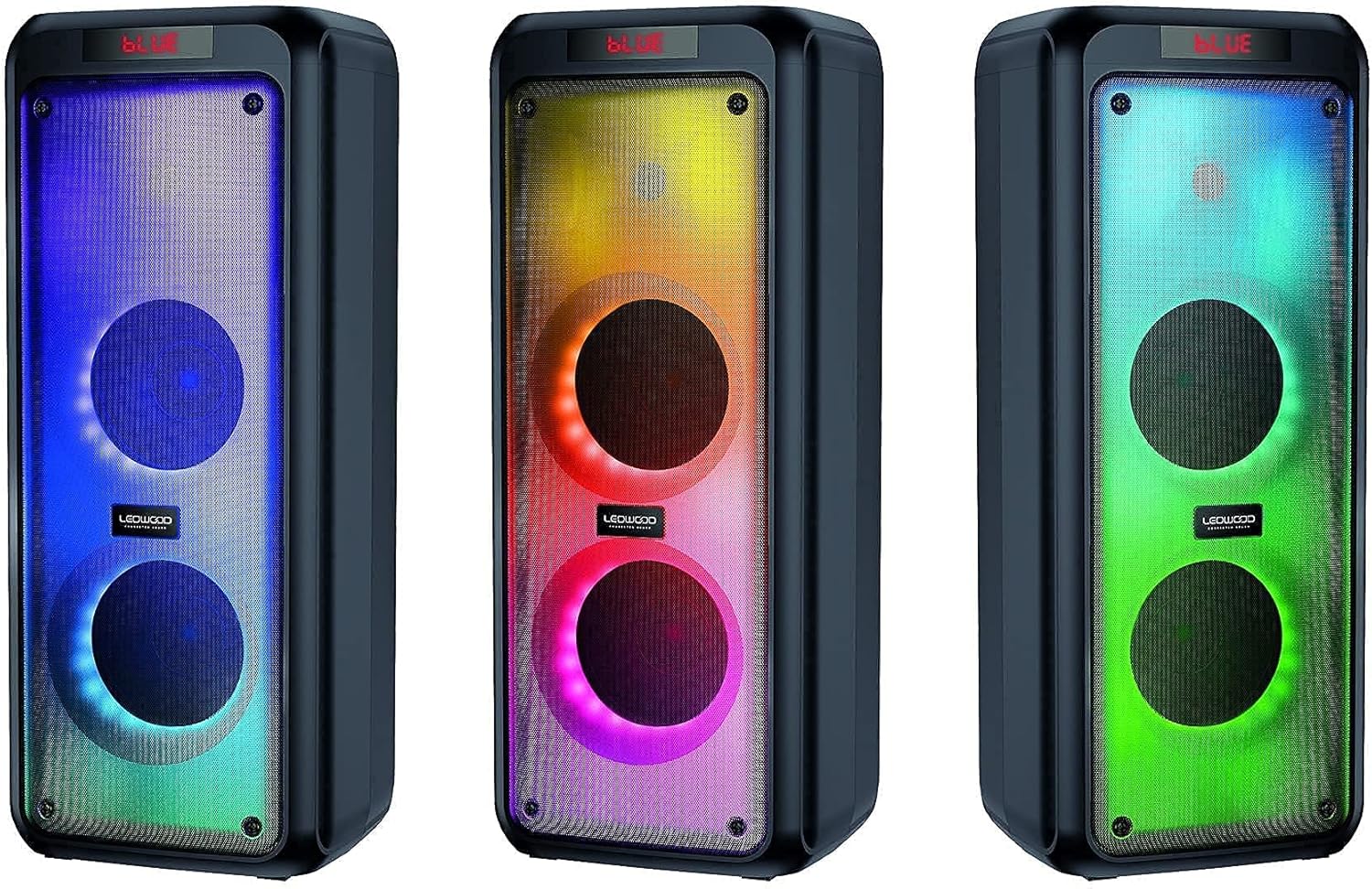
Figura 6.1: Examples of the speaker's LED light modes.
- Press the LED button on the control panel or remote control to cycle through the available light modes.
- Press the LED button again to turn off the lights.
6.7 Función estéreo inalámbrica verdadera (TWS)
The TWS function allows you to pair two Ledwood Drop 400 speakers together for a stereo sound experience.
- Ensure both Ledwood Drop 400 speakers are powered on and in Bluetooth mode, but not connected to any device.
- On one of the speakers (this will be the primary speaker), press and hold the TWS button (if available) or a designated pairing button (refer to specific button labels on your speaker).
- El altavoz principal buscará al altavoz secundario. Una vez conectados, ambos altavoces emitirán una confirmación audible.
- Ahora, conecta tu dispositivo Bluetooth al altavoz principal como se describe en la sección 6.1. El audio se reproducirá en estéreo por ambos altavoces.
7. Mantenimiento
7.1 Limpieza
- Siempre apague y desenchufe el altavoz antes de limpiarlo.
- Utilice un paño suave, seco y sin pelusa para limpiar las superficies exteriores.
- No utilice limpiadores líquidos, aerosoles o disolventes.
7.2 Almacenamiento
- Guarde el altavoz en un lugar fresco y seco, alejado de la luz solar directa y de temperaturas extremas.
- Si va a almacenarla durante un período prolongado, cargue la batería periódicamente (por ejemplo, cada 3 meses) para mantener su salud.
8. Solución de problemas
| Problema | Posible causa | Solución |
|---|---|---|
| El altavoz no se enciende. | Battery is depleted. Power adapter not connected. | Charge the speaker using the provided power adapter. Ensure the adapter is securely connected to both the speaker and a working power outlet. |
| No hay sonido desde el altavoz. | Volume too low. Incorrect mode selected. Device not connected. | Increase speaker volume and source device volume. Ensure the correct input mode (Bluetooth, AUX, USB, SD, FM) is selected. Re-pair Bluetooth device or check cable connections. |
| El dispositivo Bluetooth no se puede conectar. | El altavoz no está en modo de emparejamiento. El dispositivo está demasiado lejos. Hay interferencias. | Ensure speaker is in Bluetooth pairing mode (flashing 'BLUE'). Move device closer to the speaker. Turn off other Bluetooth devices to reduce interference. Try restarting both devices. |
| La recepción de radio FM es mala. | Weak signal. Speaker position. | Reposition the speaker to improve reception. Extend any external antenna if available. |
| El micrófono no funciona. | Microphone not connected properly. MIC VOL too low. | Ensure microphone is fully inserted into the MIC IN port. Increase the MIC VOL knob. |
9. Especificaciones
- Marca: Ledwood
- Modelo: Caída 400
- Tecnología de conectividad: Bluetooth, USB
- Características especiales: FM Radio, LED Light Effects
- Usos recomendados: For computer, For smartphone or tablet
- Dispositivos compatibles: Computadoras portátiles, teléfonos inteligentes
- Color: Negro
- Método de control: Mando a distancia
- Fuente de energía: Cable eléctrico
- Duración media de la batería: 6 horas
- Potencia de salida: 400W (40W RMS)
- Dimensiones: 24 x 25 x 64 cm (aproximadamente)
- ASIN: B0972SSC4J
10. Garantía y soporte
For warranty information or technical support, please refer to the warranty card included with your product or contact Ledwood customer service directly. Contact details can typically be found on the official Ledwood websitio o en el embalaje del producto.