
Introducción
This manual provides comprehensive instructions for the installation, setup, and operation of your IBRIGHT Smart Light Switch. Please read this manual carefully before installation and use to ensure proper functionality and safety. This smart switch offers convenient control of your lighting through voice commands, remote access via a mobile application, and scheduled automation.
Qué incluye
El paquete contiene los siguientes componentes:
- 1 x Wall plate
- 1 x marco de montaje
- 1 x Smart switch
- 2 x Inner frame screws
- 2 x Mounting screws (preinstalled)
Características
The IBRIGHT Smart Light Switch is designed with several features to enhance your home lighting experience:
- Control de voz: Compatible con Amazon Alexa y Google Assistant para operación manos libres.
- Mando a distancia: Manage your lights from anywhere using the IBRIGHT mobile application.
- Programación y temporizador: Establezca horarios y temporizadores personalizados para el control automático de la iluminación.
- Funcionalidad de 3 vías: Supports both single-pole and 3-way wiring configurations.
- Certificado de seguridad: ETL & FCC certified, featuring PC V0 flame retardant material and overheat protection.
- No se requiere concentrador: Se conecta directamente a su red Wi-Fi de 2.4 GHz.

Imagen: Más alláview of the IBRIGHT Smart Light Switch highlighting its multifunction capabilities including voice control, remote control, time setting, group control, device sharing, safety guarantee, 2.4G WiFi connection, and no hub requirement.
Configuración e instalación
Proper installation is crucial for the safe and effective operation of your smart switch. If you are unsure about any steps, consult a qualified electrician.
1. Comprobaciones previas a la instalación
- Apagado: Apague siempre la alimentación desde el disyuntor antes de comenzar cualquier trabajo eléctrico.
- Cable neutro requerido: This smart switch requires a neutral wire for operation. Verify that your switch box has a neutral wire (typically white) before proceeding. If not, this switch will not work, and professional installation may be required.
- Red Wi Fi: Ensure you have a 2.4GHz Wi-Fi network available. The switch is not compatible with 5GHz Wi-Fi.
Image: Diagram illustrating how to identify a neutral wire in a switch box. It shows the steps: turn off power, remove wall plate, remove screws, pull out existing switch, and look for a white wire. A tip advises loosening screws before inserting wires.
2. Instrucciones de cableado
After confirming the presence of a neutral wire and turning off power:
- Carefully remove your existing switch from the wall box.
- Identifique los cables de línea (activo), carga, neutro y tierra.
- Connect the corresponding wires from your wall box to the IBRIGHT Smart Light Switch terminals. Ensure all screws on the side of the switch are loosened before inserting wires to prevent slippage.
- Sujete firmemente todas las conexiones de cables.
- Mount the smart switch into the wall box and attach the wall plate.
- Restablezca la energía en el disyuntor.
3. Descarga y conexión de la aplicación
To control your smart switch via your mobile device, download the IBRIGHT app and follow these steps:
- Descargar el IBRIGHT app desde Apple App Store o Google Play Store.
- Open the IBRIGHT app and tap "Add device" or the "+" icon to add a new smart device.
- Select "Electrician" > "Switch (Wi-Fi)".
- Press and hold the power button on the smart switch for 5-10 seconds until the indicator light flashes quickly. This puts the switch into pairing mode.
- In the app, select your 2.4GHz Wi-Fi network and enter the Wi-Fi password.
- Wait for the connection process to complete (100%).
- Once connected, you can edit the name of your lights for easy identification.
Instrucciones de funcionamiento
1. Control por voz
Integrate your IBRIGHT Smart Light Switch with Amazon Alexa or Google Assistant for convenient voice control. Once connected to your smart home ecosystem, you can use simple voice commands such as:
- "Alexa, enciende las luces de la sala".
- "Ok Google, apaga la luz del dormitorio".
- "Alexa, set the kitchen light to 50%." (If dimmer functionality is supported by your bulb and setup)
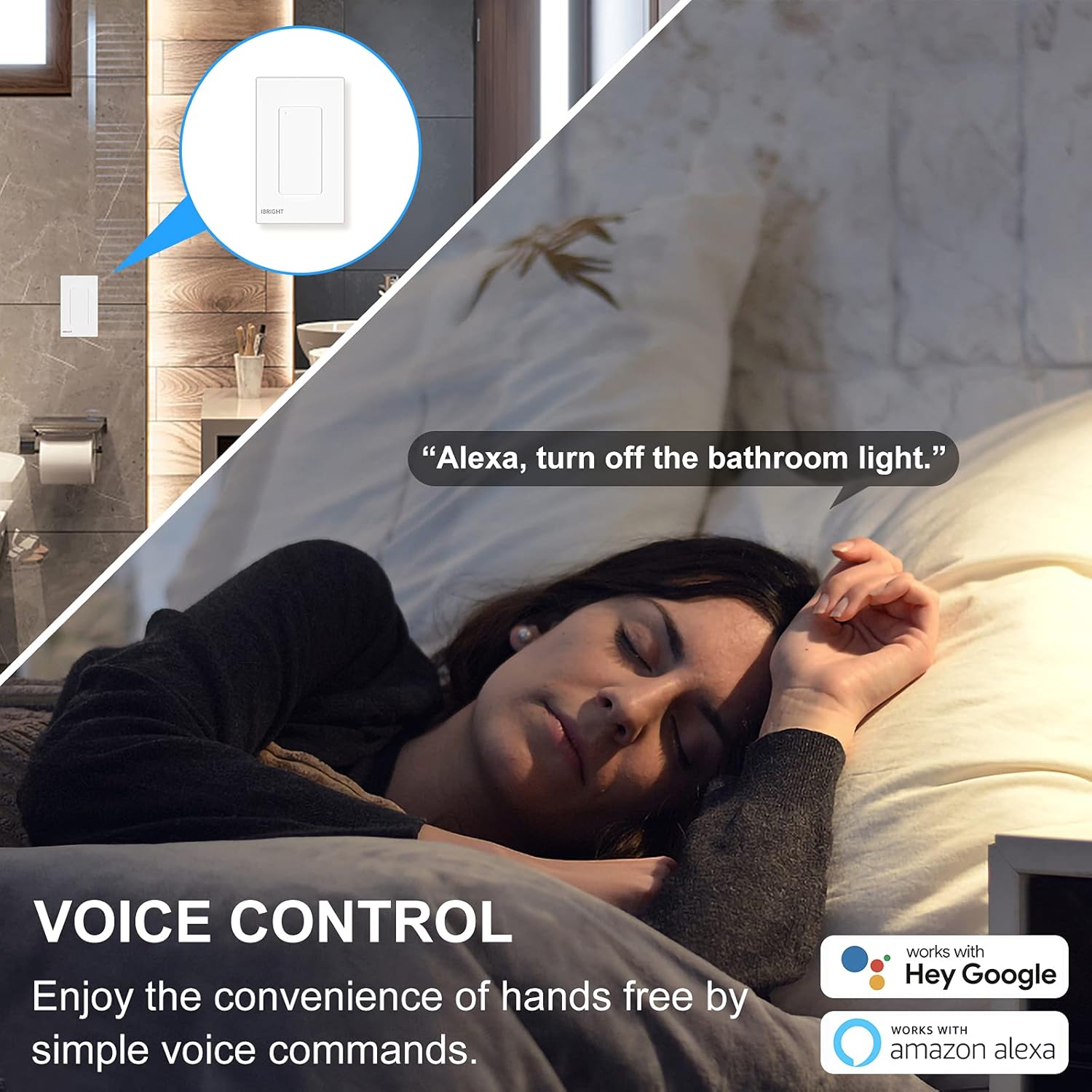
Image: A person sleeping in bed with a speech bubble saying "Alexa, turn off the bathroom light." The image highlights the convenience of voice control with Alexa and Google Home.
2. Control remoto
The IBRIGHT app allows you to control your lights from anywhere with an internet connection. This feature is useful for turning lights on before arriving home or ensuring they are off when you leave.
- Open the IBRIGHT app on your smartphone.
- Select the desired light switch from your device list.
- Toque para encender o apagar la luz.

Image: A hand holding a smartphone displaying the IBRIGHT Home app interface, showing various smart devices and their on/off status. The background shows a house at dusk, emphasizing remote control capabilities.
3. Scheduling & Timer Functions
Automate your lighting to fit your daily routine using the scheduling and timer features in the IBRIGHT app.
- Cronograma: Set specific times for your lights to turn on or off automatically. For example, schedule lights to turn on at 7:00 AM.
- Minutero: Set a countdown timer for lights to turn off after a specified duration, such as 10 minutes.

Image: Two scenes depicting the timer and schedule functions. The top scene shows a mother and child with text "Timer Auto-off 10 mins". The bottom scene shows a child sleeping with text "Schedule Auto-on 7:00 AM", illustrating automated lighting based on personal routines.
4. 3-Way Switch Operation
The IBRIGHT Smart Light Switch can be used in 3-way applications, allowing control of a single light fixture from two different locations. Only one IBRIGHT 3-way Smart Switch is needed in a 3-way circuit, working in conjunction with a regular 3-way switch.
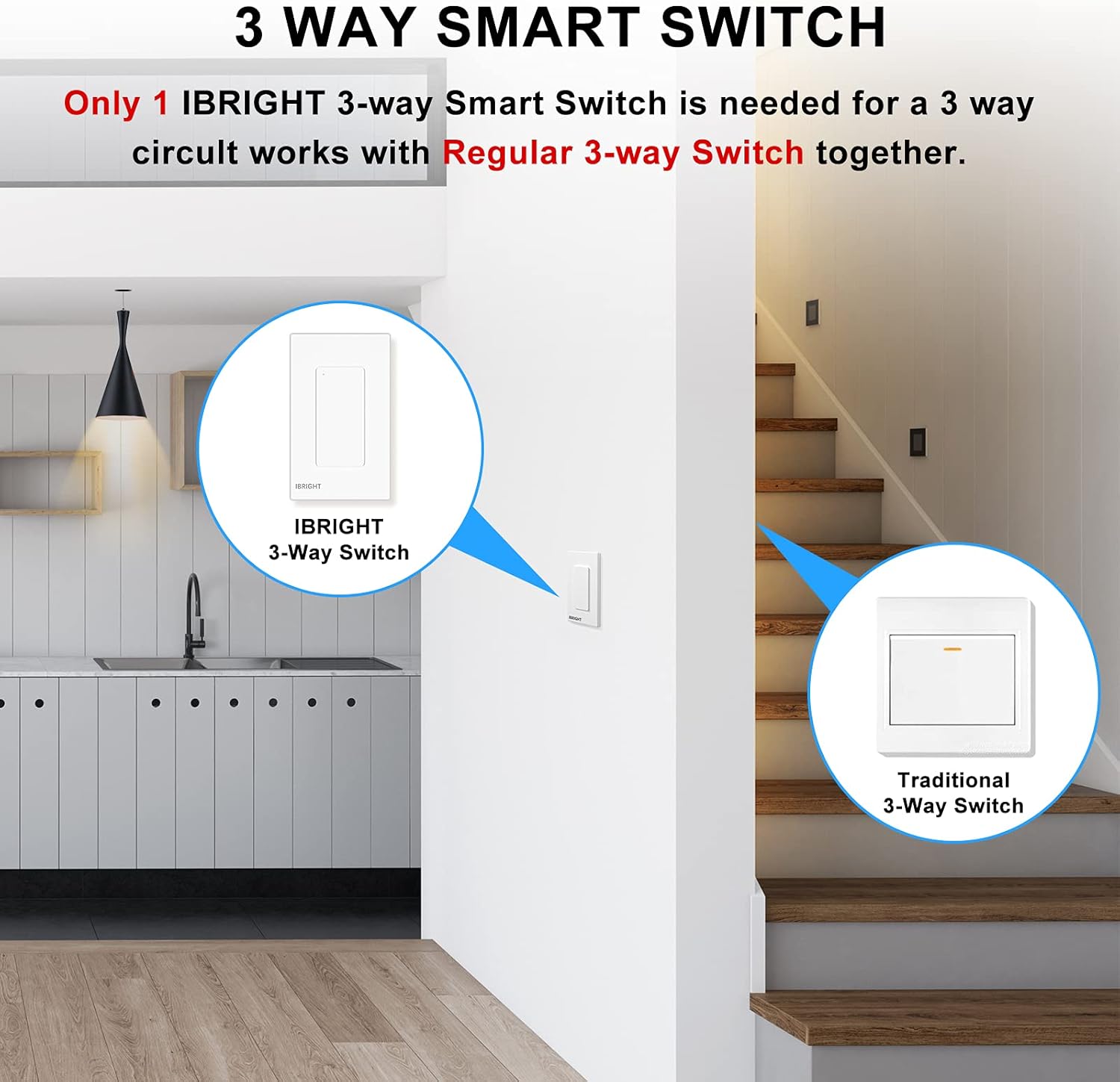
Image: A diagram showing an IBRIGHT 3-way Smart Switch installed at one location (e.g., kitchen) and a Traditional 3-Way Switch at another location (e.g., staircase), both controlling the same light fixture.

Image: Diagrams illustrating single-pole, 3-way, and 3-way (one traditional switch) wiring configurations for the IBRIGHT smart switch. Key requirements are listed: install on the live side, compatible with single-pole and 3-way, neutral wire needed, and 2.4G WiFi required with no hub.
Compatibilidad
The IBRIGHT Smart Light Switch is designed for optimal performance with specific bulb types and devices:
- Bombillas LED: Provides best performance with LED bulbs, up to 150 Watts.
- Bombillas incandescentes/halógenas: Compatible with incandescent or halogen bulbs, up to 720 Watts.
- Aficionados: Can be used to control ceiling fans.
- Nota importante: Smart bulbs are no compatible con este producto.
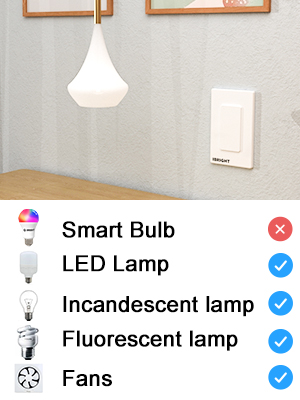
Image: A visual chart indicating compatibility. It shows checkmarks for LED Lamp, Incandescent lamp, Fluorescenteamp, and Fans, but an 'X' for Smart Bulb, clarifying what devices are compatible with the switch.
Presupuesto
| Número de modelo | SS-02-Y |
| Dimensiones (L x An x Al) | 4.52 x 1.71 x 2.75 pulgadas |
| Vol de funcionamientotage | 120 voltios (CA) |
| Calificación actual | 6 Amps |
| Wat máximotagmi (LED) | 150 vatios |
| Wat máximotage (incandescente/halógena) | 720 vatios |
| Temperatura de funcionamiento | 32 °F a 104 °F (0 °C a 40 °C) |
| Conectividad | Solo Wi-Fi de 2.4 GHz |
| Tipo de circuito | 3 vías |
| Material | Acrylonitrile Butadiene Styrene (PC V0 flame retardant) |
| Certificaciones | ETL, FCC |
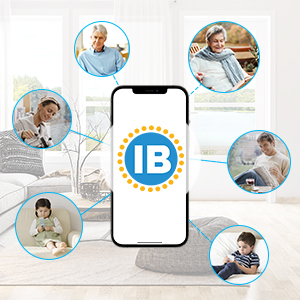
Image: Technical drawing showing the dimensions of the IBRIGHT Smart Light Switch in millimeters, along with the ETL and FCC certification logos.
Seguridad y Certificaciones
Your IBRIGHT Smart Light Switch is designed with safety in mind and meets industry standards:
- Certificación ETL y FCC: Ensures compliance with safety and electromagnetic compatibility standards.
- Material ignífugo: The wall panel is constructed from PC V0 flame retardant material.
- Protección contra sobrecalentamiento: Built-in overheat protection provides overload protection, automatically cutting off power if the current load becomes excessive.
- Seguridad de la instalación: Always ensure power is turned off at the circuit breaker before any installation or maintenance.
Solución de problemas
If you encounter issues with your IBRIGHT Smart Light Switch, refer to the following common problems and solutions:
- Switch not connecting to Wi-Fi or app:
- Asegúrese de que su red Wi-Fi sea de 2.4 GHz. El conmutador no admite redes de 5 GHz.
- Verifique que la contraseña de Wi-Fi ingresada en la aplicación sea correcta.
- Make sure the switch is in pairing mode (indicator light flashing quickly).
- Check your router's signal strength near the switch.
- Reinicie su enrutador Wi-Fi e intente conectarse nuevamente.
- Lights not responding to switch or app:
- Confirm that power is restored at the circuit breaker.
- Check all wiring connections to ensure they are secure and correct (Line, Load, Neutral, Ground).
- Verify that the bulb is compatible (not a smart bulb) and functioning correctly.
- If using voice control, ensure the switch is properly linked to Alexa or Google Home.
- Switch appears unresponsive in the app:
- Comprueba tu conexión a Internet.
- Ensure the switch has power and its indicator light is on (not flashing).
- Try restarting the IBRIGHT app.
- If the issue persists, try re-pairing the switch with the app.
Garantía y soporte
The IBRIGHT Smart Light Switch comes with a limited 2-year warranty. You may register your product for an additional 1-year warranty. For technical assistance or warranty claims, IBRIGHT offers 7*24 hour online support. Please refer to the contact information provided with your product or visit the official IBRIGHT websitio para detalles de soporte.