
Introducción
Gracias por la compraasing the AZATOM A2 Portable DAB/DAB+ Digital Radio. This compact and versatile device is designed to provide high-quality digital and FM radio reception, offering a superior listening experience on the go. Please read this manual carefully to understand the features and operation of your new radio.

The AZATOM A2 radio, showcasing its stylish and compact design, perfect for portability.
¿Qué hay en la caja?
- AZATOM A2 Portable DAB/DAB+ Digital Radio
- Cable USB-C
- Auriculares deportivos
- Manual de usuario (este documento)
- Tarjeta de garantía
Producto terminadoview
Familiarize yourself with the buttons and ports on your AZATOM A2 radio:

Frente view of the AZATOM A2 radio, highlighting the display and control buttons.
- Botón de encendido: Enciende/apaga la radio.
- Botón MENÚ: Accede a las opciones del menú.
- Botones VOL+ / VOL-: Ajusta el nivel de volumen.
- ENTER/SCAN Button: Confirma selecciones o inicia el escaneo de la estación.
- PRESET Buttons (1/2, 3/4): Recalls stored preset stations.
- Botón MODE: Cambia entre los modos DAB/DAB+ y FM.
- Enchufe de audífonos: Connects the included earphones, which also function as the antenna.
- Puerto USB-C: Para cargar el dispositivo.
Configuración
1. Carga de la batería
Before first use, fully charge the radio. Connect the supplied USB-C cable to the radio's USB-C port and the other end to a USB power adapter (not included) or a computer's USB port. The display will indicate charging status. A full charge provides up to 24 hours of playtime.

The AZATOM A2 features a long-lasting rechargeable battery for extended use.
2. Connecting Earphones (Antenna)
The included earphones serve as the radio's antenna for both DAB/DAB+ and FM reception. It is essential to connect the earphones to the 3.5mm jack before operating the radio to ensure proper signal reception.
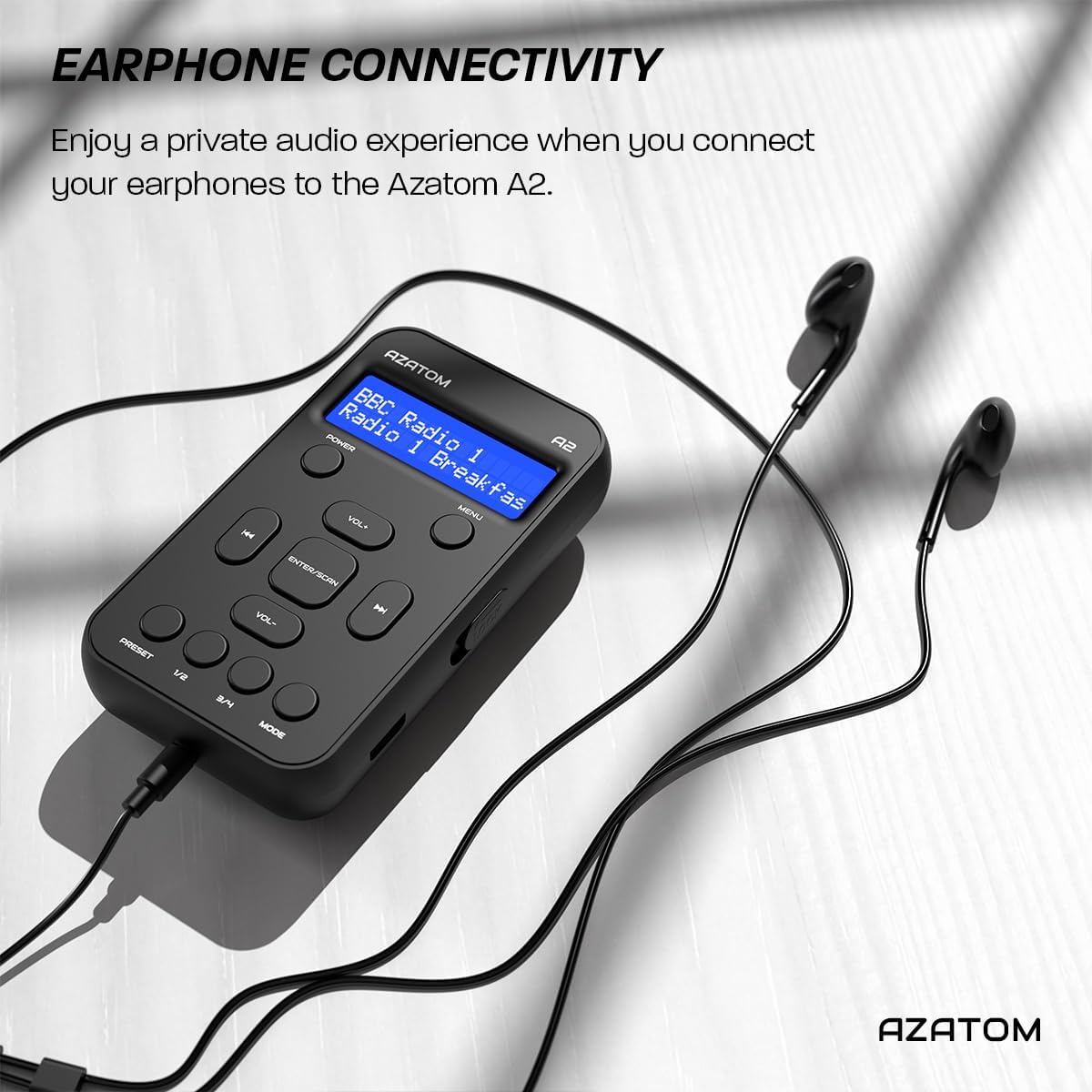
Connect the supplied earphones to the radio for optimal reception and a private listening experience.
Instrucciones de funcionamiento
Encendido/apagado
- Mantenga pulsado el FUERZA Botón para encender o apagar la radio.
Funcionamiento de la radio DAB/DAB+

The AZATOM A2 supports both DAB/DAB+ and FM radio technologies.
- Ensure the earphones are connected.
- Presione el MODO button until 'DAB' or 'DAB+' is displayed.
- The radio will automatically perform a full scan for available DAB/DAB+ stations upon first use or if no stations are found. To manually scan, press and hold the ENTRAR / ESCANEAR botón.
- Utilice el VOL+ or vol- Botones para navegar a través de la lista de estaciones encontradas.
- Prensa ENTRAR / ESCANEAR para seleccionar una estación.
Funcionamiento de la radio FM
- Ensure the earphones are connected.
- Presione el MODO Botón hasta que se muestre 'FM'.
- Para buscar automáticamente estaciones de FM, mantenga presionado el botón ENTRAR / ESCANEAR Botón. La radio escaneará y guardará las estaciones disponibles.
- Para sintonizar manualmente, presione brevemente el botón VOL+ or vol- buttons to adjust the frequency in small increments.
Configuración y recuperación de preajustes
The AZATOM A2 allows you to store up to 40 DAB+ and 40 FM favorite stations.

The AZATOM A2 allows for easy recall of your favorite preset stations.
Para almacenar un ajuste preestablecido:
- Sintonice la emisora deseada.
- Mantenga presionado uno de los PROGRAMAR buttons (1/2 or 3/4) until the display shows 'Preset Store'.
- Utilice el VOL+ or vol- botones para seleccionar el número preestablecido deseado (1-40).
- Prensa ENTRAR / ESCANEAR para confirmar y guardar la estación.
Para recuperar un preajuste:
- Presione brevemente uno de los PROGRAMAR buttons (1/2 or 3/4).
- Utilice el VOL+ or vol- Botones para navegar a través de los ajustes preestablecidos almacenados.
- Prensa ENTRAR / ESCANEAR para seleccionar y reproducir la estación preestablecida deseada.
Control de volumen
- Prensa VOL+ para aumentar el volumen.
- Prensa vol- para disminuir el volumen.
Brillo de la pantalla
The XL digital display's brightness can be adjusted to your preference. Access this setting through the MENU options.

Un primer plano view of the AZATOM A2's clear digital display.
Mantenimiento
- Limpieza: Utilice un paño suave y seco para limpiar la superficie de la radio. No utilice limpiadores abrasivos ni disolventes.
- Cuidado de la batería: Para prolongar la vida útil de la batería, evite descargarla por completo con frecuencia. Cargue la radio regularmente, incluso si no la usa durante períodos prolongados.
- Almacenamiento: Guarde la radio en un lugar fresco y seco, alejado de la luz solar directa y de temperaturas extremas.
Solución de problemas
| Problema | Posible causa | Solución |
|---|---|---|
| No power/Radio won't turn on. | La batería está agotada. | Cargue la radio utilizando el cable USB-C suministrado. |
| Mala recepción de radio (DAB/FM). | Earphones not connected or not fully inserted. Weak signal area. | Ensure earphones are securely connected. Try moving to an open area or near a window. Perform a new scan. |
| No hay sonido. | Volume is too low or muted. Earphones not connected. | Increase the volume using VOL+. Ensure earphones are connected. |
| La radio se congela o no responde. | Fallo temporal del software. | Press and hold the POWER button to force a restart. If issue persists, allow battery to fully discharge then recharge. |
Presupuesto

Dimensions of the AZATOM A2 radio.
| Característica | Detalle |
|---|---|
| Modelo | A2 |
| Dimensiones (L x An x Al) | 9 x 4 x 11 cm (aprox. 90 mm x 50 mm x 24 mm) |
| Peso | 90 gramos |
| Bandas de radio compatibles | DAB, DAB+, FM |
| Ajustes preestablecidos | 40DAB+, 40FM |
| Tipo de batería | Batería recargable de iones de litio (1800 mAh) |
| Recreo | Hasta 24 horas |
| Tipo de pantalla | Pantalla LCD |
| Conectividad | USB-C (for charging), 3.5mm Earphone Jack |
| Material | Plástico |
Garantía y soporte
AZATOM products are designed and engineered in the UK. The AZATOM A2 comes with a premium 3-year warranty (registration required). For any questions or support, please contact our dedicated customer service team. Lifetime customer support is provided to assist you with any queries.
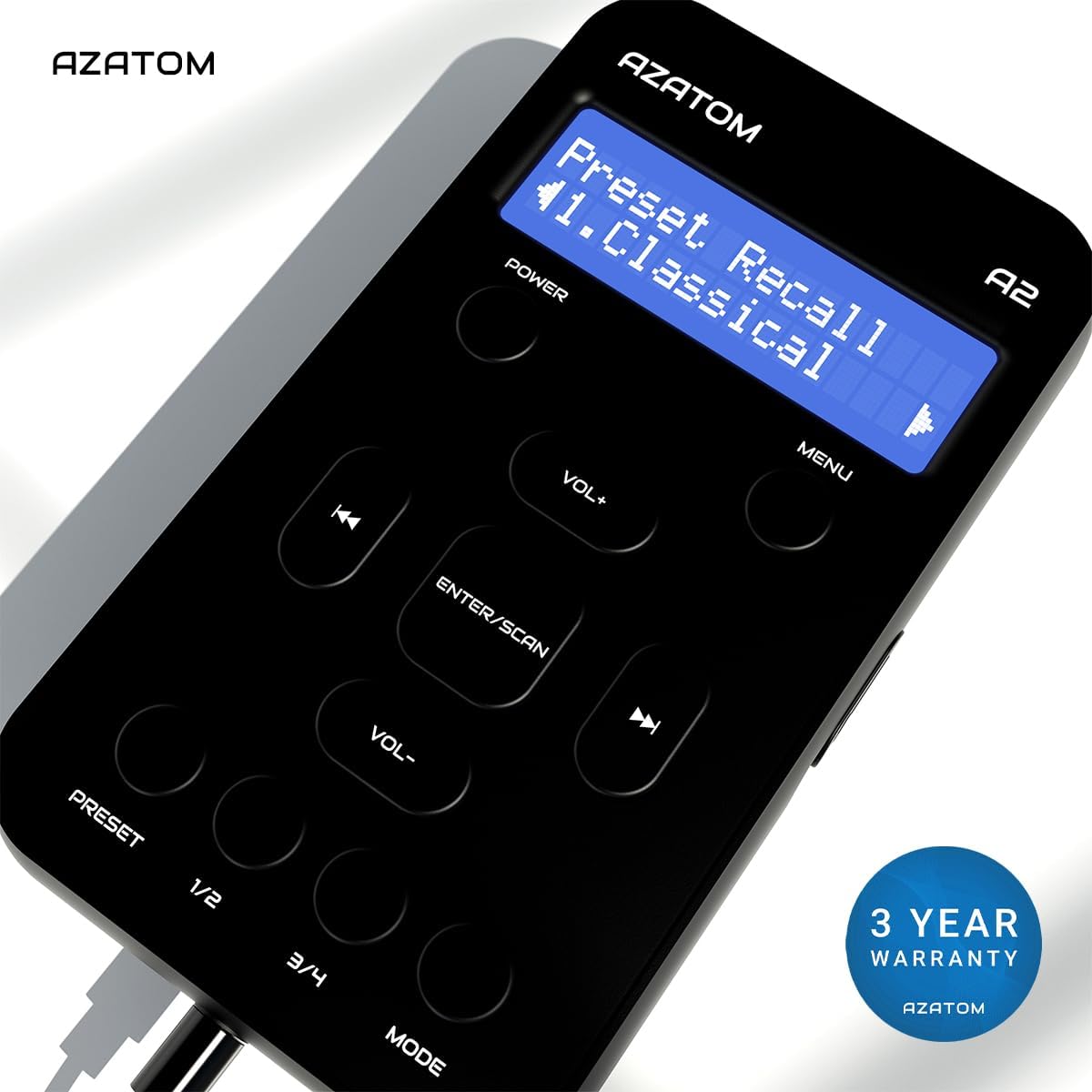
The AZATOM A2 is backed by a 3-year warranty.