
1. Introducción
Gracias por la compraasing the EARISE D61 Plus Bluetooth Speaker. This manual provides important information regarding the safe operation, setup, and maintenance of your device. Please read it thoroughly before use and retain it for future reference.

Image 1.1: The EARISE D61 Plus Bluetooth Speaker, showcasing its portable design and integrated RGB lighting.
2. Información importante de seguridad
- No exponga el altavoz al agua ni a la humedad excesiva, ya que no es resistente al agua.
- Evite temperaturas extremas, luz solar directa o fuentes de calor.
- No desmonte, repare ni modifique el dispositivo. Encargue cualquier servicio técnico a personal cualificado.
- Utilice únicamente el cable de carga y el adaptador de corriente especificados.
- Mantenga el altavoz alejado de niños y mascotas.
- No utilice el altavoz a volúmenes excesivamente altos durante períodos prolongados para evitar daños auditivos.
3. Contenido del paquete
Por favor revise el paquete para ver los siguientes artículos:
- EARISE D61 Plus Bluetooth Speaker
- Cable de carga USB
- Manual de usuario (este documento)
Si falta algún artículo o está dañado, comuníquese con atención al cliente.
4. Producto terminadoview
Familiarícese con los componentes y controles del altavoz.
Imagen 4.1: Frente view of the EARISE D61 Plus speaker, highlighting the control panel and speaker grille.
4.1 Panel de control y puertos

Image 4.2: Diagram illustrating the various input options and features of the speaker, including USB, TF card, AUX, Microphone, Bluetooth, and FM radio.
- Botón MODE/LIGHT: Short press to switch between input modes (Bluetooth, AUX, USB, TF, FM). Long press to change light effects.
- M-/V- Button: Short press for previous track (in music modes) or previous station (in FM mode). Long press to decrease volume.
- MSCAN/TWS Button: Short press to Play/Pause (in music modes) or auto-scan FM stations (in FM mode). Long press to activate TWS pairing.
- M+/V+ Button: Short press for next track (in music modes) or next station (in FM mode). Long press to increase volume.
- Puerto USB: Para reproducción de unidad flash USB.
- Ranura para tarjetas TF: Para reproducción de tarjeta TF (MicroSD).
- Entrada auxiliar: Para conectar dispositivos de audio externos mediante un cable de audio de 3.5 mm.
- Entrada de micrófono: Para conectar un micrófono.
- Puerto de carga: Para cargar la batería interna del altavoz.
5. Configuración
5.1 Carga del altavoz
Before first use, fully charge the speaker. Connect the provided USB charging cable to the speaker's charging port and the other end to a USB power adapter (not included) or a computer's USB port. The charging indicator will illuminate during charging and turn off when fully charged.

Image 5.1: Visual representation of the speaker being charged, indicating battery status.
5.2 Encendido / Apagado
Press and hold the Power button (often integrated with the MODE button or a separate switch, refer to physical device for exact location) to turn the speaker ON or OFF. A sound prompt will indicate the power status.
5.3 Emparejamiento Bluetooth
- Ensure the speaker is powered on and in Bluetooth mode (indicated by a voice prompt or flashing LED). If not, short press the MODE/LIGHT button to switch to Bluetooth mode.
- Habilite Bluetooth en su dispositivo móvil (teléfono inteligente, tableta, etc.).
- Buscar available Bluetooth devices. You should see "EARISE D61 Plus" in the list.
- Select "EARISE D61 Plus" to connect. Once paired, a confirmation sound will be heard.
- The speaker will automatically reconnect to the last paired device when in Bluetooth mode, if the device is within range and Bluetooth is enabled.
5.4 Emparejamiento TWS (estéreo inalámbrico verdadero)
To achieve stereo sound, you can pair two EARISE D61 Plus speakers together.

Image 5.2: Illustration of two EARISE D61 Plus speakers connected via TWS for a stereo audio experience, controlled by a single smartphone.
- Ensure both EARISE D61 Plus speakers are powered on and in Bluetooth mode, but not yet connected to any device.
- On one of the speakers (this will be the primary speaker), long press the MSCAN/TWS button. You will hear a prompt indicating TWS pairing mode.
- Los dos altavoces se buscarán y se conectarán automáticamente. Un sonido de confirmación indicará que el emparejamiento TWS se ha realizado correctamente.
- Once paired, the primary speaker will be ready for Bluetooth connection to your mobile device. Follow the steps in "5.3 Bluetooth Pairing" to connect your device to the primary speaker.
- El audio ahora se reproducirá en estéreo a través de ambos altavoces.
- To disconnect TWS, long press the MSCAN/TWS button on either speaker.
6. Instrucciones de funcionamiento
Selección de 6.1 modos
Presione brevemente el MODO / LUZ button to cycle through available input modes: Bluetooth, AUX, USB, TF Card, FM Radio.
6.2 Audio Playback (Bluetooth, USB, TF Card, AUX)
- Reproducir/Pausa: Presione brevemente el MSCAN/TWS botón.
- Pista siguiente: Presione brevemente el M+/V+ botón.
- Pista anterior: Presione brevemente el M-/V- botón.
- Sube el volumen: Mantenga pulsado el M+/V+ botón.
- Bajar volumen: Mantenga pulsado el M-/V- botón.
6.3 Funcionamiento de la radio FM
- Cambie al modo FM usando el MODO / LUZ botón.
- Presione brevemente el MSCAN/TWS button to automatically scan and save available FM stations. The speaker will play the first saved station.
- Pulsación corta M+/V+ or M-/V- para navegar entre estaciones guardadas.
6.4 Efectos de luz RGB
The speaker features dynamic RGB lighting. Long press the MODO / LUZ Botón para recorrer diferentes modos de luz o apagar las luces.
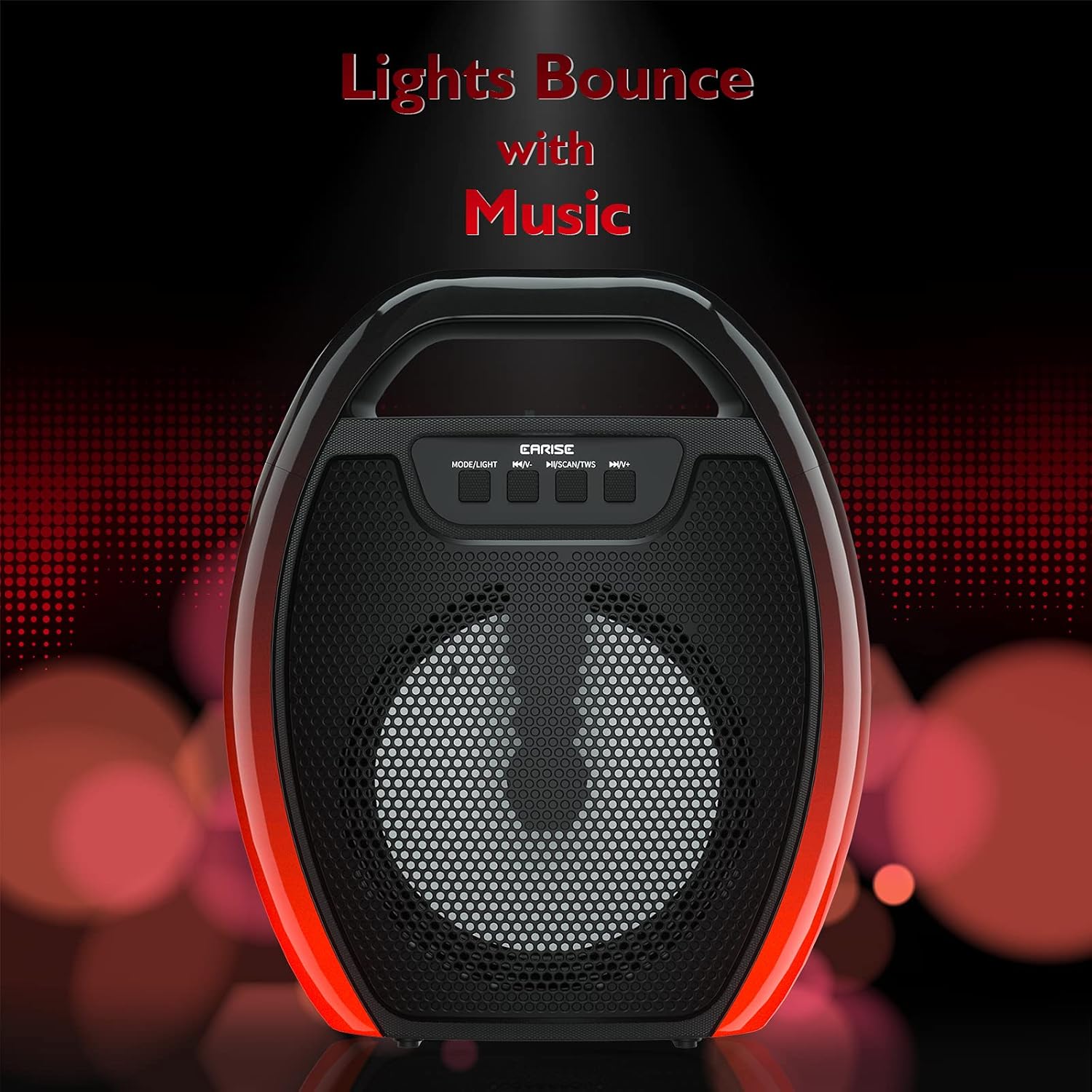
Image 6.1: The speaker displaying its light effects, which can synchronize with music playback.
6.5 entradas de micrófono
Connect a wired microphone (not included) to the MIC input port for karaoke or public address functions. Adjust the microphone volume using the connected microphone's controls or the speaker's main volume controls.
7. Mantenimiento
- Limpieza: Use a soft, dry cloth to clean the speaker. Do not use liquid cleaners or aerosols.
- Almacenamiento: Guarde el altavoz en un lugar fresco y seco, alejado de la luz solar directa y de temperaturas extremas.
- Cuidado de la batería: To prolong battery life, fully charge the speaker before long periods of inactivity and recharge it at least once every three months. Avoid completely draining the battery frequently.
8. Solución de problemas
| Problema | Posible causa | Solución |
|---|---|---|
| El altavoz no se enciende. | Batería baja; botón de encendido no presionado correctamente. | Cargue el altavoz; mantenga presionado el botón de encendido durante unos segundos. |
| No se puede emparejar a través de Bluetooth. | El altavoz no está en modo de emparejamiento; el Bluetooth del dispositivo está desactivado; el altavoz está demasiado lejos del dispositivo; ya está conectado a otro dispositivo. | Ensure speaker is in Bluetooth pairing mode; Turn on Bluetooth on your device; Move device closer to speaker; Disconnect from other devices. |
| No hay sonido. | Volumen demasiado bajo; Modo de entrada incorrecto; El dispositivo no reproduce audio. | Increase speaker and device volume; Switch to correct input mode (Bluetooth, AUX, etc.); Ensure audio is playing on your device. |
| El emparejamiento de TWS falla. | Speakers too far apart; One speaker already paired to a device; Not in TWS pairing mode. | Ensure speakers are close; Disconnect both speakers from any devices; Long press MSCAN/TWS on one speaker to initiate TWS pairing. |
| Las luces RGB no funcionan. | Luces apagadas; Mal funcionamiento. | Long press MODE/LIGHT button to cycle through light modes; If issue persists, contact support. |
9. Especificaciones
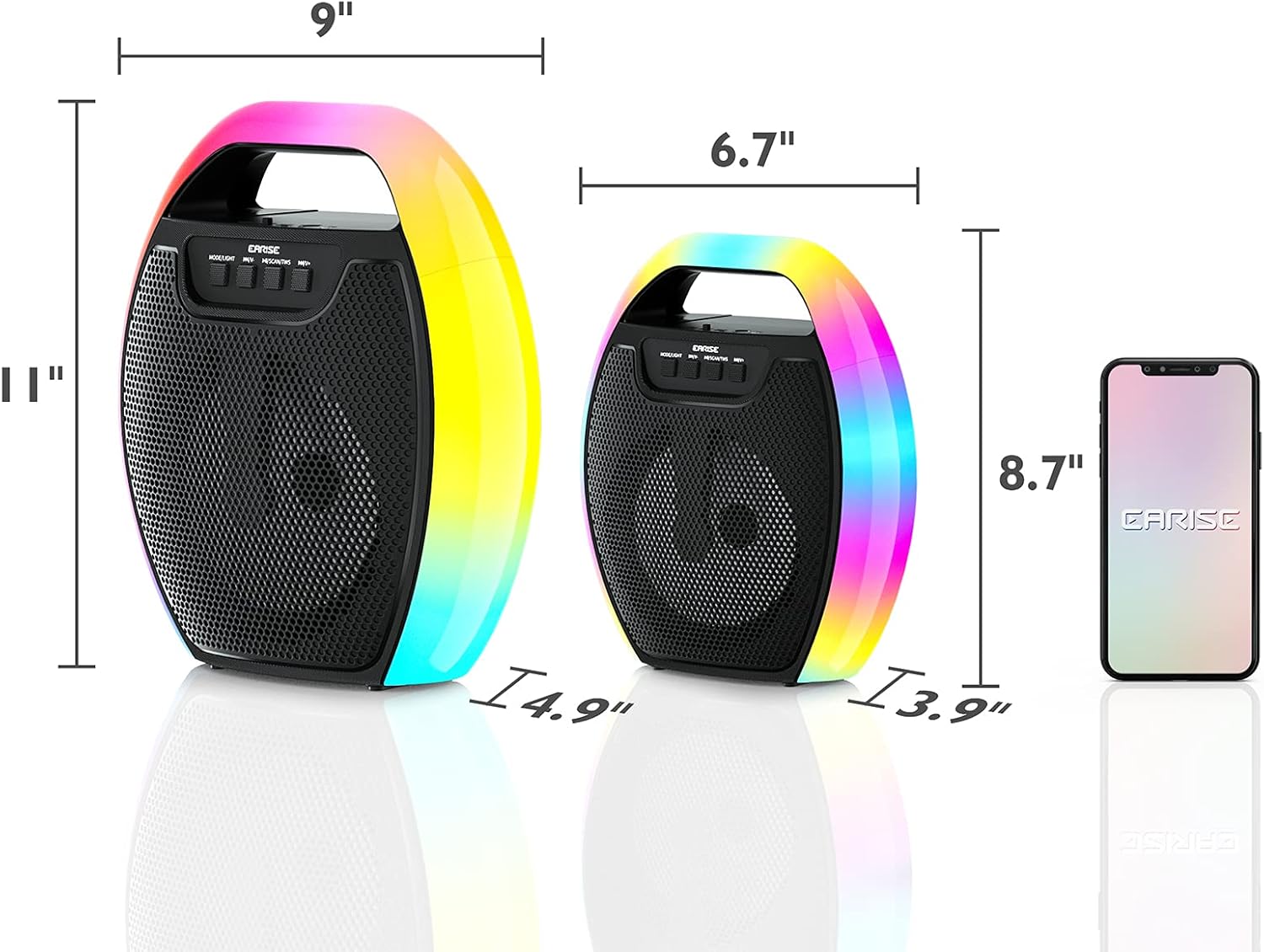
Image 9.1: Product dimensions of the EARISE D61 Plus speaker.
| Característica | Detalle |
|---|---|
| Nombre del modelo | D61 Más |
| Marca | Oído |
| Tecnología de conectividad | Bluetooth, Auxiliary (3.5mm), USB, TF Card, FM Radio |
| Modo de salida de audio | Estéreo (con TWS) |
| Tipo de altavoz | Altavoz portátil para exteriores |
| Tamaño del altavoz | 4 pulgadas |
| Fuente de poder | Funciona con pilas |
| Duración de la batería | Up to 12 Hours (actual playtime varies with volume and light usage) |
| Impermeable | No |
| Dimensiones del producto | 9 x 5 x 11 pulgadas (largo x ancho x alto) |
| Peso del artículo | 2.28 libras |
| Características especiales | RGB Lights, TWS Pairing, Portable |
10. Garantía y soporte
EARISE products are designed and manufactured to the highest quality standards. For information regarding warranty coverage, technical support, or service inquiries, please refer to the warranty card included with your purchase or visit the official EARISE websitio.
Conserve su comprobante de compra para reclamos de garantía.