
Introducción
The J-Tech Digital 4K HDMI Capture Card (JTECH-4KCP) is designed to capture HDMI video signals up to 4K@60Hz and output them to your computer at 1080p 60Hz. This device features an HDMI loop output for real-time monitoring of the source signal, external microphone and headphone support for integrated audio, and a USB Type-C interface for high-speed data transfer to your computer. It is compatible with popular streaming and capture software such as OBS, YouTube Live, and Twitch, making it an ideal solution for capturing presentations, training seminars, and gaming content.
Contenido del paquete
Verifique que todos los artículos estén presentes en el paquete:
- 1 x J-Tech Digital 4K HDMI Capture Card (JTECH-4KCP)
- 1 x Manual de usuario
- 1 x USB 3.0 Data Cable (USB Type-C to USB Type-A)

Producto terminadoview
Dimensiones
The JTECH-4KCP capture card has compact dimensions for portability and ease of integration into your setup.
- Longitud: 4.25 pulgadas (10.8 cm)
- Ancho: 2 pulgadas (5.1 cm)
- Altura: 0.6 pulgadas (1.5 cm)
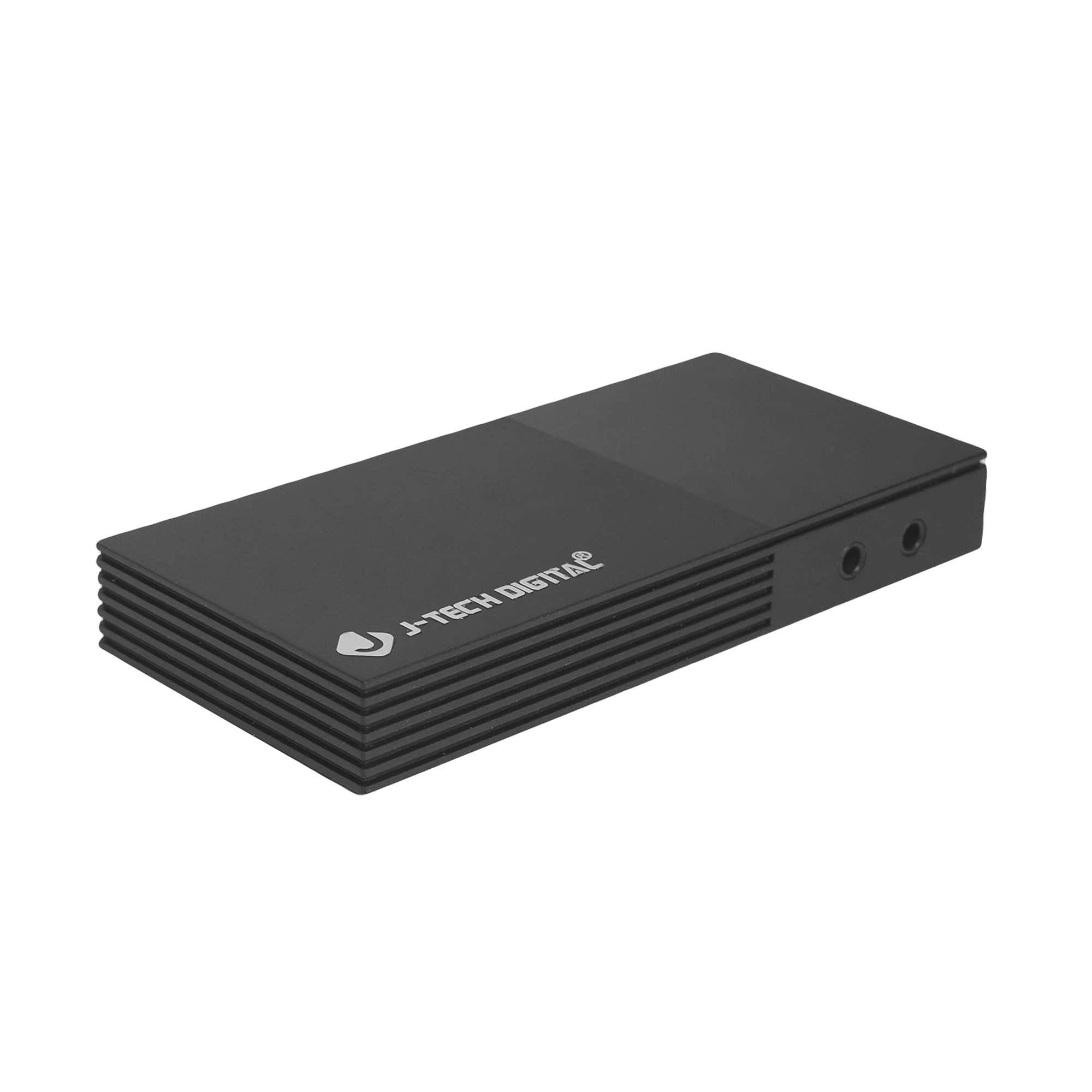
Puertos e interfaces
El dispositivo cuenta con varios puertos para conectividad:
- Microphone In Port: Para conectar un micrófono externo.
- Headphones Out Port: For connecting headphones to monitor audio.
- USB-C (PC Port): For connecting the capture card to your computer. This port is USB 3.0 compliant.
- Entrada HDMI: For connecting your HDMI source device (e.g., game console, camera).
- Salida HDMI: For connecting to a display monitor for real-time video passthrough.

Instrucciones de instalación
- Conectar fuente HDMI: Connect an HDMI cable from your source device (e.g., game console, Blu-ray player, camera) to the Entrada HDMI port on the JTECH-4KCP capture card.
- Conectar pantalla (opcional): If you wish to monitor your source signal in real-time without latency, connect a second HDMI cable from the Salida HDMI port on the capture card to your display monitor.
- Conectar a la computadora: Use the provided USB 3.0 Type-C cable to connect the USB-C (PC Port) Conecte la tarjeta de captura a un puerto USB 3.0 disponible en su computadora. El dispositivo es plug-and-play y, por lo general, no requiere la instalación de controladores.
- Conectar dispositivos de audio (opcional): For external audio input, connect a microphone to the Microphone In Port. For audio monitoring, connect headphones to the Headphones Out Port.
- Software de lanzamiento: Open your preferred video capture or streaming software (e.g., OBS Studio, YouTube Live, Twitch Studio) on your computer.
- Configurar software: In your software, add the capture card as a video source. It should appear as a 'USB Video Device' or 'HDMI Capture'. Configure video resolution (1080p 60Hz recommended for capture) and audio settings as needed.

Instrucciones de funcionamiento
Once the capture card is set up and recognized by your computer and software, you can begin capturing or streaming.
- Captura de vídeo: The JTECH-4KCP captures HDMI input signals up to 4K@60Hz and processes them for recording or streaming at 1080p 60Hz on your computer. Ensure your software settings match these capture capabilities for optimal performance.
- Salida de bucle HDMI: The HDMI Out port provides a near-zero latency passthrough of your source signal to a connected display. This is particularly useful for gaming, allowing you to play on your main monitor without experiencing input lag while simultaneously capturing the footage on your computer.
- Integración de audio externo: Utilize the Microphone In and Headphones Out ports to integrate external audio. This allows you to add commentary or external audio sources directly into your captured or streamed content, and monitor all audio in real-time. Adjust audio levels within your capture software.
- Compatibilidad de software: The capture card is compatible with a wide range of software, including OBS Studio, YouTube Live, Twitch Studio, and Facebook Live. Refer to your software's documentation for specific configuration details.

Mantenimiento
To ensure the longevity and optimal performance of your JTECH-4KCP capture card, follow these maintenance guidelines:
- Limpieza: Utilice un paño suave y seco para limpiar el exterior del dispositivo. Evite usar limpiadores líquidos o disolventes, ya que pueden dañar el acabado o los componentes internos.
- Almacenamiento: Guarde la tarjeta de captura en un lugar fresco y seco, alejado de la luz solar directa y de temperaturas extremas.
- Manejo: Manipule el dispositivo con cuidado. Evite dejarlo caer o someterlo a impactos fuertes.
- Ventilación: Ensure the device has adequate ventilation to prevent overheating, especially during extended use. Do not block the ventilation slots.
Solución de problemas
If you encounter issues with your JTECH-4KCP capture card, refer to the following common troubleshooting steps:
| Problema | Posible causa | Solución |
|---|---|---|
| No video signal on computer/software | Incorrect cable connection, incompatible resolution/refresh rate, software not configured. |
|
| No audio captured or monitored | Incorrect audio connections, software audio settings. |
|
| High latency or stuttering during capture/streaming | Computer performance issues, USB port issues, software settings. |
|
| Cannot capture certain content (e.g., movies) | HDCP (High-bandwidth Digital Content Protection) enabled. | The capture card respects HDCP. Content protected by HDCP cannot be captured or recorded. This is a standard digital rights management feature. |
Presupuesto
| Característica | Detalle |
|---|---|
| Marca | J-Tech Digital |
| Nombre del modelo | JTECH-4KCP |
| Interfaz de hardware | USB Type-C (USB 3.0 compliant) |
| Resolución de captura de video | 1080p a 60 Hz |
| Resolución de entrada HDMI | Hasta 4K @ 60Hz |
| Compatibilidad del sistema operativo | Windows 10 (64-bit), macOS 10.14+ (64-bit) |
| Usos recomendados | Video Recording, Image Capture, Live Streaming |
| Características especiales | 4K Near-Zero Latency HDMI Loop Output, External Audio Support (Mic In, Headphone Out), Popular Streaming Platform Compatibility |
| Dispositivos compatibles | Gaming Consoles (Xbox, PS4, PS5, Nintendo Switch), Cameras, Personal Computers, Blu-ray Players |
| Requisitos mínimos del sistema | Processor: Intel Core i5 or AMD equivalent (or better), RAM: 4GB, Disk Space: 2GB available |
| AV Output Format | MPEG-4 (software dependent) |
| Fabricante | J-Tech Digital Inc. |
| Código Postal | 810058920409 |
Garantía y soporte
All J-Tech Digital products are backed by a commitment to quality and customer satisfaction.
- Garantía del fabricante: The JTECH-4KCP includes a One-Year Manufacturer Replacement Warranty. This warranty covers defects in materials and workmanship under normal use.
- Apoyo técnico: J-Tech Digital provides free lifetime technical support from our customer support team. Support is available from 9 AM – 6 PM CST, Monday through Friday.
- Información del contacto: For warranty claims or technical assistance, please refer to the contact information available on the J-Tech Digital seller page on Amazon or visit the official J-Tech Digital websitio.