
1. Introducción y másview
The Hbada W203 Gaming Chair is designed to provide ergonomic support and comfort for extended periods of sitting, whether for gaming or office work. It features a robust construction, adjustable components, and a design focused on user well-being.
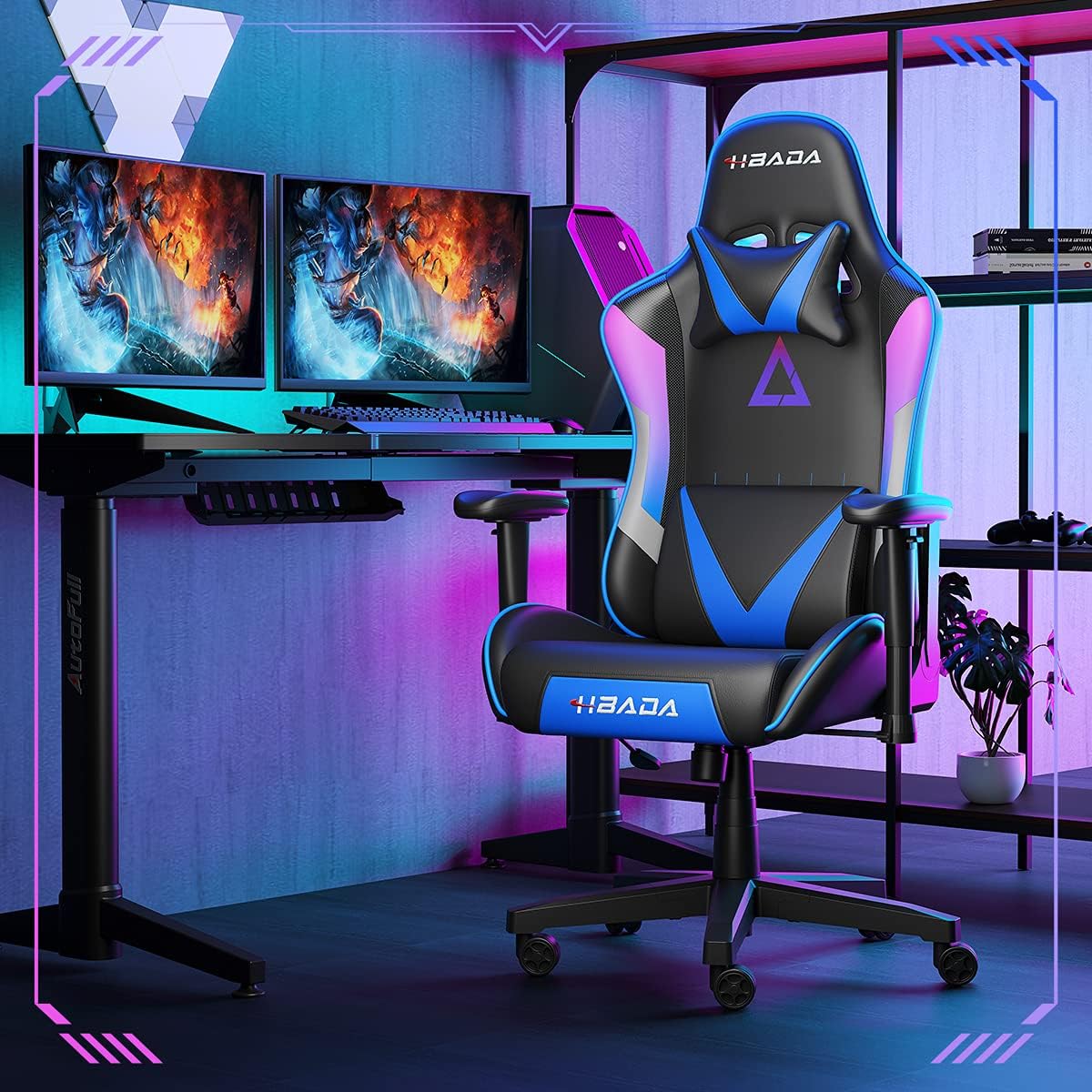
Image 1.1: The Hbada W203 Gaming Chair in a typical gaming environment, showcasing su diseño y presencia.
2. Información de seguridad
- No exceda la capacidad máxima de peso de 150 kg (330.7 lbs).
- Asegúrese de que todos los pernos y tornillos estén bien apretados antes de usar y verifique periódicamente que no estén flojos.
- Evite pararse en la silla o usarla como taburete.
- Mantenga las manos y los dedos alejados de las piezas móviles durante el ajuste.
- Utilice la silla sobre una superficie plana y estable para evitar que se vuelque.
3. Contenido del paquete
Verifique que todos los componentes estén presentes antes de comenzar el ensamblaje. Si alguna pieza falta o está dañada, contacte con el servicio de atención al cliente.
- Respaldo
- Cojín de asiento
- Apoyabrazos (2)
- Base de estrella
- Ruedas (5)
- Cilindro elevador de gas
- Cubierta de elevación de gas
- Placa de mecanismo
- Almohada reposacabezas
- Almohada de soporte lumbar
- Paquete de hardware (tornillos, arandelas, llave Allen)
- Manual de instrucciones
4. Instrucciones de montaje
Assembly typically requires two people due to the weight of some components. Follow these steps carefully.
- Fije las ruedas a la base: Insert each of the five casters into the holes at the end of each leg of the star base until they click into place.
- Insertar elevador de gas: Coloque el cilindro de gas en el orificio central de la base de estrella. Cúbralo con la tapa del cilindro.
- Fije la placa del mecanismo al asiento: Align the mechanism plate with the screw holes on the underside of the seat cushion. Secure it with the provided screws and Allen wrench. Ensure the front of the mechanism faces the front of the seat.
- Fije los apoyabrazos al asiento: Secure the armrests to the sides of the seat cushion using the designated screws. Do not overtighten initially to allow for minor adjustments.
- Fije el respaldo al asiento: Align the backrest with the mounting brackets on the seat cushion. Secure it with screws.
- Conecte el conjunto del asiento a la base: Carefully place the assembled seat onto the gas lift cylinder, ensuring it is centered. Apply downward pressure to secure it.
- Attach Headrest and Lumbar Support: Position the headrest pillow and lumbar support pillow as desired. They are typically secured with straps.
- Ajuste final: Once fully assembled, go back and tighten all screws firmly.

Imagen 4.1: Másview of chair features, including lift function, height-adjustable armrests, 155-degree recline, silent casters, 360-degree rotation, and durable base.
5. Instrucciones de funcionamiento
5.1. Ajuste de la altura de la silla
To adjust the chair height, locate the lever on the right side, beneath the seat. While seated, pull the lever up to lower the chair. To raise the chair, stand up slightly and pull the lever up. Release the lever at the desired height.
5.2. Función reclinable
The chair offers a recline angle of up to 155 degrees with a 17-degree locking feature. To recline, pull the recline lever (typically on the left side) upwards and lean back. Release the lever to lock the backrest in position. To return to an upright position, pull the lever and lean forward.

Image 5.1: The chair's backrest can recline up to 155 degrees, allowing for various comfortable positions.
5.3. Ajuste del reposabrazos
The armrests can be lifted to adjust their height. Locate the button or lever on the side of each armrest. Press or lift it and move the armrest up or down to your preferred height. Release the button/lever to lock it.
5.4. Soporte lumbar y reposacabezas
The chair includes removable and adjustable headrest and lumbar support pillows. Adjust their position by sliding them along the backrest straps to provide optimal support for your head, neck, and lower back.
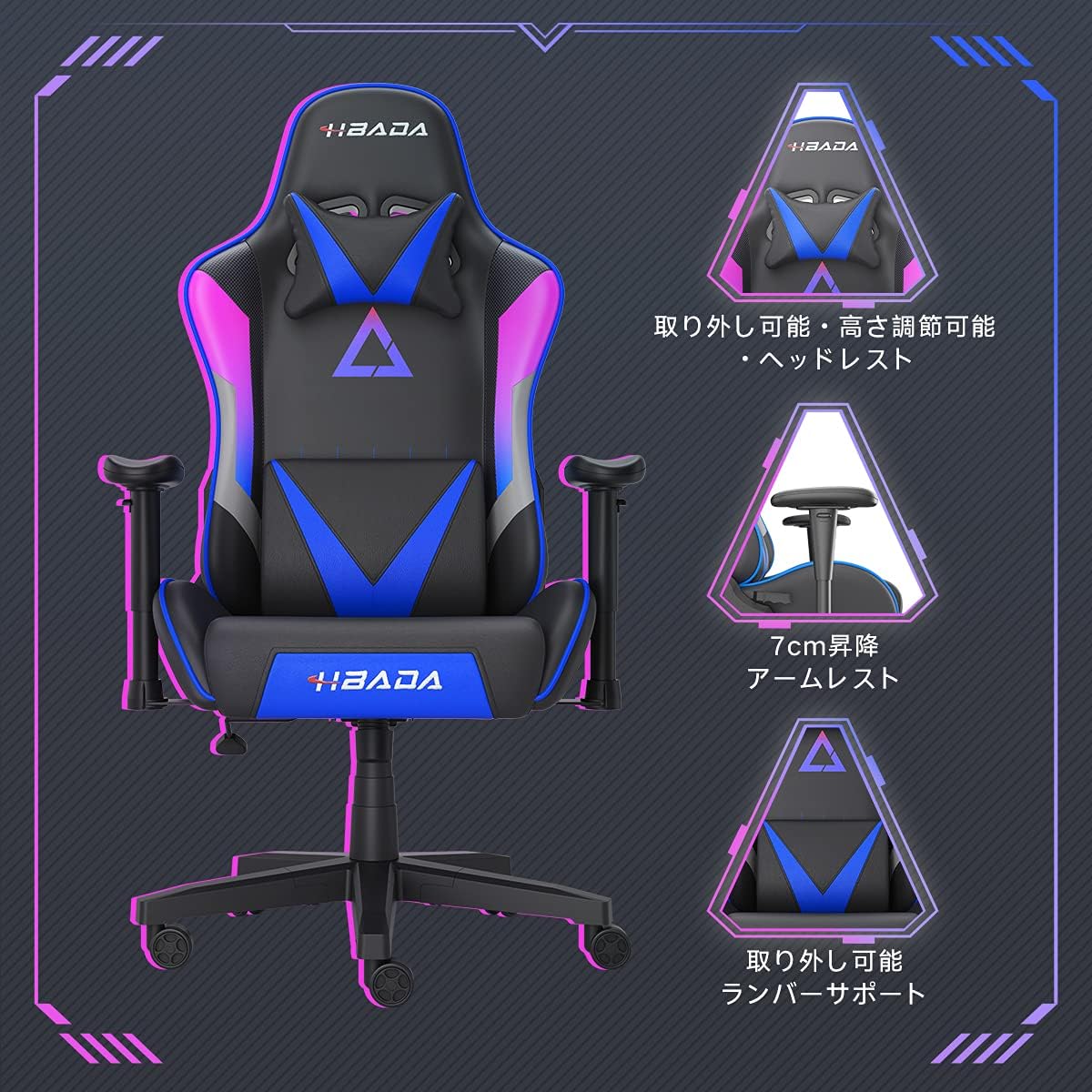
Imagen 5.2: Detallada view of the adjustable headrest, lifting armrests, and removable lumbar support.
5.5. Función giratoria
La silla cuenta con una función giratoria de 360 grados, lo que permite una fácil rotación sin mover la base.
6. Mantenimiento
- Limpieza: The chair's synthetic leather (PU) material can be wiped clean with a damp paño. Evite productos químicos agresivos o limpiadores abrasivos.
- Sujetadores: Periodically check all screws and bolts to ensure they remain tight. Retighten as necessary to maintain stability and prevent squeaking.
- Ruedas: Mantenga las ruedas libres de pelo y residuos para garantizar un movimiento suave.
7. Solución de problemas
- Chirridos de silla: Check and tighten all assembly screws. Applying a small amount of lubricant to moving metal parts (like the mechanism plate) may help.
- El ajuste de altura no funciona: Ensure the gas lift lever is fully engaged. If the issue persists, the gas lift cylinder may need replacement. Contact customer service.
- La silla se siente inestable: Verify that the star base is correctly assembled and all casters are fully inserted. Ensure all screws are tightened.
- Las ruedas no giran con suavidad: Limpie cualquier residuo (cabello, polvo) de las ruedas giratorias.
For issues not listed here or persistent problems, please contact Hbada customer service.
8. Especificaciones

Image 8.1: Key dimensions of the Hbada W203 Gaming Chair.
| Característica | Detalle |
|---|---|
| Nombre del modelo | Hbada W203 |
| Dimensiones del producto (Pr. x An. x Al.) | 70 x 70 x 128 cm (27.6 x 27.6 x 50.4 pulgadas) |
| Altura del asiento ajustable | 40 - 48 cm (15.7 - 18.9 pulgadas) |
| Peso del artículo | 22.5 kg (49.6 libras) |
| Capacidad de carga máxima | 150 kg (330.7 libras) |
| Material | Synthetic leather (PU upholstery), Metal (frame), Reinforced Nylon Resin (base), High-density Urethane Foam (cushion), Silent PU Nylon Casters |
| Ángulo de reclinación | Up to 155 degrees with 17-degree locking |
| Ajuste del reposabrazos | Lifting (approx. 7 cm range) |
| Características especiales | Adjustable Lumbar Support, Ergonomic Design |

Image 8.2: Internal construction details, showing high-density foam and a robust metal frame.
9. Garantía y soporte
The Hbada W203 Gaming Chair comes with a Servicio de garantía de 1 año. This warranty covers initial defects and manufacturing faults.
If you encounter any initial defects, malfunctions, or have any concerns regarding your product, please contact our customer service center. Our support team aims to respond within 24 hours and will assist with free exchanges or repairs as applicable.
For customer service inquiries, please refer to the contact information provided on your purchase receipt or the official Hbada websitio.