
Introducción
This manual provides detailed instructions for the safe and efficient operation of your Prixton Picasso Portable Projector. Please read this manual thoroughly before using the device and retain it for future reference.
¿Qué hay en la caja?
Al desembalar, asegúrese de que estén presentes todos los elementos siguientes:
- Prixton Picasso Portable Projector
- Mando a distancia
- Cable HDMI
- Cable USB
- (Optional: 100" Projection Screen, if included in your package)

Image: Prixton Picasso portable projector with a projection screen.
Información de seguridad
- No mire directamente a la lente del proyector cuando la lamp Está encendido.
- Asegúrese de que haya una ventilación adecuada para evitar el sobrecalentamiento.
- Mantenga el dispositivo alejado del agua u otros líquidos.
- Utilice únicamente el adaptador de corriente proporcionado.
- No intente desmontar ni reparar el proyector usted mismo. Contacte con personal de servicio técnico cualificado.
Producto terminadoview
The Prixton Picasso is a portable Full HD projector designed for versatile use. It features a high-quality LED lamp and multiple connectivity options.
Características principales:
- Full HD 1920 x 1080 native resolution.
- 9000 lumens brightness (260 ANSI lumens).
- 3000:1 contrast ratio.
- LED lamp Vida útil de más de 50,000 horas.
- Projection distance: 1 to 7 meters.
- Projection size: 30" to 210".
- Wireless connectivity for Android and iOS devices.
- Multiple input ports: 2x HDMI, USB 2.0, TF card, Jack, AV IN, DC IN.

Image: Prixton Picasso projector shown with its remote control.

Imagen: Arriba view of the projector, highlighting the lens and control buttons.
Configuración
1 Colocación
Place the projector on a stable, flat surface. Ensure there is adequate space around the projector for ventilation. The optimal projection distance is between 1 and 7 meters, allowing for a screen size from 30 to 210 inches.

Image: Visual guide for projection distance and screen size.
2. Conexión de alimentación
Conecte el adaptador de corriente al puerto DC IN del proyector y luego conéctelo a una toma de corriente.
3. Encendido inicial
Presione el botón de encendido del proyector o el control remoto para encender el dispositivo. La luz indicadora se iluminará.

Image: Projector displaying its brightness specification.

Image: Projector powered on and projecting light.
4. Enfoque y ajuste trapezoidal
Adjust the focus ring on the projector lens until the image is clear. Use the keystone correction dial (if available) to correct any trapezoidal distortion of the image.

Image: Projector emphasizing Full HD compatibility, relevant for image clarity.
Instrucciones de funcionamiento
1. Selección de fuente de entrada
Use the "Source" button on the remote control or the projector to select your desired input: HDMI 1, HDMI 2, USB, TF Card, or AV.
2. Conexión de dispositivos
- HDMI: Connect your laptop, gaming console, or other HDMI-enabled devices using an HDMI cable.
- Tarjeta USB/TF: Insert a USB drive or TF card into the respective port to play media files directamente.
- AV: Use the AV input for older devices with composite video output.
3. Conexión inalámbrica (duplicación de pantalla)
The projector supports wireless screen mirroring for both Android and iOS devices.
- Select the "Screen Mirroring" or "Wireless Display" option from the projector's main menu.
- For iOS devices, enable "Screen Mirroring" or "AirPlay" on your device and select the projector from the list.
- For Android devices, enable "Wireless Display," "Smart View," or "Cast" on your device and select the projector.
- Ensure both the projector and your mobile device are connected to the same Wi-Fi network for optimal performance.
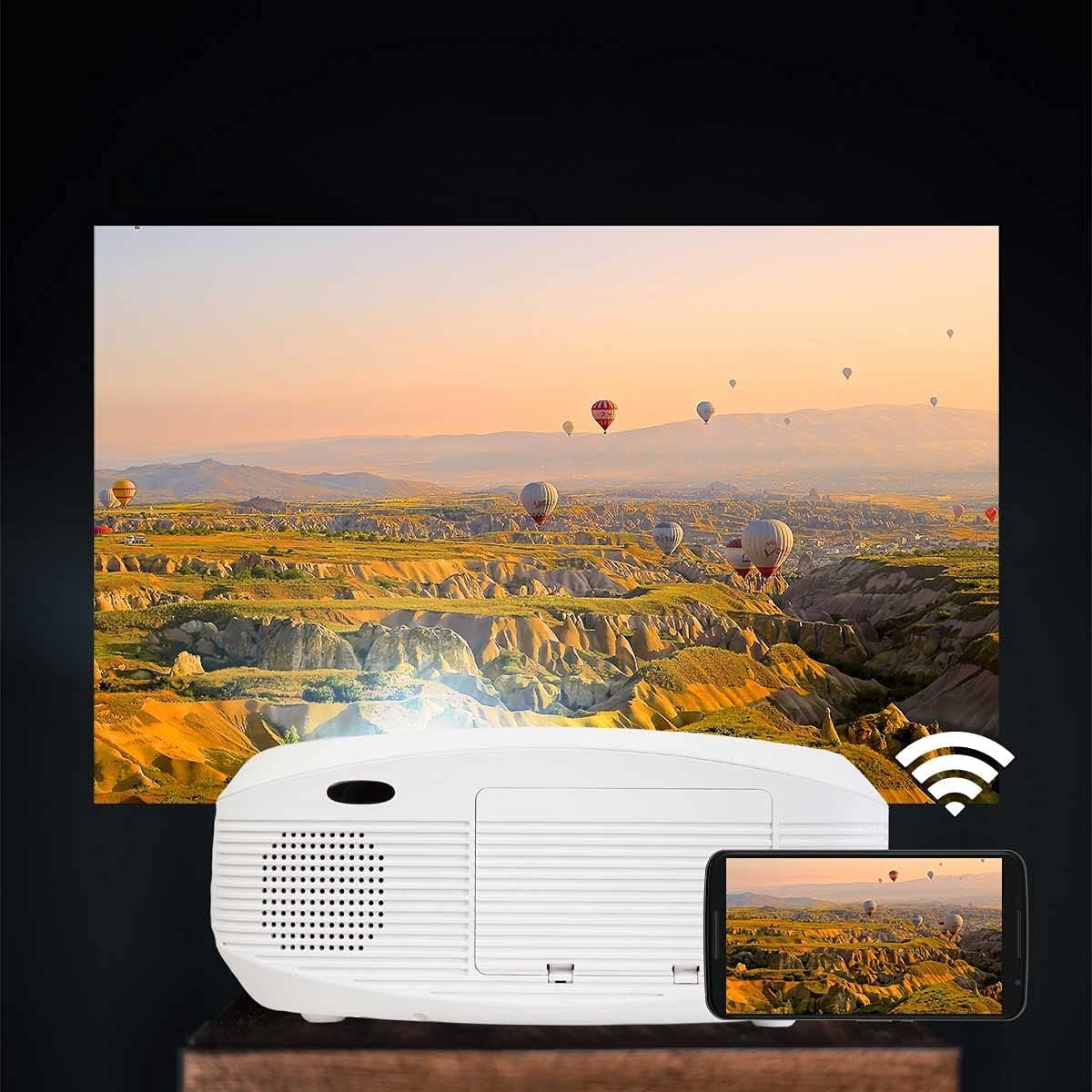
Image: Projector connected wirelessly to a smartphone.

Image: Wireless connectivity icon and smartphone mirroring.
4 Salida de audio
The projector has built-in speakers. You can also connect external speakers or headphones via the 3.5mm audio jack for enhanced sound.
Mantenimiento
- Limpieza de la lente: Use a soft, lint-free cloth specifically designed for optical lenses to gently wipe the projector lens. Avoid using abrasive cleaners.
- Limpieza de la Casing: Limpie el exterior del proyector con un paño suave y seco. No utilice limpiadores líquidos ni en aerosol.
- Ventilación: Regularly check that the ventilation openings are not blocked by dust or debris to ensure proper airflow and prevent overheating.
- Almacenamiento: Cuando no utilice el proyector durante períodos prolongados, guárdelo en un lugar fresco y seco, protegido del polvo.
Solución de problemas
| Problema | Posible causa | Solución |
|---|---|---|
| No se muestra ninguna imagen | Power not connected; incorrect input source; cable not connected properly. | Check power connection; select correct input source; ensure HDMI/USB/AV cables are securely connected. |
| La imagen es borrosa | Enfoque no ajustado; proyector demasiado cerca/lejos de la pantalla. | Adjust the focus ring on the lens. Adjust projection distance. |
| La imagen está distorsionada (forma trapezoidal) | Proyector no perpendicular a la pantalla. | Adjust keystone correction dial. Reposition the projector. |
| Sin sonido | Volume too low; audio cable not connected; source device muted. | Increase projector volume; check audio cable connections; unmute source device. |
| Cannot connect to Wi-Fi / Screen Mirroring issues | Incorrect Wi-Fi password; devices not on the same network; device compatibility issues. | Verify Wi-Fi password; ensure both devices are on the same 2.4GHz Wi-Fi network; restart both devices. |
| Spot on the lens / projected image | Dust or debris on the lens or inside the projector. | Gently clean the lens with a soft, lint-free cloth. If the spot is internal, contact customer support. |
Presupuesto
| Característica | Detalle |
|---|---|
| Marca | Prixton |
| Nombre del modelo | Picasso |
| Uso recomendado | Home cinema |
| Característica especial | Portable, Wireless Connection |
| Tecnología de conectividad | HDMI, USB |
| Resolución de pantalla | 1920 x 1080 (Full HD) |
| Resolución máxima de pantalla | 1920 x 1080 |
| Tipo de pantalla | Pantalla LCD |
| Factor de forma | Portátil |
| Tipo de montaje | Montaje en el piso |
| Brillo | 9000 lúmenes (260 lúmenes ANSI) |
| Quétage | 85 vatios |
| Control Device Type | Mando a distancia |
| Dispositivos compatibles | Computadoras portátiles, teléfonos inteligentes |
| Relación de contraste | 3000:1 |
| Distancia máxima de proyección | 7 metros |
| Fuente de luz Vida | 50,000 horas |
| Tamaño máximo de imagen | 210 pulgadas |
| Distancia mínima de proyección | 1 metros |
| Tamaño mínimo de imagen | 30 pulgadas |
| Codificación de vídeo | H.264 |
| País natal | Porcelana |
Garantía y soporte
Your Prixton Picasso Portable Projector is covered by a standard manufacturer's warranty. Please refer to the specific warranty terms provided at the time of purchase for details on coverage duration and conditions.
For technical support, troubleshooting assistance, or warranty claims, please contact Prixton customer service. Contact information can typically be found on the official Prixton websitio o en su documentación de compra.
Política de devoluciones: This product is eligible for return or replacement within 30 days of purchase, subject to the retailer's return policy.