
1. Introducción
Gracias por la compraasing the BYTECH BYMCLB116BK Projector Decor Light-Rainbow. This device is designed to project vibrant rainbow light effects, enhancing room ambiance and providing unique lighting for creative photography. Please read this manual thoroughly before use to ensure proper operation and maintenance.

Image 1.1: The BYTECH BYMCLB116BK Projector Decor Light-Rainbow packaging, highlighting its key features including rainbow glow, secure stabilization, 360-degree rotation and tilt, and USB connectivity.
2. Información de seguridad
- Mantenga el dispositivo alejado del agua y la humedad.
- No exponga el dispositivo a temperaturas extremas ni a la luz solar directa.
- Evite dejar caer o someter el dispositivo a impactos fuertes.
- No intente desmontar ni reparar el dispositivo usted mismo. Encargue cualquier servicio técnico a personal cualificado.
- Utilice únicamente el cable USB proporcionado o un equivalente certificado para la alimentación.
- Asegúrese de que el dispositivo esté colocado sobre una superficie estable y plana para evitar que se vuelque.
- Mantener fuera del alcance de los niños y las mascotas.
3. Contenido del paquete
Revise cuidadosamente el contenido del paquete. Si falta algún artículo o está dañado, contacte con su vendedor.
- 1 x BYTECH BYMCLB116BK Projector Decor Light-Rainbow
- 1 x USB Power Cable (with wired remote control)
- 1 x Manual de usuario
4. Configuración
- Deshacer: Carefully remove the Projector Decor Light from its packaging.
- Colocación: Place the projector on a stable, flat surface. Consider the desired projection area and distance from the wall or ceiling for optimal effect. The device features 360-degree rotation and tilt for flexible positioning.
- Conecte la electricidad: Insert the small end of the USB power cable into the USB port on the projector. Connect the larger end of the USB cable to a standard USB power adapter (not included) or a powered USB port (e.g., on a computer or power bank).
- Secure Stabilization: Ensure the base is firmly placed to prevent accidental movement, utilizing its secure stabilization feature.
5. Instrucciones de funcionamiento
The BYTECH Projector Decor Light is designed for simple operation.
- Encendido/apagado: Once connected to a power source, locate the wired remote control on the USB cable. Press the power button on the remote to turn the light on or off.
- Adjust Brightness/Mode: Use the other buttons on the wired remote control to cycle through different brightness levels or projection modes, if available. Refer to the remote's markings for specific functions.
- Ajustar el ángulo de proyección: Ajuste manualmente el lamp head to rotate and tilt 360 degrees to direct the rainbow light projection to your desired area.
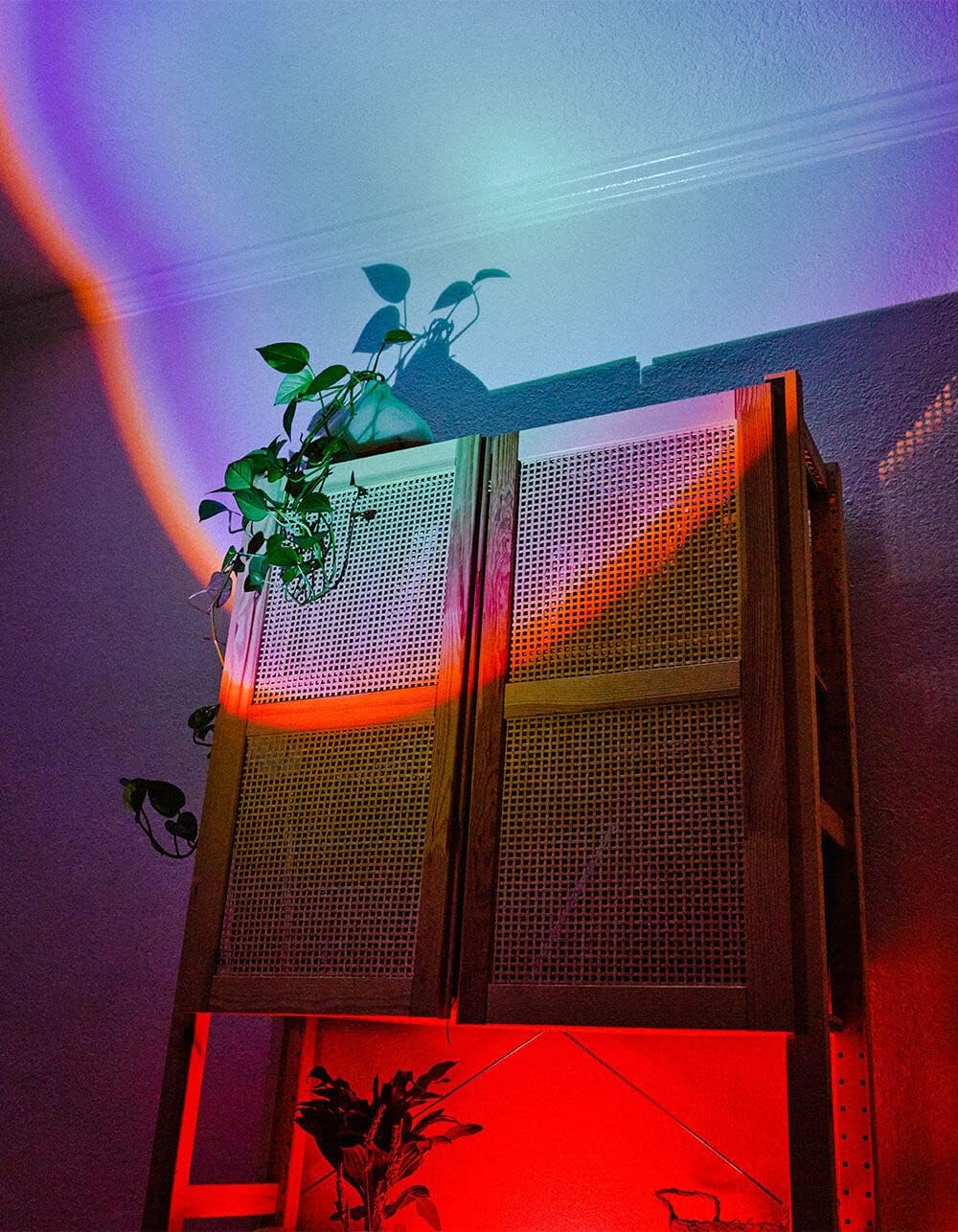
Image 5.1: The BYTECH Projector Decor Light-Rainbow in operation, casting vibrant rainbow light patterns onto a room's wall and furniture, demonstrating its ambient effect.
6. Mantenimiento
- Limpieza: Disconnect the power before cleaning. Use a soft, dry cloth to wipe the surface of the projector. Do not use abrasive cleaners or solvents.
- Almacenamiento: Cuando no utilice el dispositivo durante períodos prolongados, guárdelo en un lugar fresco y seco, alejado de la luz solar directa y de la humedad.
- Manejo: Handle the device with care to avoid damage to the lens or internal components.
7. Solución de problemas
| Problema | Posible causa | Solución |
|---|---|---|
| El dispositivo no se enciende. | Sin conexión de alimentación o cable defectuoso. | Ensure the USB cable is securely connected to both the projector and a powered USB port/adapter. Try a different USB port or adapter. |
| La luz es tenue o parpadeante. | Insufficient power supply or dirty lens. | Ensure the power source provides adequate power. Clean the projector lens gently with a soft, dry cloth. |
| La proyección es borrosa. | La lente está sucia. | Limpie suavemente la lente del proyector con un paño suave y seco. |
8. Especificaciones
- Modelo: BYMCLB116BK
- Marca: Tecnología de bytes
- Entrada de energía: USB Powered (5V DC, current not specified, typical for USB)
- Fuente de luz: CONDUJO
- Tipo de proyección: Rainbow Glow
- Ajustabilidad: 360° Rotation & Tilt
- Dimensiones del paquete: 5 x 5 x 5 pulgadas
- Peso del artículo: 1 libras
- Fabricante: BYTECH
9. Garantía y soporte
This product is covered by a limited warranty provided by BYTECH. For specific warranty terms and conditions, please refer to the warranty card included with your purchase or visit the official BYTECH website. For technical support, troubleshooting assistance, or to inquire about replacement parts, please contact BYTECH customer service through their official channels.
Conserve su comprobante de compra para reclamos de garantía.