
1. Introducción
This manual provides detailed instructions for the installation, operation, and maintenance of the Wheelock SBB-W Surface Backbox. The SBB-W is designed to provide a surface mounting solution for compatible Wheelock devices, ensuring a secure and aesthetically pleasing installation. Please read this manual thoroughly before attempting any installation or operation.
2. Información de seguridad
ADVERTENCIA: La instalación debe ser realizada por personal calificado de acuerdo con todos los códigos y normas eléctricas locales y nacionales.
- Desconecte siempre la alimentación antes de instalar o realizar mantenimiento al dispositivo.
- Asegúrese de que todas las conexiones estén seguras y adecuadamente aisladas.
- Do not expose the backbox to extreme temperatures or moisture beyond its specified operating conditions.
- Use only approved tools and hardware for installation.
3. Contenido del paquete
Desempaque la caja con cuidado y asegúrese de que todos los artículos estén presentes y sin daños. Si falta algún artículo o está dañado, contacte a su proveedor inmediatamente.
- 1 x Wheelock SBB-W Surface Backbox (White)
- Installation Hardware (screws, anchors - may vary)
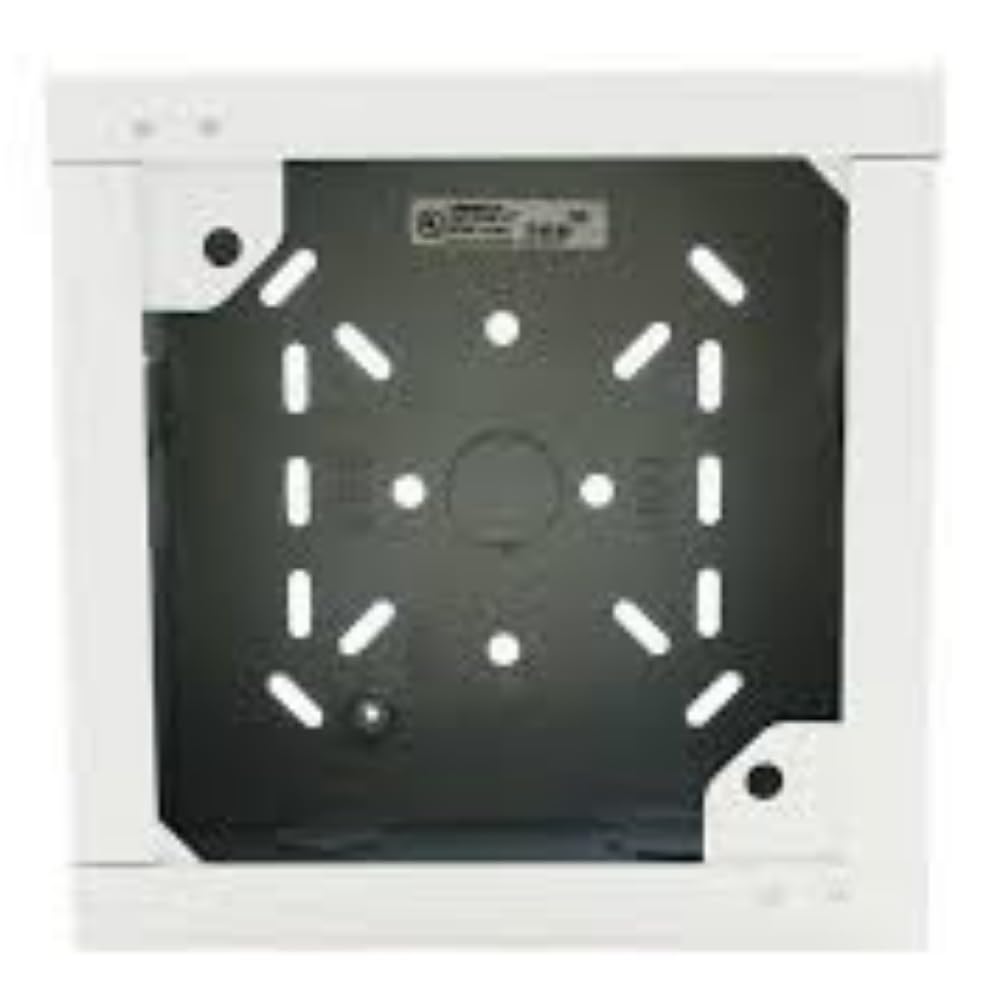
Figure 1: Wheelock SBB-W White Surface Backbox. This image shows the front view of the white surface backbox, designed for mounting compatible fire safety devices.
4. Configuración e instalación
Follow these steps for proper installation of the SBB-W Surface Backbox:
- Seleccione la ubicación de montaje: Choose a flat, stable surface suitable for mounting the backbox. Ensure there is sufficient space for the backbox and any connected devices, and that the location complies with all relevant building codes.
- Marcar los orificios de montaje: Position the backbox against the desired mounting surface. Use a pencil or marker to mark the locations for the mounting screws through the designated holes on the backbox.
- Perforar agujeros piloto: Using an appropriate drill bit for your mounting surface (e.g., wood, drywall, masonry), drill pilot holes at the marked locations. If mounting into drywall, insert wall anchors as needed.
- Caja trasera segura: Align the backbox with the pilot holes and secure it to the surface using the provided mounting screws. Do not overtighten, but ensure the backbox is firmly attached and does not wobble.
- Gestión de cables: Route necessary wiring into the backbox through the designated knockouts or entry points. Ensure all wiring is properly stripped, terminated, and secured according to electrical codes.
- Dispositivo de montaje: Once the backbox is securely installed and wired, mount the compatible Wheelock device (e.g., horn, strobe) onto the backbox according to the device's specific installation instructions.
5. Instrucciones de funcionamiento
The Wheelock SBB-W Surface Backbox is a passive component designed to house and protect compatible Wheelock fire alarm signaling devices. It does not have active operational controls. Its primary function is to provide a secure and compliant mounting enclosure for the device it supports.
Operation of the overall system will depend on the specific signaling device installed within the backbox and the fire alarm control panel to which it is connected. Refer to the instruction manual of the installed device for its operational details.
6. Mantenimiento
The SBB-W Surface Backbox requires minimal maintenance. Regular inspection is recommended to ensure its integrity and proper function as an enclosure.
- Inspección visual: Periodically inspect the backbox for any signs of physical damage, cracks, discoloration, or loose mounting.
- Limpieza: If necessary, clean the exterior of the backbox with a soft, damp Paño. No utilice limpiadores abrasivos ni disolventes, ya que pueden dañar el acabado.
- Montaje seguro: Ensure that the backbox remains securely mounted to the surface. Tighten any loose screws if found.
7. Solución de problemas
As a passive enclosure, the SBB-W backbox itself typically does not experience "malfunctions." Most issues will relate to its installation or the device it houses.
| Problema | Posible causa | Solución |
|---|---|---|
| Backbox is loose on mounting surface. | Screws are not tightened sufficiently or anchors are failing. | Tighten mounting screws. If anchors are failing, replace with appropriate anchors for the wall material. |
| Damage to backbox (cracks, dents). | Impacto físico o manipulación inadecuada. | Replace the damaged backbox to ensure proper protection of the internal device. |
| Device mounted in backbox is not functioning. | Issue with the device itself or its wiring. | Refer to the troubleshooting section of the specific device's instruction manual. Verify wiring connections. |
8. Especificaciones
| Característica | Detalle |
|---|---|
| Número de modelo | SBB-W |
| Número de pieza | WSBBW |
| Marca | Rueda dentada |
| Color | Blanco |
| Estilo | Seguridad |
| Fabricante | WHEELOCK |
| Código Postal | 742779298560 |
| Cantidad de artículos del paquete | 1 |
| Fuente de poder | Funciona con pilas (Note: This specification likely refers to the device intended for the backbox, not the backbox itself.) |
9. Información de garantía
According to product information, there is Sin garantía provided for the Wheelock SBB-W Surface Backbox. Please consult your point of purchase for their return or exchange policies.
10. Atención al cliente
For technical assistance, questions regarding installation, or to report issues, please contact your authorized Wheelock distributor or the manufacturer directly.
Fabricante: WHEELOCK
Please have your product model number (SBB-W) and any relevant purchase information ready when contacting support.