
ClokoWe 05531007-a9ae-412d-b783-ffc1dd45a1f1
Manual de usuario del miniproyector
CLOKOWE Native 1080P HD 8500 LUX WiFi Movie Projector
Introducción
Gracias por la compraasing the CLOKOWE Mini Projector. This projector is designed to provide a high-quality visual experience with its native 1080P resolution, 8500 LUX brightness, and versatile connectivity options. It supports both 2.4G and 5G WiFi for seamless screen mirroring from iOS and Android devices. This manual will guide you through the setup, operation, and maintenance of your new projector.
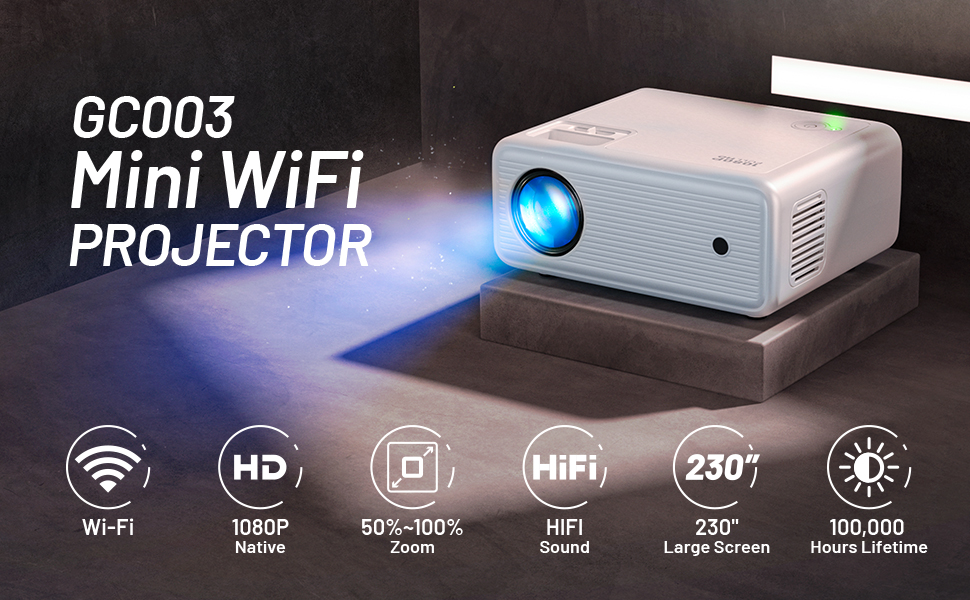
Image: The CLOKOWE Mini Projector showcasing its key features: 1080P Full HD, 2.4G+5G WiFi, and 8500 Lux brightness. A 100-inch projector screen is also included.
Contenido del paquete
Revise el paquete cuidadosamente para asegurarse de que todos los artículos estén presentes:
- 1 x 1080P Projector
- 1 x Cubierta de la lente
- 1 pantalla de proyector de 100 pulgadas
- 1 x cable de alimentación
- 1 x Cable AV
- 1 cable HDMI
- 1 x Manual de usuario
- 1 x Cleaning Kits
- 1 x Adjustable Screw (1/4 inches)
- 1 x Control remoto (Pilas no incluidas)
Producto terminadoview y características
The CLOKOWE Mini Projector offers a range of features for an immersive viewExperiencia:
- Resolución nativa 1080P: Ofrece imágenes nítidas y claras.
- 8500 LUX Brightness: Provides vibrant and bright projections.
- WiFi de doble banda (2.4 G+5 G): Ensures stable and fast wireless screen mirroring.
- Tamaño de proyección grande: Admite tamaños de pantalla de 30 a 230 pulgadas.
- Conectividad multimedia: Equipped with USB and HDMI ports for various devices.
- Altavoz estéreo HiFi incorporado: Offers clear audio without external speakers.
- Silent Cooling System: Designed for efficient heat dissipation with minimal noise.
- Adjustable Focus and Keystone Correction: Manual adjustments for optimal image clarity and shape.
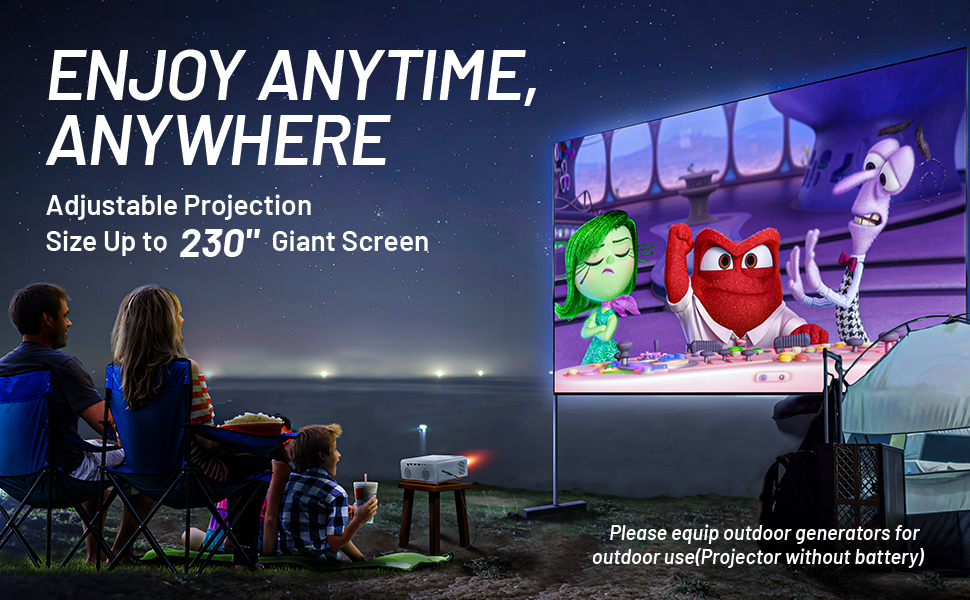
Image: A family enjoying a movie projected outdoors, demonstrating the large screen capability and portability of the CLOKOWE projector.
Guía de configuración
1. Colocación y conexión eléctrica
Place the projector on a stable, flat surface or mount it using the 1/4-inch screw hole on the bottom. Ensure there is adequate ventilation around the unit. Connect the power cable to the projector and then to a power outlet.
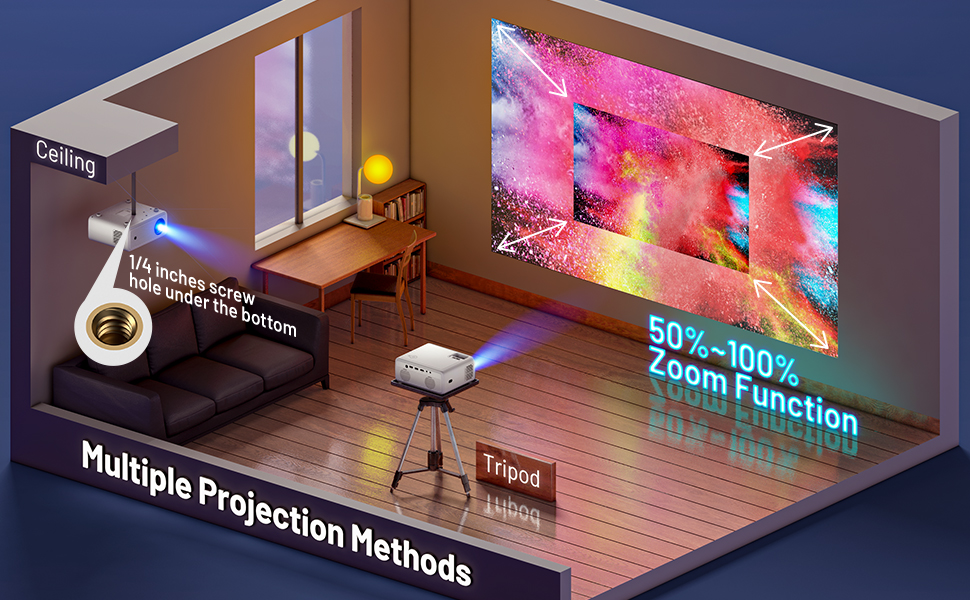
Image: Various projection methods for the CLOKOWE Mini Projector, including placement on a tripod and ceiling mounting, highlighting the 1/4-inch screw hole.
2. Enfoque y ajuste trapezoidal
After powering on, adjust the focus ring on the top of the projector until the image is clear. If the image appears trapezoidal, use the keystone correction dial to square the image. The projector supports manual ±15° keystone correction.
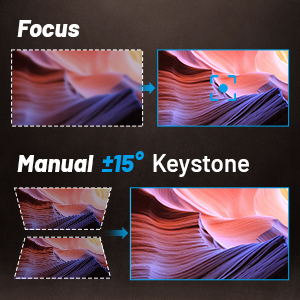
Image: Visual guide for adjusting focus and manual ±15° keystone correction on the projector.
3. Conexión de dispositivos
El proyector admite varias fuentes de entrada:
- HDMI: Connect laptops, PCs, TV sticks (Roku, Fire TV, Chromecast), gaming consoles (Xbox, PS4), and DVD players using an HDMI cable.
- USB: Plug in USB disks for direct media playback.
- AV: Use the included AV cable for older devices.
- Oradores externos: Connect external speakers via the audio output port for enhanced sound.

Image: The projector's rear panel with labels for USB1, USB2, HDMI, AV, and audio ports, illustrating compatibility with laptops, Roku Stick, Fire TV, Chromecast, Xbox/PS4, USB Disk, Mobile Phone/iPad, DVD Player, and External Speakers.
4. Proyección inalámbrica (duplicación de pantalla)
The projector supports wireless screen mirroring for iOS and Android devices via 2.4G and 5G WiFi. Ensure your device and the projector are connected to the same WiFi network.
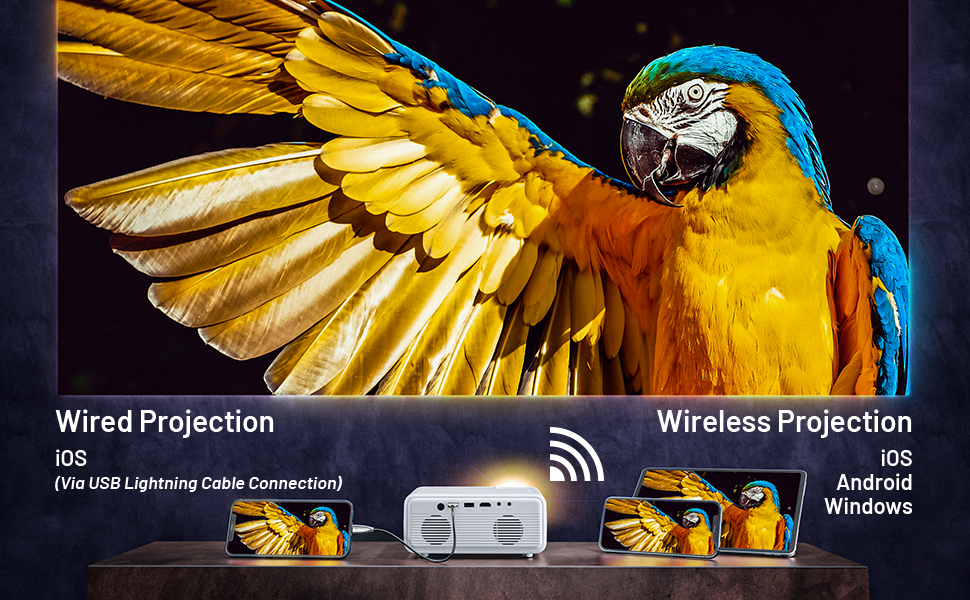
Image: A visual guide demonstrating both wired (via USB Lightning Cable) and wireless projection methods for iOS, Android, and Windows devices.
For detailed steps on wireless projection, refer to the on-screen instructions displayed when selecting the "Wireless Projection" input source.
Video: An official product video demonstrating the features and setup of the CLOKOWE GC003 Mini WiFi Projector, including its wireless projection capabilities.
Instrucciones de funcionamiento
Encendido/apagado
Press the power button on the projector or the remote control to turn the unit on or off. The power indicator light will illuminate when the projector is active.
Navegación de menú
Use the arrow keys on the remote control or the projector's control panel to navigate through the on-screen menu. Press the "OK" or "Enter" button to confirm selections. The menu system is designed to be intuitive for easy access to settings.
Adjusting Projection Size
The projector features a zoom function that allows you to enlarge or shrink the projection size from 50% to 100% without moving the projector. Access this setting through the projector's menu.

Image: A visual representation of the projector's ability to create large screens up to 230 inches, with corresponding projection distances.
Mantenimiento
Un mantenimiento adecuado garantiza la longevidad y el rendimiento óptimo de su proyector.
- Limpieza de lentes: Utilice el kit de limpieza incluido o un paño suave que no deje pelusa para limpiar con cuidado la lente del proyector. Evite materiales abrasivos o productos químicos agresivos.
- Ventilación: Ensure the projector's vents are not blocked to allow for proper airflow. The silent cooling system requires unobstructed vents to function effectively.
- Almacenamiento: When not in use, store the projector in a cool, dry place, away from direct sunlight and excessive dust. Use the lens cover to protect the lens.
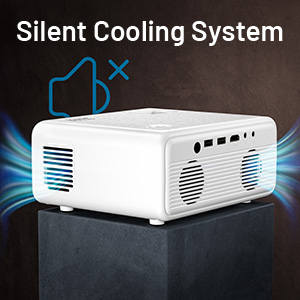
Imagen: Un primer plano view of the projector's silent cooling system, illustrating air circulation through the side vents.
Solución de problemas
Si tiene problemas con su proyector, consulte los problemas y soluciones comunes a continuación:
| Problema | Posible causa | Solución |
|---|---|---|
| Sin imagen/Sin señal | Fuente de entrada incorrecta seleccionada; Conexión de cable suelta; Dispositivo no encendido. | Ensure the correct input source (HDMI, USB, etc.) is selected. Check all cable connections. Power on the connected device. |
| Imagen borrosa | Focus not adjusted; Incorrect keystone correction; Projector too close/far from screen. | Adjust the focus ring. Use keystone correction to square the image. Adjust projection distance. |
| Sin sonido | Volume too low/muted; Audio cable not connected; External speakers not working. | Increase volume on projector and source device. Check audio cable connections. Test with different audio output or external speakers. |
| Wireless projection issues | Not connected to same WiFi; Incorrect mirroring steps; Network interference. | Ensure both devices are on the same 2.4G or 5G WiFi network. Follow the specific screen mirroring instructions for your device (iOS/Android). Try restarting both devices. |
| El proyector no se enciende | Power cable loose; Power outlet issue; Internal fault. | Check power cable connection. Try a different power outlet. If the issue persists, contact customer support. |
Presupuesto
| Característica | Detalle |
|---|---|
| Dimensiones del producto | 7.5 x 6.3 x 3.3 pulgadas |
| Peso del artículo | 3.78 libras |
| Resolución de pantalla | 1920 x 1080 (1080P nativo) |
| Brillo | 8500 lux |
| Tecnología de conectividad | USB, HDMI, WiFi (2.4G+5G) |
| Características especiales | Wireless, Portable, Built-In Wi-Fi, Built-in HiFi Stereo Speaker |
| Usos recomendados | Cine en casa |
| Número de modelo del artículo | 05531007-a9ae-412d-b783-ffc1dd45a1f1 |
| Fabricante | CLOKOWE |
Garantía y soporte
For warranty information or technical support, please refer to the warranty card included in your package or contact CLOKOWE customer service directly. Keep your purchase receipt for warranty claims.
Por lo general, puede encontrar los datos de contacto de soporte en el sitio web oficial del fabricante. websitio o a través de su minorista.