
1. Introducción
This manual provides instructions for the proper setup, operation, and maintenance of your Bytech TBMOMO119AC Foldable Tablet Stand. Please read this manual thoroughly before using the product to ensure optimal performance and longevity.
2. Características
The Bytech TBMOMO119AC Foldable Tablet Stand is designed to provide a stable and adjustable platform for your tablet or other compatible portable electronic devices. Key features include:
- Diseño plegable: Permite un almacenamiento compacto y fácil portabilidad.
- Ajustable Viewángulos de ing: Provides multiple height and angle settings for comfortable viewEn.
- Ventilación: Open design helps prevent device overheating.
- Amplia compatibilidad: Suitable for tablets and other devices ranging from 7 to 15 inches.
- Construcción duradera: Made from robust materials for long-lasting use.
3. Contenido del paquete
Por favor verifique que todos los artículos estén presentes en el paquete:
- 1 x Bytech TBMOMO119AC Foldable Tablet Stand
4. Instrucciones de configuración
Follow these steps to set up your tablet stand:
- Despliegue el soporte: Gently pull the two main support arms outwards until the stand is fully extended and stable on a flat surface.
- Ajustar altura y ángulo: The stand features adjustable hinges. Carefully lift or lower the support arms to achieve your desired viewing height and angle. Ensure both sides are adjusted evenly for stability.
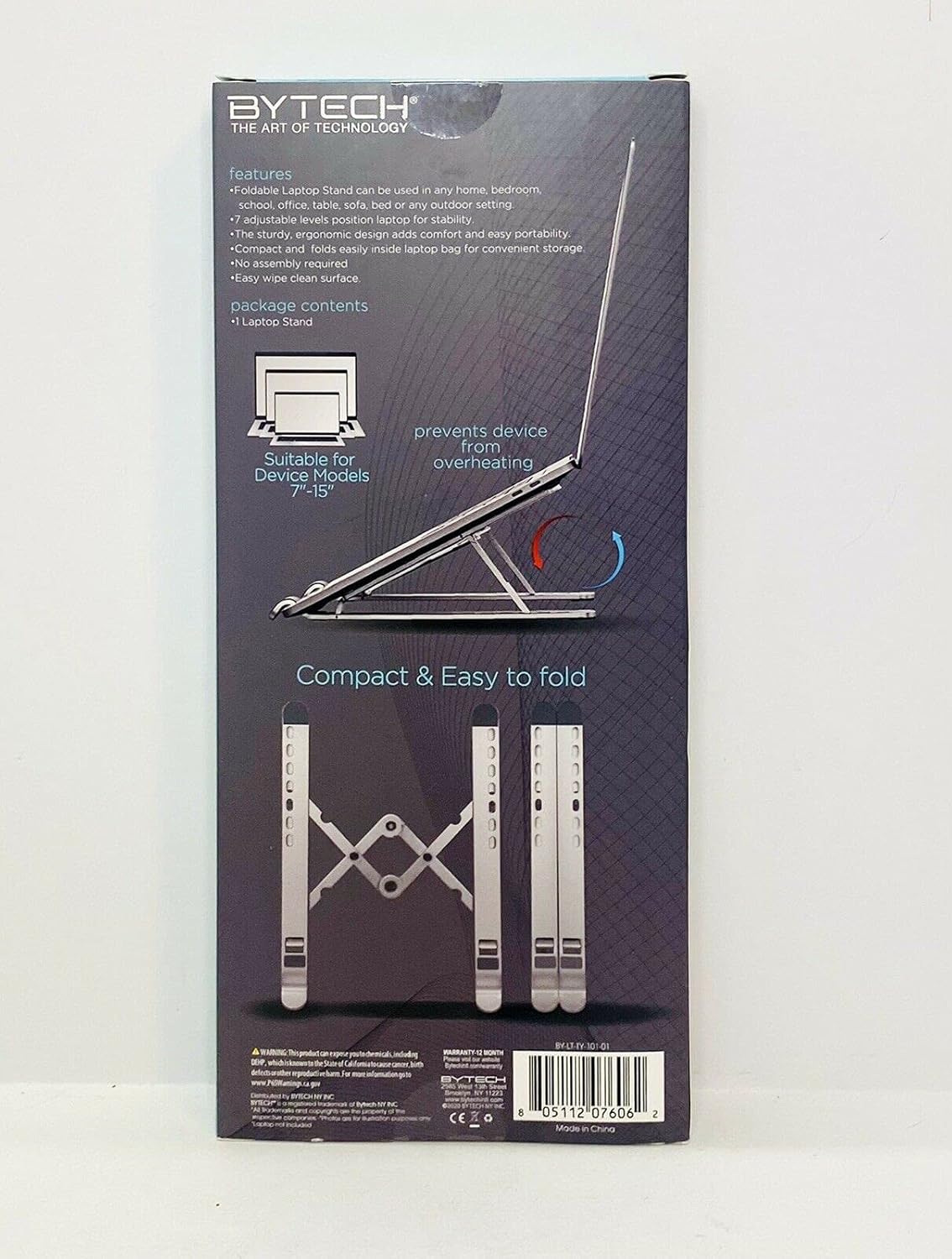
Image 1: The Bytech TBMOMO119AC Foldable Tablet Stand fully extended and ready for use. This image shows the stand's adjustable arms and base, designed to securely hold a tablet.

Image 2: The Bytech TBMOMO119AC Foldable Tablet Stand in its compact, folded state, illustrating its portability and ease of storage.
5. Instrucciones de funcionamiento
To use your tablet stand:
- Coloque su dispositivo: Carefully place your tablet or compatible device onto the support hooks at the front of the stand. Ensure the device rests securely against the back support.
- Ajustes finales: Make any final adjustments to the stand's height and angle to achieve your preferred viewing position. Ensure the stand remains stable with your device in place.
6. Mantenimiento
To maintain your Bytech TBMOMO119AC Foldable Tablet Stand:
- Limpieza: Limpie el soporte con un paño suave.amp Paño para eliminar el polvo y las manchas. Evite el uso de productos químicos agresivos o limpiadores abrasivos.
- Almacenamiento: Cuando no esté en uso, pliegue el soporte en su forma compacta y guárdelo en un lugar seco, alejado de la luz solar directa.
7. Solución de problemas
If you encounter issues with your tablet stand, consider the following:
- Inestabilidad del soporte: Ensure the stand is fully unfolded and placed on a flat, stable surface. Verify that both adjustable arms are set to the same height and angle.
- Dispositivo no seguro: Confirm that your device is properly seated on the support hooks and rests against the back support. The stand is designed for devices between 7 and 15 inches.
8. Especificaciones
| Marca | Tecnología de bytes |
| Número de modelo | TBMOMO119AC |
| Color | Negro |
| Dispositivos compatibles | Tablets (7-15 inches) |
| Tipo de montaje | Plegable |
| Longitud ajustable | Sí |
| Peso del artículo | 0.17 kilogramos |
| Material | Plástico |
| Código Postal | 805112077328 |
9. Garantía y soporte
The Bytech TBMOMO119AC Foldable Tablet Stand comes with a Garantía de 12 meses from the date of purchase. This warranty covers manufacturing defects under normal use. For warranty claims or technical support, please contact your retailer or the Bytech customer service department.


