
1. Introducción
The JVC HA-A5T Gumy Mini True Wireless Earbuds are designed for convenient, high-quality audio on the go. These compact and lightweight earbuds feature a Neodymium magnet driver for clear sound, Bluetooth 5.1 for stable wireless connection, and an IPX4 rain-proof rating for durability. They offer hands-free calling with voice assistant compatibility and simple one-button control.
Características principales:
- Diseño compacto y ligero.
- High sound quality with Neodymium magnet driver
- Bluetooth Version 5.1 for stable wireless connectivity
- Rain Proof (IPX4) for protection against splashes and sweat
- Up to 15 hours of total battery life (including charging case)
- Hands-free microphone with Voice Assistant compatibility
- Control con un solo botón para una fácil operación.
- Auto on/off/connect function
- Compatible with iOS, Android, and Windows devices
2. Contenido del paquete
Asegúrese de que todos los artículos estén presentes en el paquete:
- JVC HA-A5T True Wireless Earbuds (Left and Right)
- Estuche de carga
- Regular Silicon Earpieces (S/M/L sizes)
- Cable de carga USB

Image: The retail packaging for the JVC HA-A5T Gumy Mini True Wireless Earbuds, showing the earbuds and charging case.
3. Configuración
3.1 Carga de los auriculares y el estuche
Before first use, fully charge the earbuds and the charging case. The charging case provides additional power to the earbuds, extending their usage time.
- Coloque los auriculares en sus respectivas ranuras del estuche de carga. Asegúrese de que estén correctamente colocados.
- Connect the supplied USB charging cable to the charging port on the case and to a USB power source (e.g., computer, USB wall adapter).
- The indicator lights on the case will show the charging status. Refer to the indicator light section for details.
- Once fully charged, disconnect the USB cable. The earbuds and case together provide up to 15 hours of playback.

Image: The JVC HA-A5T earbuds placed inside their open charging case, ready for charging.
3.2 Emparejamiento con un dispositivo Bluetooth
The earbuds feature an auto on/off/connect function for seamless pairing.
- Abre el estuche de carga. Los auriculares se encenderán automáticamente y entrarán en modo de emparejamiento.
- En su dispositivo Bluetooth (teléfono inteligente, tableta, etc.), habilite Bluetooth y busque los dispositivos disponibles.
- Select "JVC HA-A5T" from the list of found devices.
- Once connected, a confirmation sound or indicator will notify you. The earbuds will automatically reconnect to the last paired device when taken out of the case.
3.3 Cómo seleccionar los auriculares adecuados
For optimal sound quality and comfort, choose the silicone earpieces that best fit your ears. The package includes Small (S), Medium (M), and Large (L) sizes.
- Try each size to find the one that creates a snug seal in your ear canal. A good seal enhances bass response and noise isolation.
- Inserte suavemente el auricular en su oído y gírelo ligeramente hasta que se sienta seguro y cómodo.
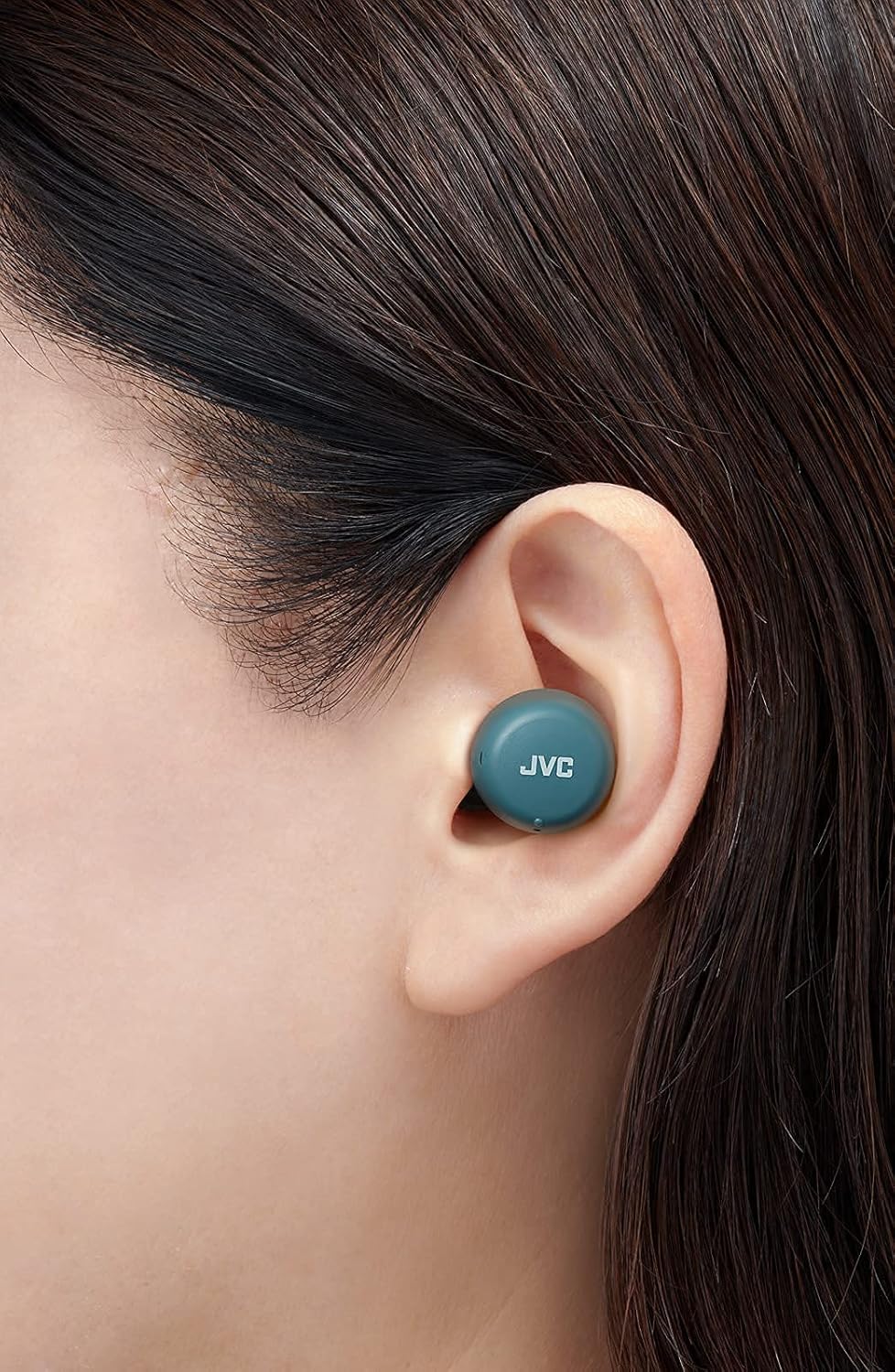
Imagen: Un primer plano view of a JVC HA-A5T earbud correctly positioned in a user's ear, demonstrating proper fit.
4. Funcionamiento de los auriculares
4.1 Encendido y apagado
- Encendido: Open the charging case or press and hold the button on each earbud for approximately 2 seconds.
- Apagado: Place the earbuds back into the charging case and close the lid, or press and hold the button on each earbud for approximately 5 seconds.
4.2 Basic Controls (One-Button Operation)
Each earbud features a multi-function button for controlling playback and calls.
| Función | Acción |
|---|---|
| Reproducir/Pausa | Presione el botón en cualquiera de los auriculares una vez. |
| Pista siguiente | Presione el botón del auricular derecho dos veces. |
| Pista anterior | Presione el botón del auricular izquierdo dos veces. |
| Responder/Finalizar llamada | Press the button on either earbud once during an incoming call or active call. |
| Rechazar llamada | Mantenga presionado el botón en cualquiera de los auriculares durante aproximadamente 2 segundos durante una llamada entrante. |
| Activar Asistente de Voz | Presione el botón en cualquiera de los auriculares tres veces. |
4.3 Uso de un solo auricular
The JVC HA-A5T earbuds support single earbud use, specifically with the left earbud. This allows you to use one earbud while the other is charging or stored.
- To use only the left earbud, simply take it out of the case. It will automatically connect to your device if previously paired.
- The right earbud cannot be used independently for calls or music playback.
4.4 Asistente de voz
Activate your smartphone's voice assistant (e.g., Siri, Google Assistant) directly from the earbuds.
- Press the multi-function button on either earbud three times to activate the voice assistant.
- Diga su comando después de la indicación.

Image: A woman wearing JVC HA-A5T earbuds, demonstrating their use for listening to audio.
5. Mantenimiento
5.1 Limpieza
La limpieza regular ayuda a mantener el rendimiento y la longevidad de sus auriculares.
- Limpie suavemente los auriculares y el estuche de carga con un paño suave, seco y sin pelusa.
- Remove the silicone earpieces and clean them with a mild soap solution if necessary. Rinse thoroughly and dry completely before reattaching.
- Do not use harsh chemicals, abrasive materials, or immerse the earbuds or case in water.
5.2 Almacenamiento
Cuando no los utilice, guarde los auriculares en su estuche de carga para protegerlos del polvo, de daños y para mantenerlos cargados.
- Conservar en un lugar fresco y seco, alejado de la luz solar directa y de temperaturas extremas.
5.3 Resistencia al agua (IPX4)
Los auriculares tienen certificación IPX4, lo que significa que están protegidos contra salpicaduras de agua desde cualquier dirección. Esto los hace ideales para entrenar y bajo lluvia ligera.
- No sumerja los auriculares en agua.
- Asegúrese de que los auriculares estén secos antes de volver a colocarlos en el estuche de carga para evitar dañar los contactos de carga.

Image: A woman engaged in physical activity while wearing the JVC HA-A5T earbuds, highlighting their sweat and rain-proof capabilities.
6. Solución de problemas
If you encounter issues with your JVC HA-A5T earbuds, refer to the following common solutions:
| Problema | Posible causa | Solución |
|---|---|---|
| Los auriculares no se encienden. | Batería baja. | Coloque los auriculares en el estuche de carga y cárguelos por completo. |
| No se puede emparejar con el dispositivo. | El Bluetooth está desactivado en el dispositivo; los auriculares no están en modo de emparejamiento; el dispositivo previamente emparejado interfiere. | Ensure Bluetooth is enabled on your device. Place earbuds in case, close, then open to re-enter pairing mode. Forget "JVC HA-A5T" from your device's Bluetooth list and try pairing again. |
| No hay sonido o volumen bajo. | Volume too low on device; earbuds not properly seated; poor earpiece fit. | Increase volume on your connected device. Ensure earbuds are properly inserted. Try different earpiece sizes for a better seal. |
| Conexión intermitente o caídas de audio. | Distance from device; interference; low earbud battery. | Keep earbuds within 10 meters (33 feet) of your device. Avoid areas with strong Wi-Fi or other Bluetooth signals. Charge earbuds fully. |
| El micrófono no funciona. | Micrófono bloqueado; configuración del dispositivo. | Ensure the microphone port is not obstructed. Check your device's audio input settings to confirm "JVC HA-A5T" is selected. |
7. Especificaciones
| Característica | Especificación |
|---|---|
| Nombre del modelo | HA-A5T |
| Tecnología de conectividad | Bluetooth, inalámbrico |
| Versión de Bluetooth | 5.1 |
| Nivel de resistencia al agua | IPX4 (Rain Proof) |
| Duración de la batería | Hasta 15 horas (con estuche de carga) |
| Fuente de poder | Battery-Powered (2 Lithium Polymer batteries included) |
| Formato de micrófono | Incorporado |
| Tipo de control | One-button control, Voice Control |
| Material | Plástico |
| Factor de forma | En el oído |
| Impedancia | 16 ohmios |
| Peso del artículo | 90 gramos |
| Dimensiones del producto | 40 x 47 x 23 centímetros |
| Componentes incluidos | Regular Silicon Earpieces (S/M/L), USB charging cable, Charging case |
8. Garantía y soporte
Para obtener información sobre la garantía y asistencia al cliente, consulte la tarjeta de garantía incluida con su producto o visite el sitio web oficial de JVC. webSitio. Conserve su comprobante de compra para cualquier reclamación de garantía.
- Soporte en línea: Visit the JVC official webSitio para preguntas frecuentes, descargas de controladores e información de contacto.
- Información del contacto: Refer to your product packaging or the JVC webSitio para obtener detalles de contacto del servicio de atención al cliente regional.