
Introducción
This manual provides detailed instructions for the setup, operation, maintenance, and troubleshooting of your Macally UCSLIMKEYCA USB-C Compact Wired Keyboard. Please read this manual thoroughly before using the product to ensure optimal performance and longevity.

Imagen: de arriba hacia abajo view of the Macally UCSLIMKEYCA USB-C Compact Wired Keyboard, highlighting its compact design and US layout.
Configuración
The Macally UCSLIMKEYCA keyboard is designed for simple plug-and-play functionality. No additional drivers or software are required for installation.
Conexión del teclado
- Locate an available USB-C port on your computer (MacBook, iPad, PC, iMac, etc.).
- Plug the USB-C connector of the keyboard's 5-foot cable into the USB-C port on your device.
- El teclado será reconocido automáticamente por su sistema operativo y estará listo para usar.
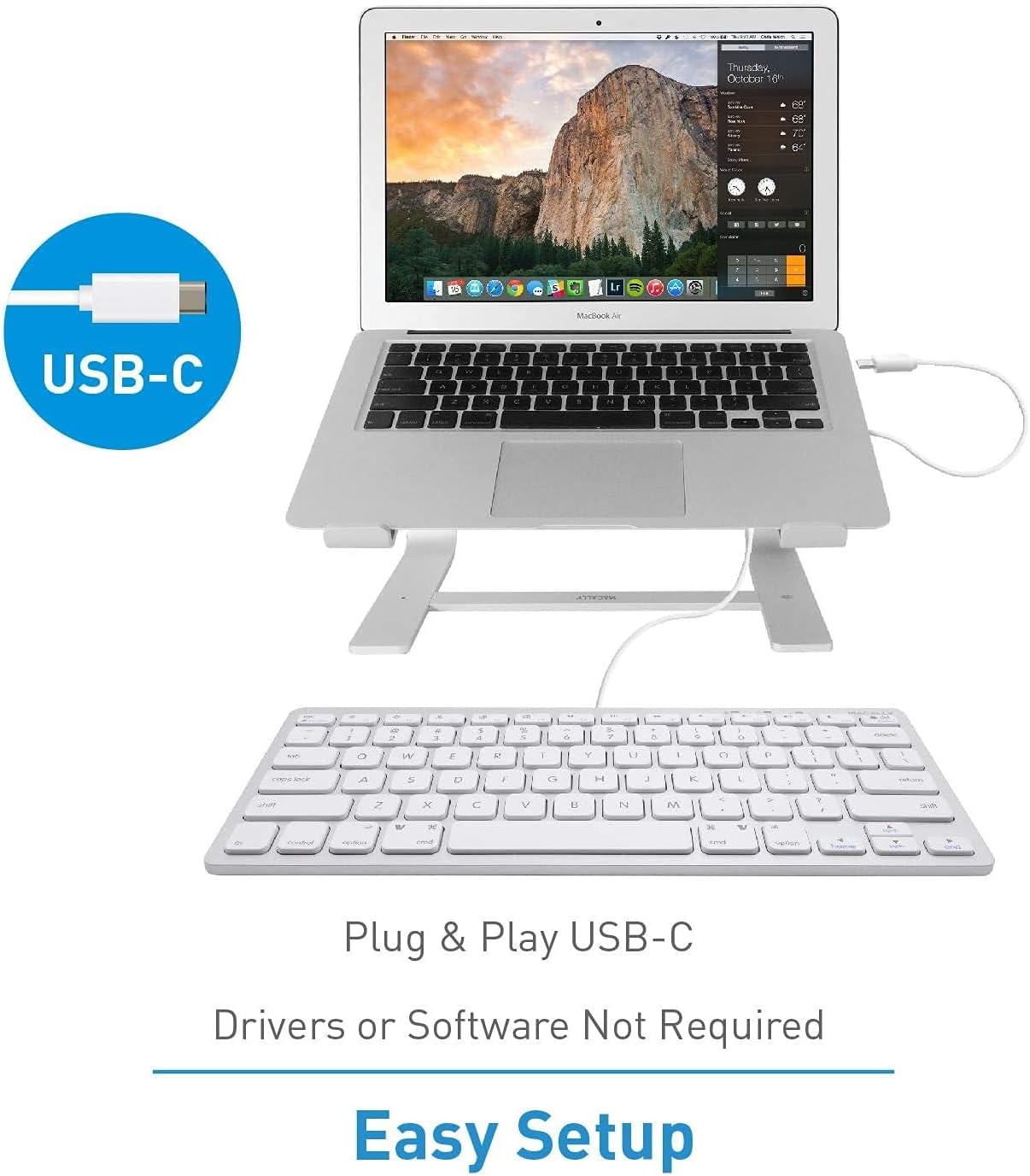
Image: A diagram illustrating the simple plug-and-play setup process using the USB-C connection, indicating no drivers or software are required.

Image: The Macally UCSLIMKEYCA keyboard connected to a laptop, demonstrating its use as an external input device.
Compatibilidad del sistema
- Mac OS X v10.6 o posterior
- Windows 7/8/10 o posterior

Image: Icons illustrating the broad operating system compatibility of the keyboard, including Mac, Windows, Android, iPadOS, and Chrome.
Instrucciones de funcionamiento
Características principales
- Disposición de 78 teclas: A compact yet full-featured layout for efficient typing.
- Teclas de interruptor de tijera: Proporciona una experiencia de escritura suave, silenciosa y con capacidad de respuesta.
- 13 teclas de acceso directo: Dedicated keys for enhanced productivity on both Mac and Windows systems.
- Indicadores LED: Visual cues for Fn Lock, Caps Lock, and Power status.

Image: A diagram illustrating the difference between a regular key mechanism and a scissor-key switch, highlighting the quiet operation of the scissor-switch.
Teclas de acceso directo
The keyboard includes 13 convenient shortcut keys to streamline your workflow. These keys are compatible with both Apple and Windows PC functions.
- Mac Functions: Includes shortcuts for brightness control (dim/brighten), cut, copy, paste, iTunes controls (play/pause, previous track, next track), volume control (mute, volume up/down), and eject.
- Windows PC Functions: Multimedia shortcuts are also supported.

Image: A visual representation of the keyboard highlighting the 13 Apple shortcut keys and their corresponding functions, such as brightness, cut, copy, paste, media playback, and volume control.
Indicadores LED
The keyboard features LED indicators located above the function keys to provide status information:
- Bloqueo Fn: Indicates when the Function (Fn) key is locked, allowing direct access to F1-F12 keys without pressing Fn.
- Bloq Mayús: Indica cuando la tecla Bloq Mayús está activa.
- Fuerza: Indicates power status (for some models, may also indicate connection).

Imagen: Un primer plano view of the keyboard's upper right section, showing the LED indicators for Fn Lock, Caps Lock, and Power.
Mantenimiento
Para garantizar la longevidad y el correcto funcionamiento de su teclado, siga estas pautas de mantenimiento:
- Limpieza: Utilice un paño suave y sin pelusa ligeramente seco.ampLimpie la superficie del teclado con agua o una solución de limpieza suave. Evite productos químicos agresivos o materiales abrasivos.
- Eliminación de polvo: Utilice aire comprimido para eliminar el polvo y los residuos entre las teclas.
- Almacenamiento: Cuando no esté en uso, guarde el teclado en un entorno limpio y seco, alejado de temperaturas extremas y de la luz solar directa.
- Evite derrames: Mantenga los líquidos alejados del teclado para evitar daños a los componentes internos.
Solución de problemas
If you encounter issues with your Macally UCSLIMKEYCA keyboard, please refer to the following common solutions:
Teclado no responde
- Verifica la conexión: Ensure the USB-C cable is securely plugged into both the keyboard and your computer's USB-C port.
- Pruebe otro puerto: Connect the keyboard to a different USB-C port on your computer to rule out a faulty port.
- Reiniciar la computadora: Sometimes, a simple restart of your computer can resolve connectivity issues.
- Prueba en otro dispositivo: If possible, test the keyboard on another compatible computer to determine if the issue is with the keyboard or your original device.
Las teclas no funcionan correctamente
- Teclas limpias: Ensure there is no debris or foreign objects lodged under the affected keys. Refer to the Maintenance section for cleaning instructions.
- Problemas de software: Check your operating system's keyboard settings to ensure no custom key mappings or accessibility features are interfering with normal operation.
Shortcut Keys Not Working
- Compatibilidad del sistema operativo: Verify that your operating system version is supported for the specific shortcut functions.
- Enfoque de la aplicación: Ensure the application you are using supports the multimedia or system control shortcuts.
Presupuesto
| Marca | macally |
| Número de modelo | UCSLIMKEYCA |
| Tecnología de conectividad | USB-C (con cable) |
| Dispositivos compatibles | PC (Mac, Windows, iPad, iMac, MacBook) |
| Descripción del teclado | Multifunction, Compact |
| Usos recomendados | Business, General Use |
| Característica especial | Silent Scissor-Switch Keys |
| Color | Plata |
| Dimensiones del producto (L x An x Al) | 33 cm x 14 cm x 2 cm (13 x 5.5 x 0.8 inches approx.) |
| Material | Plástico |
| Minimum Required OS Version | Mac OS X 10.6 Snow Leopard, Windows 7 |
| Número de llaves | 78 |
| Disposición del teclado | QWERTY (diseño de EE. UU.) |
| Tipo de interruptor | Tactile (Scissor-Switch) |
| Orientación de la mano | Ambidextro |
| Peso del artículo | 0.34 kilogramos |
| Componentes incluidos | Cable USB |
| País natal | Porcelana |

Image: A diagram illustrating the physical dimensions of the Macally UCSLIMKEYCA keyboard, showing its length, width, and height.
Información de garantía
The Macally UCSLIMKEYCA USB-C Compact Wired Keyboard comes with a Garantía limitada de 2 años from the date of purchase. This warranty covers defects in materials and workmanship under normal use. It does not cover damage caused by accidents, misuse, unauthorized modifications, or external causes such as liquid damage or power surges.
Para reclamos de garantía, conserve su comprobante de compra y comuníquese con atención al cliente.
Atención al cliente
If you require further assistance or have questions not covered in this manual, please contact Macally customer support through the following channels:
- Websitio: Visit the official Macally webSitio para preguntas frecuentes, recursos de soporte y formularios de contacto.
- Correo electrónico: Consulte el embalaje de su producto o el manual oficial. webSitio para direcciones de correo electrónico de atención al cliente.
- Teléfono: Check the official Macally webSitio para números de teléfono de servicio al cliente regional.
Please have your product model number (UCSLIMKEYCA) and proof of purchase ready when contacting support.