
Introducción
Thank you for choosing PureGear PureBoom Wired Earbuds. These in-ear stereo headphones are designed for clear audio and convenient communication across a wide range of devices. This manual provides essential information for setup, operation, maintenance, and troubleshooting to ensure optimal performance and longevity of your earbuds.

Imagen: Más alláview of PureGear PureBoom wired earbuds, showing the earbud, in-line microphone, and 3.5mm audio jack.
Contenido del paquete
- PureGear PureBoom Wired Earbuds
- Multiple sizes of ear tips (Ear Cushions)

Image: PureBoom earbuds displayed with a selection of ear tips for customized fit.
Configuración
1. Selección de tapones para los oídos
For optimal sound quality and comfort, choose the ear tips that best fit your ears. Experiment with the different sizes provided to find a secure and comfortable seal. A good seal helps improve bass response and noise isolation.
2. Conexión a su dispositivo
- Identify the 3.5mm audio jack on your device (e.g., smartphone, tablet, laptop, computer).
- Insert the 3.5mm plug of the PureBoom earbuds firmly into the device's audio jack.
- Ensure the connection is secure for uninterrupted audio.

Imagen: Detallada view of the 3.5mm audio jack for connection.
The PureBoom earbuds are compatible with any device featuring a standard 3.5mm audio port, including Apple iPhone (with adapter, if needed), Android smartphones, iPads, laptops, desktop computers, and more.

Image: A user wearing the earbuds, highlighting their universal compatibility with various devices.
Instrucciones de funcionamiento
Uso del micrófono en línea y el botón de control
Your PureBoom earbuds feature an integrated in-line microphone and a multi-function control button for convenient management of calls and audio playback.
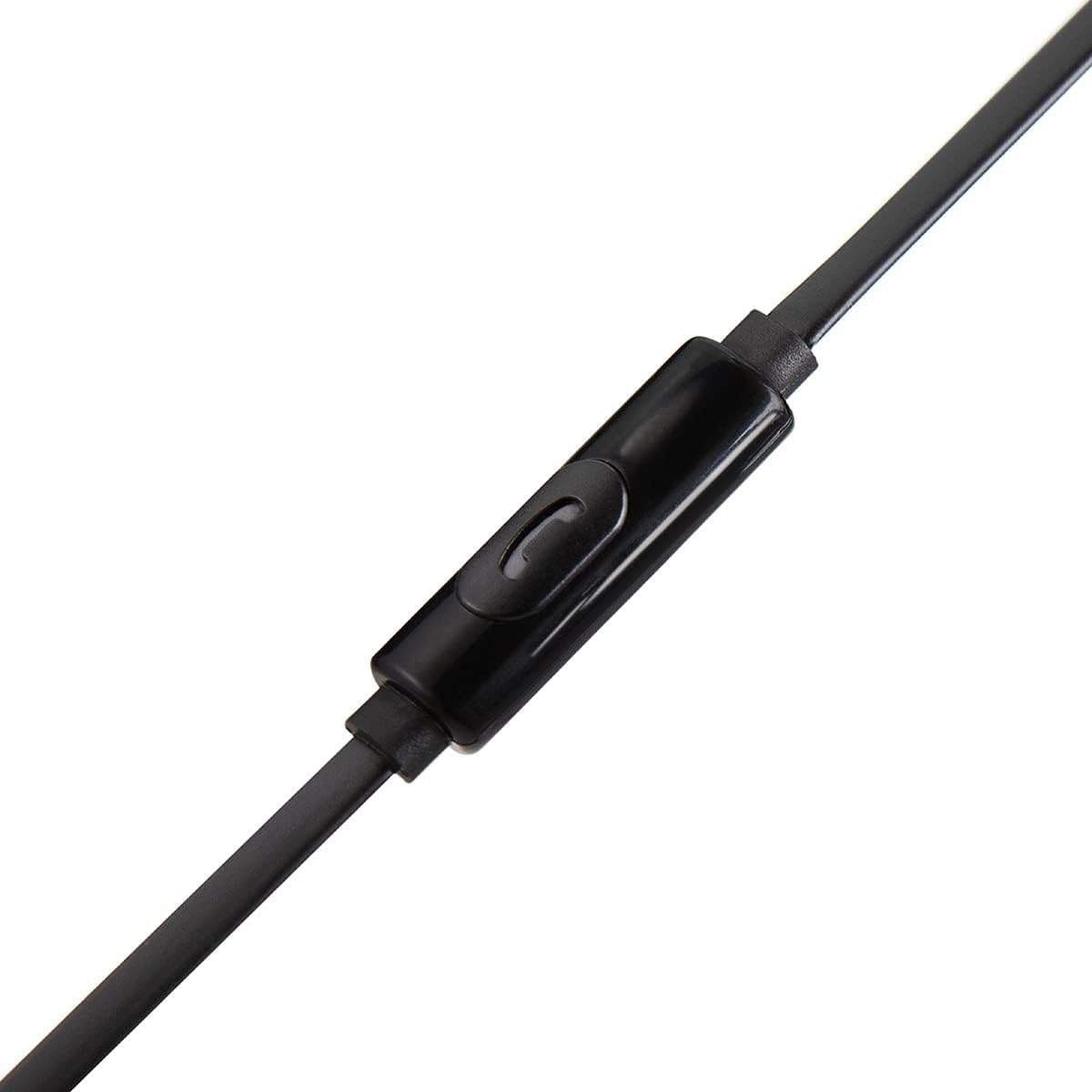
Imagen: Detallada view of the in-line microphone and control button.
- Reproducir/Pausar audio: Presione el botón de control una vez.
- Responder/Finalizar llamada: Press the control button once during an incoming call or an active call.
- Rechazar llamada: Mantenga presionado el botón de control durante aproximadamente 2 segundos durante una llamada entrante.
- Pista siguiente: Presione el botón de control dos veces rápidamente.
- Pista anterior: Presione el botón de control tres veces rápidamente.
The high-grade built-in microphone allows for clear, hands-free communication during calls.
Mantenimiento y cuidado
- Limpieza: Gently wipe the earbuds and cable with a soft, dry cloth. Do not use harsh chemicals or abrasive materials. Remove ear tips periodically and clean them with mild soap and water, ensuring they are completely dry before reattaching.
- Almacenamiento: When not in use, store your earbuds in a clean, dry place. Avoid extreme temperatures.
- Cuidado de cables: The PureBoom earbuds feature a tangle-free flat cable. While designed for durability, avoid excessive pulling, twisting, or sharp bends to prevent damage.
- Resistencia al agua: These earbuds are sweat-resistant for sports activities but are no resistente al agua. Avoid submerging them in water or exposing them to heavy rain.
Solución de problemas
| Problema | Solución |
|---|---|
| Sin sonido o volumen bajo |
|
| El micrófono no funciona |
|
| Los auriculares se sienten incómodos o se caen. |
|
Presupuesto
| Característica | Detalle |
|---|---|
| Marca | PureGear |
| Nombre del modelo | PureBoom InEar_3.5mm_HeadPhone |
| Tecnología de conectividad | Con cable (conector de 3.5 mm) |
| Colocación de orejas | En el oído |
| Características del cable | Sin enredos |
| Micrófono incorporado | Sí |
| Tipo de control | Media Control (Single Button) |
| Material | Policarbonato (PC) |
| Compatibilidad | Devices with 3.5mm audio port (e.g., iPhone, Android, iPad, Laptops, Computers) |
| Nivel de resistencia al agua | Sweat Resistant (Not Water Resistant) |
Información de garantía
PureGear PureBoom Wired Earbuds come with a Garantía de un año A partir de la fecha de compra. Esta garantía cubre defectos de fabricación. No cubre daños causados por mal uso, accidentes, modificaciones no autorizadas ni desgaste normal. Conserve su comprobante de compra para reclamaciones de garantía.
Apoyo
For further assistance, technical support, or warranty inquiries, please visit the official PureGear website or contact their customer service department. Refer to the packaging or the PureGear webSitio para obtener la información de contacto más actualizada.
Recursos en línea: www.pure-gear.com


