
1. Información importante de seguridad
Please read all safety and operating instructions carefully before using this television. Keep this manual for future reference. Always follow basic safety precautions to reduce the risk of fire, electric shock, and injury.
- No exponga este aparato a la lluvia o la humedad.
- No obstruya las aberturas de ventilación. Instale el producto según las instrucciones del fabricante.
- No lo instale cerca de fuentes de calor como radiadores, rejillas de calefacción, estufas u otros aparatos (incluidos ampificadores) que producen calor.
- Proteja el cable de alimentación para que no se pise ni se pellizque, especialmente en los enchufes, los receptáculos de conveniencia y el punto por donde salen del aparato.
- Utilice únicamente accesorios especificados por el fabricante.
- Refiera todo el servicio a personal de servicio calificado. Se requiere servicio cuando el aparato ha sido dañado de alguna manera.
2. ¿Qué hay en la caja?
Carefully unpack your new Sansui TV and ensure all items listed below are present.
- 1 x Sansui 4K Ultra HD Android LED TV (JSW50ASUHD)
- 2 bases de soporte de mesa
- 1 x Wall Mounting Set
- 4 x Screws for stand/mount
- 1 x Manual de usuario
- 1 x Tarjeta de garantía
- 1 x control remoto
- 2 pilas AAA (para el control remoto)
- 1 x Cable de Alimentación
- 1 cable AV mini.
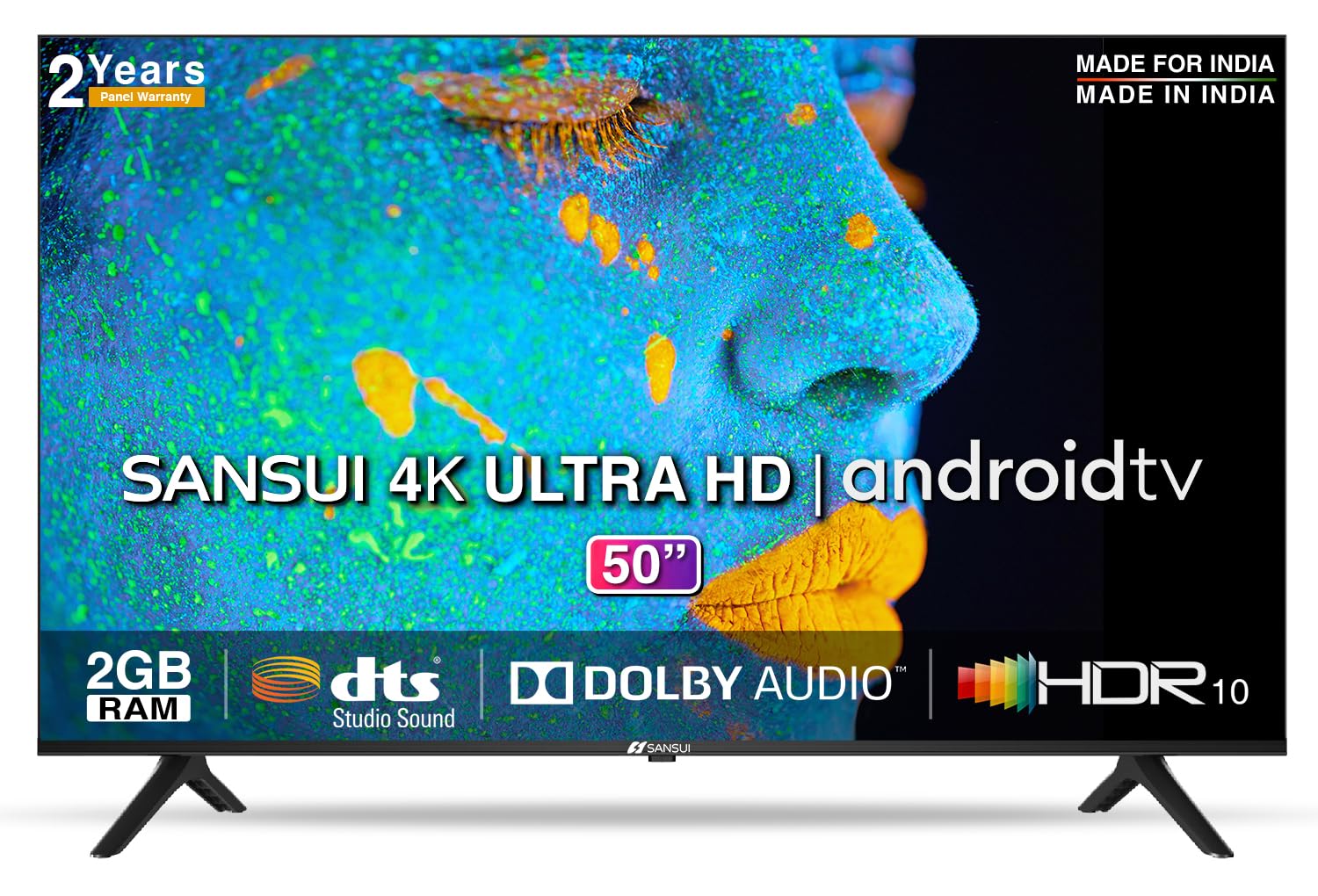
Image: Sansui 50-inch 4K Ultra HD Android LED TV with its table stand.
3. Producto terminadoview
3.1. Características principales
- Mostrar: 4K Ultra HD (3840x2160) resolution, 60Hz refresh rate, Wide Viewing Angle, A+ Grade Panel, Wide Colour Gamut, HDR 10, Crystal Clear Display, High Brightness, Bezel-less Design.
- Audio: Dolby Audio, DTS Studio Sound, 20 Watts Audio Output.
- Características de la televisión inteligente: Android 10.0 (Certified by Google), Google Assistant, Alexa Enabled Support, Built-in Chromecast, CA53 Quad Core Processor, 2GB RAM, 8GB ROM.
- Aplicaciones compatibles: Prime Video, Netflix, Disney + Hotstar, YouTube, Google Play.
- Conectividad: 3 HDMI ports, 2 USB ports, 3.5mm audio jack, Bluetooth, Wi-Fi, RJ45 (Ethernet), Antenna.

Image: Visual representation of the TV's main features and capabilities.
3.2. Dimensiones
The TV features a 50-inch screen (127 cm diagonal) with a bezel-less design for an immersive viewExperiencia de aprendizaje.

Image: Detailed dimensions of the Sansui 50-inch TV, including width, height, and depth with and without the stand.
4. Configuración
4.1. Instalación del soporte de mesa
- Coloque el televisor con la pantalla hacia abajo sobre una superficie suave y plana para evitar daños.
- Alinee las bases del soporte de mesa con las ranuras correspondientes en la parte inferior del televisor.
- Secure the bases using the provided screws. Ensure they are tightened firmly.
4.2. Montaje en pared (opcional)
If you choose to wall mount your TV, please use the provided wall mounting set and screws. The VESA mount standard is 800 x 400 mm. It is recommended to seek professional assistance for wall mounting to ensure proper and safe installation.
4.3. Conexión de dispositivos
The TV offers various connectivity options for your external devices.
- Fuerza: Conecte el cable de alimentación a la entrada de alimentación del televisor y luego a una toma de pared.
- HDMI: Use HDMI cables to connect devices like set-top boxes, gaming consoles, or Blu-ray players to the 3 HDMI ports.
- USB: Connect USB drives or other USB devices to the 2 USB ports for media playback.
- Salida de audio: Use the 3.5mm jack to connect headphones or external audio systems.
- Ethernet (RJ45): For a stable internet connection, connect an Ethernet cable from your router to the RJ45 port.
- Antena: Connect your antenna cable to the RF input for terrestrial broadcasting.
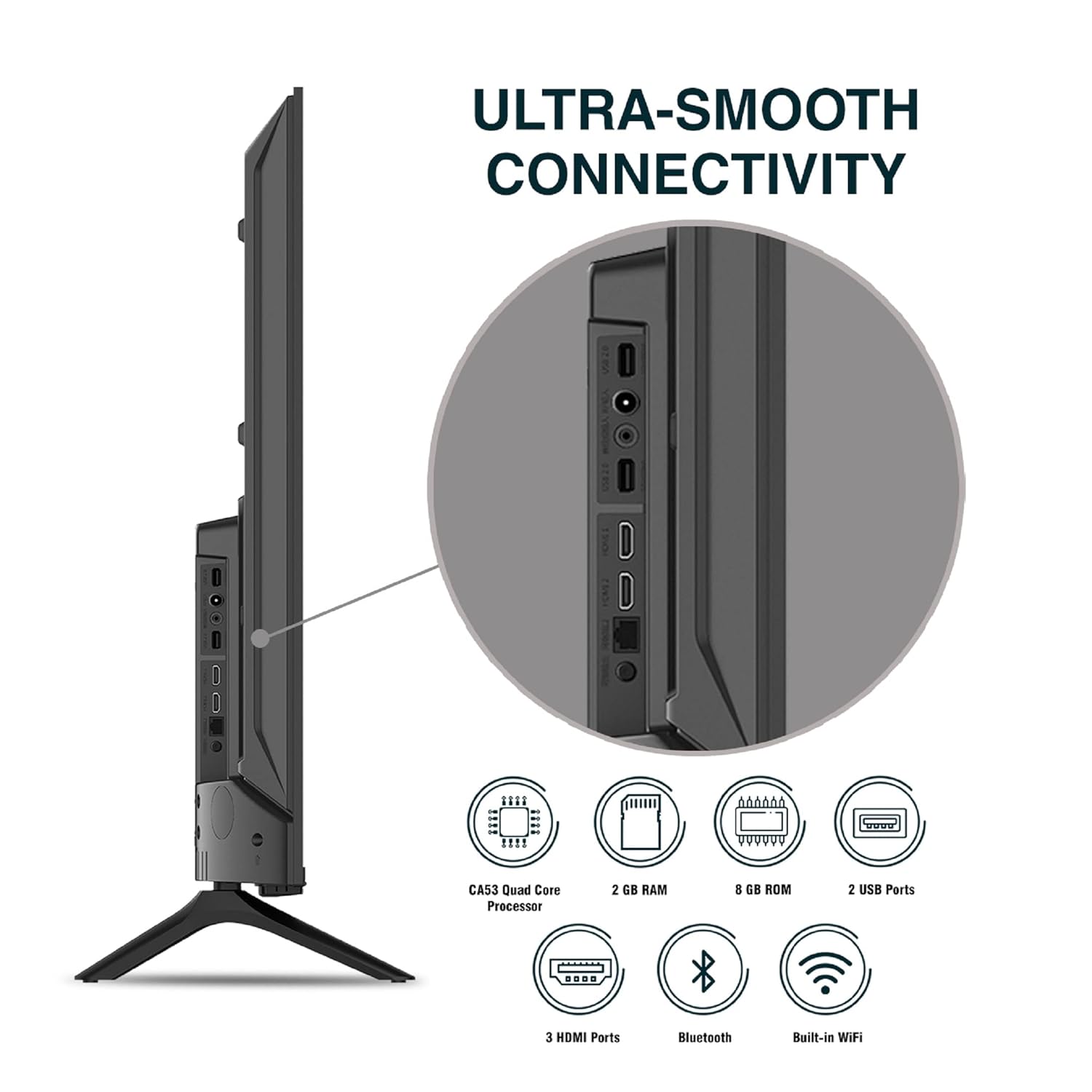
Imagen: Detallada view de los puertos de conectividad del televisor.
5. Instrucciones de funcionamiento
5.1. Funcionamiento básico
- Encendido/apagado: Press the power button on the remote control or on the TV to turn it on or off.
- Configuración inicial: Upon first power-on, follow the on-screen instructions to set up language, network connection, and Google account.
- Fuente de entrada: Press the 'Input' button on the remote to select between HDMI, AV, TV, or other connected sources.
- Control de volumen: Utilice los botones subir/bajar volumen del control remoto.
5.2. Uso del control remoto inteligente
The included remote control features voice control and dedicated hotkeys for quick access to popular streaming services.
- Control de voz: Press the Google Assistant button (microphone icon) and speak your commands to search for content, control smart home devices, or ask questions.
- Teclas de acceso rápido: Directly launch Netflix, Prime Video, YouTube, and Google Play with a single press.
- Navegación: Use the directional pad and 'OK' button to navigate the Android TV interface.

Image: Sansui Smart Remote Control with voice control and app hotkeys.
5.3. Android TV Interface and Smart Features
Your Sansui TV runs on Android 10.0, providing access to a wide range of apps and smart functionalities.
- Pantalla de inicio: The home screen displays your favorite apps, recommended content, and input sources.
- Tienda Google Play: Download and install additional apps, games, and content from the Google Play Store.
- Chromecast integrado: Cast content (videos, photos, music) from your smartphone, tablet, or computer directly to the TV.
- Google Assistant/Alexa: Use voice commands via the remote or a compatible Alexa device to control your TV and other smart home devices.

Image: Android TV home screen showing available applications.
6. Mantenimiento
El cuidado y mantenimiento adecuados prolongarán la vida útil de su televisor.
- Limpieza de la pantalla: Limpie suavemente la pantalla con un paño suave que no deje pelusa. Para manchas difíciles, use un limpiador de pantallas específico para televisores, aplicándolo directamente sobre el paño, no sobre la pantalla.
- Limpieza del gabinete: Utilice un paño suave y seco para limpiar el mueble del televisor. No utilice limpiadores abrasivos ni disolventes.
- Ventilación: Asegúrese de que las aberturas de ventilación estén libres de polvo y residuos para evitar el sobrecalentamiento.
- Cable de alimentación: Regularly check the power cord for any damage. If damaged, replace it with an authorized part.
7. Solución de problemas
Si encuentra algún problema, consulte los siguientes problemas y soluciones comunes.
| Problema | Posible causa | Solución |
|---|---|---|
| Sin poder | Cable de alimentación desconectado; Problema con la toma de corriente | Verifique la conexión del cable de alimentación; pruebe la toma de corriente con otro dispositivo. |
| Sin imagen, solo sonido | Fuente de entrada incorrecta; problema con el dispositivo externo | Select correct input source; Check external device connection and power. |
| Sin sonido, solo imagen | Volume muted/low; External audio system issue | Unmute or increase volume; Check external audio system connections. |
| El control remoto no funciona | Pilas agotadas; Obstrucción entre el mando a distancia y el televisor | Reemplace las baterías; elimine cualquier obstrucción. |
| Problemas de conexión Wi-Fi | Contraseña incorrecta; Problemas con el enrutador; Interferencia de señal | Re-enter password; Restart router; Move TV closer to router or use Ethernet. |
Si el problema persiste después de probar estas soluciones, comuníquese con el servicio de atención al cliente.
8. Especificaciones
Detailed technical specifications for the Sansui JSW50ASUHD TV.
| Característica | Descripción |
|---|---|
| Nombre del modelo | SANSUI LED - JSW50ASUHD |
| Tamaño de pantalla | 50 pulgadas (127 cm) |
| Tecnología de visualización | CONDUJO |
| Resolución | 4K Ultra HD (3840x2160) |
| Frecuencia de actualización | 60 Hz |
| Sistema operativo | Android 10.0 (Certificado por Google) |
| Procesador | CA53 de cuatro núcleos |
| RAM | 2 GB |
| ROM (Almacenamiento) | 8 GB |
| Salida de audio | 20 vatios |
| Tecnología de sonido | Dolby Audio, sonido de estudio DTS |
| Puertos HDMI | 3 |
| Puertos USB | 2 |
| Conectividad inalámbrica | Wi-Fi, Bluetooth |
| Otras Conectividades | Ethernet (RJ45), 3.5mm Audio Jack, Antenna |
| Compatibilidad con HDR | HDR10 |
| Tipo de montaje | Montaje en pared y montaje en mesa |
| Estándar de montaje VESA | 800 x 400 mm |
| Consumo de energía | 120 vatios |
| Peso del artículo | 9650 gramos |
| Color | Mystique Black |
9. Garantía y soporte
Your Sansui TV comes with a comprehensive warranty and dedicated customer support.
- Garantía: 1 year comprehensive warranty and 1 year additional on panel from the date of purchase.
- Soporte de garantía: For warranty-related queries, please contact Sansui Toll Free No.: 1800-419-3777.
- Contacto del importador: Jaina India Pvt Ltd., D170, Okhla Industrial Area, Phase-1, New Delhi-110020 INDIA | Email: sansuicare@jainaindia.com.
Conserve el recibo de compra para reclamaciones de garantía.