
Voluas VL001
Voluas Automatic Pet Feeder Instruction Manual
Modelo: VL001
Introducción
Thank you for choosing the Voluas Automatic Pet Feeder. This device is designed to provide convenient and reliable feeding for your cats and dogs, ensuring they receive their meals on schedule with precise portion control. Please read this manual thoroughly before use to ensure proper operation and maintenance.
Información de seguridad
- Utilice siempre el adaptador de corriente proporcionado.
- Mantenga el comedero en el interior y lejos de la luz solar directa o la humedad.
- Do not immerse the base unit in water. Only removable parts are washable.
- Asegúrese de que el comedero esté colocado sobre una superficie estable y nivelada.
- Keep out of reach of small children and pets when not in use or during cleaning.
- Use only dry pet food with kibble sizes between 2-10mm to prevent clogging. Do not use wet food or kibble larger than 10mm.

Contenido del paquete
- Voluas Automatic Pet Feeder Main Unit
- Tazón de comida de acero inoxidable
- Adaptador de corriente
- Cable USB
- Bolsa desecante (preinstalada o separada)
- Manual de usuario (este documento)
Producto terminadoview
Familiarize yourself with the components of your Voluas Automatic Pet Feeder:


Configuración
1. Fuente de alimentación
The Voluas Automatic Pet Feeder offers dual power options:
- Conexión por cable: Conecte el cable USB al alimentador y al adaptador de corriente, luego conéctelo a una toma de pared.
- Energía de la batería: For portability or as a backup during power outages, insert 3 D-cell batteries (not included) into the battery compartment at the bottom of the unit.


2. Montaje
- Coloque la unidad principal sobre una superficie plana y estable.
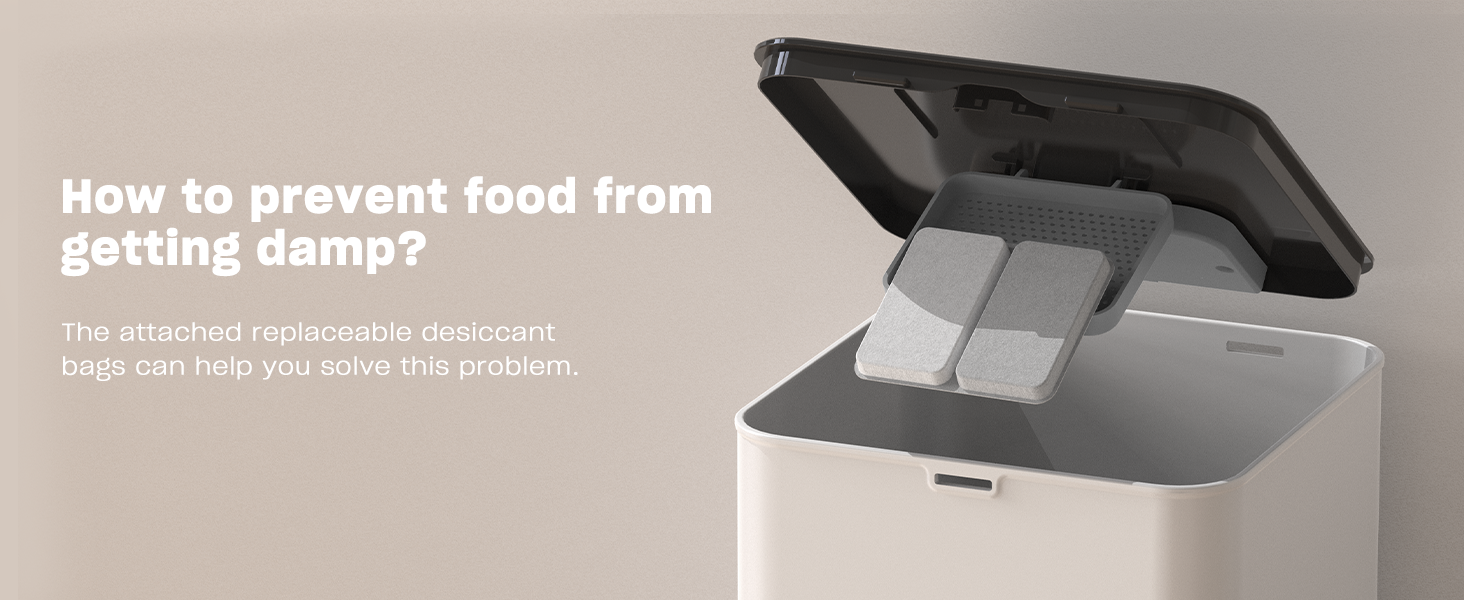
- Insert the stainless steel bowl into the designated slot at the front of the feeder.
- Llene el depósito de alimento con alimento seco para mascotas. Asegúrese de que el tamaño de las croquetas sea de entre 2 y 10 mm.
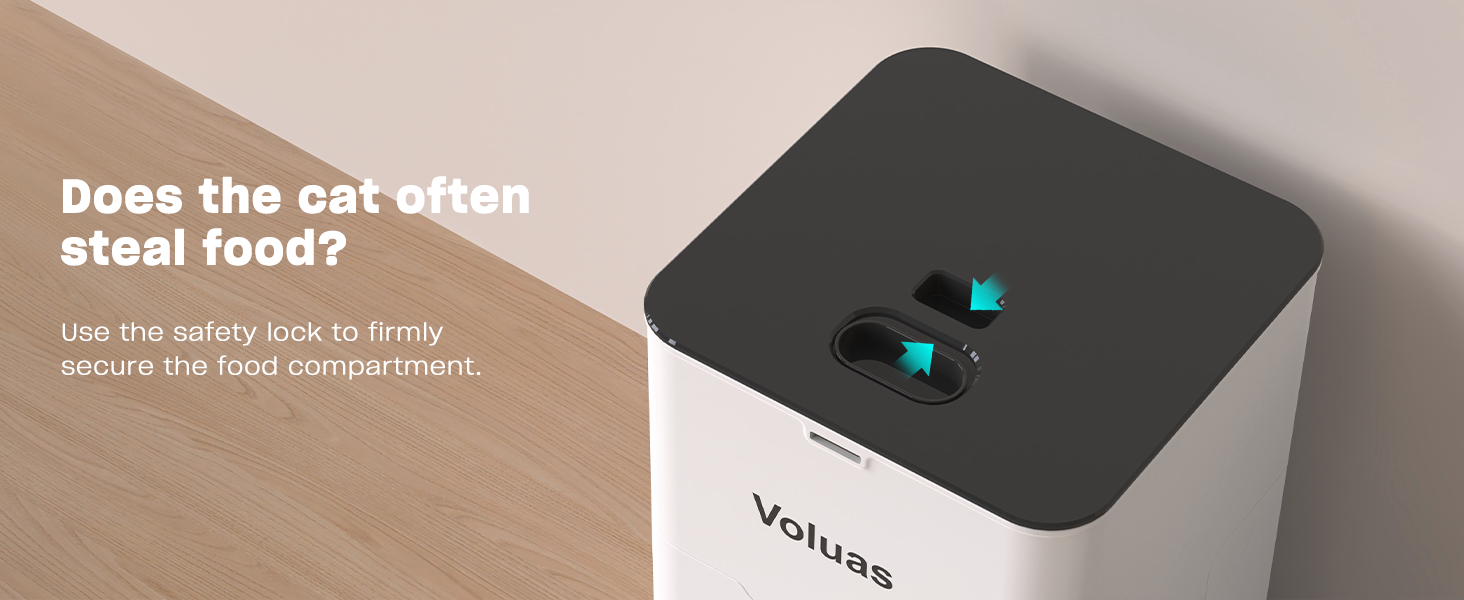
- Close the lid securely, ensuring the safety lock engages.
Instrucciones de funcionamiento
1. Configuración de la hora actual
Press and hold the 'SET' button until the clock icon flashes. Use the up/down arrows to adjust the hour, then press 'SET' to confirm and move to minutes. Repeat to set minutes. Press 'SET' again to save.
2. Programming Feeding Times and Portions
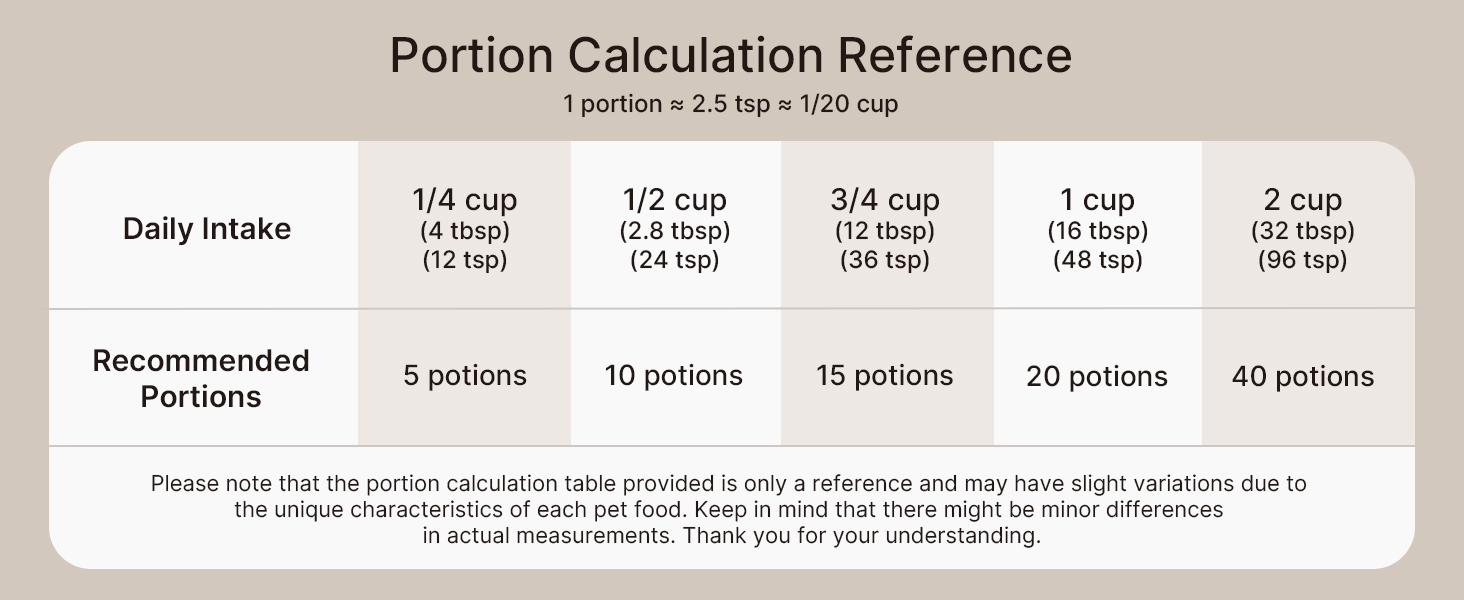
The feeder allows for up to 4 daily meals with 0-40 portion choices per meal.


- Press 'SET' once to enter meal programming mode. The 'MEAL 1' indicator will flash.
- Use the up/down arrows to set the desired feeding time for Meal 1. Press 'SET' to confirm the time.
- The 'PORTION' indicator will flash. Use the up/down arrows to set the number of portions for Meal 1 (0-40). Press 'SET' to confirm.
- Repeat steps 2 and 3 for Meal 2, Meal 3, and Meal 4 as needed. If you do not wish to set a meal, set its portion to 0.
- After setting all desired meals, press and hold 'SET' to exit programming mode.
3. Grabación de voz
The feeder allows you to record a 10-second voice message to call your pet at meal times.


- Press and hold the 'REC' button until you hear a beep.
- Diga su mensaje claramente en el micrófono durante hasta 10 segundos.
- Suelte el botón ‘REC’ para guardar la grabación.
- Para reproducir la grabación, presione el botón 'PLAY'.
4. Alimentación manual
To dispense food manually, simply press the 'MANUAL' button. Each press will dispense one portion of food.
Mantenimiento
1. Limpieza
Regular cleaning ensures hygiene and extends the life of your feeder. Only the food tank, lid, and stainless steel bowl are washable. The base unit containing electronics should never be immersed in water.


- Desenchufe el comedero y retire cualquier resto de alimento.
- Remove the lid and the food tank.
- Detach the stainless steel bowl.
- Wash the lid, food tank, and stainless steel bowl with mild soap and water. Rinse thoroughly.
- Deje que todas las piezas se sequen al aire por completo antes de volver a montarlas.
- Limpie la unidad base con un anuncioamp cloth if needed, but do not submerge.
2. Reemplazo del desecante
The feeder includes a replaceable desiccant bag to keep food fresh and extend its shelf life.

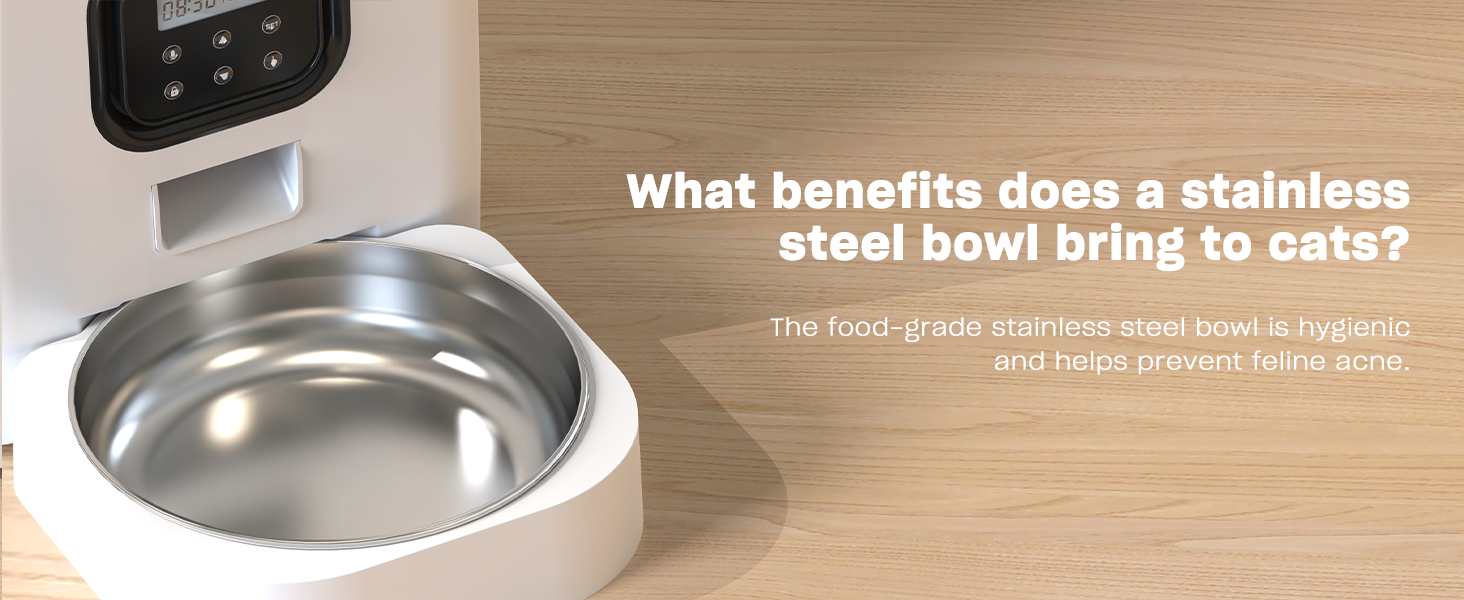
Replace the desiccant bag every 1-3 months, depending on humidity levels, to ensure optimal food freshness.
Solución de problemas
| Problema | Posible causa | Solución |
|---|---|---|
| El comedero no dispensa comida. | No power; Food tank empty; Food clogged; Incorrect settings. | Check power connection/batteries; Refill food tank; Clear any food blockages; Verify programmed meal times and portions. |
| La comida se dispensa de manera inconsistente. | Kibble size too large/small; Food tank not properly seated. | Ensure kibble is 2-10mm; Re-seat food tank securely. |
| La grabación de voz no se reproduce. | No recording saved; Low battery. | Re-record message; Replace batteries. |
| La pantalla no funciona. | Sin energía; baterías agotadas. | Check power connection; Replace batteries. |
Presupuesto
- Nombre del modelo: VL001
- Capacidad: 4L / 16.9 tazas
- Dimensiones (LxAnxAl): 7 x 7 x 11 pulgadas
- Peso del artículo: 3.65 libras (1.66 kilogramos)
- Material: White Opaque (Plastic) with Stainless Steel Bowl
- Fuente de alimentación: 5V USB Power Adapter (Included) or 3 x D-cell Batteries (Not Included)
- Tamaño de croquetas recomendado: 2-10 mm
- Comidas por día: 1-4
- Porciones por comida: 0-40
- Grabación de voz: Hasta 10 segundos
- Especies objetivo: Gatos, perros, animales pequeños
- Instrucciones de cuidado: Mantener en el interior
Garantía y soporte
Voluas provides a standard warranty for this product. For detailed warranty information, product support, or to purchase replacement parts, please visit the official Voluas store on Amazon or contact customer service through your purchase platform. Keep your purchase receipt for warranty claims.
Thank you for choosing Voluas. We are committed to providing quality products for your beloved pets.