
Introducción
This manual provides detailed instructions for the setup, operation, maintenance, and troubleshooting of your Macally UCZKEYHUBACSG Premium Wired USB C Keyboard. This full-size keyboard is designed for seamless compatibility across Mac, PC, and Chrome OS, featuring an integrated USB hub for enhanced connectivity.
Configuración
Conexión del teclado
The Macally UCZKEYHUBACSG keyboard utilizes a simple plug-and-play USB-C wired connection. To connect your keyboard:
- Locate an available USB-C port on your computer (Mac, PC, or Chrome OS device).
- Insert the USB-C connector from the keyboard's cable firmly into the computer's USB-C port.
- The keyboard will be automatically recognized by your operating system, and no additional drivers are typically required.

Instrucciones de funcionamiento
Disposición y funciones de las teclas
The keyboard features a full-size 107-key layout, including a numeric keypad and 16 convenient shortcut/media keys. These keys provide quick access to various functions such as volume control, playback, and screen brightness, enhancing workflow efficiency.

Hub USB integrado
The keyboard includes a built-in USB hub for connecting additional peripherals directly. This hub consists of:
- 2 puertos USB-A: For connecting standard USB devices like a mouse, flash drive, or webleva.
- 1 puerto USB-C: For connecting newer USB-C compatible devices.

Compatibilidad
The Macally UCZKEYHUBACSG keyboard is designed for broad compatibility with various operating systems, ensuring functionality across different computing environments:
- Mac OS: Compatible with Mac OS X 10.6 (Snow Leopard) through 10.15 (Catalina) and above.
- Ventanas: Compatible with Windows 7, Windows 8, Windows 10, and above.
- Sistema operativo Chrome: Fully functional with Chrome OS devices.
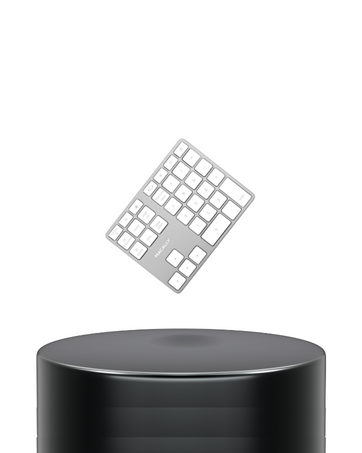
Llaves de interruptor de tijera
The keyboard features quiet scissor switch keys, providing a responsive and tactile typing experience. This design contributes to a comfortable and efficient typing environment.

Mantenimiento
Limpiar tu teclado
Para garantizar la longevidad y el rendimiento óptimo de su teclado, se recomienda una limpieza regular:
- Desconecte el teclado de su computadora antes de limpiarlo.
- Utilice un paño suave y sin pelusa ligeramenteampLimpie con agua o una solución de limpieza suave las teclas y la superficie.
- Avoid spraying liquids directly onto the keyboard or allowing moisture to seep between the keys.
- Para eliminar residuos entre las teclas, utilice aire comprimido para desalojar las partículas.
Solución de problemas
Problemas comunes y soluciones
- El teclado no responde:
Ensure the USB-C cable is securely connected to both the keyboard and the computer. Try connecting to a different USB-C port or a different computer to rule out port issues. - USB hub ports not working:
Verify that the keyboard itself is properly connected and functioning. Ensure the devices connected to the hub are compatible and powered if necessary. Try connecting devices directly to the computer to confirm their functionality. - Keys not registering or sticky:
Perform a thorough cleaning of the affected keys as described in the Maintenance section. If the issue persists, it may indicate a hardware problem. - Shortcut keys not functioning:
Ensure your operating system is up-to-date. Some shortcut keys may require specific software or system settings to be enabled. Refer to your operating system's documentation for media key functionality.
Presupuesto
| Característica | Detalle |
|---|---|
| Número de modelo | UCZKEYHUBACSG |
| Tecnología de conectividad | Con cable (USB-C) |
| Puertos concentradores USB | 2x USB-A, 1x USB-C |
| Tipo de clave | Interruptor de tijera |
| Número de llaves | 107 (tamaño completo) |
| Shortcut/Media Keys | 16 |
| Compatibilidad del sistema operativo | Mac OS X 10.6+, Windows 7/8/10+, Chrome OS |
| Color | Gris espacial |
| Peso del artículo | 1 libra |
| Dimensiones del producto (LxAnxAl) | 17.5 x 6 x 1.4 pulgadas (44.45 x 15.24 x 3.56 cm) |

Garantía y soporte
Macally values customer satisfaction. The UCZKEYHUBACSG keyboard comes with:
- Up to 2 years of warranty.
- Lifetime support.
- Easy returns.
For technical assistance or warranty claims, please refer to the contact information provided with your product packaging or visit the official Macally support websitio.
¿Qué hay en la caja?
- Macally UCZKEYHUBACSG Wired USB C Keyboard
- Manual de usuario