
1. Introducción
The Espressif ESP32-LyraT-Mini is a compact and powerful audio development board designed for various audio applications. Based on the ESP32-WROVER-E module, it integrates advanced audio signal processing technologies such as Acoustic Echo Cancellation (AEC), Automatic Gain Control (AGC), Noise Suppression (NS), and Wake Word Engine (WWE). This manual provides essential information for setting up, operating, and maintaining your ESP32-LyraT-Mini development board.
2. Producto terminadoview
The ESP32-LyraT-Mini is engineered for audio-centric projects, offering a robust platform for voice interaction and audio processing. Key features include:
- Diseño liviano: A compact audio development board based on the ESP32-WROVER-E.
- Procesamiento de audio integrado: Implements AEC, AGC, NS, and WWE for enhanced audio quality and voice command capabilities.
- PCB Antenna: Features an integrated PCB antenna for wireless connectivity.
- Memoria: Embeds 8 MB Flash and 8 MB PSRAM for ample storage and processing power.
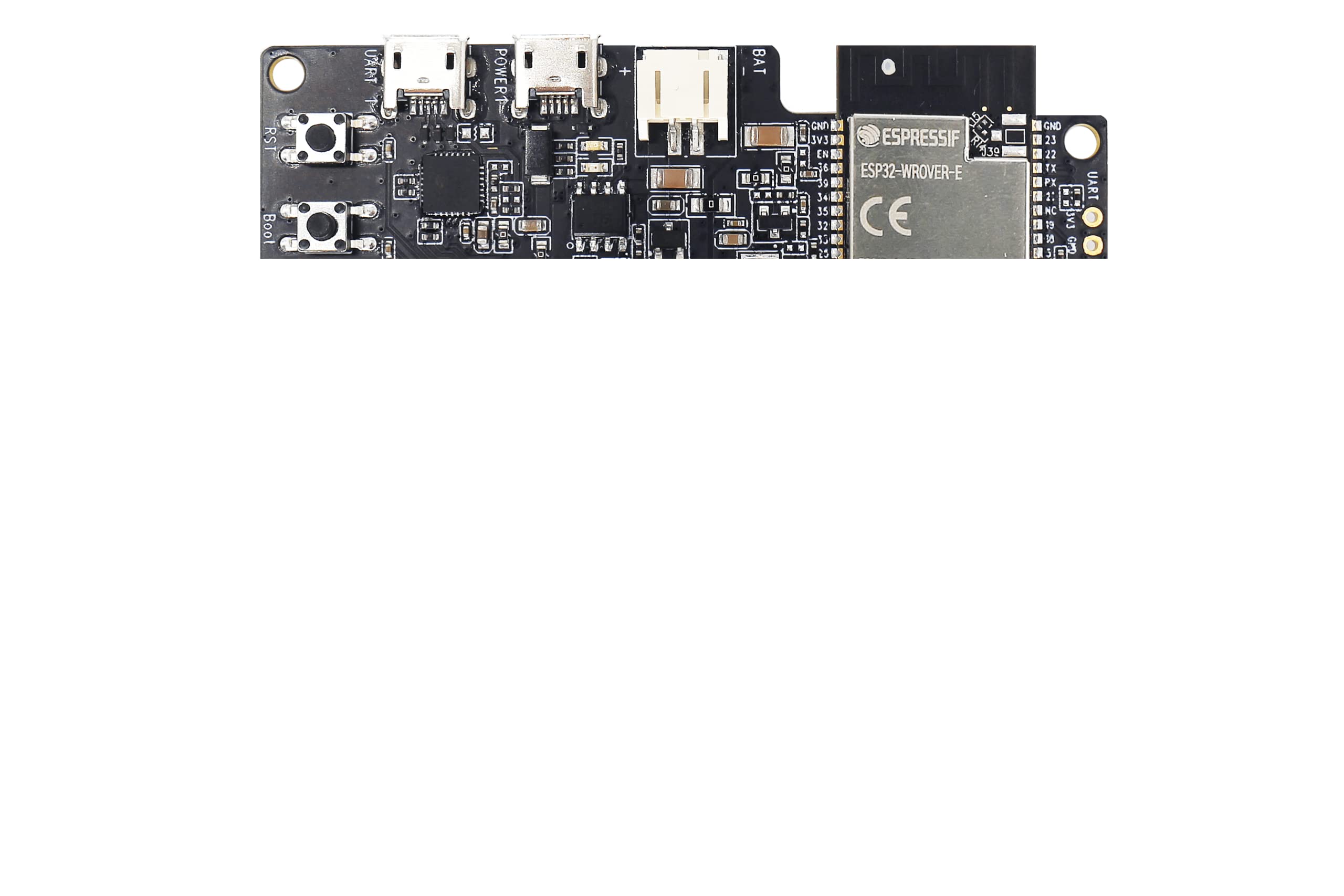
Figure 2.1: Espressif ESP32-LyraT-Mini Development Board. This image shows the compact design of the board with its various components and integrated PCB antenna.
3. Configuración
Follow these steps to set up your ESP32-LyraT-Mini Development Board:
- Conexión de energía: Connect the development board to a power source using a compatible USB cable. Ensure the power supply meets the board's specifications.
- Instalación del controlador: Depending on your operating system, you may need to install USB-to-serial drivers. Refer to Espressif's official documentation for specific driver requirements and installation guides.
- Configuración del entorno de desarrollo: Install the Espressif IoT Development Framework (ESP-IDF) or other preferred development tools. Detailed instructions are available on the Espressif websitio.
- Conectarse a la PC: Use a USB cable to connect the board to your computer. This connection facilitates programming and serial communication.
4. Operando
Once the ESP32-LyraT-Mini is set up, you can begin developing and testing your audio applications. The board's capabilities are primarily driven by the firmware you upload.
- Entrada/salida de audio: Utilize the integrated audio interfaces for microphone input and speaker output.
- Acoustic Echo Cancellation (AEC): Implement AEC algorithms to reduce echo in full-duplex audio communication.
- Control automático de ganancia (AGC): Use AGC to maintain a consistent audio output level, regardless of input volume fluctuations.
- Noise Suppression (NS): Apply NS to filter out background noise, improving speech clarity.
- Wake Word Engine (WWE): Develop applications that respond to specific voice commands or wake words.
- Conectividad inalámbrica: Leverage the ESP32-WROVER-E's Wi-Fi and Bluetooth capabilities for network communication and device pairing.
Refer to the ESP-IDF programming guides and examples for detailed instructions on utilizing these features in your code.
5. Mantenimiento
Proper care and maintenance will ensure the longevity and optimal performance of your ESP32-LyraT-Mini Development Board:
- Tratar con cuidado: Evite dejar caer la placa o someterla a golpes físicos.
- Mantener seco: Protect the board from moisture and liquids. Operate it in a dry environment.
- Limpieza: Mantenga la placa libre de polvo y residuos. Utilice un cepillo suave y seco o aire comprimido para limpiarla.
- Almacenamiento: When not in use, store the board in an anti-static bag in a cool, dry place.
- Apagado: Always disconnect power before making any physical connections or disconnections to the board.
6. Solución de problemas
If you encounter issues with your ESP32-LyraT-Mini, consider the following troubleshooting steps:
- Sin energía: Ensure the USB cable is securely connected and the power source is functional. Try a different USB cable or power adapter.
- Problemas de conexión: Verify that the correct USB-to-serial drivers are installed on your computer. Check the device manager for any driver conflicts.
- Error en la carga del firmware: Confirm that your development environment is correctly configured and the board is in programming mode (if required). Check serial port selection.
- Problemas de audio: Ensure microphones and speakers are correctly connected. Verify audio settings in your firmware and development environment.
- Problemas relacionados con el software: Consult the Espressif documentation and community forums for common software-related problems and solutions.
If problems persist, contact Espressif support for further assistance.
7. Especificaciones
| Característica | Especificación |
|---|---|
| Marca | Espressif |
| Nombre del modelo | ESP32 LyraT Mini Kit |
| Número de modelo | ESP32-LyraT-Mini |
| Marca del procesador | Espressif |
| Cantidad de procesadores | 1 |
| Tamaño de la memoria RAM instalada | 8 MB |
| Tecnología de memoria RAM | Memoria de acceso aleatorio (PSRAM) |
| Capacidad de almacenamiento de memoria | 8 MB |
| Tecnología de conectividad | Ethernet (via ESP32-WROVER-E capabilities) |
| Compatibilidad inalámbrica | 802.11b (Wi-Fi) |
| Sistema operativo | FreeRTOS (typical for ESP-IDF) |
| Puertos USB totales | 1 (for power and data) |
| Dispositivos compatibles | Portátil, computadora personal, teléfono inteligente, tableta |
8. Garantía y soporte
For warranty information and technical support regarding your Espressif ESP32-LyraT-Mini Development Board, please refer to the official Espressif websitio o comuníquese directamente con su equipo de soporte.
For business or technical questions, you may contact Espressif at: ventas@espressif.com