
1. Introducción
Gracias por la compraasing the Comix S360A Cross Cut Paper Shredder. This manual provides essential information for the safe and efficient operation, maintenance, and troubleshooting of your shredder. Please read these instructions carefully before use and retain them for future reference.
The Comix S360A is designed for secure disposal of sensitive documents, credit cards, and CDs. It features a cross-cut mechanism for enhanced security and includes a jam-proof system with reverse and forward functions to clear paper jams. An energy-saving mode ensures optimal efficiency during operation.
2. Instrucciones de seguridad importantes
ADVERTENCIA: El incumplimiento de estas instrucciones de seguridad puede provocar incendios, descargas eléctricas o lesiones.
- Mantenga a los niños y las mascotas alejados de la trituradora.
- Keep loose clothing, jewelry, hair, and ties away from the paper entry slot.
- No introduzca los dedos ni otras partes del cuerpo en la ranura de entrada de papel.
- No rocíe ningún producto inflamable ni lubricantes en la trituradora.
- No triture objetos metálicos, papel húmedo ni etiquetas adhesivas.
- Desenchufe siempre la trituradora cuando no esté en uso o antes de limpiarla.
- Do not operate the shredder if the power cord is damaged. Contact customer support for assistance.
- Asegúrese de que la trituradora esté colocada sobre una superficie estable y nivelada.
- No sobrecargue la trituradora más allá de su capacidad de hojas especificada.
3. Contenido del paquete
Por favor revise el paquete para ver los siguientes artículos:
- Comix S360A Shredder Head
- Waste Bin (13 Liter capacity)
- Manual de instrucciones (este documento)
4. Configuración
- Desembalaje de la trituradora: Retire con cuidado todos los componentes del embalaje.
- Place the Waste Bin: Position the waste bin on a flat, stable surface.
- Mount the Shredder Head: Carefully place the shredder head onto the top of the waste bin, ensuring it is securely seated. The shredder will not operate if the head is not correctly positioned.
- Conecte la electricidad: Conecte el cable de alimentación a una toma eléctrica estándar.
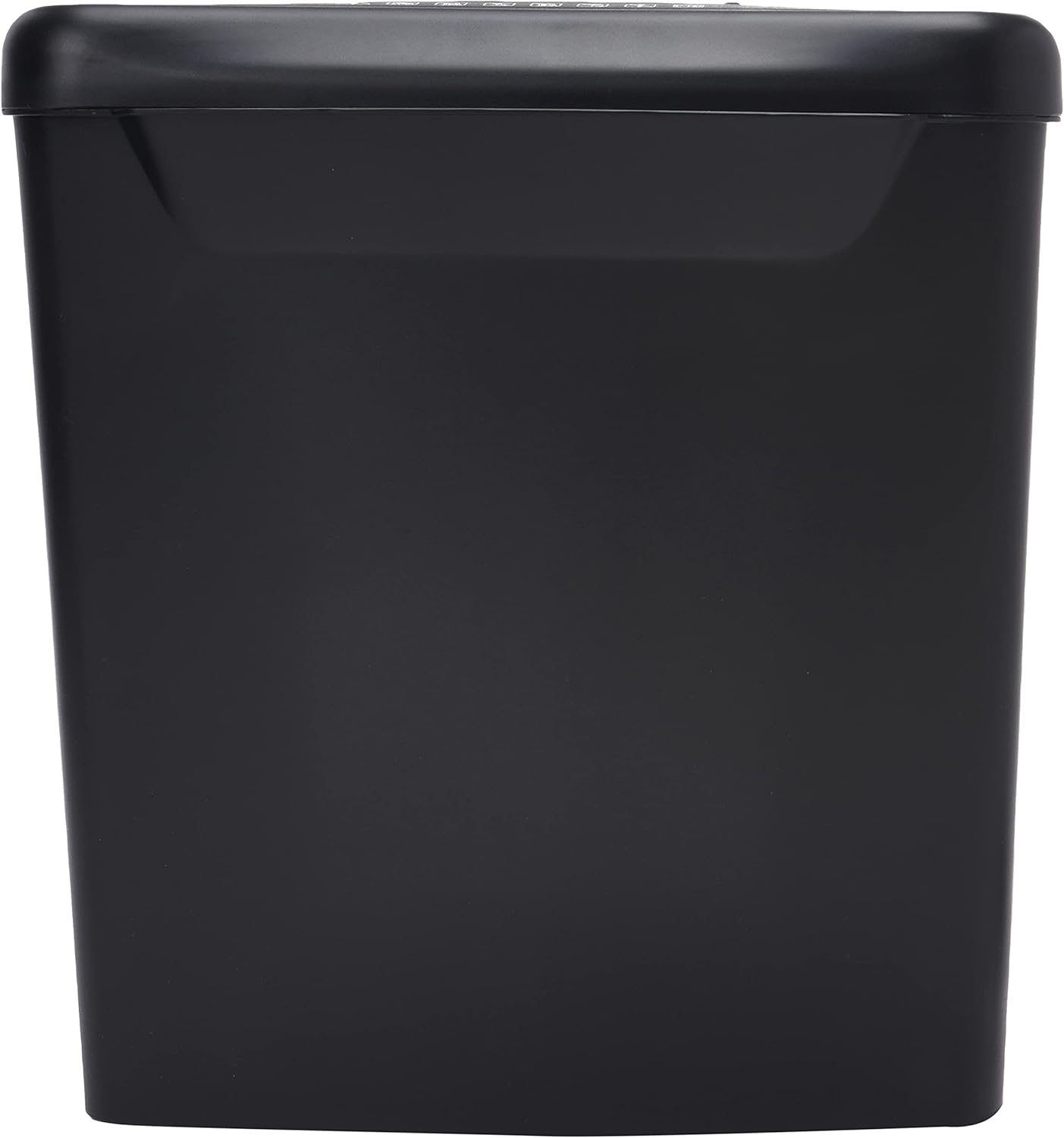
Imagen: Lateral view of the Comix S360A shredder bin, showing its black exterior and compact design. The shredder head is not visible in this image.
5. Instrucciones de funcionamiento
5.1 Interruptor de control
The shredder features a slide switch with three positions:
- COCHE: The shredder will automatically start when paper is inserted and stop when shredding is complete. This is the normal operating mode.
- OFF: The shredder is powered off. Always set the switch to OFF when emptying the bin or when the shredder is not in use.
- REV (Reversa): This position reverses the shredder blades to help clear paper jams.

Imagen: Arriba view of the shredder head, highlighting the paper entry slot, the three-position control switch (Rev, OFF, Auto), and various safety warning icons.
5.2 Destrucción de documentos
- Ensure the shredder head is securely placed on the waste bin.
- Conecte el cable de alimentación a una toma eléctrica.
- Coloque el interruptor de control en AUTO.
- Insert up to 8 sheets of 70gsm A4 paper into the paper entry slot. The shredder will start automatically.
- For credit cards or CDs, use the dedicated slot if available (refer to product specifications for capability).
- The shredder will stop automatically once the shredding process is complete.
5.3 ciclo de trabajo
The Comix S360A has a continuous run time of 2 minutos, followed by a rest time of 40 minutos. Exceeding the run time may cause the shredder to overheat and automatically shut off. Allow the shredder to cool down for the specified rest time before resuming operation.
6. Mantenimiento
6.1 Vaciado de la papelera
- Coloque el interruptor de control en APAGADO.
- Desconecte la trituradora de la toma de corriente.
- Levante el cabezal triturador del contenedor de residuos.
- Deseche el papel triturado.
- Vuelva a colocar el cabezal de la trituradora de forma segura en el contenedor de residuos.
- Vuelva a enchufar la trituradora a la toma de corriente.
6.2 Engrase de las cuchillas de la trituradora
Regular oiling of the shredder blades is recommended to maintain optimal performance and extend the life of your shredder. Use shredder oil specifically designed for paper shredders.
- Aplique una línea fina de aceite para trituradora a lo largo de la ranura de entrada del papel.
- Coloque el interruptor de control en AUTO.
- Insert a sheet of paper to distribute the oil evenly across the blades.
- Repeat this process periodically, especially after emptying a full waste bin or if the shredder's performance decreases.
6.3 Limpieza
Limpie el exterior de la trituradora con un paño suave y seco. No utilice limpiadores abrasivos ni disolventes. Asegúrese de que la trituradora esté desenchufada antes de limpiarla.
7. Solución de problemas
| Problema | Posible causa | Solución |
|---|---|---|
| La trituradora no arranca. |
|
|
| Atasco de papel. |
|
|
| La trituradora se detiene durante el funcionamiento. |
|
|
8. Especificaciones
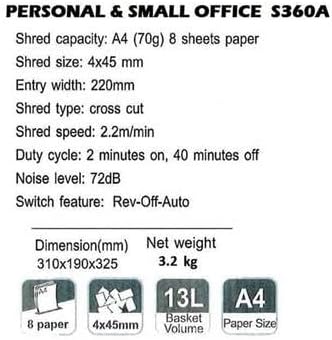
Image: Technical specifications sheet for the Comix S360A, detailing performance metrics and physical attributes.
- Modelo: S360A
- Tipo de trituración: Corte cruzado
- Tamaño de trituración: 4 x 45 mm
- Shred Capacity (A4, 70g): 8 hojas
- Ancho de entrada: 220 milímetros
- Velocidad de trituración: 2.2 m/min
- Capacidad del contenedor de basura: 13 litros
- Ciclo de trabajo: 2 minutos encendido / 40 minutos apagado
- Nivel de ruido: 72 dB
- Switch Feature: Rev-Off-Auto
- Dimensiones del producto: 310 x 190 x 325 mm (largo x ancho x alto)
- Peso neto: 3.2 kilogramos
- Características especiales: Energy Saving Mode, Jam Pro, Quiet Operation
9. Garantía y soporte
For warranty information or technical support, please refer to the warranty card included with your product or contact Comix customer service through their official website or the retailer where the product was purchased. Please have your model number (S360A) and purchase date available when contacting support.