
Introducción
Gracias por la compraasing the Gemmac Astronaut Galaxy Projector Star Night Light. This device is designed to project a captivating nebula and starry sky onto your walls and ceiling, creating a relaxing and immersive atmosphere. Please read this manual carefully before use to ensure proper operation and to maximize your enjoyment of the product.
Información de seguridad
Para garantizar un funcionamiento seguro y evitar daños, tenga en cuenta las siguientes precauciones:
- No mire directamente a la fuente de luz. The projector uses bright lights that can cause eye discomfort or damage.
- Mantenga el dispositivo alejado del agua u otros líquidos para evitar descargas eléctricas.
- No desmonte ni intente reparar el dispositivo usted mismo. Contacte con personal cualificado para obtener servicio técnico.
- Use only the provided power adapter or one with compatible specifications.
- Keep out of reach of small children to prevent accidental ingestion of small parts or direct exposure to the light source.
- Ensure the device is placed on a stable, flat surface to prevent it from falling.
- Evite colocar el proyector cerca de fuentes de calor o bajo la luz solar directa.
Contenido del paquete
Verifique que todos los artículos estén presentes en el paquete:
- 1 x Gemmac Astronaut Galaxy Projector
- 1 x control remoto
- Cable de alimentación 1 x USB
- 1 x Manual de usuario

Image: The package includes the astronaut projector, remote control, USB power cable, and user manual.
Producto terminadoview
The Gemmac Astronaut Galaxy Projector features a unique astronaut design with a flexible head that can be rotated to adjust the projection angle. It combines nebula and star projections for a dynamic visual experience.

Image: The Gemmac Astronaut Galaxy Projector and its remote control.

Imagen: Detallada view of the astronaut projector's flexible design and remote control functions.
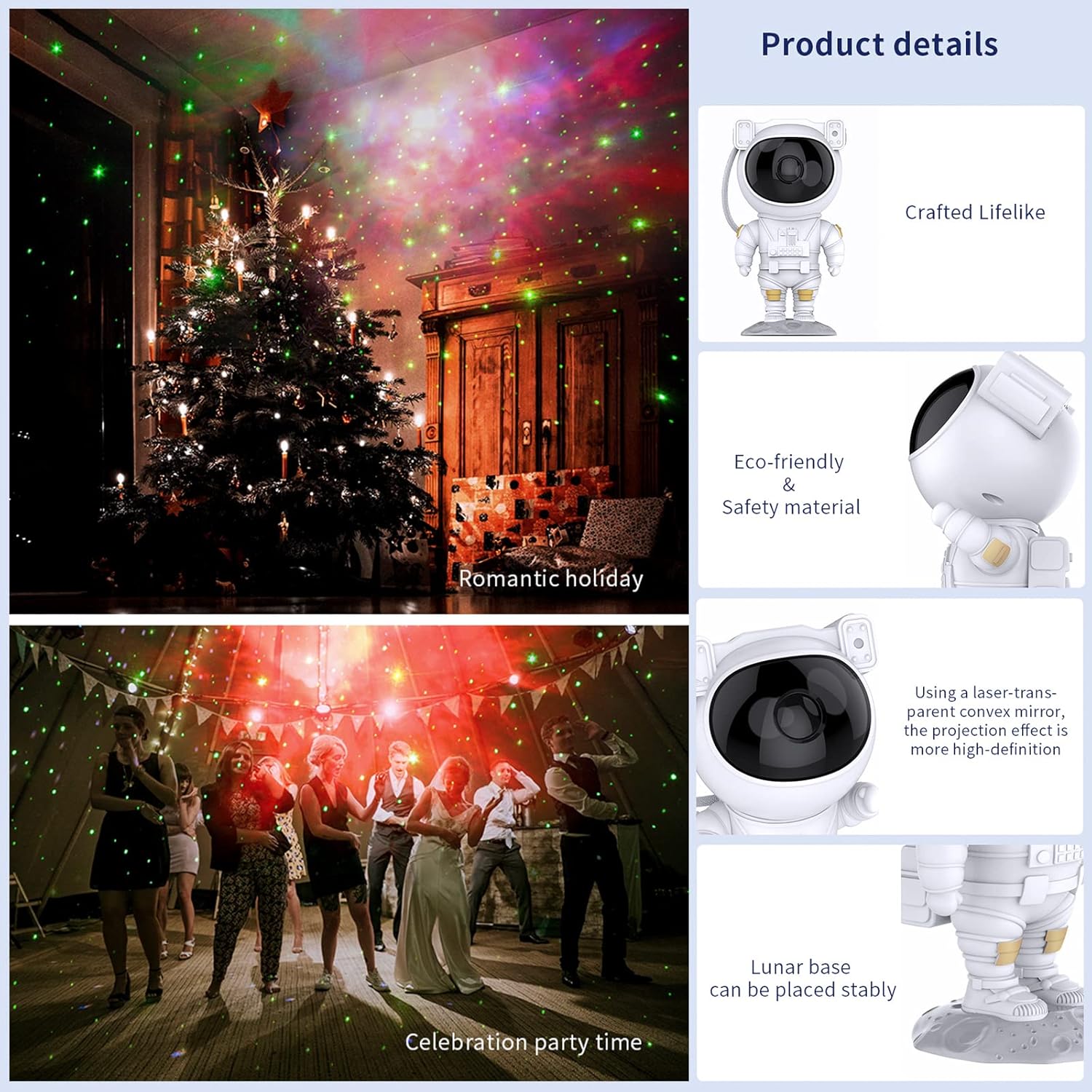
Image: Key product details including design, materials, projection lens, and stable base.
Configuración
Conexión de energía
- Place the astronaut projector on a stable, flat surface.
- Connect the USB power cable to the projector's power input port (located on the backpack).
- Conecte el otro extremo del cable USB a un adaptador de corriente USB compatible (no incluido) o a un puerto USB.
- Asegúrese de que la fuente de alimentación sea estable.
Instrucciones de funcionamiento
Botones del dispositivo
The buttons on the back of the astronaut's backpack allow for basic control:
- Botón de encendido: Enciende o apaga el proyector.
- Nebula Mode Button: Cycles through different nebula colors and effects.
- Star Mode Button: Turns the star projection on or off.
Funciones del control remoto
The included remote control provides comprehensive control over the projector's features:
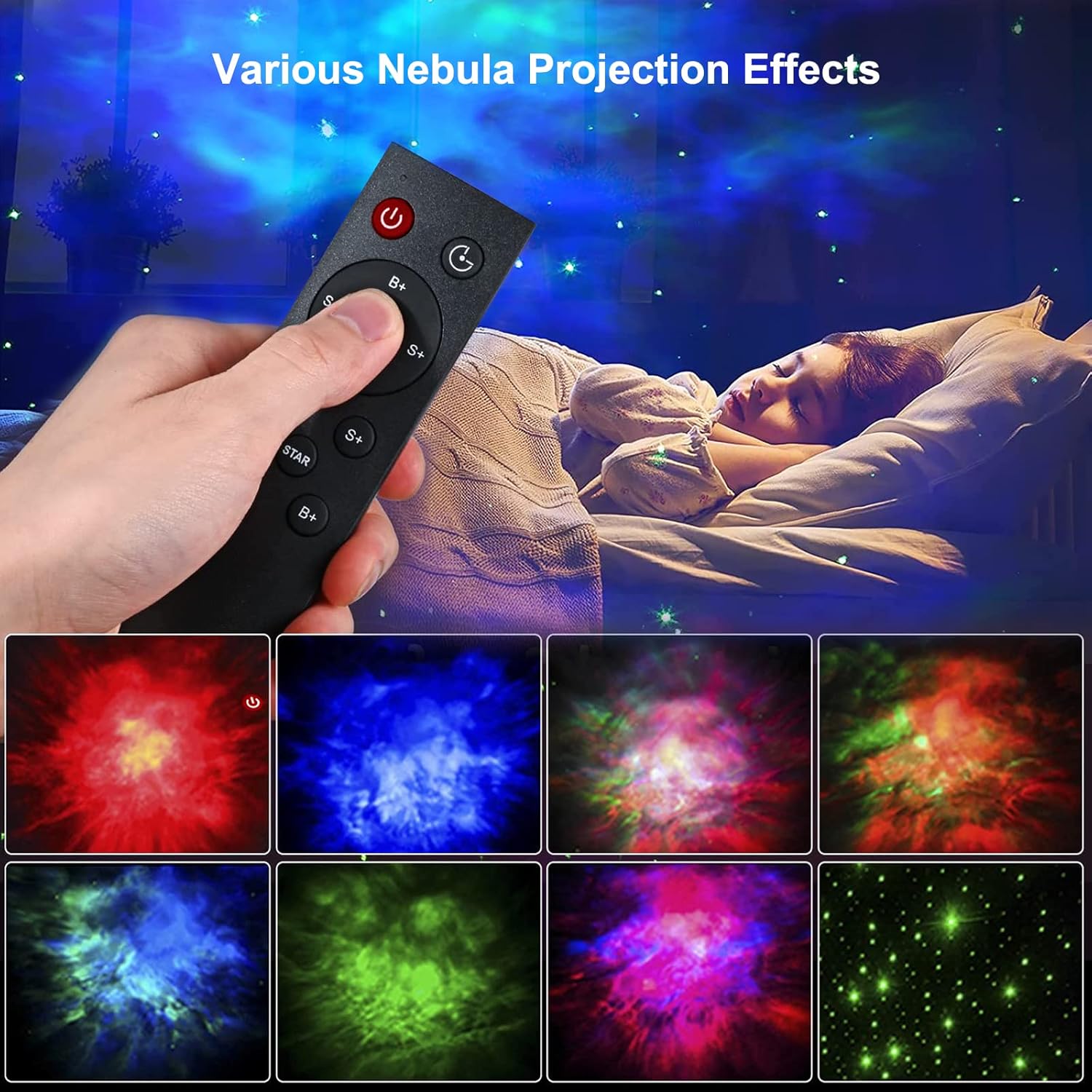
Image: Remote control in use, demonstrating various projection effects.
- Encendido/Apagado: Enciende o apaga el proyector.
- Interruptor de tiempo: Sets the automatic shut-off timer (e.g., 45 minutes, 90 minutes).
- Nebula Brightness (B+/B-): Adjusts the brightness of the nebula projection.
- Nebula Change Speed (S+/S-): Controls the speed of nebula movement.
- Nebula Color Switching (NEBULA): Cycles through different nebula colors.
- Star Breathing Rate (S+/S-): Adjusts the fading speed of the stars.
- Star Switch (STAR): Turns the star projection on or off.
- Star Brightness (B+/B-): Adjusts the brightness of the star projection.
Características
Proyección de nebulosas y estrellas
The projector offers a combination of colorful nebula clouds and twinkling stars. These can be displayed together or independently, providing a variety of celestial scenes. The nebula colors and star brightness are adjustable to suit your preference.
Video: Demonstration of the Gemmac Astronaut Galaxy Projector's nebula and star light effects.

Image: The projector creating a green nebula and star effect in a living room setting.

Image: The projector creating a colorful nebula and star effect inside a car.
Función de temporizador
Utilize the timer function on the remote control to set the projector to automatically turn off after a specified duration (e.g., 45 or 90 minutes). This is ideal for bedtime use.
Ángulo de proyección ajustable
The astronaut's head is magnetically connected to its body, allowing you to rotate it 360 degrees. This flexibility enables you to direct the projection to any desired angle on your ceiling or walls.
Mantenimiento
Un mantenimiento adecuado garantiza la longevidad y el rendimiento óptimo de su proyector:
- Limpieza: Utilice un paño suave y seco para limpiar el exterior del proyector. No utilice limpiadores abrasivos ni disolventes.
- Cuidado de la lente: Gently clean the projection lenses with a soft, lint-free cloth to maintain clear projection quality. Avoid touching the lenses directly with your fingers.
- Almacenamiento: When not in use for extended periods, store the projector in a cool, dry place, away from direct sunlight and moisture.
Solución de problemas
Si encuentra algún problema, consulte los siguientes problemas y soluciones comunes:
| Problema | Posible causa | Solución |
|---|---|---|
| El proyector no se enciende. | Sin energía, conexión suelta, adaptador defectuoso. | Check power cable connection. Ensure power adapter is working. Try a different USB port or adapter. |
| El control remoto no funciona. | Baterías agotadas, control remoto fuera de alcance, obstrucción. | Replace remote control batteries. Ensure remote is pointed at the projector and within range. Remove any obstructions between the remote and projector. |
| Projection is blurry or dim. | Dirty lens, incorrect focus, too much ambient light. | Gently clean the projection lenses. Ensure the room is dark enough for optimal projection. Adjust brightness settings via remote. |
| Stars or nebula not appearing. | Feature turned off. | Use the remote control to turn on the star or nebula projection modes. |
Presupuesto
| Característica | Detalle |
|---|---|
| Marca | Gemmac |
| Modelo | Proyector de galaxias para astronautas |
| Dimensiones del producto | 9.6" de profundidad x 4.5" de ancho x 4.7" de alto |
| Peso del artículo | 2.4 onzas (0.15 libras) |
| Tipo de fuente de luz | CONDUJO |
| Material | Acrilonitrilo butadieno estireno (ABS) |
| Fuente de poder | Eléctrico con cable |
| Quétage | 5 vatios |
| Método de control | Remote, Device Buttons |
| Características especiales | Color Changing, Timer, Dimmable |
| Uso en interiores y exteriores | Interior |
| Código Postal | 755419178313 |
Garantía y soporte
For warranty information or technical support, please refer to the contact details provided with your purchase documentation or visit the official Gemmac webSitio. Conserve su recibo de compra como comprobante de compra.