
1. Introducción
The LAUNCH CRP909E OBD2 Scanner is a professional diagnostic tool designed for comprehensive vehicle system analysis and maintenance. This device offers advanced features for automotive technicians and enthusiasts, providing accurate and efficient diagnostic capabilities for a wide range of vehicle models.
Key features include full system diagnostics, over 28 reset functions, full OBD2 modes, power balance testing, and extensive vehicle compatibility. The CRP909E operates on Android 7.0, features a 7-inch IPS touchscreen, and is equipped with a 6000mAh battery for extended use.

Image: The LAUNCH CRP909E OBD2 Scanner, showcasing its 7-inch touchscreen and robust design, ready for diagnostic tasks.
2. Contenido del paquete
Al abrir el paquete, verifique que todos los componentes estén presentes y en buen estado:
- LAUNCH CRP909E Main Unit
- Cargador
- Adaptador de corriente
- Cable USB-C
- Cable de diagnóstico OBD2
- Manual de usuario (este documento)
- Carry Box

Image: Contents of the LAUNCH CRP909E package, including the scanner, charger, adapter, USB-C cable, OBD2 cable, user manual, and a protective carry box.
3. Configuración y primer uso
3.1 Encendido del dispositivo
The CRP909E is equipped with a built-in Lithium Polymer battery. To power on, press and hold the power button located on the side of the device until the screen illuminates. Ensure the device is sufficiently charged before first use. Connect the charger if the battery level is low.
3.2 Configuración inicial
Upon first startup, the device will guide you through initial setup steps, including language selection, Wi-Fi connection, and time zone settings. A stable Wi-Fi connection is recommended for software updates and online features.
3.3 Actualizaciones de software
It is crucial to keep the device's software updated to ensure optimal performance and access to the latest vehicle models and diagnostic functions. The CRP909E offers 2 years of free updates. Connect to Wi-Fi and navigate to the "Upgrade" section on the main menu to check for and install available updates.
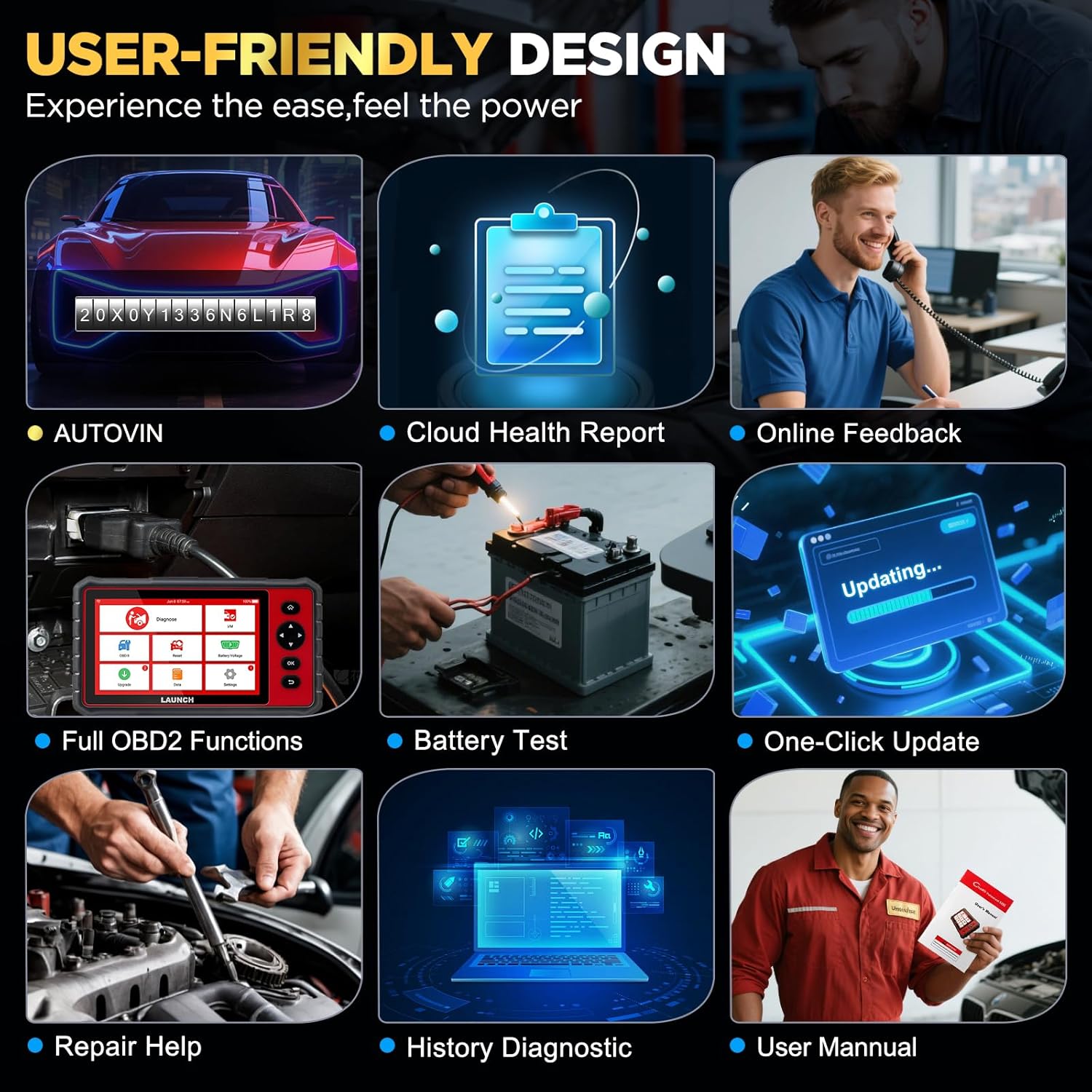
Image: The user-friendly interface of the LAUNCH CRP909E, highlighting the "Upgrade" icon for software updates and other key functions like AutoVIN and Battery Test.
4. Funcionamiento del escáner
4.1 Diagnóstico completo del sistema
The CRP909E can read and clear diagnostic trouble codes (DTCs) and view live data for all available vehicle systems. This includes, but is not limited to, Engine, Transmission, Airbag (SRS), Anti-lock Braking System (ABS), Electronic Stability Program (ESP), Tire Pressure Monitoring System (TPMS), Cruise Control, Gateway, Steering, Rain, Brake, Fuel, 4WD system, Radio, Air Conditioning, Central Locking, Electric Windows, and Xenon Headlights.
Para realizar un análisis completo del sistema:
- Connect the OBD2 diagnostic cable to the vehicle's OBD2 port and the scanner.
- Gire el encendido del vehículo a la posición ON (motor apagado).
- Seleccione “Diagnosticar” en el menú principal.
- The device will automatically detect the vehicle's VIN (Auto-VIN Scan) or prompt for manual entry.
- Follow the on-screen instructions to initiate a full system scan.
- Review the generated Cloud Health Report for a comprehensive overview of vehicle health.

Image: The LAUNCH CRP909E connected to a vehicle, illustrating its capability to perform OE All Systems Diagnostics, including reading and clearing DTCs across various modules like ABS, SRS, and Engine.
4.2 Funciones especiales y servicios de mantenimiento
The CRP909E provides over 28 common reset and maintenance functions. These functions allow for specific component calibration, adaptation, or reset procedures after repairs or part replacements. Some of the key functions include:
- Reinicio de la luz de aceite: Restablece la luz de servicio de aceite después de un cambio de aceite.
- Restablecimiento del freno de estacionamiento electrónico (EPB): Desactiva y reactiva el sistema de control de frenos para el reemplazo de las pastillas de freno.
- Regeneración del filtro de partículas diésel (DPF): Limpia las partículas del filtro DPF.
- Calibración del sensor de ángulo de dirección (SAS): Calibra el sensor del ángulo de dirección.
- Restablecimiento del sistema de monitoreo de presión de neumáticos (TPMS): Restablece los sensores TPMS después de la rotación o el reemplazo de los neumáticos.
- Purga del ABS: Performs brake bleeding to restore ABS brake sensitivity.
- Adaptación del acelerador: Inicializa el actuador del acelerador al estado predeterminado.
- Codificación del inyector: Codifica nuevos números de inyectores en la ECU.
- Restablecimiento del sistema de gestión de batería (BMS): Registra el reemplazo de una batería nueva.
- Aprendizaje de engranajes: Completes gear learning after engine ECU replacement or crankshaft position sensor replacement.
- Sunroof Reset, Suspension Reset, AFS Headlamp Reset, Gearbox Reset, A/C System Relearn, A/F Reset, Coolant Bleed, Language Change, NOx Sensor Reset, Seats Calibration, Stop/Start Reset, Transport Mode, Tyre Reset, Windows Calibration.
To access these functions, select "Reset" from the main menu and choose the desired service function. Follow the on-screen prompts carefully.

Image: A visual representation of the 28+ special functions available on the LAUNCH CRP909E, including TPMS Reset, ABS Reset, Throttle Relearn, and Oil Reset.
4.3 Funciones OBDII completas
The CRP909E supports all 10 OBDII test modes, allowing for comprehensive engine and emission-related diagnostics:
- Read Codes (P0, P1, P2, P3, U0, U1)
- Erase Codes and Reset
- Transmisión de datos en vivo
- Estado de preparación I/M
- Datos de fotograma congelado
- Prueba del sensor de O2
- Prueba de monitor a bordo
- Prueba de componentes
- Información del vehículo (VIN, CIN, CVN)
- Módulos Presentes
Access these functions via the "OBD II" icon on the main menu.
4.4 Real-Time Data Stream
The device can display live sensor data in text, graph, or gauge format, allowing for real-time monitoring of vehicle performance parameters such as engine RPM, vehicle speed, oil temperature, misfire data, and tire pressure. The 4-in-1 graphic display mode is particularly useful for comparing multiple data streams simultaneously.

Image: The LAUNCH CRP909E displaying real-time data streams in a graphical format, showing parameters like oil temperature, vehicle speed, and accelerator pedal positions for detailed analysis.
4.5 Compatibilidad del vehículo
The LAUNCH CRP909E supports 12V passenger cars, hybrid cars, diesel cars, pickups, light trucks, SUVs, gasoline cars, minivans, caravans, and vans from 1996 to 2025. It covers OBD2/EOBD/KOBD/CAN protocols and is compatible with over 150 car brands globally, including major manufacturers from USA, Europe, and Asia. For OBD1 and JOBD vehicles, an appropriate adapter is required (sold separately).

Image: A map illustrating the global vehicle coverage of the LAUNCH CRP909E, highlighting compatibility with major car brands across USA, Europe, and Asia, along with support for 11 languages.
5. Mantenimiento
Proper maintenance ensures the longevity and optimal performance of your CRP909E scanner.
- Limpieza: Utilice un paño suave y seco.amp cloth to clean the device's screen and body. Avoid abrasive cleaners or solvents.
- Almacenamiento: Store the device in its protective carry box in a cool, dry place when not in use. Avoid extreme temperatures.
- Cuidado de la batería: Para una vida útil óptima de la batería, evite descargarla completamente con frecuencia. Si la va a guardar durante un período prolongado, cárguela aproximadamente al 50 % y recárguela cada pocos meses.
- Actualizaciones de software: Regularly check for and install software updates to ensure compatibility with new vehicle models and access to enhanced features.
6. Solución de problemas
This section addresses common issues you might encounter with your CRP909E scanner.
| Problema | Posible causa | Solución |
|---|---|---|
| El dispositivo no se enciende. | Low battery; power button not held long enough; device malfunction. | Cargue el dispositivo durante al menos 30 minutos. Mantenga pulsado el botón de encendido durante 3 a 5 segundos. Si el problema persiste, contacte con el servicio de asistencia. |
| Sin comunicación con el vehículo. | Loose OBD2 connection; vehicle ignition off; incompatible vehicle protocol; blown vehicle fuse. | Ensure OBD2 cable is securely connected. Turn ignition to ON. Verify vehicle compatibility. Check vehicle's OBD2 port fuse. |
| La actualización del software falla. | Conexión Wi-Fi inestable; almacenamiento insuficiente; problema con el servidor. | Asegúrate de que la señal wifi sea buena. Comprueba el espacio de almacenamiento disponible. Intenta actualizar más tarde. |
| La pantalla se congela o no responde. | Software glitch; system overload. | Perform a forced restart by holding the power button until the device shuts down, then restart. |
For more detailed troubleshooting or issues not listed here, utilize the "Online Feedback" or "Repair Help" functions available on the device, or refer to the official user manual PDF linked in the support section.
7. Especificaciones
| Característica | Detalle |
|---|---|
| Modelo | LANZAMIENTO CRP909E |
| Sistema operativo | Androide 7.0 |
| Mostrar | Pantalla táctil IPS de 7 pulgadas |
| Batería | Polímero de litio de 6000 mAh |
| Memoria | 2GB RAM / 16GB Storage (internal) |
| Conectividad | Wi-Fi (2.4 & 5 GHz) |
| Dimensiones | Aproximadamente 15 x 10.83 x 5.59 pulgadas (paquete) |
| Peso del artículo | Aproximadamente 6.89 libras |
| Protocolos soportados | OBD2/EOBD/KOBD/CAN |
| Política de actualización | 2 años de actualización gratuita |
8. Garantía y soporte
The LAUNCH CRP909E comes with a commitment to ongoing support and updates.
- Actualizaciones gratuitas: Enjoy 2 years of free software updates to ensure your device remains current with the latest vehicle data and diagnostic capabilities.
- Apoyo técnico: For technical assistance, troubleshooting, or inquiries, utilize the "Online Feedback" or "Repair Help" features directly on your device.
- Manual de usuario oficial: A detailed user manual in PDF format is available for download. For comprehensive instructions and advanced operations, please refer to the official document: LAUNCH CRP909E User Manual (PDF).


