
1. Producto terminadoview
The LENRUE TouchGo F4 is a compact, portable Bluetooth speaker designed for clear audio and ease of use. It features touch controls, Bluetooth 5.0 connectivity, and supports TWS (True Wireless Stereo) pairing for an enhanced audio experience. The speaker comes with a hard EVA travel case for protection and portability.

Figure 1: LENRUE TouchGo F4 Bluetooth Speaker.
2. Contenido del paquete
Por favor revise el paquete para ver los siguientes artículos:
- LENRUE TouchGo F4 Bluetooth Speaker
- Hard EVA Travel Case
- Cable de carga TIPO-C
- Manual de usuario
3. Configuración
3.1 Carga inicial
Before first use, fully charge the speaker. Connect the provided TYPE-C charging cable to the speaker's charging port and a compatible USB power adapter (not included). The charging indicator light will show the charging status. A full charge typically takes approximately 4 hours.
3.2 Encendido / Apagado
- Para encender: Press and hold the power button (usually the central play/pause button) for a few seconds until you hear an audible prompt and the indicator light illuminates.
- Para apagar: Press and hold the power button again for a few seconds until you hear an audible prompt and the indicator light turns off.
3.3 Emparejamiento Bluetooth
To connect the speaker to your device:
- Ensure the speaker is powered on and in pairing mode (the indicator light will typically flash blue).
- En tu dispositivo (teléfono inteligente, tableta, etc.), activa el Bluetooth y busca dispositivos disponibles.
- Select "ToughGo" or "LENRUE TouchGo" from the list of devices.
- Una vez conectado, escuchará un sonido de confirmación y la luz indicadora se volverá azul fija.
El altavoz se volverá a conectar automáticamente al último dispositivo emparejado cuando se encienda, si el dispositivo está dentro del alcance y Bluetooth está habilitado.

Figure 2: Speaker with touch controls for sensitive and elegant operation.
3.4 TWS Wireless Pairing (Connect Two Speakers)
To achieve dual-channel stereo sound, you can pair two TouchGo F4 speakers together:
- Power on both TouchGo F4 speakers.
- Asegúrese de que ambos altavoces estén desconectados de cualquier otro dispositivo Bluetooth.
- On uno of the speakers, press and hold the "+" button until you hear a prompt indicating TWS pairing mode.
- The two speakers will automatically pair with each other. You will hear a "beep" sound upon successful TWS pairing.
- Now, connect your device's Bluetooth to the device name "ToughGo". Both speakers will play audio in stereo.
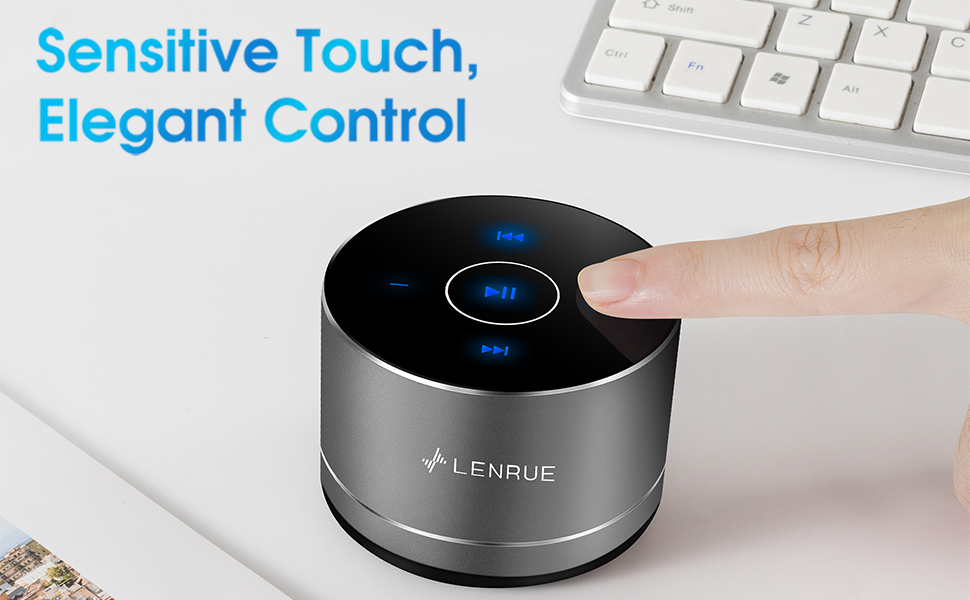
Figure 3: Two speakers connected for TWS wireless stereo pairing.
4. Instrucciones de funcionamiento
4.1 Controles táctiles
The speaker features intuitive touch controls located on the top surface:
- Reproducir/Pausa: Tap the central button once to play or pause music.
- Sube el volumen: Tap the "+" button to increase volume.
- Bajar volumen: Tap the "-" button to decrease volume.
- Pista siguiente: Tap the ">>" button to skip to the next song.
- Pista anterior: Tap the "<<" button to go to the previous song.
4.2 Llamadas manos libres
The speaker includes a built-in microphone for hands-free calls:
- Responder llamada: When a call comes in, tap the central button once to answer.
- Finalizar llamada: During a call, tap the central button once to end the call.
- Rechazar llamada: Mantenga presionado el botón central durante aproximadamente 2 segundos para rechazar una llamada entrante.
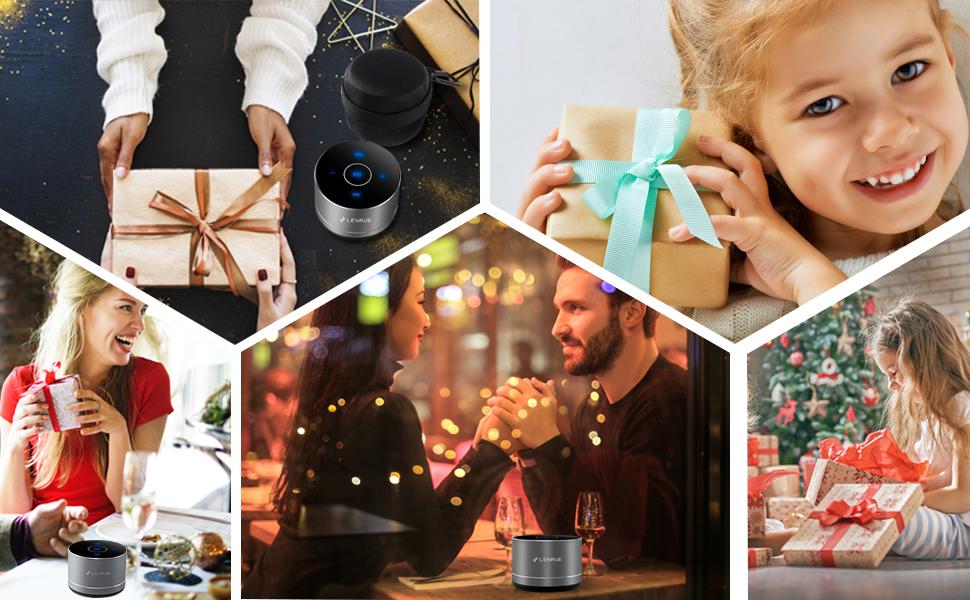
Figure 4: Speaker with hands-free calling capability.
4.3 Duración de la batería y ahorro de energía
The speaker is equipped with a 1200mAh lithium-ion battery, providing 6-15 hours of music playback at 2/3 volume. To conserve power, the speaker will automatically shut down if Bluetooth is disconnected for 30 minutes.
5. Mantenimiento
5.1 Limpieza
To clean the speaker, use a soft, dry cloth. Do not use abrasive cleaners, solvents, or immerse the speaker in water.
5.2 Almacenamiento
When not in use for extended periods, store the speaker in its hard EVA travel case in a cool, dry place. Avoid extreme temperatures and direct sunlight.
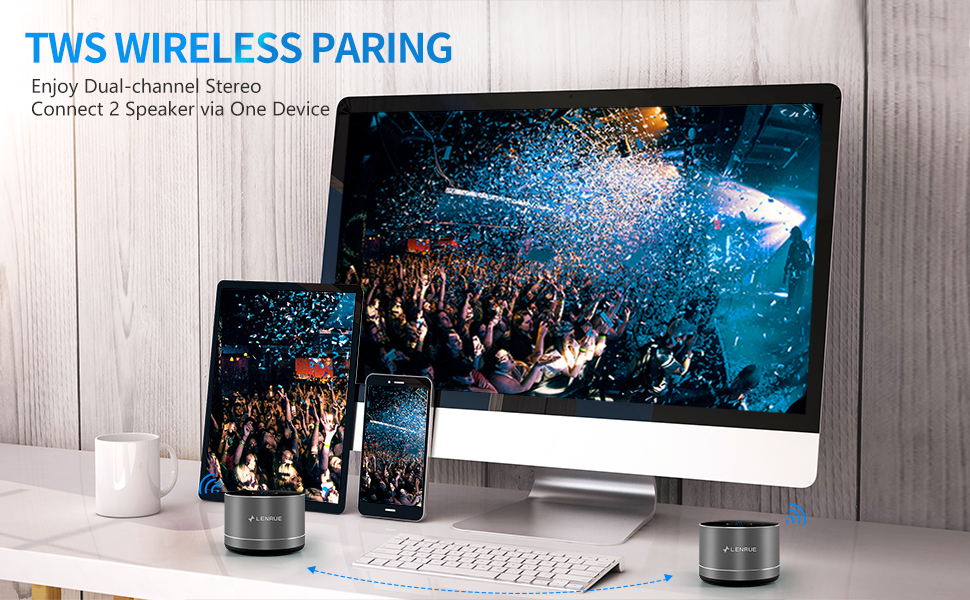
Figure 5: Speaker with its protective hard EVA travel case.
6. Solución de problemas
| Problema | Posible causa | Solución |
|---|---|---|
| El altavoz no se enciende. | Batería baja; botón de encendido no presionado correctamente. | Cargue completamente el altavoz; mantenga presionado el botón de encendido durante unos segundos. |
| No se puede emparejar con un dispositivo Bluetooth. | El altavoz no está en modo de emparejamiento; el Bluetooth del dispositivo está desactivado; el altavoz ya está conectado a otro dispositivo. | Ensure speaker is in pairing mode (flashing blue light); Turn on Bluetooth on your device; Disconnect from other devices and try again. |
| Poor sound quality / Muffled sound. | Speaker placement; Obstructions; Low volume. | Ensure the speaker is placed on a flat, open surface, ideally not directly on its bottom where the speaker grille is located. Try placing it on its side for clearer sound. Remove any obstructions; Adjust volume on both speaker and device. |
| El emparejamiento de TWS falla. | Speakers already paired to a device; Incorrect pairing procedure. | Ensure both speakers are disconnected from any Bluetooth devices before initiating TWS pairing. Follow the TWS pairing steps precisely. |
| No hay sonido. | Volume too low; Paused playback; Device not connected. | Increase volume on both speaker and device; Press play; Verify Bluetooth connection. |
7. Especificaciones
| Característica | Detalle |
|---|---|
| Número de modelo | F4 |
| Tecnología de conectividad | Bluetooth 5.0 |
| Potencia máxima de salida del altavoz | 5 vatios |
| Fuente de poder | Funciona con pilas (1 batería de iones de litio incluida) |
| Capacidad de la batería | 1200 mAh |
| Recreo | 6-15 horas (a 2/3 del volumen) |
| Tiempo de carga | Aproximadamente 4 horas |
| Método de control | Tocar |
| Dimensiones del producto | 3.15 x 3.15 x 1.18 pulgadas |
| Peso del artículo | 9 onzas |
| Característica especial | Portable, Hands-Free Calling, TWS Pairing |
8. Garantía y soporte
For warranty information and customer support, please refer to the documentation included with your purchase or contact LENRUE customer service directly. Contact details can typically be found on the official LENRUE websitio o a través de su minorista.