
Introducción
Thank you for choosing the OTL Technologies Pro G4 Batman DC Comic Gaming Headset. This manual provides essential information for setting up, operating, and maintaining your new gaming headset. Designed for immersive gaming, this headset features comfortable ear pads, a detachable microphone, and inline controls for an optimal audio experience across various gaming platforms.
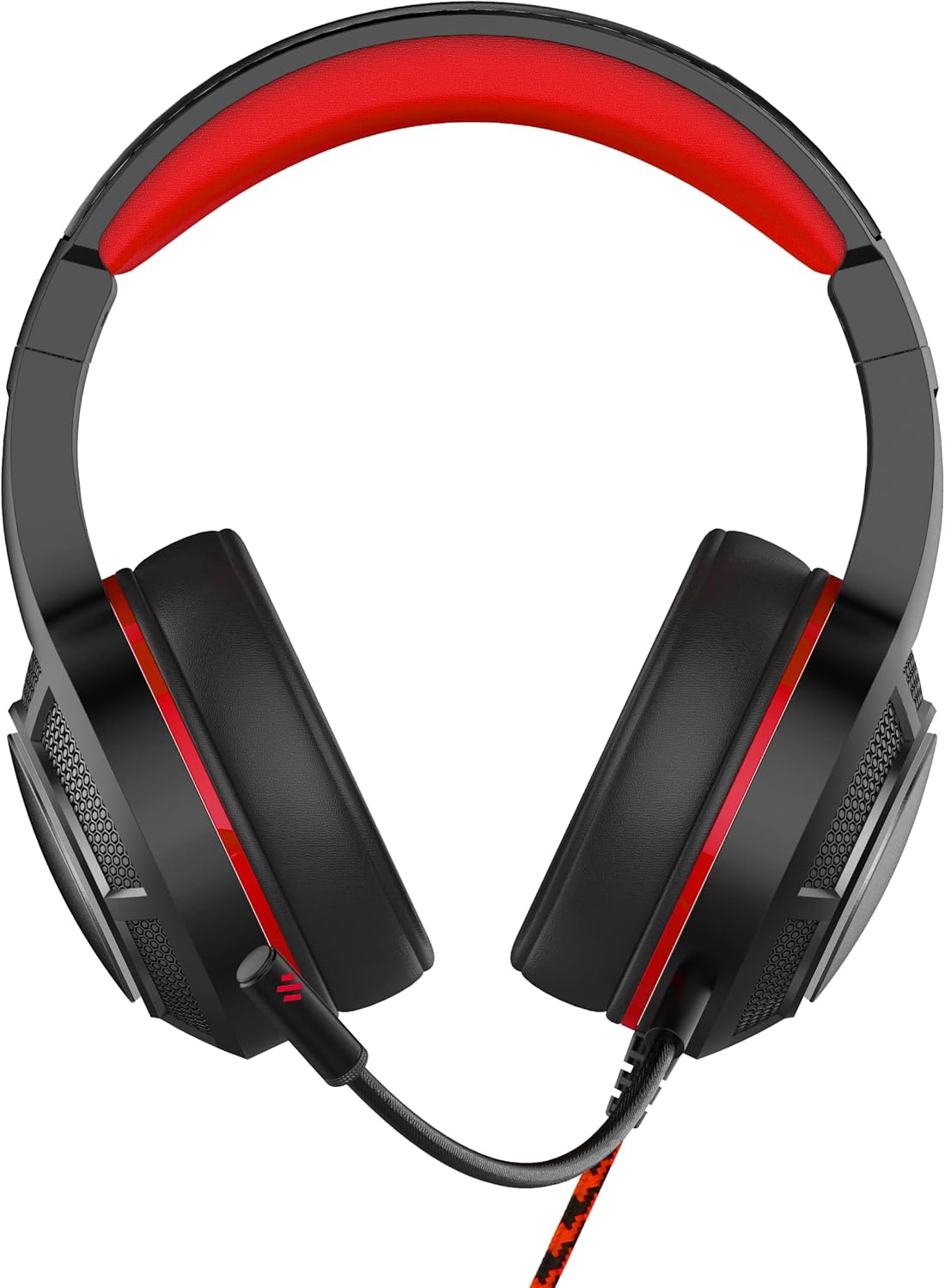
Imagen: Frente view of the OTL Technologies Pro G4 Batman DC Comic Gaming Headset, showcasing su diseño y sus auriculares.
Contenido del paquete
Asegúrese de que todos los artículos estén presentes en el paquete:
- OTL Technologies Pro G4 Batman DC Comic Gaming Headset
- Micrófono desmontable

Image: The product packaging, clearly indicating the presence of a detachable boom microphone.
Instrucciones de instalación
- Conecte el micrófono: Locate the microphone input port on the left earcup of the headset. Insert the detachable microphone firmly into this port until it clicks into place.
- Ajuste del ajuste de los auriculares: Extend or retract the headband to ensure a comfortable and secure fit over your head. The super padded PU headband and memory foam ear pads are designed for extended comfort.
- Conectar al dispositivo: Plug the 3.5mm audio jack from the headset cable into the corresponding audio port on your gaming console controller, PC, or other compatible device.

Imagen: Arriba view of the headset showing the detachable microphone securely attached to the left earcup.
Instrucciones de funcionamiento
- Control de volumen: Use the inline volume control wheel located on the headset cable to adjust the audio output level to your preference. Rotate the wheel up to increase volume and down to decrease it.
- Silencio del micrófono: The inline controller also features a microphone mute switch. Slide the switch to the "ON" position to enable the microphone, and to the "OFF" position to mute it.
- Calidad de audio: The 50mm on-ear speakers provide powerful, premium sound quality and passive sound isolation, enhancing your gaming experience.
- Compatibilidad: This headset is compatible with all devices using a standard 3.5mm audio jack, including PlayStation 4, PlayStation 5, Xbox One, and PCs.

Image: Close-up of the inline controller, showing the volume adjustment wheel and the microphone mute switch for easy access during gameplay.
Mantenimiento
- Limpieza: Gently wipe the headset with a soft, dry cloth. Do not use liquid cleaners or abrasive materials.
- Almacenamiento: Guarde los auriculares en un lugar fresco y seco, alejados de la luz solar directa y de temperaturas extremas. Evite colocar objetos pesados sobre ellos.
- Resistencia al agua: este auricular es NO resistente al agua. Evite la exposición a líquidos para evitar daños.
- Cuidado de cables: Evite curvas pronunciadas o tirones excesivos del cable para evitar daños internos al cable.
Solución de problemas
- No hay sonido en los auriculares:
- Asegúrese de que el conector de audio de 3.5 mm esté completamente insertado en su dispositivo.
- Verifique el control de volumen en línea y aumente el volumen.
- Verify your device's audio settings to ensure output is directed to the headset.
- Pruebe los auriculares con otro dispositivo para descartar problemas específicos del dispositivo.
- El micrófono no funciona:
- Asegúrese de que el micrófono desmontable esté bien conectado.
- Check the inline microphone mute switch and ensure it is in the "ON" position.
- Verify your device's microphone input settings.
- Pruebe el micrófono con otra aplicación o dispositivo.
- Mala calidad de sonido:
- Asegúrese de que el conector de audio esté limpio y libre de residuos.
- Adjust the volume to an appropriate level; excessively high volume can cause distortion.
- Compruebe si hay conexiones sueltas.
Presupuesto
| Característica | Detalle |
|---|---|
| Nombre del modelo | PRO G4 DC Comic Batman (DC0905) |
| Tecnología de conectividad | Cableado |
| Toma de auriculares | 3.5 mm Jack |
| Control de ruido | Aislamiento de sonido |
| Respuesta de frecuencia | 20 Hz (Minimum) |
| Componentes incluidos | Micrófono desmontable |
| Tipo de control | Control de volumen |
| Método de control | Remote (Inline) |
| Función del cable | Desmontable |
| Peso del artículo | 200 gramos (7.1 onzas) |
| Nivel de resistencia al agua | No resistente al agua |
| Material | Plástico |
| Colocación de orejas | Sobre la oreja |
| Impedancia | 32 ohmios |
| Dimensiones del producto | 7.09 x 2.76 x 6.3 pulgadas |
Información de garantía
OTL Technologies products are manufactured to high standards. For specific warranty details, please refer to the warranty card included with your product or visit the official OTL Technologies webSitio. Conserve su comprobante de compra para cualquier reclamación de garantía.
Apoyo
If you encounter any issues not covered in this manual or require further assistance, please contact OTL Technologies customer support. Contact information can typically be found on the product packaging or the official OTL Technologies websitio.