
Back Bay Audio Back Bay Tempo 30
Manual de usuario de los auriculares inalámbricos Back Bay Audio Tempo 30
Model: Back Bay Tempo 30 | Brand: Back Bay Audio
Introducción
This manual provides comprehensive instructions for the setup, operation, maintenance, and troubleshooting of your Back Bay Audio Tempo 30 Wireless Earbuds. Designed for comfort and high-quality audio, these earbuds are ideal for users with small ear canals and active lifestyles.

Image: Back Bay Audio Tempo 30 wireless earbuds in lavender, showcasing their water-resistant design.
¿Qué hay en la caja?
Upon opening your Back Bay Audio Tempo 30 package, you will find the following components:
- Eartip (Multiple sizes for optimal fit)
- Manual de usuario (este documento)
- Cable (cable de carga USB-C)
- Charging Station (Portable charging case)
Configuración
1. Carga de los auriculares y el estuche
Before first use, fully charge the earbuds and the charging case. Connect the provided USB-C cable to the charging case and a compatible power source. The charging case has a 400 mAh battery capacity and takes approximately 2 hours to fully charge. The earbuds provide 8 hours of playtime per charge, with the case offering an additional 24 hours, totaling 32 hours of battery life.
2. Cómo seleccionar las almohadillas adecuadas
The Tempo 30 earbuds come with 6 different ear-tip sizes to ensure a comfortable and secure fit, especially for small ear canals. Experiment with different sizes to find the best seal for optimal sound quality and comfort.

Image: The Tempo 30 earbuds in their charging case, demonstrating their suitability for small ears with multiple ear tip options.
3. Emparejamiento con su dispositivo
The Tempo 30 earbuds feature simple, one-step auto-pairing. Remove the earbuds from the charging case, and they will automatically enter pairing mode. On your Bluetooth-enabled device (phone, computer, tablet), navigate to the Bluetooth settings and select "Back Bay Tempo 30" from the list of available devices to connect. The earbuds are compatible with any Bluetooth-enabled device, including Apple iPhone, iPad, Macbooks, Samsung Galaxy, Google Pixel, LG, and OnePlus devices.
Instrucciones de funcionamiento
Controles básicos
The Tempo 30 earbuds utilize touch controls for various functions:
- Reproducir/Pausa: Un solo toque en cualquiera de los auriculares.
- Pista siguiente: Toque dos veces el auricular derecho.
- Pista anterior: Toque dos veces el auricular izquierdo.
- Responder/Finalizar llamada: Un solo toque en cualquiera de los auriculares.
- Rechazar llamada: Mantenga presionado cualquiera de los auriculares.
- Activar asistente de voz: Toque tres veces cualquiera de los auriculares.
Modos de sonido
The Tempo 30 offers two distinct sound modes to enhance your listening experience:
- Signature Mode: Proporciona un audio equilibrado.file Para escucha general.
- Boosted Bass Mode: Enhances low frequencies for a more powerful bass response, ideal for workouts or gaming.
To switch between sound modes, refer to the specific touch control gestures detailed in the quick start guide included with your product. The earbuds have a frequency response of 20000 Hz and a sensitivity of 110 dB.
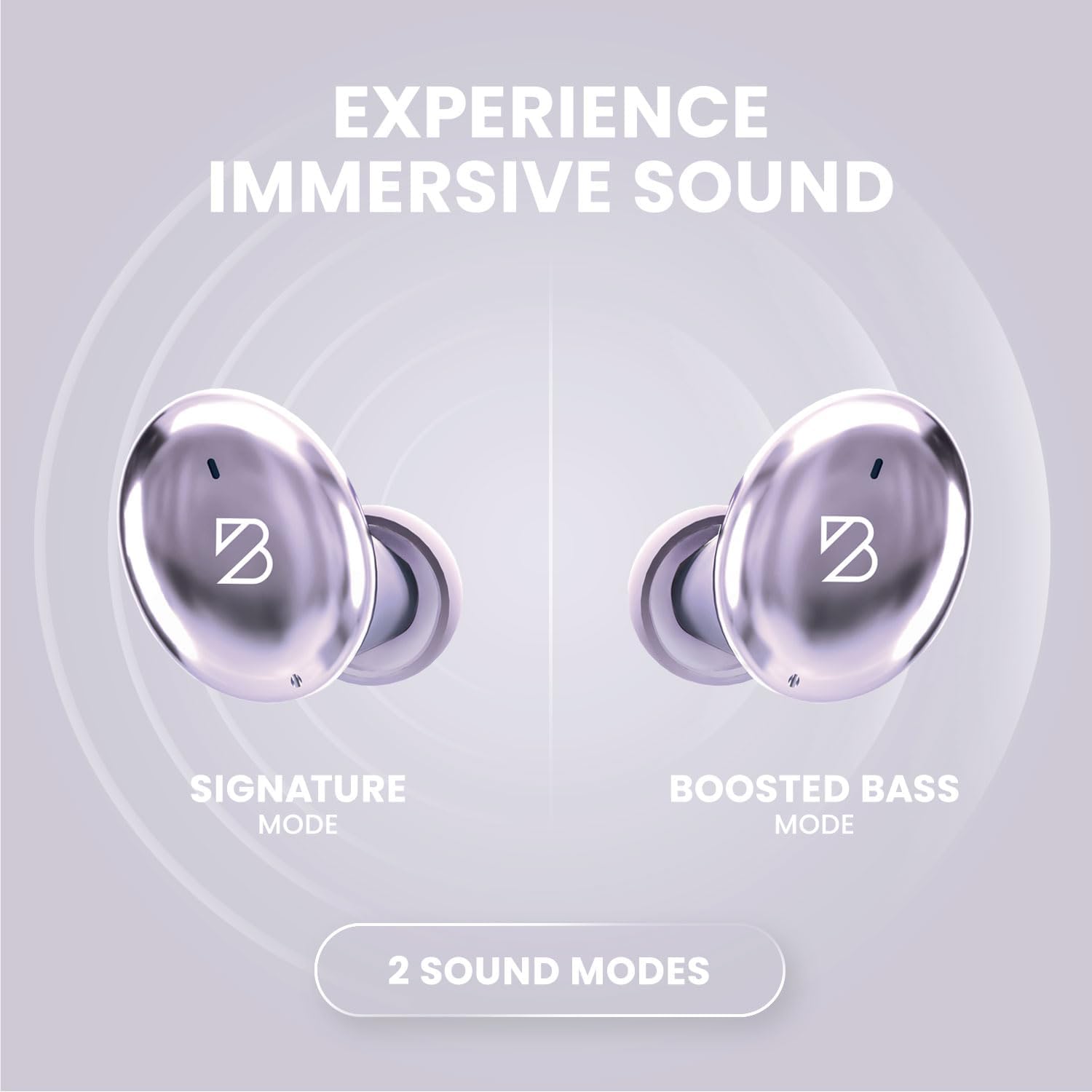
Image: Visual representation of the two sound modes available on the Tempo 30 earbuds: Signature Mode and Boosted Bass Mode.
Mantenimiento
Limpieza de los auriculares
Regular cleaning helps maintain sound quality and hygiene. Gently wipe the earbuds and charging case with a soft, dry, lint-free cloth. For ear tips, remove them from the earbuds and clean with a mild soap solution, then rinse thoroughly and dry completely before reattaching.
Resistencia al agua
The Tempo 30 earbuds are IPX7-rated waterproof, making them resistant to sweat and rain. This means they can withstand immersion in up to 1 meter of water for 30 minutes. However, they are not designed for swimming. Ensure the charging port is dry before charging to prevent damage.

Image: Key features of the Tempo 30, including its IPX7 water resistance rating.
Almacenamiento
When not in use, store your earbuds in their charging case to protect them and ensure they are charged for your next use. Store in a cool, dry place away from extreme temperatures.
Solución de problemas
| Problema | Posible causa | Solución |
|---|---|---|
| Los auriculares no se emparejan ni se conectan. | Bluetooth is off on device, earbuds not in pairing mode, interference. | Ensure Bluetooth is enabled. Place earbuds back in case, then remove to re-enter pairing mode. Move closer to your device. Forget device in Bluetooth settings and re-pair. |
| Ningún sonido de un auricular. | Earbud not charged, connection issue, debris blocking sound. | Ensure both earbuds are charged. Place both earbuds in the case, close, then open again. Clean earbud mesh with a dry cotton swab. |
| El estuche de carga no carga. | Problema con el cable, problema con la fuente de alimentación. | Try a different USB-C cable and power adapter. Ensure the cable is fully inserted. |
| Mala calidad de sonido. | Improper ear tip fit, low battery, distance from device. | Try different ear tip sizes for a better seal. Charge earbuds. Reduce distance between earbuds and device. |
Presupuesto
| Nombre del modelo | Back Bay Tempo 30 |
| Marca | Audio de Back Bay |
| Tecnología de conectividad | Bluetooth 5.0 |
| Tecnología de comunicación inalámbrica | Bluetooth |
| Duración de la batería | 32 Hours (8 hours earbuds + 24 hours case) |
| Tiempo de carga | 1.5 horas (auriculares), 2 horas (estuche) |
| Nivel de resistencia al agua | Resistente al agua (IPX7) |
| Control de ruido | Aislamiento de sonido |
| Respuesta de frecuencia | 20000 Hz |
| Sensibilidad | 110 dB |
| Tipo de control | Control de botones / Toque |
| Peso del artículo | 45 Grams (earbuds), 36 Grams (case) |
| Material | Premium ABS Plastic, Metal (Aluminum case) |
| Dimensiones del producto | 2.9 x 1.8 x 1.1 pulgadas |
| Alcance de Bluetooth | 30 pies |
| Latencia de audio | 40 milisegundos |
Garantía y soporte
Back Bay Audio products are designed for durability and performance. While specific warranty details are provided with your purchase, Back Bay Audio is known for responsive customer support and offers replacements for manufacturing defects. Please retain your proof of purchase for warranty claims.
For further assistance or to inquire about warranty service, please visit the official Back Bay Audio website or contact their customer support directly. You can also refer to the Back Bay Audio Store on Amazon para encontrar recursos adicionales.
Ask a question about this manual
Ask about setup, troubleshooting, compatibility, parts, safety, or missing instructions. Manuals+ will review the question and use this page’s manual context to help answer it.