
Introducción
This manual provides essential information for the setup, operation, and maintenance of your Sharp 50EQ3EA Android TV. The Sharp 50EQ3EA is a 50-inch 4K Ultra HD Android TV featuring a frameless design, Quantum Dot display technology for superior color reproduction, and an integrated Harman/Kardon sound system with Dolby Atmos and DTS:X for an immersive audio experience. It operates on Android 11, offering access to numerous applications, Google Assistant, and Chromecast built-in. This television is designed to deliver high-quality visual and auditory entertainment.
Configuración
1. Desembalaje e inspección
Carefully remove the TV and all accessories from the packaging. Ensure all components listed below are present and undamaged:
- Sharp 50EQ3EA Television
- Mando a distancia
- 2 pilas AAA
- TV Stand Installation Kit
- Quick Start Guide (this document serves as a detailed guide)
2. Instalación del soporte
If you are not wall-mounting the TV, attach the included stand using the provided installation kit. Refer to the diagrams in the quick start guide for specific screw placement. Ensure the stand is securely fastened before placing the TV on a stable, level surface.
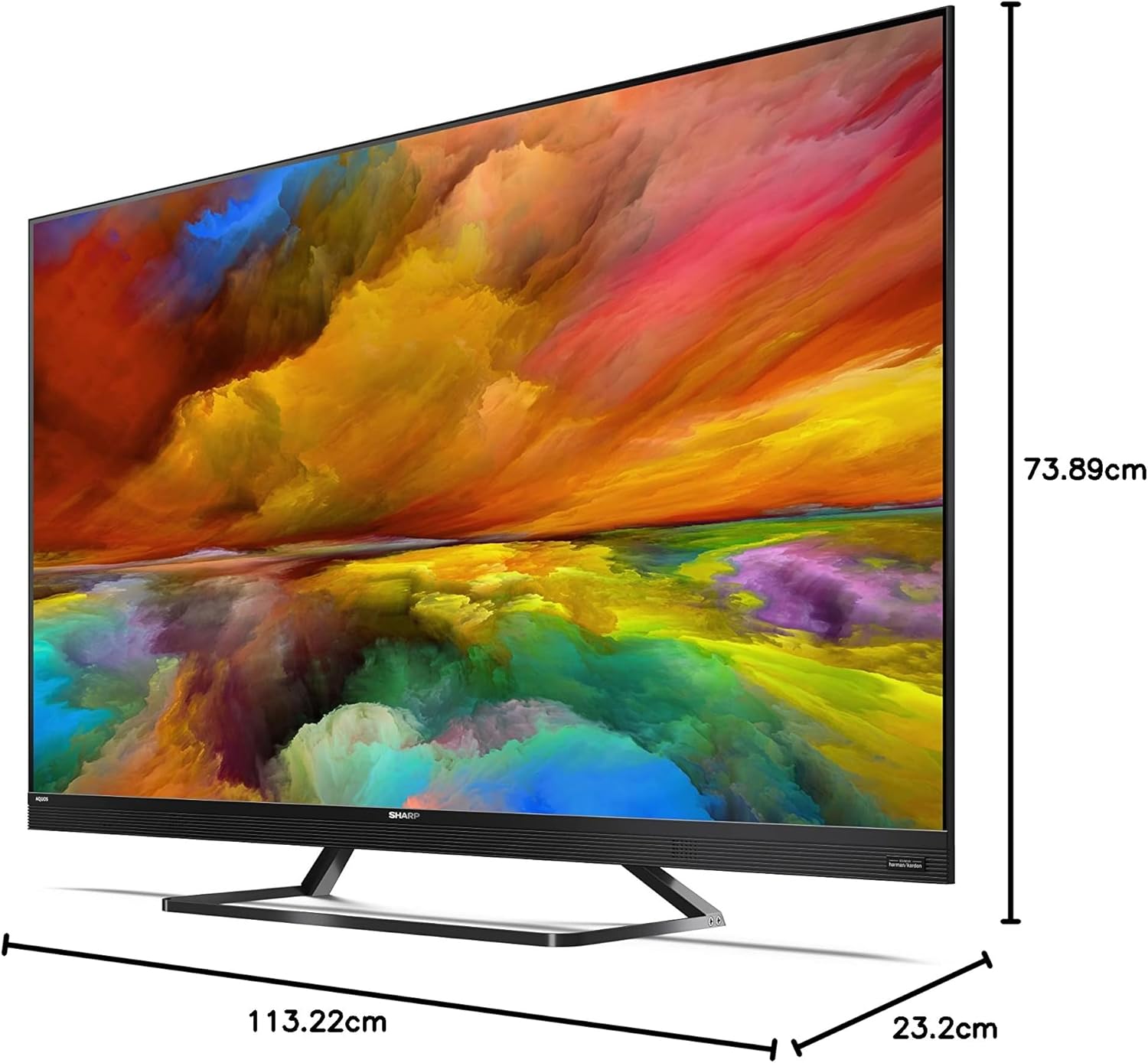
Image: The Sharp 50EQ3EA television with its stand, displaying overall dimensions for placement planning.
3. Conexión de energía
Connect the power cord to the TV's power input and then to a suitable electrical outlet (220V AC, 50Hz). The TV will enter standby mode.
4. Conexión de dispositivos externos
Your Sharp 50EQ3EA TV offers various connectivity options:
- HDMI: Use one of the four HDMI 2.1 ports for high-definition devices like Blu-ray players, gaming consoles, or set-top boxes. These ports support eARC, ALLM, VRR, and QMS for enhanced audio and gaming.
- USB: Two USB ports are available for connecting USB storage devices to play media or for software updates.
- Antena/Satélite: Connect your terrestrial (DVB-T/T2), cable (DVB-C), or satellite (DVB-S/S2) antenna/dish to the respective inputs for live TV channels.
- Ethernet (LAN): Para una conexión a Internet por cable estable, conecte un cable Ethernet al puerto LAN.
- Salida de audio: Optical digital audio output and a headphone jack are available for external audio systems or headphones.
- Bluetooth/Wi-Fi: The TV supports wireless connectivity for internet access and connecting Bluetooth devices.

Image: The back panel of the Sharp 50EQ3EA TV, highlighting the available connection ports.
5. Configuración inicial
Upon first power-on, the TV will guide you through the initial setup process. This includes selecting your language, connecting to a Wi-Fi network, signing in with your Google account, and scanning for TV channels. Follow the on-screen instructions.
Instrucciones de funcionamiento
1. Control remoto
The TV comes with a remote control. Insert the two AAA batteries into the remote control. The remote supports both infrared and Bluetooth for control, including voice commands via Google Assistant.

Image: The two remote controls included with the Sharp 50EQ3EA TV, featuring dedicated buttons for popular streaming services.
2. Funciones básicas del televisor
- Fuerza: Press the power button on the remote to turn the TV on or off (standby mode).
- Volumen: Utilice los botones VOL +/- para ajustar el volumen.
- Canales: Use the CH +/- buttons to change channels or the number pad to enter a specific channel.
- Fuente: Press the SOURCE button to select input sources (HDMI, AV, TV Tuner).
- Navegación: Utilice el panel direccional y el botón OK para navegar por los menús y seleccionar opciones.
3. Funciones de Smart TV (Android TV)
Your Sharp 50EQ3EA runs on Android 11, providing a smart and intuitive user experience.
- Pantalla de inicio: Access the Android TV home screen to find recommended content, installed apps, and settings.
- Asistente de Google: Press the Google Assistant button on your remote and speak into the microphone to control your TV, search for content, or get information.
- Chromecast integrado: Cast content from your compatible mobile devices or computer directly to your TV.
- Aplicaciones: Access pre-installed apps like Netflix, YouTube, Google Play Movies & TV, Google Play Store, and Prime Video. You can download more apps from the Google Play Store.

Image: The Android TV home screen, showing easy access to popular streaming services and personalized content.
4. Configuración de imagen
Optimiza tu viewing experience through the picture settings menu:
- Modo de imagen: Select from various preset modes (e.g., Standard, Movie, Game, Vivid) or customize your own.
- Quantum Dot (Q-COLOUR): Esta tecnología mejora la precisión y la vitalidad del color.
- Soporte HDR: The TV supports HDR10, HLG, and Dolby Vision for improved contrast and color in compatible content.
- Active Motion 1000 & AQUOS Motion: These technologies ensure smooth and clear motion, reducing blur in fast-paced scenes.
- OPC (Optical Picture Control): The light sensor automatically adjusts screen brightness based on ambient light conditions for optimal viewEn.
5. Configuración de sonido
Experience immersive audio with the integrated Harman/Kardon sound system:
- Modo de sonido: Elija entre los modos de sonido preestablecidos (por ejemplo, Estándar, Música, Película, Voz) o ajuste la configuración del ecualizador.
- Harman/Kardon Audio: The system features front-firing tweeters and down-firing woofers for clear sound and solid bass.
- Dolby Atmos y DTS:X: These technologies provide a 360-degree virtual surround sound experience.
- DTS Virtual:X: Enhances audio depth and spaciousness.
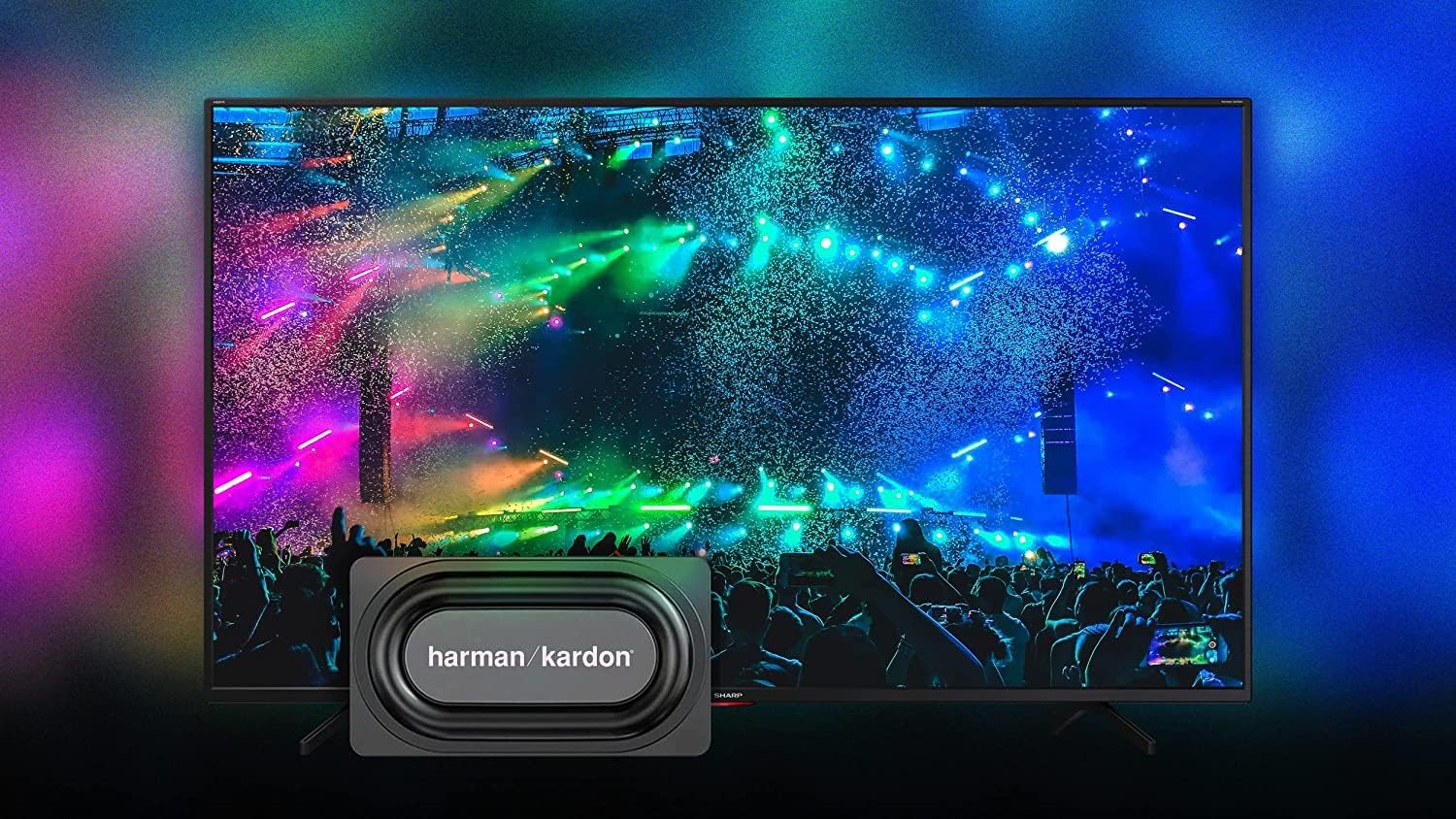
Image: The Sharp 50EQ3EA TV showcasing its Harman/Kardon sound system, designed for an immersive audio experience.
6. Características del juego
The Sharp 50EQ3EA is equipped with features for an enhanced gaming experience:
- HDMI2.1: Four HDMI 2.1 ports support advanced gaming features.
- eARC (canal de retorno de audio mejorado): Allows for high-quality audio passthrough to compatible sound systems.
- ALLM (modo automático de baja latencia): Cambia automáticamente el televisor a un modo de baja latencia cuando se detecta una consola de juegos.
- VRR (frecuencia de actualización variable): Synchronizes the TV's refresh rate with the game console's output to reduce screen tearing and stuttering.
- QMS (Cambio rápido de medios): Reduces black screen periods when switching between different frame rates.
- Google Stadia Support: The TV supports Google Stadia for cloud gaming.
Mantenimiento
1. Limpieza de la pantalla
To clean the screen, first turn off the TV and unplug it from the power outlet. Use a soft, dry, lint-free cloth to gently wipe the screen. For stubborn marks, lightly dampEnjuague el paño con agua o un limpiador de pantallas especializado. Nunca rocíe líquido directamente sobre la pantalla.
2. Limpieza del gabinete
Limpie el mueble del televisor con un paño suave y seco. Evite usar limpiadores abrasivos, ceras o disolventes, ya que pueden dañar el acabado.
3. Actualizaciones de software
El televisor podría recibir actualizaciones de software para mejorar el rendimiento y añadir nuevas funciones. Asegúrese de que el televisor esté conectado a internet para recibir estas actualizaciones. Normalmente, puede buscar actualizaciones en el menú de configuración del televisor.
Solución de problemas
If you encounter issues with your Sharp 50EQ3EA TV, refer to the following common problems and solutions:
- Sin energía:
• Ensure the power cord is securely plugged into both the TV and the wall outlet.
• Check if the wall outlet is functioning by plugging in another device.
• Try pressing the power button on the TV itself, not just the remote. - Sin imagen/pantalla negra:
• Verify the correct input source is selected (e.g., HDMI 1, TV). Press the SOURCE button on the remote.
• Check all cable connections between the TV and external devices.
• Ensure the external device is powered on and functioning correctly.
• Adjust brightness and contrast settings in the picture menu. - Sin sonido:
• Increase the volume using the remote control.
• Ensure the TV is not muted. Press the MUTE button.
• Check audio cable connections if using external speakers.
• If using an external audio system, ensure it is powered on and the correct input is selected. - El control remoto no funciona:
• Reemplace las pilas AAA en el control remoto.
• Ensure there are no obstructions between the remote and the TV's IR sensor.
• For Bluetooth remote, ensure it is paired with the TV. Refer to the TV's settings for Bluetooth device management. - Problemas de conexión de red:
• For Wi-Fi, ensure your router is on and functioning. Try restarting the router.
• Re-enter the Wi-Fi password in the TV's network settings.
• For wired connection, ensure the Ethernet cable is securely connected.
• Try connecting to a different network if available to isolate the issue. - Picture Quality Issues (e.g., blurry, pixelated):
• Check the resolution of the content being played. 4K content will look best.
• Ensure the input source is providing a high-quality signal.
• Adjust picture settings like sharpness, noise reduction, and motion settings.
Si el problema persiste después de probar estas soluciones, comuníquese con el servicio de atención al cliente.
Presupuesto
Below are the key technical specifications for the Sharp 50EQ3EA Android TV:
| Característica | Especificación |
|---|---|
| Número de modelo | 50EQ3EA |
| Tamaño de pantalla | 50 pulgadas (126 cm) |
| Tecnología de visualización | LED de punto cuántico |
| Resolución | 4K Ultra HD (3840 x 2160) |
| Frecuencia de actualización | 60 Hz |
| Compatibilidad con HDR | HDR10, Dolby Vision, HLG |
| Mejora del movimiento | Active Motion 1000, AQUOS Motion |
| Sistema operativo | Android 11 (R) |
| Funciones inteligentes | Google Assistant, Chromecast Built-in, Google Stadia |
| Sistema de audio | Harman/Kardon (2x 15W), Dolby Atmos, DTS:X, DTS Virtual:X |
| Puertos HDMI | 4 x HDMI 2.1 (eARC, ALLM, VRR, QMS) |
| Puertos USB | 2 x USB 2.0 |
| Conectividad | Wi-Fi, Bluetooth, Ethernet (RJ45) |
| Sintonizadores | UHD Triple Tuner DVB-T/T2/C/S/S2 (MPEG4 + H.265 HEVC 10-bit) |
| Estándar VESA | 200 x 200 mm |
| Dimensiones (con soporte) | 113.22 x 73.89 x 23.2 cm (ancho x alto x profundidad) |
| Peso | 11.8 kilogramos |
| Consumo de energía | 83 vatios |
| Clase de energía | G |
Garantía y soporte
Información de garantía
Specific warranty details for your Sharp 50EQ3EA TV are typically provided with your purchase documentation or can be found on the official Sharp webSitio web de su región. Conserve su comprobante de compra para reclamaciones de garantía.
Atención al cliente
For technical assistance, troubleshooting beyond this manual, or warranty inquiries, please contact Sharp customer support. Contact information can usually be found on the Sharp official websitio o en la documentación incluida con su televisor.