
1. Introducción
The MageGee V650 Wireless Keyboard and Mouse Combo is designed for efficient and comfortable use with your computer. This combo features a full-size 104-key keyboard with a number pad and multimedia shortcuts, paired with a sensitive and quiet mouse. Both devices connect wirelessly via a single 2.4G USB receiver, offering a stable connection within a 10-meter range.

Image 1.1: MageGee V650 Wireless Keyboard and Mouse Combo.

Image 1.2: Key features of the MageGee V650 combo.
2. Contenido del paquete
Por favor revise el paquete para ver los siguientes artículos:
- Teclado inalámbrico 1 x
- Ratón inalámbrico 1 x
- 1 x Receptor USB (almacenado dentro del teclado)
- 1 pila AA (para ratón)
- 2 pilas AAA (para teclado)
- 1 x Manual de usuario
3. Instrucciones de configuración
3.1. Instalación de la batería
- Para el teclado: Locate the battery compartment on the underside of the keyboard. Insert two AAA batteries, ensuring correct polarity (+/-).
- Para el ratón: Locate the battery compartment on the underside of the mouse. Insert one AA battery, ensuring correct polarity (+/-).

Image 3.1: Keyboard battery compartment and USB receiver storage.
3.2. Conexión del receptor USB
- Locate the USB receiver. It is typically stored in a dedicated slot on the underside of the keyboard for safekeeping.
- Plug the USB receiver into an available USB port on your computer (PC, desktop, laptop, or notebook).
- The system should automatically detect and install the necessary drivers. No additional software download is required.
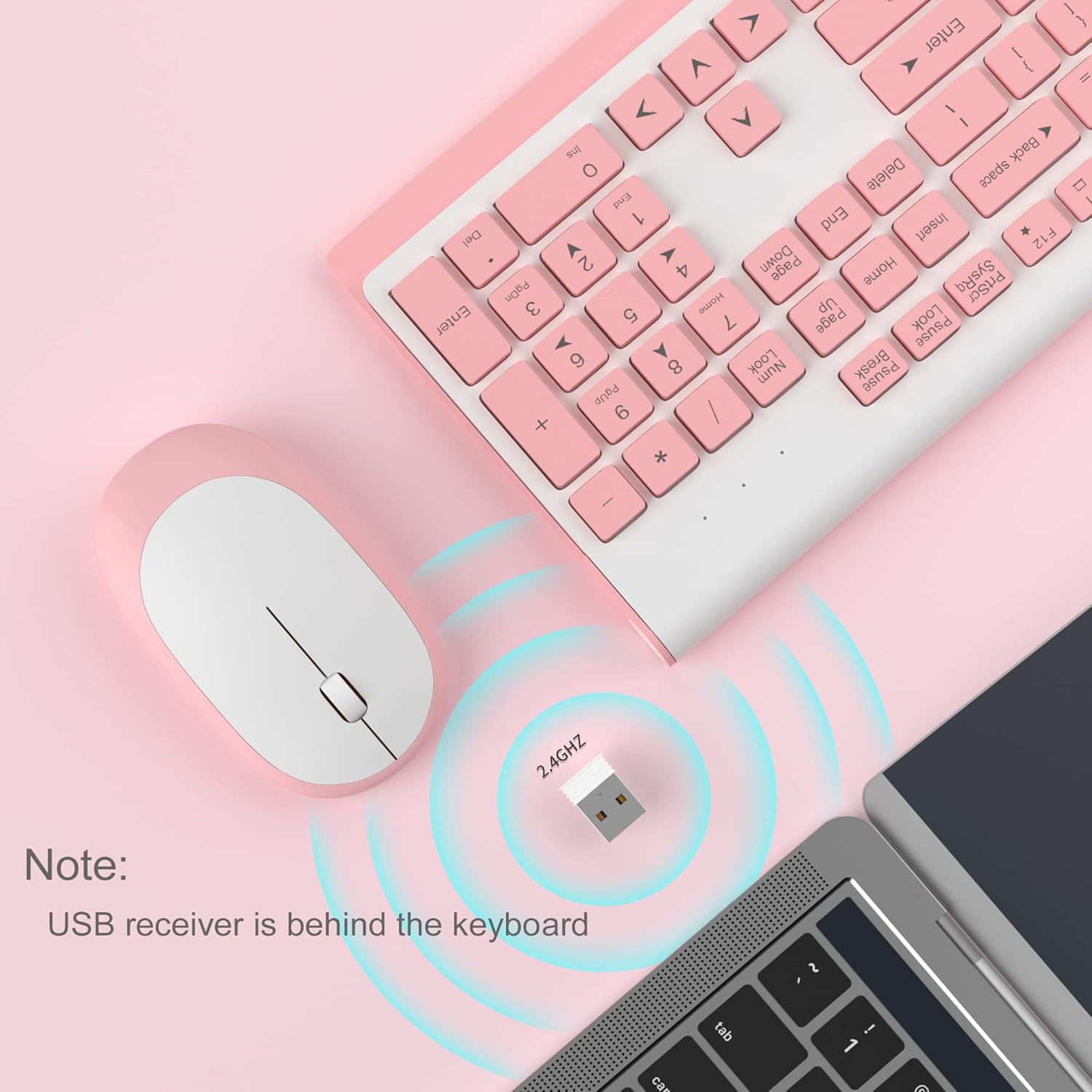
Image 3.2: USB receiver connection and storage location.

Image 3.3: 2.4G wireless connection diagram.
3.3. Encender
Ensure the power switches on both the keyboard and mouse are in the 'ON' position. The devices should now be ready for use.
4. Instrucciones de funcionamiento
4.1. Funciones del teclado
The V650 keyboard features a standard 104-key layout, including a full number pad for data entry and dedicated arrow keys. The keys are designed for quiet and responsive typing.
Accesos directos multimedia
The keyboard includes 12 multimedia shortcuts accessible by pressing the Fn key in combination with the F1-F12 function keys. These shortcuts allow quick access to common functions such as volume control, media playback, and more.

Image 4.1: Keyboard multimedia function key combinations.
| Combinación | Función |
|---|---|
| Fn + F1 | Multimedia |
| Fn + F2 | Volumen |
| Fn + F3 | Volumen + |
| Fn + F4 | Silenciar |
| Fn + F5 | Pista anterior |
| Fn + F6 | Pista siguiente |
| Fn + F7 | Reproducir/Pausa |
| Fn + F8 | Detener |
| Fn + F9 | Página principal |
| Fn + F10 | Correo electrónico |
| Fn + F11 | Mi computadora |
| Fn + F12 | Favoritos |
4.2. Funciones del ratón
The wireless mouse offers precise 1200 DPI tracking and quiet clicks. It features standard left and right click buttons and a scroll wheel for navigation.

Image 4.2: Mouse features: 1200 DPI and quiet operation.
4.3. Modo de suspensión automática
To conserve battery life, both the keyboard and mouse will enter an automatic sleep mode after a period of inactivity. To wake them up, simply press any key on the keyboard or move the mouse.
5. Mantenimiento y cuidado
- Limpieza: Utilice un paño suave y seco para limpiar las superficies del teclado y el ratón. Para la suciedad difícil, utilice un paño ligeramente seco.amp Se puede usar un paño, pero asegúrese de que no entre líquido en los dispositivos. Evite productos químicos agresivos o limpiadores abrasivos.
- Reemplazo de batería: Replace batteries when performance degrades or devices stop responding. Always use new batteries of the specified type (AAA for keyboard, AA for mouse) and dispose of old batteries responsibly.
- Almacenamiento: When not in use for extended periods, turn off the devices to save battery life. Store the USB receiver in its dedicated slot on the keyboard to prevent loss.
- Ambiente: Avoid exposing the devices to extreme temperatures, direct sunlight, or excessive moisture.
6. Solución de problemas
If you encounter issues with your MageGee V650 combo, please refer to the following common solutions:
- No Connection / Lag:
- Ensure both the keyboard and mouse are powered on and have fresh batteries.
- Verifique que el receptor USB esté conectado de forma segura a un puerto USB que funcione en su computadora.
- Intente conectar el receptor USB a un puerto USB diferente.
- Move the keyboard and mouse closer to the USB receiver to ensure they are within the 10-meter operating range.
- Evite colocar el receptor cerca de otros dispositivos inalámbricos u objetos metálicos grandes que puedan causar interferencias.
- Keys Not Responding / Stuck Keys:
- Verifique los niveles de la batería y reemplácela si es necesario.
- Gently clean around the affected keys to remove any debris that might be causing them to stick.
- Restablezca la conexión desenchufando y volviendo a enchufar el receptor USB.
- Mouse Not Working / Cursor Jumps:
- Ensure the mouse has a fresh AA battery and is powered on.
- Limpie el sensor óptico en la parte inferior del mouse.
- Utilice el ratón sobre una superficie adecuada (no muy reflectante ni transparente).
- Restablezca la conexión desenchufando y volviendo a enchufar el receptor USB.
- Letters Fading on Keys:
- This is typically a result of prolonged use and wear. While not a functional defect, it can affect visibility.
7. Especificaciones del producto
| Característica | Detalle |
|---|---|
| Modelo | V650 |
| Tecnología de conectividad | 2.4G Wireless (Radio Frequency), USB Receiver |
| Disposición del teclado | Full Size, 104 Keys with Number Pad and 12 Multimedia Shortcuts |
| Tipo de teclado | Scissor-cross low profile, Quiet Keys |
| DPI del ratón | 1200 ppp |
| Dispositivos compatibles | PC, Desktop, Laptop, Notebook |
| Sistemas operativos | Windows XP / Vista / 7 / 8 / 10 |
| Dimensiones del teclado | 16.06 x 6.6 x 1.3 pulgadas (aprox. 40.8 x 16.8 x 3.3 cm) |
| Dimensiones del ratón | 4.25 x 2.4 x 1.18 pulgadas (aprox. 10.8 x 6.1 x 3 cm) |
| Peso del artículo | 1.63 libras (aprox. 0.74 kg) |
| Batería del teclado | 2 pilas AAA |
| Batería del ratón | 1 pila AA |
| Característica especial | Round Keycaps, Ultra-Thin Design, Automatic Sleep Mode |

Imagen 7.1: Dimensiones del producto.
8. Garantía y atención al cliente
MageGee products are designed for reliability and performance. For any warranty inquiries, technical support, or assistance with your product, please contact MageGee customer support through the retailer where you purchased the item or visit the official MageGee store online.
Puede encontrar más información y datos de contacto en Tienda MageGee en Amazon.