
Introducción
This manual provides essential information for the safe and efficient operation of your DuraPro 55-Inch Outdoor 4K UHD LED TV. Please read these instructions thoroughly before installation and use, and retain them for future reference.
The DuraPro 55-Inch Outdoor 4K UHD LED TV is designed for outdoor entertainment in partially shaded areas. It features a 4K display with HDR, 500-nit brightness, and a rugged, weatherproof IP54-rated exterior with tempered glass for protection against environmental elements.
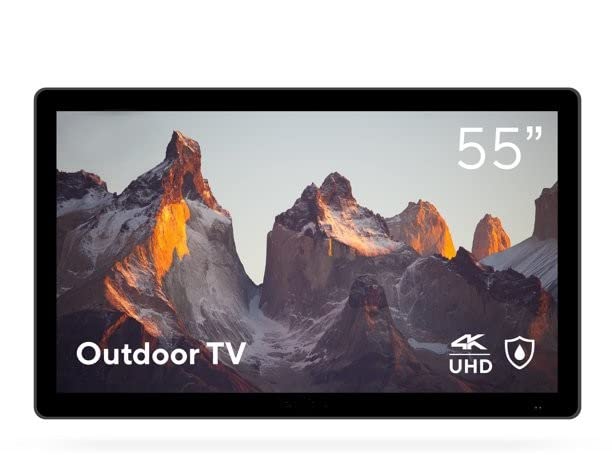
Image: DuraPro 55-Inch Outdoor 4K UHD LED TV.

Image: DuraPro TV mounted on an outdoor wall, showcasing el WebPlataforma inteligente del sistema operativo.

Image: DuraPro TV displaying 4K UHD and HDR capabilities.

Image: DuraPro TV demonstrating IP54 weatherproof rating with water resistance.
Características principales
- Optimized for Outdoors: Designed for use in outdoor spaces like covered patios and gazebos.
- 4K UHD HDR Screen: Delivers crisp 4K resolution with High Dynamic Range and 500-nit brightness for enhanced clarity.
- Protección para todo tipo de clima: IP54-rated exterior and tempered glass screen provide protection against rain, dust, and UV rays.
- Componentes integrados: Includes built-in speakers, an IP55 waterproof remote, and a compatible TV wall mount.
- Conectividad fácil de usar: Equipped with 3 HDMI 2.0 inputs (HDCP 2.2 compatible) and 1 USB input for various media sources.
¿Qué hay en la caja?
Verifique que todos los componentes estén presentes antes de continuar con la instalación.
- DuraPro 55-Inch Outdoor 4K UHD LED TV
- Cable de alimentación
- IP55 Waterproof Remote Control
- Compatible Wall Mount Bracket

Image: Included wall mount bracket for DuraPro outdoor TV.
Información de seguridad
Siga siempre las precauciones básicas de seguridad al utilizar este producto para reducir el riesgo de incendio, descarga eléctrica y lesiones a las personas.
- Do not expose the TV to direct sunlight for extended periods. This TV is designed for partially shaded outdoor areas.
- Asegúrese de que haya una ventilación adecuada alrededor del televisor. No bloquee las aberturas de ventilación.
- Use only the power cable supplied with the TV. Connect to a grounded outdoor-rated power outlet.
- No intente reparar este producto usted mismo. Refiera todo el servicio a personal de servicio calificado.
- Keep the remote control dry. While it is IP55 waterproof, prolonged submersion or exposure to harsh chemicals should be avoided.
- Securely mount the TV using the provided wall mount and follow all installation instructions carefully to prevent injury or damage.
Configuración
1. Instalación de montaje en pared
The DuraPro 55-Inch Outdoor TV includes a compatible wall mount. Follow the instructions provided with the wall mount for secure installation. Ensure the mounting surface is structurally sound and capable of supporting the TV's weight (approximately 72 pounds).

Imagen: Trasera view of DuraPro TV showing VESA mounting points and rugged exterior.
2. Conexión de dispositivos
Locate the input ports on the back or side of the TV. Connect your external devices (e.g., streaming box, game console) using HDMI cables. The TV supports HDMI 2.0 and HDCP 2.2 for 4K sources. A USB port is also available for media playback.
- HDMI: Connect up to three HDMI devices.
- USB: Insert a USB drive for viewing photos or playing videos.
3. Conexión de alimentación
Connect the supplied power cable to the TV's power input and then to a suitable outdoor-rated, grounded electrical outlet.
4. Encendido inicial y configuración de la red
Press the power button on the remote control or on the TV. Follow the on-screen prompts to complete the initial setup, including language selection, time zone, and network connection for smart TV features (WebSistema operativo).

Image: DuraPro Outdoor TV with WebOS interface on a patio.
Instrucciones de funcionamiento
Uso del control remoto
The included IP55 waterproof remote control allows full functionality of your TV. Familiarize yourself with the button layout for power, volume, channel, input selection, and smart TV navigation.

Image: DuraPro IP55 waterproof remote control with water droplets.
Funciones básicas del televisor
- Encendido/apagado: Presione el Fuerza botón.
- Control de volumen: Utilice el Subir/Bajar volumen botones.
- Selección de entrada: Presione el Aporte button to cycle through connected sources (HDMI 1, HDMI 2, HDMI 3, USB).
Funciones de Smart TV (WebSistema operativo)
Your DuraPro TV is powered by WebOS, providing access to various streaming applications and smart features. Connect the TV to your home Wi-Fi network during initial setup to enable these functions.
- Tablero de Inicio: Access your favorite apps, inputs, and settings from the home screen.
- Tienda de aplicaciones: Download and install additional streaming applications.
- Configuración de red: Manage your Wi-Fi connection and other network preferences.

Image: DuraPro TV displaying the WebOS smart TV interface.
Mantenimiento
Regular maintenance helps ensure the longevity and optimal performance of your outdoor TV.
- Limpieza de la pantalla: Limpie suavemente la pantalla con un paño suave que no deje pelusa. Para manchas difíciles,ampEnjuague el paño con agua o un limpiador de pantallas suave y no abrasivo. No rocíe el líquido directamente sobre la pantalla.
- Limpieza del exterior: Wipe the TV's exterior casing con un suave, damp paño. Evite productos químicos agresivos o limpiadores abrasivos.
- Protección contra la intemperie: While the TV is IP54-rated, it is designed for partially shaded areas. For prolonged periods of extreme weather (heavy rain, snow, direct intense sunlight), consider using a protective cover (not included) to extend the product's life.
- Sistema de organización de cables: Ensure all cables are securely connected and routed to prevent water ingress or damage.
Solución de problemas
Si tiene problemas con su televisor, consulte los siguientes problemas y soluciones comunes antes de comunicarse con el servicio de atención al cliente.
| Problema | Posible solución |
|---|---|
| No hay energía / el televisor no enciende. |
|
| No hay imagen, pero hay sonido. |
|
| No hay sonido. |
|
| El control remoto no funciona. |
|
| No se puede conectar al wifi. |
|
Presupuesto
| Característica | Detalle |
|---|---|
| Marca | DuraPro |
| Número de modelo | DP-55 |
| Tamaño de pantalla | 55 pulgadas |
| Tecnología de visualización | CONDUJO |
| Resolución | 4K UHD |
| Frecuencia de actualización | 120 Hz |
| Característica especial | Flat, HDR, Weatherproof (IP54), Tempered Glass |
| Tecnología de conectividad | 3x HDMI 2.0 (HDCP 2.2), 1x USB |
| Tipo de altavoz | Incorporado |
| Relación de aspecto | 16:9 |
| Dimensiones del producto (Pr. x An. x Al.) | 7 x 45.5 x 28.5 pulgadas |
| Peso del artículo | 72 libras |
| Color | Negro |
| Componentes incluidos | Power Cable, Remote, Wall Mount |
Garantía y soporte
For warranty information and technical support, please refer to the warranty card included with your product or visit the official DuraPro website. You may also contact DuraPro customer service directly for assistance with product registration, troubleshooting, or service requests.
Please note: Specific warranty terms and conditions may vary by region and purchase date. Keep your proof of purchase for warranty claims.