
1. Introducción
Gracias por la compraasing the Muse M-308 BT Bluetooth Speaker. This manual provides essential information for the safe and correct use of your device. Please read it thoroughly before use and keep it for future reference.
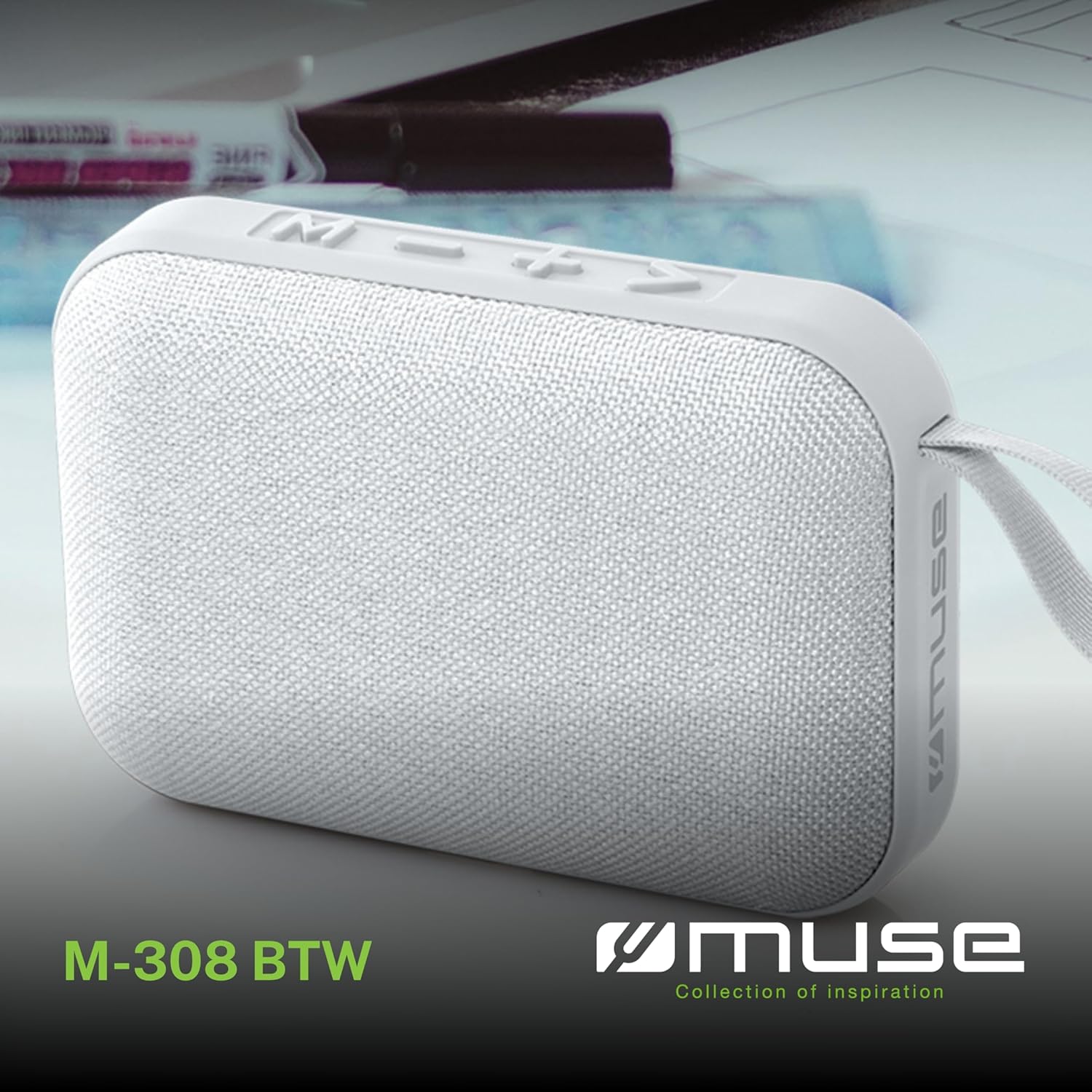
Imagen 1.1: Frente view of the Muse M-308 BT Bluetooth Speaker.
2. Características del producto
- Conectividad Bluetooth: Transmita audio de forma inalámbrica desde dispositivos compatibles.
- Función manos libres: Integrated microphone for taking calls.
- Reproducción de medios: Supports music playback from USB and MicroSD (TF) cards.
- Emparejamiento estéreo: Connect two M-308 BT speakers for enhanced stereo sound.
- Indicador LED: Provides visual feedback for Bluetooth pairing and charging status.
- Compacto y ligero: Designed for portability, weighing approximately 200g.
- Batería recargable incorporada: 1200mAh capacity for up to 10 hours of playback.
- Potencia de salida: 5 Watts for clear audio.

Image 2.1: Key features of the Muse M-308 BT speaker.

Image 2.2: Additional functionalities of the Muse M-308 BT speaker.
3. Contenido del paquete
Asegúrese de que todos los artículos estén presentes al desembalar:
- Muse M-308 BT Bluetooth Speaker
- Cable de carga USB
- Manual de usuario (este documento)
4. Controles y conexiones
Familiarícese con los controles del altavoz y los puertos de conexión:

Image 4.1: Top panel with various connections.
- Puerto USB: Para reproducir música desde una unidad flash USB.
- Puerto Micro-USB: Para cargar el altavoz.
- Ranura para tarjeta Micro SD (TF): Para reproducir música desde una tarjeta Micro SD.
- Interruptor encendido / apagado: To power the speaker on or off.

Image 4.2: Side panel with control buttons.
- Botón M (Modo): Presione para cambiar entre los modos Bluetooth, USB y Micro SD.
- - Button (Volume Down / Previous Track):
- Pulsación corta: Disminuir el volumen.
- Pulsación larga: Ir a la pista anterior.
- + Button (Volume Up / Next Track):
- Pulsación corta: Aumentar el volumen.
- Pulsación larga: Pasa a la siguiente pista.
- > Button (Play / Pause / Call):
- Pulsación corta: reproducir o pausar música.
- Pulsación corta (durante una llamada entrante): Responder llamada.
- Pulsación larga (durante una llamada entrante): Rechazar llamada.
- Pulsación corta (durante la llamada): Finalizar llamada.
5. Configuración
5.1 Carga del altavoz
- Connect the supplied USB charging cable to the Micro-USB port on the speaker.
- Conecte el otro extremo del cable USB a un adaptador de corriente USB (no incluido) o al puerto USB de una computadora.
- El indicador LED se iluminará para indicar el estado de carga. Se apagará o cambiará de color cuando esté completamente cargado.
5.2 Encendido / Apagado
- Para encenderlo, deslice el interruptor de encendido/apagado a la posición "ON". Oirá una señal sonora.
- Para apagar, deslice el interruptor de ENCENDIDO/APAGADO a la posición 'APAGADO'.
5.3 Emparejamiento Bluetooth
- Ensure the speaker is powered on and in Bluetooth mode (indicated by a flashing LED). If not, press the 'M' button to switch to Bluetooth mode.
- Habilite Bluetooth en su teléfono inteligente, tableta u otro dispositivo compatible.
- Buscar available Bluetooth devices and select "M-308 BT" from the list.
- Una vez emparejado, el indicador LED dejará de parpadear y permanecerá fijo, y escuchará un tono de confirmación.
- The speaker will automatically connect to the last paired device when powered on, if it is within range.
5.4 Emparejamiento estéreo (función TWS)
To pair two M-308 BT speakers for true wireless stereo sound:
- Ensure both speakers are powered on and in Bluetooth pairing mode (LED flashing).
- On one of the speakers (this will be the primary speaker), double-press the 'M' button. The speaker will search for another M-308 BT speaker.
- Once connected, both speakers will emit a confirmation tone, and the LED on the primary speaker will flash slowly, while the LED on the secondary speaker will remain solid.
- Ahora, conecte su dispositivo al altavoz principal a través de Bluetooth como se describe en la sección 5.3.
6. Instrucciones de funcionamiento
6.1 Reproducción de música
- Modo Bluetooth: After successful pairing, start playing music on your connected device. The audio will stream through the speaker.
- Modo USB/Micro SD: Insert a USB flash drive or Micro SD card into the respective port. The speaker will automatically switch to the corresponding mode and begin playing music. If it doesn't, press the 'M' button to cycle through modes.
6.2 Control de volumen
- Presione el botón '+' para aumentar el volumen.
- Presione el botón '-' para disminuir el volumen.
6.3 Navegación por pistas
- Mantenga presionado el botón '+' para pasar a la siguiente pista.
- Long press the '-' button to go back to the previous track.
6.4 Llamadas manos libres
- When a call comes in, the music will pause. Press the '>' button to answer the call.
- To end a call, press the '>' button again.
- To reject an incoming call, long press the '>' button.
7. Mantenimiento
- Mantenga el altavoz alejado de temperaturas extremas, luz solar directa y humedad.
- Do not expose the speaker to water or other liquids. This model is not water-resistant.
- Limpie el altavoz con un paño suave y seco. No utilice limpiadores abrasivos ni disolventes.
- No intente desmontar ni reparar el altavoz usted mismo. Esto anulará la garantía.
- Cuando no esté en uso durante períodos prolongados, cargue la batería al menos una vez cada tres meses para mantener su salud.
8. Solución de problemas
| Problema | Posible causa | Solución |
|---|---|---|
| El altavoz no se enciende. | La batería está agotada. | Cargue el altavoz utilizando el cable USB suministrado. |
| No se puede emparejar a través de Bluetooth. | Bluetooth is not enabled on your device or speaker is not in pairing mode. Speaker is too far from the device. | Ensure Bluetooth is active on both devices. Make sure the speaker is in Bluetooth pairing mode (flashing LED). Move the speaker closer to your device (within 10 meters). |
| No hay sonido. | Volume is too low. Speaker is not connected. Incorrect mode selected. | Increase the volume on both the speaker and your connected device. Re-pair the Bluetooth connection. Press the 'M' button to cycle through modes (Bluetooth, USB, Micro SD). |
| Music playback from Micro SD card is erratic or "screaming". | Corrupto files on Micro SD card. Incompatible file formato. | Asegurar audio files are in a compatible format (e.g., MP3). Try using a different Micro SD card or reformatting the current one and reloading files. |
| Speaker switches between modes (e.g., SD and BT) unexpectedly. | Interference or a temporary software glitch. | Power off the speaker, wait a few seconds, then power it back on. Ensure no other devices are causing interference. If the issue persists, try removing the Micro SD card if it's inserted. |
9. Especificaciones
| Nombre del modelo | M-308BT |
| Marca | Musa |
| Tecnología de conectividad | Bluetooth, con cable |
| Tecnología de comunicación inalámbrica | Bluetooth |
| Potencia máxima de salida del altavoz | 5 vatios |
| Modo de salida de audio | Estéreo |
| Tipo de altavoz | Altavoz Bluetooth portátil |
| Características especiales | Bluetooth |
| Dispositivos compatibles | Teléfono inteligente, tableta |
| Fuente de poder | Batería |
| Duración de la batería | 10 horas |
| Capacidad de la batería | 1200 miliampantes de la hora |
| Dimensiones del producto (Pr. x An. x Al.) | 118D x 30B x 76H millimeters (11.8 x 3 x 7.6 cm) |
| Peso del artículo | 200 gramos |
| Material | Plastic rubber material |
| Is Water Resistant | No |
| Componentes incluidos | Cable de carga USB |
Image 9.1: Dimensions of the Muse M-308 BT speaker.
10. Garantía y soporte
The Muse M-308 BT Bluetooth Speaker comes with a 2 año de garantía a partir de la fecha de compra.
For technical support, warranty claims, or further assistance, please contact your retailer or visit the official MUSE websitio para información de contacto.