
1. Introducción
This manual provides detailed instructions for the safe and efficient use of your Rush Charge Trident 3-in-1 Wireless Power Bank. This compact and portable charger is designed to provide convenient power for a variety of devices, including smartphones, earbuds, and other gadgets, featuring multiple integrated connectors.
Lea este manual detenidamente antes de utilizar el dispositivo y consérvelo para futuras consultas.
2. Producto terminadoview
The Rush Charge Trident is a versatile 4000mAh portable power bank equipped with multiple charging options. Its key features include:
- Wireless Portable Charging: Compact design for on-the-go power.
- Batería de iones de litio de 4000 mAh: Proporciona una mayor duración de batería para sus dispositivos.
- Cable-Free Design: Integrated Micro USB, USB-C, and Lightning connectors.
- Tecnología de paso a través: Allows simultaneous charging of the power bank and an attached device.
- Precargado: Ready for use right out of the box.
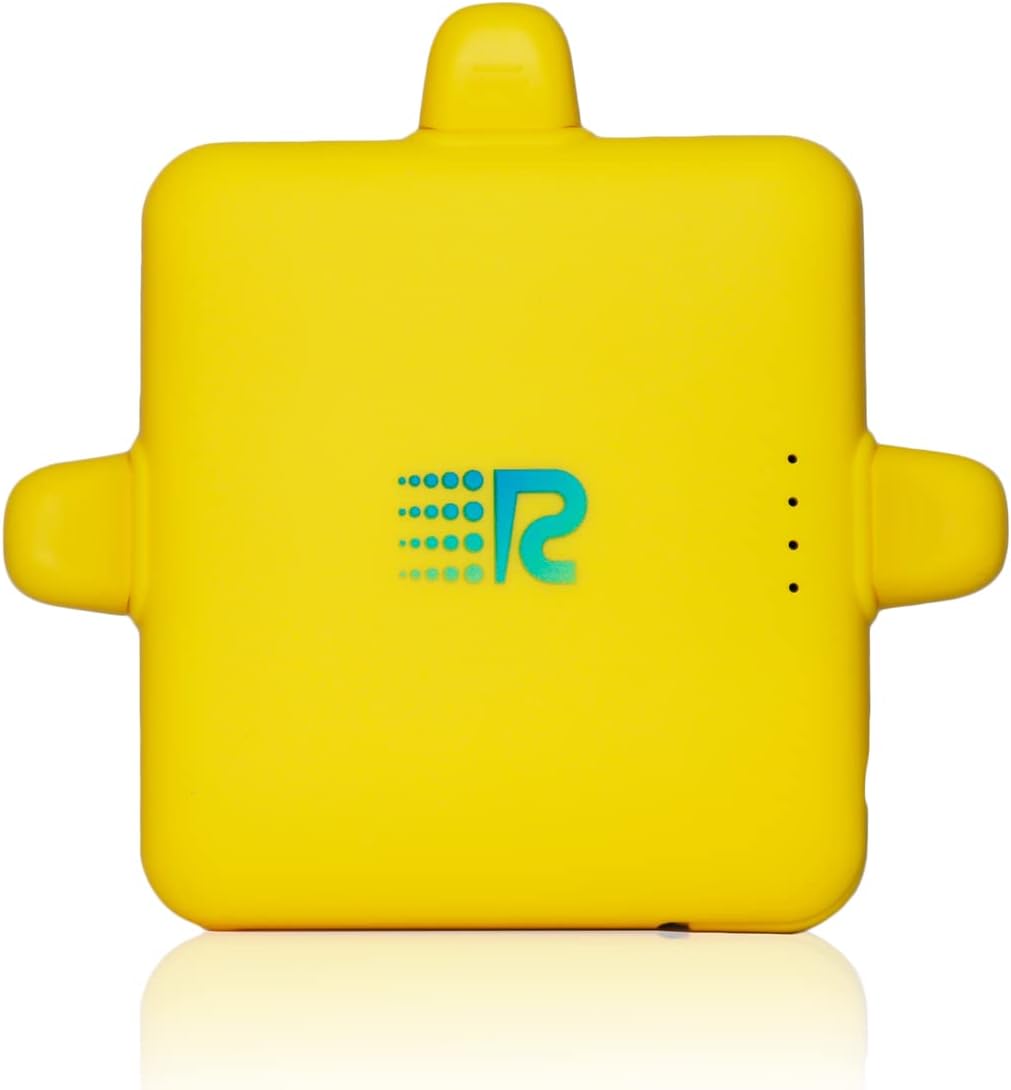
Figura 2.1: Frente view of the yellow Rush Charge Trident 3-in-1 Wireless Power Bank, showing its compact square shape and the Rush Charge logo.

Figure 2.2: Illustration highlighting the compact design, LED battery life display, 2.1A high-speed charging capability, 30 hours of extended battery life, and the integrated USB cable with pass-through technology.

Figure 2.3: Visual representation of the power bank's three integrated connectors (Micro USB, USB-C, Lightning) and its pocket-sized, cable-free design, demonstrating its portability and versatility.
Vídeos oficiales de productos
No official product videos from the seller were found that meet the embedding criteria (creator_type: "Seller" and not a "preview" video unless genuinely useful).
3. Configuración
- Desempaquetado: Carefully remove the Rush Charge Trident from its packaging.
- Carga inicial: Your power bank comes pre-charged. For optimal performance and to ensure maximum battery life, it is recommended to fully charge the device before its first extended use. Connect the integrated USB cable to a USB power adapter (not included) or a computer USB port. The LED indicators will show charging progress.
- Familiarización: Identify the Micro USB, USB-C, and Lightning connectors. Note the LED battery life display on the device.
4. Instrucciones de funcionamiento
4.1 Carga de su dispositivo
- Seleccionar conector: Choose the appropriate integrated connector (Micro USB, USB-C, or Lightning) for your device.
- Conectar dispositivo: Carefully plug the selected connector into your smartphone, earbuds, or other compatible gadget's charging port.
- Indicación de carga: Your device should begin charging automatically. The LED indicators on the power bank will illuminate to show the remaining battery level of the power bank.
- Desconectar: Once your device is charged, carefully disconnect it from the power bank.
4.2 Recarga del banco de energía (carga de paso)
The Rush Charge Trident features pass-through charging, allowing you to recharge the power bank while simultaneously charging an attached device.
- Conectar dispositivo: First, connect your smartphone or device to the power bank using one of the integrated connectors.
- Connect Power Bank to Source: Extend the integrated USB cable from the power bank and plug it into a USB power adapter or a computer USB port.
- Carga simultánea: Both your connected device and the Rush Charge Trident will now charge simultaneously.
5. Mantenimiento
- Limpieza: Utilice un paño suave y seco para limpiar el exterior de la batería externa. No utilice limpiadores líquidos ni aerosoles.
- Almacenamiento: Guarde el banco de energía en un lugar fresco y seco, alejado de la luz solar directa y de temperaturas extremas.
- Cuidado de la batería: Para prolongar la vida útil de la batería, evite descargarla por completo con frecuencia. Recárguela cuando el nivel de batería sea bajo.
- Cuidado del conector: Handle the integrated connectors with care to prevent bending or damage.
6. Solución de problemas
| Problema | Posible causa | Solución |
|---|---|---|
| El banco de energía no carga el dispositivo. |
|
|
| El banco de energía no se recarga. |
|
|
| Los indicadores LED no funcionan. |
|
|
7. Especificaciones
| Característica | Detalle |
|---|---|
| Número de modelo | RC40 |
| Capacidad de la batería | 4000 miliamp Horas (mAh) |
| Tipos de conectores | Micro USB, USB-C, Lightning |
| Corriente de salida | 2.1A (High-Speed Charging) |
| Dimensiones del producto | 3.5 x 3.75 x 0.63 pulgadas |
| Peso del artículo | 3.6 onzas |
| Color | Yellow (as per current product variant) |
| Características especiales | Fast Charging, Portable, Travel, Wireless, Pass-Through Charging |
| Fabricante | CARGO URGENTE |
8. Garantía y soporte
For product support, troubleshooting assistance, or warranty inquiries, please contact Rush Charge customer service. While specific warranty details are not provided in this manual, standard return policies typically apply for new products.
Consulte la documentación de compra o la del minorista. website for specific return and warranty information applicable to your purchase.
Soporte en línea: Visit the official Rush Charge website for FAQs and support resources. You can often find contact information for customer service there.
Política de devoluciones: As per typical retail policies, a 30-day return period may apply from the date of purchase. Please check with your point of purchase for exact details.