
1. Introducción
The iFLYTEK A.I.Note X2 XF-DX-T210E is an advanced E-ink smart notebook designed for reading, note-taking, drawing, and on-the-go use. It features a 10.3-inch HD Carta flexible E-ink screen, a powerful 2.3GHz 8-Core CPU, and runs on Android 9.0. This manual provides essential information for setting up, operating, and maintaining your device.
2. Contenido del paquete
Please verify that all items listed below are present in your product package.
- iFLYTEK A.I.Note X2 Device
- Electromagnetic Pen (No battery required)
- Cable USB tipo C
- Protective Cover (may vary by package)
- Guía de inicio rápido
- Tarjeta de garantía

Image: Contents of the iFLYTEK A.I.Note X2 retail package, showing the device, stylus, charging cable, and documentation laid out.
3. Dispositivo terminadoview
3.1 Dimensiones físicas
The iFLYTEK A.I.Note X2 measures 243mm in length, 173mm in width, and has a thickness of 5.8mm. Its lightweight design makes it suitable for portability.
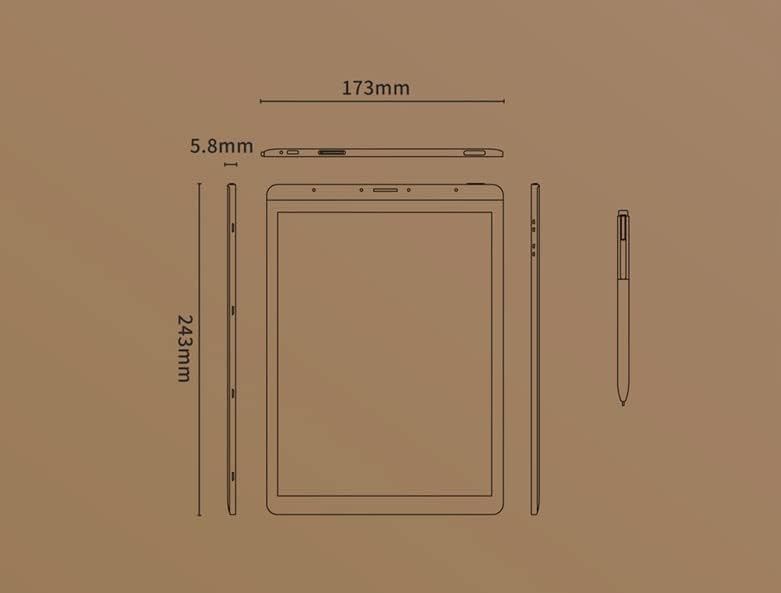
Image: Diagram illustrating the precise dimensions of the iFLYTEK A.I.Note X2 device and its accompanying stylus.
3.2 Componentes y puertos
Familiarize yourself with the device's external features:
- 10.3" HD Carta Flexible E-ink Screen: Main display for reading and interaction.
- Puerto USB tipo C: Para carga y transferencia de datos.
- Botón de encendido: Para encender/apagar el dispositivo o ponerlo en reposo.
- Matriz de micrófono: Four-microphone array for audio input.
- 3.5 mm Headphones Jack: Para salida de audio.
- Electromagnetic Pen: For precise input, note-taking, and drawing.
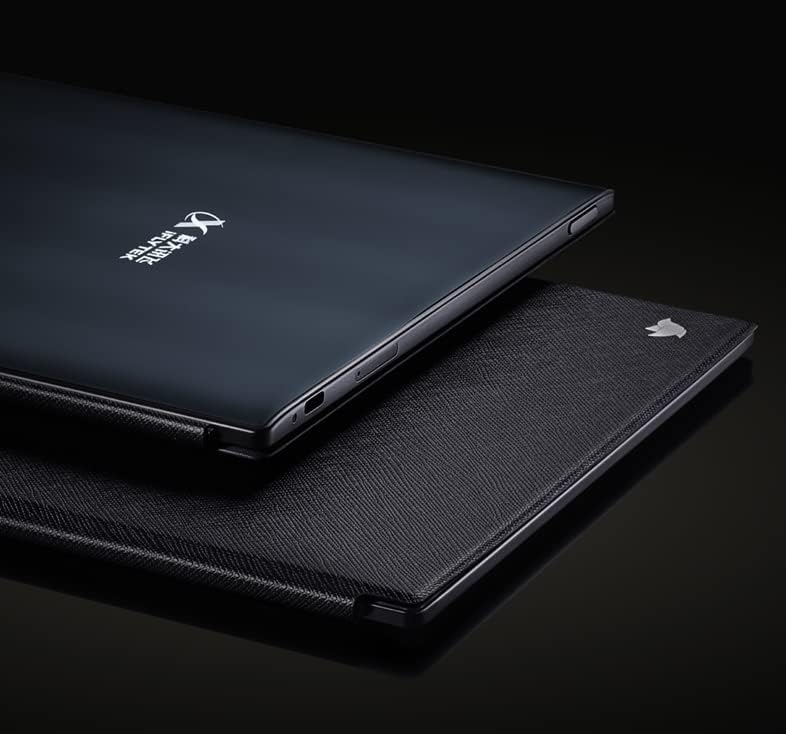
Imagen: Primer plano view of the iFLYTEK A.I.Note X2's side profile, highlighting the slim design and the location of the USB-C port and other physical controls.
4. Configuración
4.1 Carga inicial
Before first use, fully charge your iFLYTEK A.I.Note X2. Connect the provided USB Type-C cable to the device's charging port and a compatible USB power adapter (not included) or a computer's USB port. The charging indicator will show the charging status.
4.2 Encendido / Apagado
- Para encender: Mantenga presionado el botón de encendido hasta que la pantalla se ilumine.
- Para apagar: Mantenga presionado el botón de Encendido, luego seleccione “Apagar” en las opciones en pantalla.
- Para dormir/despertar: Presione brevemente el botón de encendido.
4.3 Configuración inicial
Upon first power-on, follow the on-screen prompts to complete the initial setup, which may include:
- Selección de idioma
- conexión de red wifi
- Configuración de fecha y hora
- User account setup (if applicable)
5. Instrucciones de funcionamiento
5.1 Navegación por la interfaz
The device uses a capacitive touch screen for navigation. Swipe, tap, and pinch gestures are supported. The electromagnetic pen provides precise input for writing and drawing.
5.2 Toma de notas y dibujo
Access the note-taking application to create new notes or drawings. The electromagnetic pen offers 4096 levels of pressure sensitivity for a natural writing experience. Various pen types, line thicknesses, and colors (simulated grayscale) are available within the application.

Image: The iFLYTEK A.I.Note X2 screen displaying detailed handwritten notes, demonstrating its digital ink capabilities.
5.3 Lectura de documentos
The E-ink screen is designed for comfortable reading. Transfer documents (e.g., PDF, EPUB) to the device via USB or cloud services. Open the reading application to browse and read your files. You can annotate documents directly with the pen.

Image: The iFLYTEK A.I.Note X2 displaying a document with text, alongside its stylus, illustrating its use for reading and interaction.
5.4 Conectividad
The device supports Wi-Fi for internet access and content synchronization. It also features cellular connectivity (4G) for broader network access. Bluetooth may be available for connecting accessories.
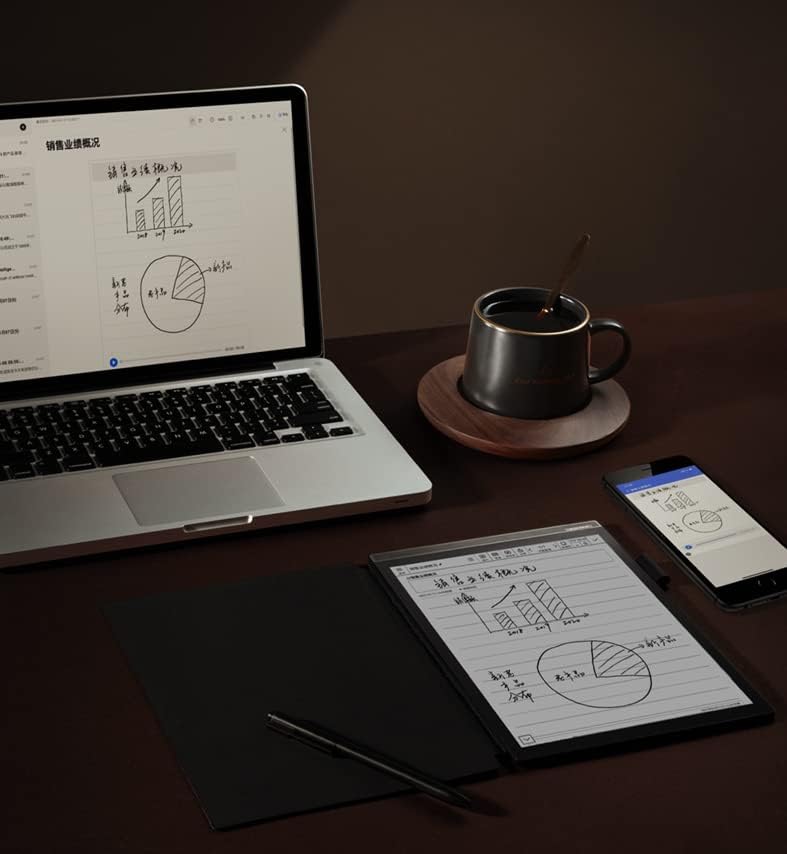
Image: The iFLYTEK A.I.Note X2 on a desk, demonstrating its integration with a laptop and smartphone for a connected workflow.
6. Mantenimiento
6.1 Limpieza del dispositivo
Use a soft, lint-free cloth to gently wipe the screen and body of the device. Do not use abrasive cleaners, alcohol, or solvents, as these can damage the screen and finish. Avoid getting moisture into ports.
6.2 Cuidado de la batería
The device is equipped with a 4200mAh Polymer Li-ion battery. For optimal battery life, avoid exposing the device to extreme temperatures. Charge the device regularly, but avoid leaving it fully discharged for extended periods.
7. Solución de problemas
If you encounter issues with your iFLYTEK A.I.Note X2, refer to the following common solutions:
- El dispositivo no enciende: Asegúrese de que el dispositivo esté cargado. Conéctelo a una fuente de alimentación y vuelva a intentarlo.
- La pantalla no responde: Realice un reinicio suave manteniendo pulsado el botón de encendido durante 10-15 segundos. Si el problema persiste, asegúrese de que la pantalla esté limpia y sin residuos.
- Pen not writing: Check if the pen tip is worn or damaged. Ensure the pen is within the screen's active area. The pen does not require batteries.
- Problemas de conectividad Wi-Fi: Verify your Wi-Fi password and ensure the device is within range of the router. Try restarting both the device and the router.
- Rendimiento lento: Close unused applications and clear cache if available in settings. Consider a factory reset as a last resort (this will erase all data).
8. Especificaciones
Detailed technical specifications for the iFLYTEK A.I.Note X2 XF-DX-T210E:
| Característica | Especificación |
|---|---|
| Número de modelo | XF-DX-T210E |
| Dimensiones | 243 mm x 173 mm x 5.8 mm |
| Mostrar | 10.3" HD Carta flexible E-ink screen, 1872 x 1404 (227DPI), 16 level grayscale |
| Tocar | Capacitive touch + Electromagnetic pen |
| Bolígrafo | No battery, 4096 levels of pressure sensitivity |
| UPC | 2.3 GHz de 8 núcleos |
| RAM | 2 GB |
| Almacenamiento interno | 64 GB |
| Sistema operativo | Android 9.0 (Android 9 Pie) |
| Batería | 4200mAh Polymer Li-ion |
| Conectividad | USB Type-C, Wi-Fi, 4G Cellular |
| Audio | Four-Microphone array, 3.5 mm Headphones Jack |
| Seguridad biométrica | Reconocimiento de huellas dactilares |
9. Garantía y soporte
For warranty information and customer support, please refer to the warranty card included in your package or visit the official iFLYTEK webSitio. Conserve su comprobante de compra para reclamaciones de garantía.
Fabricante: iFLYTEK
ASIN: B09VXKMMJS