
Star Micronics BSH-HR2081BT BLK
Star Micronics BSH-HR2081BT Wireless Bluetooth 1D/2D Barcode Scanner User Manual
Model: BSH-HR2081BT BLK
1. Introducción
This manual provides comprehensive instructions for the setup, operation, maintenance, and troubleshooting of your Star Micronics BSH-HR2081BT Wireless Bluetooth 1D/2D Barcode Scanner. Designed for efficiency and durability, this scanner is a reliable solution for various point-of-sale and inventory management applications.
The BSH-HR2081BT scanner is equipped with a high-power CPU, enabling it to effortlessly capture high-density, high-volume, and even distorted barcodes from both printed materials and digital screens. Its robust design, coupled with advanced wireless capabilities, ensures seamless integration into your workflow.
2. Características principales
- Escaneo de alto rendimiento: Powerful CPU captures high-density, high-volume, and distorted 1D/2D barcodes on paper or screen.
- Mayor duración de la batería: Offers up to 12 hours of continuous operation (one scan every six seconds) with its 2200mAh battery.
- Conectividad versátil: Connects directly to the host device via Bluetooth Low Energy (BLE) or wirelessly to a Star printer using the included USB dongle.
- Reliable Wireless Range: Maintains a stable wireless connection to transmit data, with communication distances up to 50 meters (approximately 164 feet).
- Construcción duradera: Features an IP42-rated design and a drop-resistant housing, capable of withstanding drops from up to 1.2 meters (approximately 4 feet).
3. Guía de configuración
3.1. Desembalaje e inspección inicial
Retire con cuidado todos los componentes del embalaje. Compruebe que estén presentes los siguientes elementos:
- Star Micronics BSH-HR2081BT Barcode Scanner
- Cable de carga USB
- USB Dongle (for wireless connection to Star printers)
- Soporte de escáner

Figure 3.1: Barcode scanner and its USB dongle.
3.2. Carga del escáner
Before first use, fully charge the scanner. Connect the USB charging cable to the scanner's charging port (located at the bottom of the handle) and plug the other end into a USB power adapter (not included) or a computer's USB port. The charging indicator light will show the charging status.

Figure 3.2: USB charging port at the base of the scanner handle.
3.3. Conexión del escáner
The BSH-HR2081BT scanner offers two primary connection methods:
3.3.1. Bluetooth Connection (Direct to Host Device)
- Asegúrese de que el escáner esté encendido.
- En su dispositivo anfitrión (teléfono inteligente, tableta o computadora), habilite Bluetooth.
- Buscar available Bluetooth devices. The scanner should appear as "Star Micronics BSH-HR2081BT" or similar.
- Seleccione el escáner que desea emparejar. Siga las instrucciones en pantalla para completar el proceso de emparejamiento.
3.3.2. Wireless Connection (via USB Dongle to Star Printer)
- Insert the provided USB dongle into an available USB port on your compatible Star printer (e.g., mC-Print, mPOP).
- Power on the scanner. The scanner and dongle should automatically establish a connection.
- Refer to your Star printer's manual for specific instructions on connecting external devices.

Figure 3.3: Barcode scanner placed in its included stand.
4. Instrucciones de funcionamiento
4.1. Operación básica de escaneo
To scan a barcode, point the scanner's window at the barcode and press the trigger button. A successful scan will typically be indicated by an audible beep and/or a visual confirmation light.
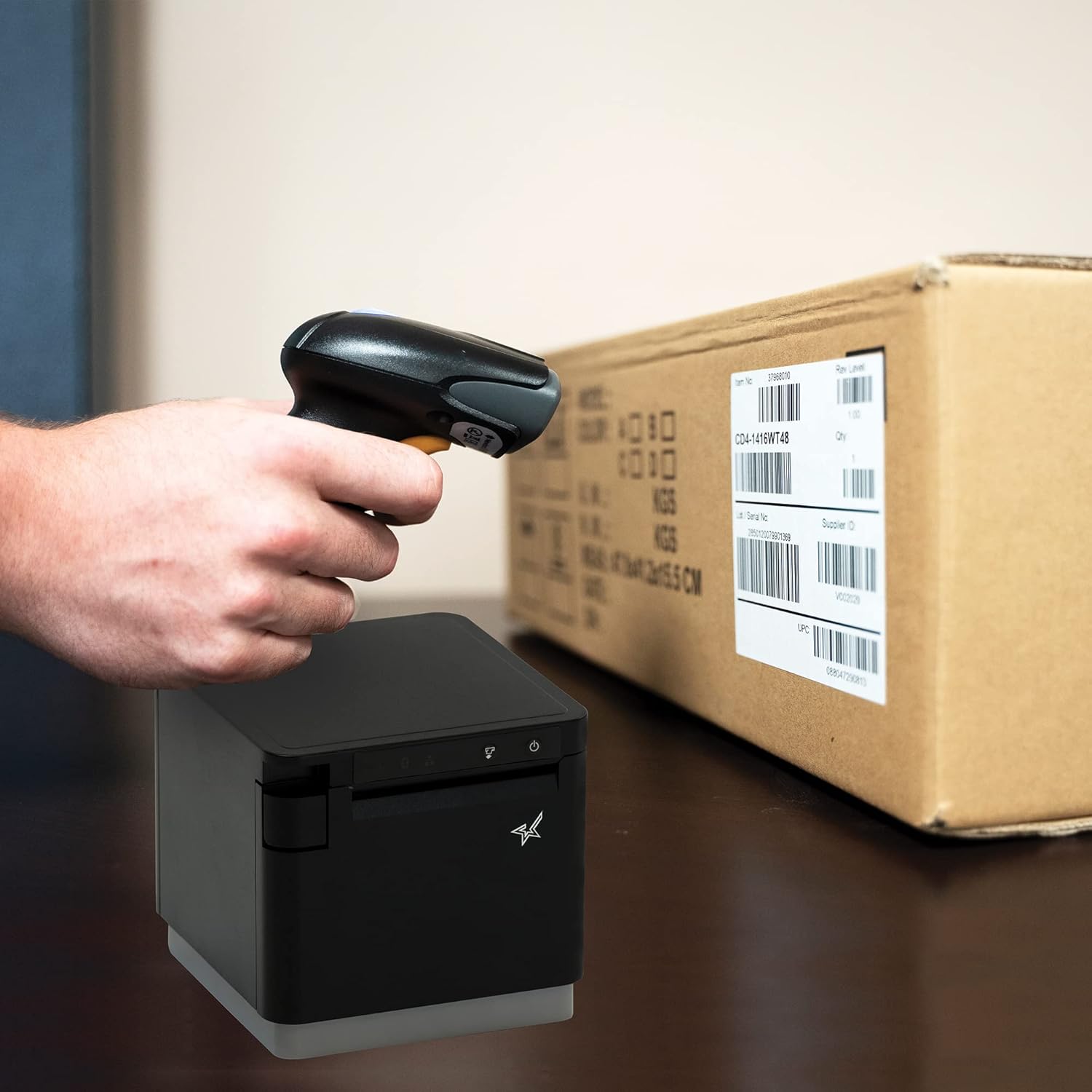
Figura 4.1: ExampEl proceso de escanear un código de barras en un paquete.
4.2. Modos de escaneo
The BSH-HR2081BT scanner supports six different scanning modes to accommodate various operational needs:
- Modo de nivel: The scanner's trigger will activate the decode session.
- Modo de disparo: A trigger pull activates a decode session.
- Modo de detección: The scanner activates a decode session every time it detects a barcode.
- Modo continuo: The scanner automatically starts one decode session after another.
- Modo de pulso: When the trigger is pulled and released, scanning is activated until a barcode is decoded or the decode session timeout expires.
- Modo por lotes: When the trigger is pulled and released, scanning is activated until the trigger is released.
Refer to the full user guide (link in Section 7) for detailed instructions on how to switch between these modes and configure specific settings.
5. Mantenimiento
5.1. Limpieza del escáner
Para mantener un rendimiento óptimo, mantenga limpia la ventana del escáner. Utilice un paño suave y sin pelusa ligeramente...ampened with water or a mild, non-abrasive cleaner. Do not use harsh chemicals or abrasive materials, as they may damage the scanner's surface or optical components.
5.2. Cuidado de la batería
The scanner is equipped with a Lithium Ion battery. To prolong battery life:
- Evite descargar completamente la batería con frecuencia.
- Guarde el escáner en un lugar fresco y seco cuando no lo utilice durante períodos prolongados.
- Charge the battery regularly, even if the scanner is not in frequent use.
6. Solución de problemas
6.1. El escáner no se conecta
- Comprobar potencia: Ensure the scanner is fully charged and powered on.
- Emparejamiento Bluetooth: For Bluetooth connections, ensure Bluetooth is enabled on your host device and the scanner is in pairing mode. Try unpairing and re-pairing the device.
- Adaptador USB: If using the USB dongle, ensure it is securely plugged into the Star printer and the printer is powered on.
- Rango: Ensure the scanner is within the effective communication range (up to 50m) of the host device or dongle.
6.2. El escáner no lee los códigos de barras
- Estado del código de barras: Asegúrese de que el código de barras sea claro, no esté manchado, rasgado o excesivamente reflectante.
- Distancia y ángulo: Adjust the distance and angle of the scanner to the barcode. Try different scanning modes if applicable.
- Iluminación: Asegúrese de que haya una iluminación adecuada. Evite el deslumbramiento directo sobre el código de barras.
- Ventana del escáner: Clean the scanner's reading window as described in the Maintenance section.
6.3. Corta duración de la batería
- Carga completa: Ensure the scanner is charged until the indicator shows a full charge.
- Patrón de uso: Continuous heavy usage will deplete the battery faster.
- Edad de la batería: Over time, rechargeable batteries naturally lose capacity.
7. Especificaciones técnicas
| Especificación | Detalle |
|---|---|
| Dimensiones del producto | 5.7 x 4 x 2.7 pulgadas |
| Peso del artículo | 1.06 libras |
| Número de modelo | BSH-HR2081BT BLK |
| Baterías | Se requiere 1 batería de iones de litio (incluida) |
| Fabricante | Estrella Micronics |
| Dispositivos compatibles | Teléfono inteligente, tableta |
| Fuente de poder | Funciona con pilas |
| Tecnología de conectividad | Bluetooth, cable USB |
| Clasificación IP | IP42 |
| Resistencia a caídas | Hasta 1.2 metros |
8. Garantía y soporte
For warranty information and technical support, please contact Star Micronics directly or visit their official webSitio. Conserve su recibo de compra como comprobante para reclamaciones de garantía.
Está disponible para descargar una guía de usuario detallada en formato PDF:
Ask a question about this manual
Ask about setup, troubleshooting, compatibility, parts, safety, or missing instructions. Manuals+ will review the question and use this page’s manual context to help answer it.