
1. Introducción
The Rettru XDWIFI Mini Wireless WiFi Camera is a compact surveillance device designed for discreet monitoring. It offers HD1080P video resolution, night vision capabilities, motion detection, and remote viewing via a mobile application. This manual provides detailed instructions for setting up, operating, and maintaining your camera.
Vídeo: Terminadoview of the Rettru XDWIFI Mini Wireless WiFi Camera, highlighting its compact size and features.
2. Contenido del paquete
Por favor verifique que todos los siguientes artículos estén incluidos en su paquete:
- 1 x Rettru XDWIFI Camera
- 1 x Manual de usuario
- 1 x cable USB
- 1 x lector de tarjetas micro SD
- 1 x base magnética

Image: All components included in the Rettru XDWIFI Mini Wireless WiFi Camera package.
3. Características del producto
- Diseño ultracompacto: The camera measures approximately 1.57 x 1.18 x 0.5 inches, making it highly discreet and easy to conceal.
- HD1080P Video: Records high-definition video for clear surveillance.
- Visión nocturna mejorada: Equipped with two 940nm infrared lights, providing clear visibility up to 26 feet in low light or total darkness without visible glow.
- Detección de movimiento inteligente: Features customizable motion detection zones and times. Sends alarm notifications with images to your phone upon detection.
- Grabación en bucle: Supports continuous recording, overwriting the oldest files cuando la tarjeta de memoria está llena.
- Almacenamiento en la nube: Offers cloud service for video storage (subscription may be required).
- Remoto Viewen: Access live video remotely via the mobile application on iOS/Android devices.
- Instalación flexible: Includes a magnetic base and mounting options for versatile placement.

Image: The camera's compact size, held between two fingers.
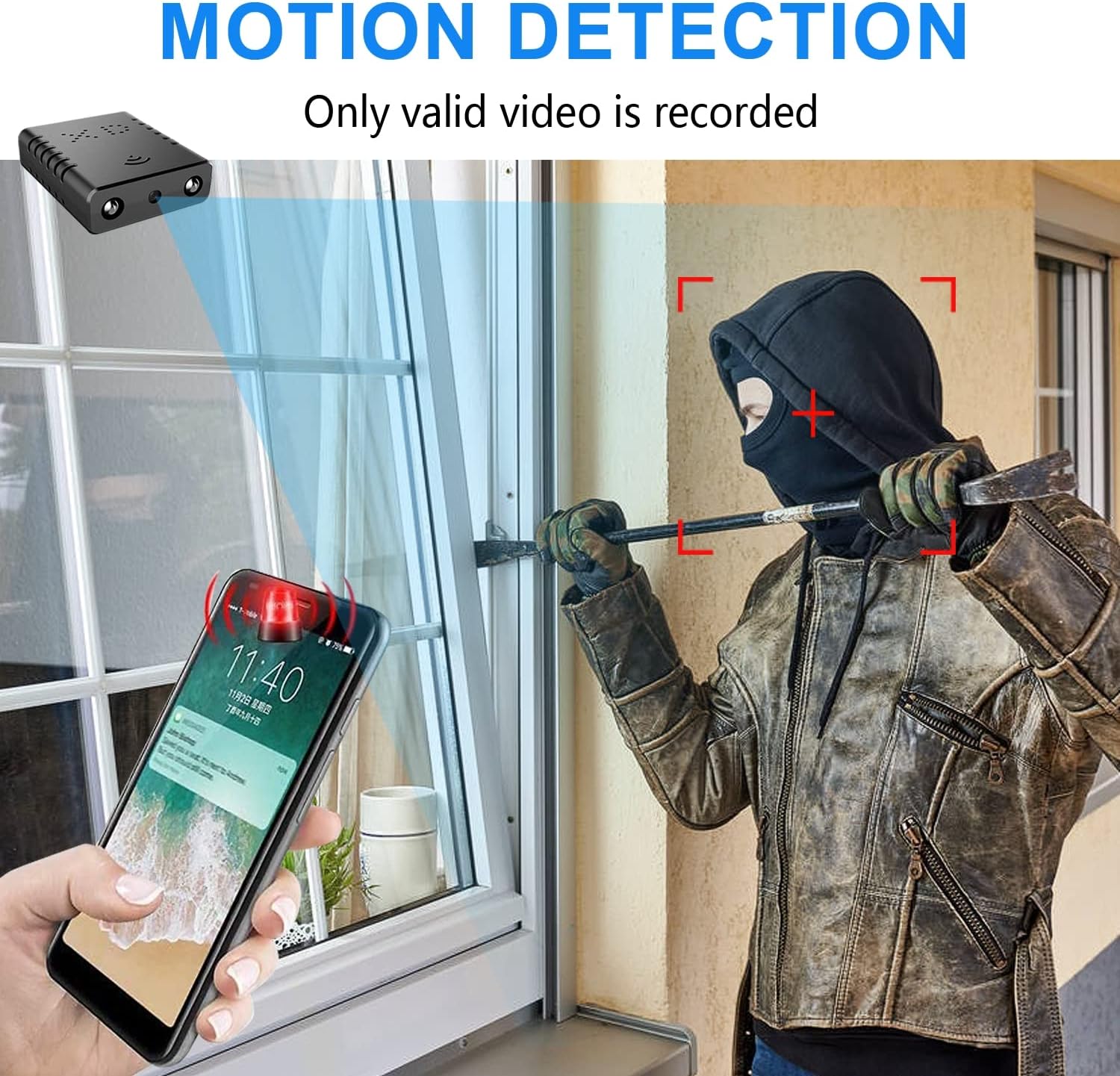
Image: Illustration of the motion detection feature, showing an alert on a smartphone.

Image: Day and night vision comparison, showing clear infrared night vision.
4. Guía de configuración
4.1. Carga inicial
Before first use, fully charge the camera for approximately 6 hours. During charging, a yellow light will illuminate. The camera charges via a USB-C port.
4.2. No-WiFi Recording Mode
To record without a WiFi connection, insert a compatible Micro SD card (16GB to 128GB, formatted in FAT32) into the TF card slot. Press the power button. When the blue light flashes, continuous recording will begin automatically in 5-minute clips. No app registration or device binding is needed for this mode. (Micro SD card not included, purchased separately).

Imagen: Lateral view of the camera highlighting the TF card slot and charging port.
4.3. WiFi Recording Mode (App Connection)
para control remoto viewing and advanced features, connect the camera to your home WiFi network via the mobile application. The recommended app is V380 Pro.
- Descargar la aplicación: Buscar "V380 Pro" in your device's app store (iOS/Android) and install it.
- Registrar una cuenta: Abra la aplicación y siga las instrucciones en pantalla para registrar una nueva cuenta.
- Encender la cámara: Encienda la cámara.
- Hotspot Connection (Method 1):
- Hold the "Reset" button until both red and blue lights flash simultaneously.
- When the blue light flashes again, the camera will send out a hotspot signal.
- On your phone's WLAN settings, connect to the camera's hotspot (e.g., "@MC-********" or "@IPC-********"). No password is required.
- The device should be added automatically in the app. Go to "Device Settings" > "Wi-Fi Network" and choose your available home WiFi network. Enter the password and confirm.
- Bluetooth Connection (Method 2):
- Encienda el Bluetooth de su teléfono.
- Log into the O-KAM Pro app (or V380 Pro), go to the "Mine" page, tap "System Permissions," and enable Bluetooth.
- In the app, click the "+" button in the upper right corner. The app will automatically detect the camera's UID. Click "Connect."
- Enter your correct WiFi password and complete the connection steps. Finally, click "Get Start" to begin using your camera.

Image: Step-by-step guide for easy app installation and WiFi connection.
Video: Detailed tutorial on camera setup and app connection for the Rettru XDWIFI camera.
5. Instrucciones de funcionamiento
5.1. Remoto ViewEn
Una vez conectado a la aplicación, puedes view live video from anywhere in the world. The app allows multiple users to view la cámara simultáneamente.
5.2. Detección de movimiento
Configure intelligent motion detection settings within the app. You can manually set monitoring areas and schedules. Upon detection, the camera sends alarm notifications with images to your phone.
5.3. Visión nocturna
The camera automatically switches to night vision in low light conditions, providing clear black and white video up to 26 feet.
5.4. Grabación continua
With an inserted Micro SD card, the camera supports loop recording. When the card is full, new footage will automatically overwrite the oldest files, ensuring continuous surveillance.
5.5. Almacenamiento en la nube
Utilize the powerful cloud service for secure storage of your video data. This ensures your recordings are safe even if the camera is tampered con o perdido.
6. Mantenimiento
To ensure optimal performance and longevity of your Rettru XDWIFI camera, follow these maintenance guidelines:
- Limpieza: Limpie suavemente la lente y el cuerpo de la cámara con un paño suave y seco. Evite usar productos químicos agresivos o materiales abrasivos.
- Duración de la batería: For prolonged use, ensure the camera is regularly charged. While battery-powered, continuous live viewing or frequent motion alerts can drain the battery faster.
- Gestión de tarjetas SD: Regularly check the status of your Micro SD card. If using loop recording, ensure the card is functioning correctly. Periodically back up important footage.
- Actualizaciones de firmware: Check the V380 Pro app for any available firmware updates to ensure your camera has the latest features and security enhancements.
7. Solución de problemas
Si tiene problemas con su cámara, consulte las siguientes soluciones comunes:
- Error de conexión: If the camera fails to connect to the app or WiFi, try resetting the camera and attempting to reconnect.
- Restablecimiento del dispositivo: To restore factory settings, power on the camera and hold the "Reset" button until both red and blue lights flash simultaneously. This will clear previous settings and allow for a fresh connection attempt.
- No QR Code for Setup: Some users have reported issues with missing or non-functional QR codes. Follow the manual connection methods (hotspot or Bluetooth) as detailed in Section 4.3.
- Problemas de grabación: Ensure a compatible Micro SD card (16GB-128GB, FAT32) is properly inserted. Check app settings for recording mode (continuous, motion-activated) and storage preferences.
- Estado sin conexión: Verify your WiFi network is stable and within range. Ensure the camera is powered on and fully charged.
8. Especificaciones
| Característica | Detalle |
|---|---|
| Modelo | XDWIFI |
| Resolución de captura de video | 1080p |
| Tecnología de conectividad | Inalámbrico (Wi-Fi) |
| Dispositivos compatibles | iOS/Android Phone/Window/Mac PC |
| Fuente de poder | Funciona con pilas |
| Tipo de controlador | Aplicación V380 Pro |
| Tipo de montaje | Surface Mount (Magnetic Base) |
| Rango de visión nocturna | 26-28 pies |
| Dimensiones del artículo (largo x ancho x alto) | 1.6 x 1.2 x 0.5 pulgadas |
| Peso del artículo | 0.8 onzas |
| Características especiales | HD1080P, Local Recording, Motion Sensor, Night Vision, Portable |
| Uso en interiores y exteriores | Indoor/Outdoor (IP65 Rated) |
| Capacidades de grabación audiovisual | Video |
| Cantidad de LED IR | 2 |
9. Garantía y soporte
For any issues or inquiries regarding your Rettru XDWIFI Mini Wireless WiFi Camera, please contact our after-sales service. The contact email is typically provided in the user manual included in your package. We are committed to providing support and assistance.