
Codnida BF-A20
Manual de instrucciones de la cámara de seguridad inalámbrica para exteriores Codnida
Model: BF-A20
Marca: Codnida
Introducción
This manual provides comprehensive instructions for the setup, operation, and maintenance of your Codnida Wireless Outdoor Security Camera. Designed for outdoor use, this solar-powered camera offers 2K HD video, motion detection, two-way audio, and night vision capabilities to enhance your home security.
¿Qué hay en la caja?
Verifique que todos los componentes estén presentes en su paquete:
- 1 x Wi-Fi Security Camera
- 1 x Panel solar
- 1 x Soporte de montaje
- 1 x paquete de tornillos
- 1 x Micro USB Cable (Adapter not included)

Image: All components included in the Codnida Wireless Outdoor Security Camera package.
Producto terminadoview
Solar Power & Battery Life
The camera is equipped with a solar panel and a built-in rechargeable battery (10400 mAh) for continuous operation, eliminating the need for frequent charging. It is designed to work continuously for 365 days under optimal sunlight conditions.

Image: The camera connected to its solar panel, highlighting its continuous power capability.
2K HD Quality & Night Vision
Capture clear 2K Full HD video and images. The camera features both infrared and color night vision, providing visibility up to 32 feet even in low-light conditions, ensuring no important moments are missed.

Image: Demonstrates the camera's 2K Full HD and clear night vision capabilities, showing both infrared and color night vision views.
PIR Motion Detection & Two-Way Audio
The built-in human-AI technology reduces false alarms by accurately detecting human motion. Receive real-time notifications on your "CloudEdge" app. The integrated noise-canceling microphone allows for clear two-way communication with visitors or intruders.
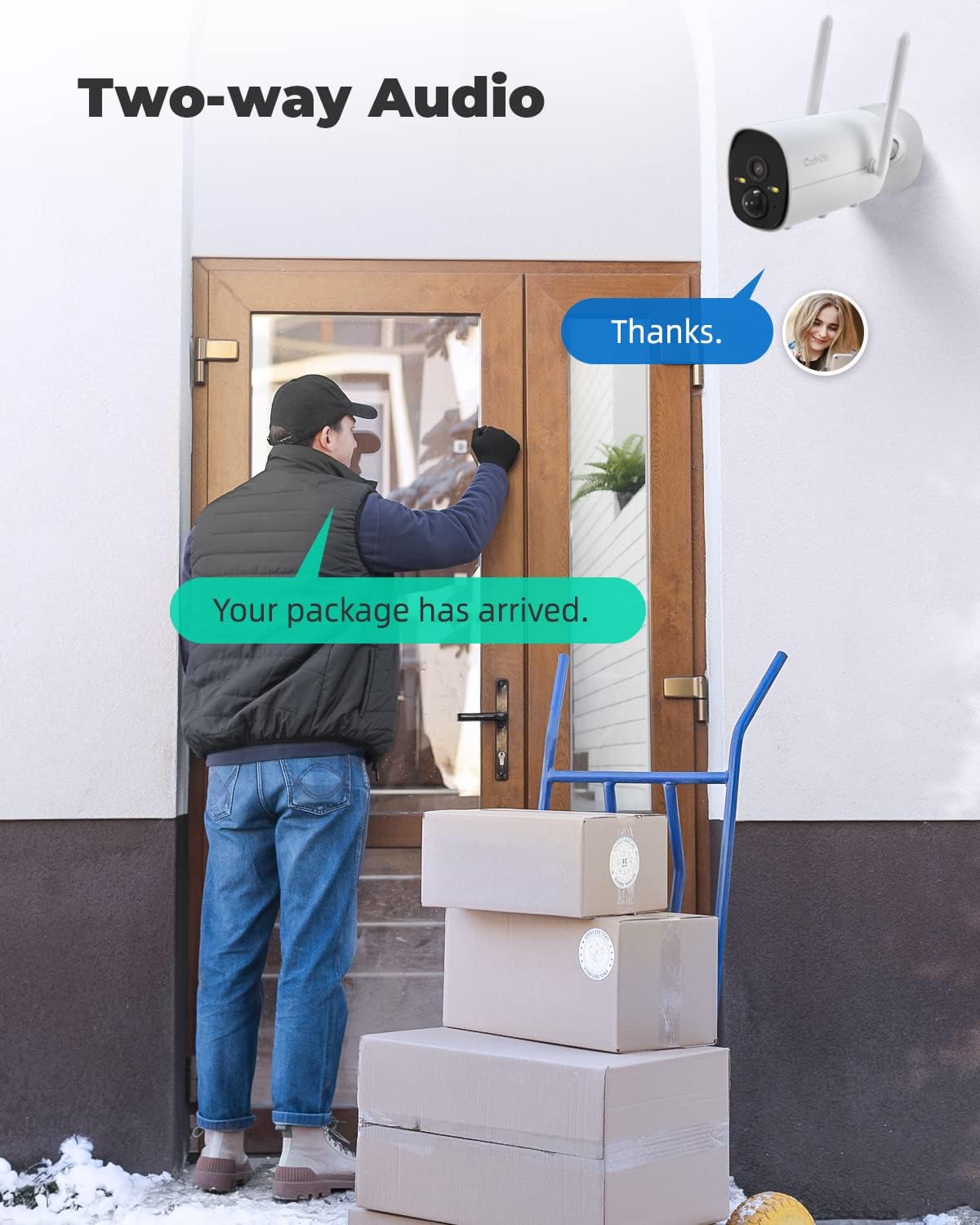
Image: Illustrates the PIR motion detection feature, showing a person being detected and a notification appearing on a mobile device.

Image: Depicts the two-way audio functionality, enabling communication through the camera.
Storage & Device Sharing
The camera supports local storage via a Micro SD card (up to 128 GB, not included). Older recordings are automatically deleted to free up space. You can also share access to your camera with family members through the "CloudEdge" app.

Image: Shows the multi-user sharing feature, allowing several individuals to access the camera feed.
Diseño resistente a la intemperie IP66
With an IP66 rating, the camera is designed to withstand various outdoor weather conditions, including temperatures ranging from -20℃ to 50℃ (-4℉ to 122℉).
Image: The camera shown in rainy conditions, emphasizing its IP66 weatherproof durability.
Guía de configuración
1. Carga inicial
Before first use, it is recommended to fully charge the camera's built-in battery using the provided Micro USB cable. Connect the cable to a standard USB power adapter (not included).
2. Descarga de la aplicación y registro de la cuenta
Download the "CloudEdge" app from your smartphone's app store (iOS or Android). Follow the in-app instructions to register a new account or log in if you already have one.
3. Conexión Wi-Fi (solo 2.4 GHz)
The camera connects to a 2.4GHz Wi-Fi network. Ensure your router is configured to broadcast a 2.4GHz signal. If you have a dual-band router, you may need to separate the 2.4GHz and 5GHz networks or temporarily disable the 5GHz band during setup.
Video: Instructions on how to configure an Xfinity router to use 2.4GHz Wi-Fi, which is required for the camera's connection.
4. Emparejamiento de cámaras
Follow the on-screen prompts in the "CloudEdge" app to add your new camera. This typically involves scanning a QR code displayed by the app with the camera's lens.
5. Montaje de la cámara
Choose a suitable outdoor location for optimal solar exposure and camera coverage. Use the provided mounting bracket and screws to securely attach the camera to a wall or other stable surface. Ensure the solar panel is positioned to receive direct sunlight.
Instrucciones de funcionamiento
Vivir View
Open the "CloudEdge" app and select your camera to access the live video feed. You can monitor your property in real-time.
Configuración de detección de movimiento
Within the app, navigate to the camera settings to adjust motion detection sensitivity. You can also set an alarm schedule to activate motion detection only during specific time periods.
Audio bidireccional
mientras esta en vivo view, tap the microphone icon in the app to speak through the camera's speaker. Tap the speaker icon to hear audio from the camera's microphone.
Grabación y reproducción
Motion-triggered events are recorded and saved to the inserted Micro SD card or cloud storage (if subscribed). Access recorded footage through the "History" or "Cloud" tab in the app.
Modos de visión nocturna
The camera automatically switches to night vision in low light. You can typically toggle between infrared (black and white) and color night vision (if spotlights are enabled) within the app settings.
Mantenimiento
- Limpieza de paneles solares: Limpie regularmente el panel solar con un paño suave y seco.amp Paño para eliminar el polvo y los residuos, garantizando la máxima eficiencia de carga.
- Cuidado de la batería: While solar-powered, avoid prolonged periods of no sunlight to prevent deep discharge of the battery.
- Actualizaciones de firmware: Check the "CloudEdge" app periodically for firmware updates to ensure optimal performance and security.
Solución de problemas
- Cámara sin conexión:
- Ensure the camera is within Wi-Fi range and the 2.4GHz network is stable.
- Check if the battery is charged (solar panel receiving adequate sunlight).
- Restart the camera by long-pressing the power button.
- Falsas alarmas frecuentes:
- Ajuste la sensibilidad de detección de movimiento en la aplicación.
- Asegúrese de que la cámara no esté orientada hacia calles concurridas o áreas con movimiento constante (por ejemplo, árboles que se mueven).
- Mala visión nocturna:
- Asegúrese de que la lente de la cámara esté limpia y libre de obstrucciones.
- Verify that the night vision mode is correctly configured in the app.
- Problemas de conectividad de aplicaciones:
- Asegúrese de que su teléfono inteligente tenga una conexión a Internet estable.
- Update the "CloudEdge" app to the latest version.
- Si los problemas persisten, intente reinstalar la aplicación.
Presupuesto
| Característica | Especificación |
|---|---|
| Número de modelo | BF-A20 |
| Tecnología de conectividad | Inalámbrico (Wi-Fi de 2.4 GHz) |
| Fuente de poder | Alimentado por energía solar, batería (10400 mAh) |
| Resolución de captura de video | 2K HD (Effective Video Resolution: 1440) |
| Rango de visión nocturna | Hasta 32 pies |
| Viewángulo de ing | 100 grados |
| Calificación de protección internacional | IP66 |
| Temperatura de funcionamiento | -20 ℃ a 50 ℃ (-4 ℉ a 122 ℉) |
| Dimensiones (L x An x Al) | 3.15 x 1.97 x 2.36 pulgadas |
| Peso del artículo | 1.7 libras |
Garantía y soporte
Codnida provides a 1 año de garantía from the date of purchase. For any product issues or support inquiries, please contact the seller through your order details on Amazon:
- Inicie sesión en su cuenta de Amazon.
- Vaya a 'Sus pedidos'.
- Find the order ID for your Codnida camera.
- Haga clic en "Contactar al vendedor".
Codnida is committed to resolving product issues within 24 hours.
Ask a question about this manual
Ask about setup, troubleshooting, compatibility, parts, safety, or missing instructions. Manuals+ will review the question and use this page’s manual context to help answer it.