
Codnida BM101
Manual de instrucciones del monitor de bebé Codnida
Modelo: BM101
1. Producto terminadoview
The Codnida Baby Monitor provides comprehensive monitoring of your baby with advanced features designed for peace of mind. This manual will guide you through the setup, operation, and maintenance of your new baby monitor.

Image 1: Codnida Baby Monitor components.
Características principales:
- 5" 720P HD Display: Proporciona una clara view de tu bebe
- Zoom digital 4X: Zoom in to see your little one up close.
- Panorámica de 340° e inclinación de 50°: Offers a wide coverage area with no blind spots.
- Conversación bidireccional: Comunícate con tu bebé a distancia.
- Detección de llanto y movimiento: Alerts you to your baby's needs.
- Monitoreo de temperatura y humedad: Ensures a comfortable environment.
- Recordatorio de alimentación: Helps maintain a consistent feeding schedule.
- Visión nocturna automática: Claro viewen condiciones de poca luz o en la oscuridad.
- 18 Gentle Lullabies: Soothe your baby to sleep.
- Alcance de transmisión de 1000 pies: Reliable connection throughout your home.
- Batería de larga duración: Up to 10 hours in live view, 6 days in sleep mode.
- Compatibilidad con aplicaciones móviles: Monitor from your smartphone (CloudEdge app).
Vídeo 1: Un vídeo introductorio muestraasing the Codnida Baby Monitor's features and benefits.
2. Contenido del paquete
Verifique el contenido del paquete al desembalarlo para asegurarse de que todos los elementos estén presentes:
- 1 unidad de cámara para bebé
- 1 x Display Screen (Parent Unit)
- 2 x Charging Cables with Adapters
- 1 x Set of Screws for Mounting
- 1 x Soporte de montaje
- 1 x Reset Pin
- 1 x Manual de usuario (este documento)

Imagen 2: Todos los artículos incluidos en el paquete del producto.
3. Guía de configuración
3.1 Carga de las unidades
Before first use, fully charge both the baby camera unit and the display screen using the provided charging cables and adapters. A full charge ensures optimal performance and battery life.
3.2 Ubicación de la cámara
Place the baby camera unit in a location that provides a clear and unobstructed view of your baby. Ensure it is out of reach of children and away from any potential hazards. The camera can be placed on a flat surface or mounted to a wall using the included bracket and screws.

Image 3: The camera unit offers 340° pan and 50° tilt for comprehensive room coverage.
3.3 Initial Connection (Monitor & Camera)
The baby camera unit and display screen are pre-paired at the factory. Simply power on both devices, and they should automatically connect. If they do not connect, or if you are adding a new camera, follow the pairing instructions in the Operating Instructions section.
3.4 Conexión de la aplicación móvil (opcional)
For remote monitoring via your smartphone, download the "CloudEdge" app from your device's app store. Follow the in-app instructions to connect your baby camera unit to your home Wi-Fi network. This allows you to view your baby from anywhere with an internet connection.
Video 2: A step-by-step guide on how to connect your Codnida Baby Monitor to Wi-Fi for mobile app access.
4. Instrucciones de funcionamiento
4.1 Display and Zoom
The 5-inch 720P HD display provides a clear live feed. Use the zoom function on the parent unit to get a closer look at your baby. The monitor supports up to 4X digital zoom.
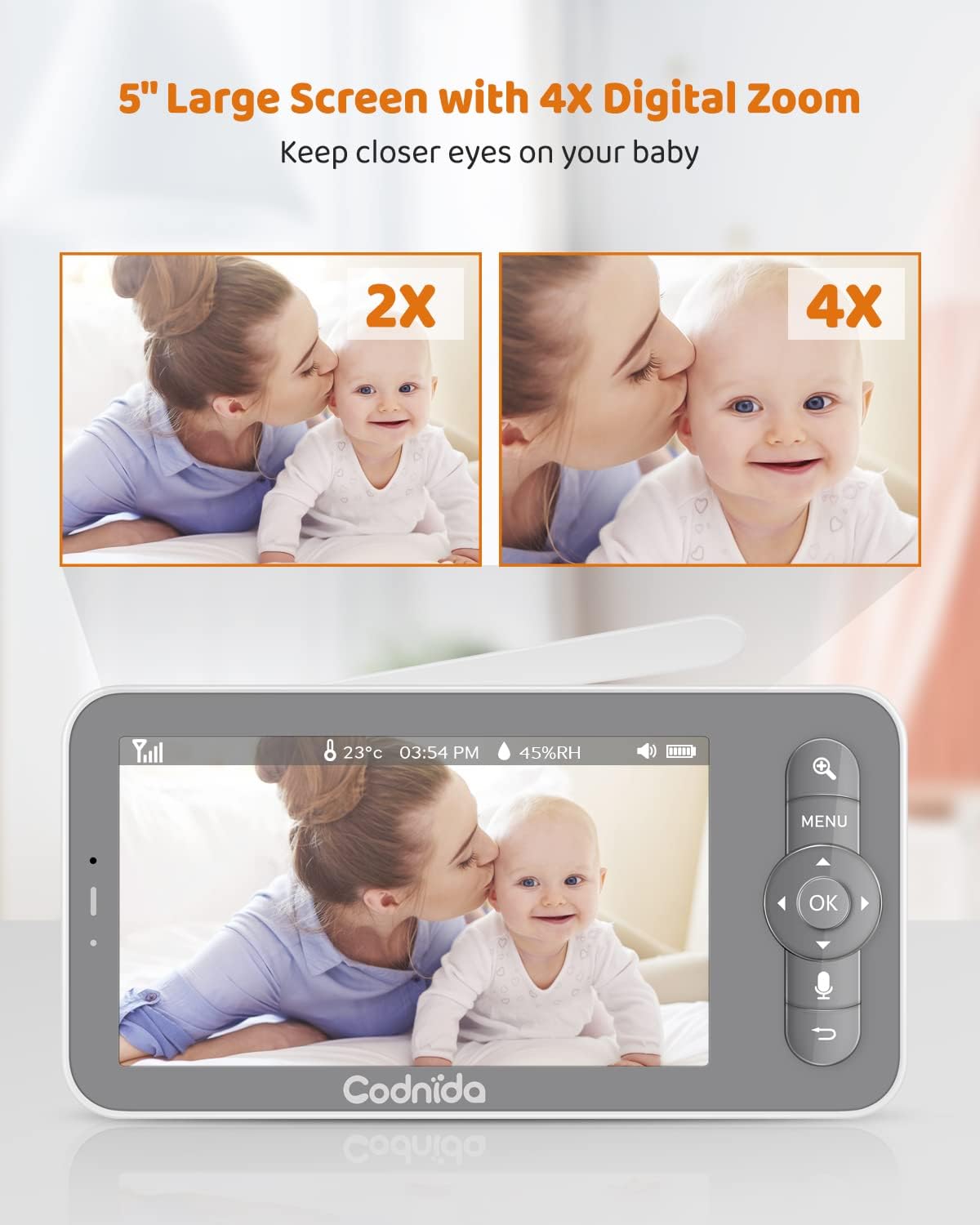
Image 4: The 5-inch display with 4X digital zoom capability.
4.2 Camera Control (Pan & Tilt)
Controlar la cámara viewing angle directly from the parent unit. The camera can pan 340 degrees horizontally and tilt 50 degrees vertically, ensuring you can see every corner of the room.

Image 5: Illustrates the camera's pan and tilt range.
4.3 Conversación bidireccional
Press and hold the microphone button on the parent unit to speak to your baby. Your voice will be transmitted through the camera unit's speaker, allowing you to soothe your baby from another room.

Image 6: Two-way talk feature in action, allowing parents to communicate with their baby.
4.4 Funciones de monitoreo
- Detección de llanto y movimiento: The monitor will alert you when it detects crying or significant motion from your baby. This feature helps you respond promptly to your baby's needs.
- Temperatura y humedad: The camera unit includes sensors to monitor the room's temperature and humidity, displayed on the parent unit.
- Recordatorio de alimentación: Set customizable feeding reminders to ensure your baby is fed on schedule.
- Zona de alarma: Define a safe area for your baby. If your baby moves outside this pre-set zone, an alert will be triggered on the parent unit.

Image 7: Visual representation of various alert features including motion, cry, temperature, and feeding reminders.
4.5 Visión nocturna automática
The camera automatically switches to infrared (IR) night vision in low-light conditions, providing a clear black-and-white image of your baby without disturbing their sleep.

Image 8: Clear night vision allows monitoring even in complete darkness.
4.6 canciones de cuna
The monitor comes with 18 gentle lullabies that can be played through the camera unit to help soothe your baby to sleep. Access this feature through the parent unit's menu.

Image 9: The baby monitor can play 18 gentle lullabies.
4.7 Grabación y reproducción
The camera unit supports an SD card (not included) for local recording of video and images. You can review comida grabadatage directly from the parent unit or via the mobile app.

Image 10: Capture key moments with photo and video recording capabilities.
Video 3: Demonstrates various features of the Codnida Baby Monitor, including recording and playback.
5. Battery Life & Transmission Range
5.1 Rendimiento de la batería
The parent unit features low power consumption technology, offering extended battery life. It can last up to 10 hours in live view mode and up to 6 days in sleep mode (VOX mode), where the display activates only upon detecting motion, noise, or abnormal temperature.
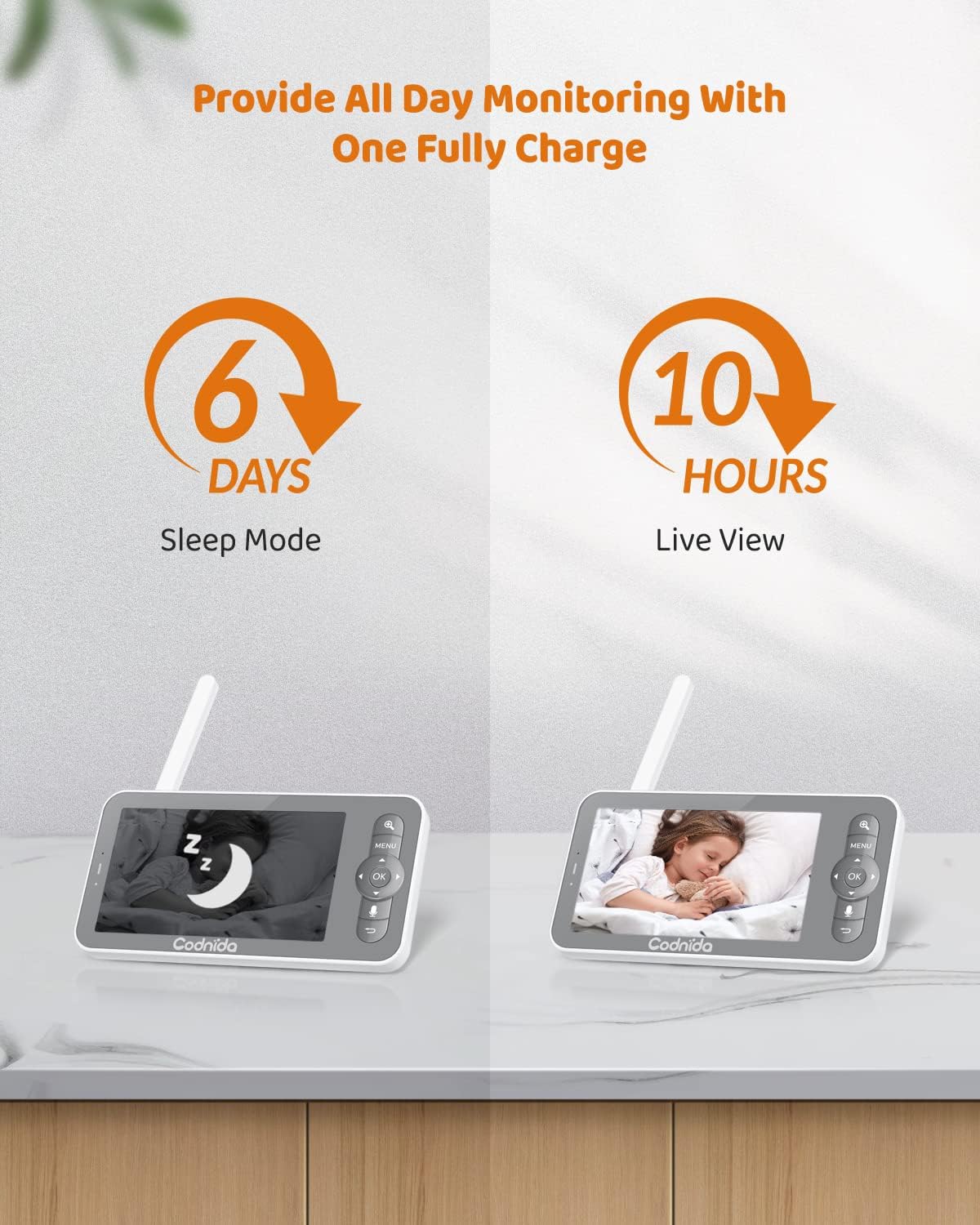
Image 11: Battery life indicators for sleep mode and live view.
5.2 Alcance de transmisión
The video baby monitor covers a transmission range of up to 1000 feet in an open area, allowing you to monitor your baby from various locations within your home with a stable video feed.

Image 12: The monitor offers a transmission range of up to 1000ft.
6. Mantenimiento
To ensure the longevity and optimal performance of your Codnida Baby Monitor, follow these maintenance guidelines:
- Limpieza: Use a soft, dry cloth to clean the camera lens and display screen. Do not use abrasive cleaners or solvents.
- Almacenamiento: Cuando no utilice el monitor durante períodos prolongados, guárdelo en un lugar fresco y seco, alejado de la luz solar directa y de temperaturas extremas.
- Cuidado de la batería: Avoid fully discharging the battery frequently. Charge the unit regularly to maintain battery health.
7. Solución de problemas
If you encounter any issues with your Codnida Baby Monitor, please refer to the following common troubleshooting tips:
- Sin imagen/sonido: Ensure both the camera and parent unit are powered on and fully charged. Check that they are within range of each other.
- Mala señal: Move the parent unit closer to the camera unit. Reduce obstacles between the units (e.g., thick walls, large appliances).
- Interferencia: Keep the monitor away from other electronic devices that may cause interference (e.g., Wi-Fi routers, microwaves).
- Reset: If issues persist, try resetting both units. Refer to the included manual for specific reset instructions using the reset pin.
- Problemas de conexión de la aplicación: Ensure your Wi-Fi network is stable and the password is correct. Restart your router and try connecting again.
8. Especificaciones
| Característica | Especificación |
|---|---|
| Nombre del modelo | BM101-M |
| Tamaño de la pantalla | 5 pulgadas |
| Resolución de captura de video | 720p |
| Zoom digital | 4X |
| Ángulo de giro | 340 grados |
| Ángulo de inclinación | 50 grados |
| Rango de transmisión | Hasta 1000 pies (área abierta) |
| Parent Unit Battery Life (Live View) | 10 horas |
| Parent Unit Battery Life (Sleep Mode) | 6 días |
| Tecnología de conectividad | Wireless (Wi-Fi for app) |
| Fuente de poder | Eléctrico con cable |
| Peso del artículo | 1.6 onzas |
| Dimensiones del producto | 4 x 3 x 5 pulgadas |
| Material | Plástico |
| Características especiales | Local Recording, HD Resolution, Night Vision, PTZ Technology, Motion Sensor |
9. Soporte
For any product issues or technical assistance, please contact Codnida customer support. Our professional customer support team is committed to resolving any product issues within 24 hours.
Visita el Tienda Codnida en Amazon para obtener más información y recursos de soporte.
Ask a question about this manual
Ask about setup, troubleshooting, compatibility, parts, safety, or missing instructions. Manuals+ will review the question and use this page’s manual context to help answer it.