
Introducción
This manual provides essential information for the safe and efficient use of your SHARP 24EA4E 24-inch HD-Ready LED TV. Please read these instructions thoroughly before operating the television and retain them for future reference. This television is designed for use in living rooms, bedrooms, or guest rooms, offering an elegant design and intuitive operation.
Contenido del paquete
Antes de comenzar la instalación, asegúrese de que todos los elementos enumerados a continuación estén presentes en el paquete:
- SHARP 24EA4E LED TV Unit
- Mando a distancia
- 2 pilas AAA (para control remoto)
- TV Stand Installation Kit
- Guía de inicio rápido

Image: SHARP 24EA4E LED TV with its included stand.
Configuración
1. Instalación Física
Your television can be placed on a flat surface using the included stand or mounted on a wall using a VESA-compatible bracket (not included). The VESA standard for this model is 100 x 100 mm.
- Instalación de soporte: Carefully attach the TV stand to the bottom of the television using the screws provided in the installation kit. Ensure the stand is securely fastened before placing the TV on a stable surface.
- Montaje en pared: If wall mounting, refer to the instructions provided with your VESA 100 x 100 mm wall mount bracket. Ensure proper ventilation around the TV.

Imagen: Lateral view of the SHARP 24EA4E LED TV, illustrating the stand attachment.
2. Conexión de dispositivos externos
The SHARP 24EA4E offers various connection options for your external devices:
- Puertos HDMI (x2): Connect Blu-Ray players, game consoles, satellite boxes, or other HDMI-enabled devices.
- Puerto USB (x1): For playing media (music, movies, photos) from USB storage devices.
- SCART Input: Para conectar dispositivos más antiguos.
- Satellite Input (DVB-S/S2): Conecte su antena parabólica.
- RF Input (DVB-T/T2/C): Connect your terrestrial antenna or cable TV.
- Headphone Jack (3.5mm Audio): Para escucha privada.
- CI Port: Para que los módulos de acceso condicional (CAM) descifren canales cifrados.
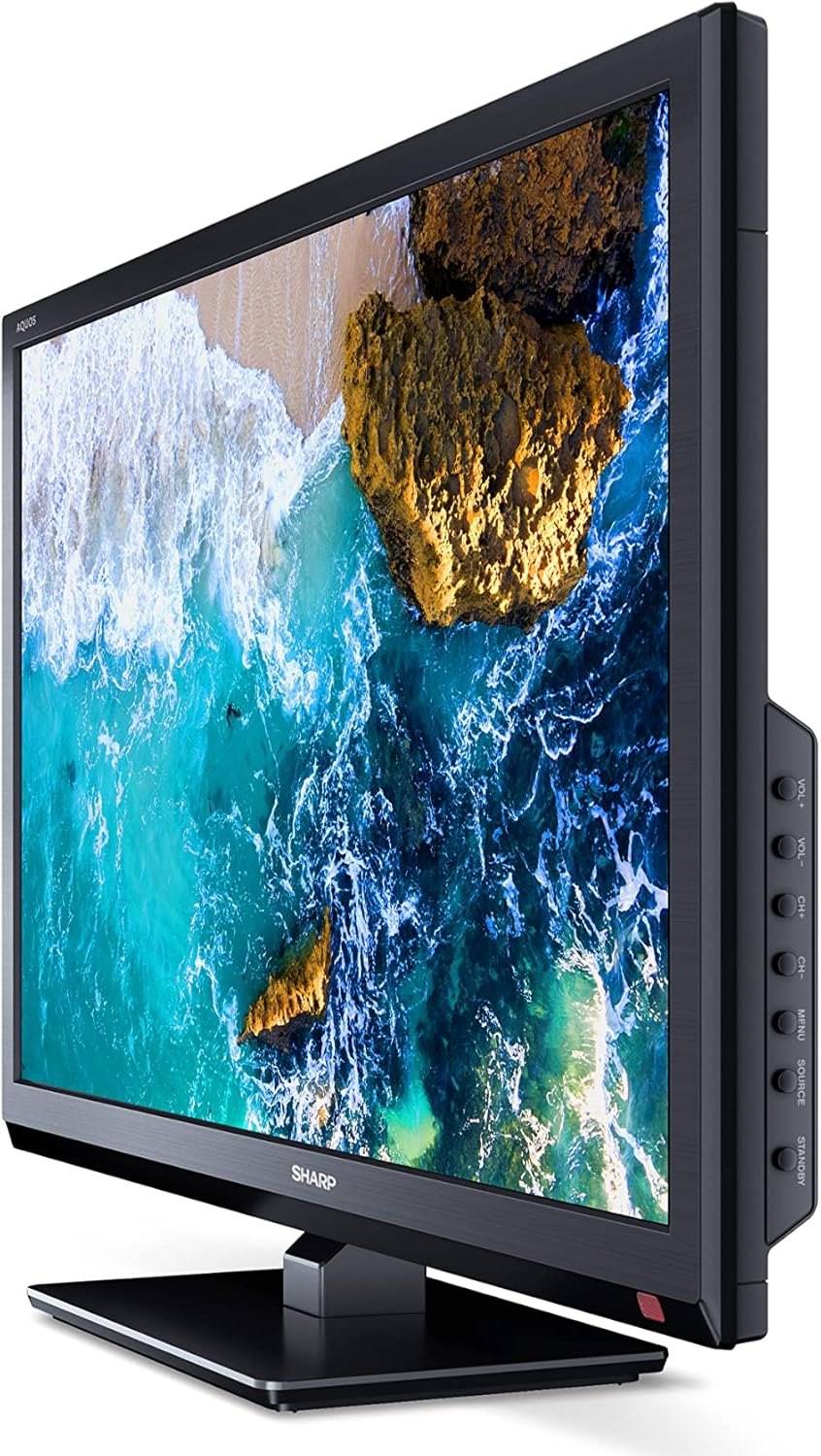
Imagen: Lateral view of the SHARP 24EA4E LED TV, highlighting the various input ports.
After connecting all desired devices, plug the TV's power cord into a suitable electrical outlet (220V).
Instrucciones de funcionamiento
1. First-Time Setup and Channel Scan
Upon first power-on, the TV will guide you through an initial setup process. Follow the on-screen prompts to select your language, country, and perform a channel scan for DVB-T/T2 (terrestrial), DVB-C (cable), or DVB-S/S2 (satellite) signals.
2. Funciones de control remoto
The included infrared remote control allows full operation of your TV. Insert the 2 AAA batteries into the remote control, ensuring correct polarity.
- Botón de encendido: Enciende o apaga el televisor.
- Botones de canal (CH+/-): Cambia de canal.
- Botones de volumen (VOL+/-): Ajusta el nivel de volumen.
- Botón de fuente: Selecciona fuentes de entrada (HDMI, AV, USB, TV).
- Botón de menú: Accesses the TV's main menu for settings adjustments.
- Botones de navegacion: Se utiliza para navegar por los menús y seleccionar opciones.
- Botón OK: Confirma selecciones.
- Botón de salida: Exits menus.
- Botones numéricos (0-9): Selección directa de canal.

Imagen: Lateral view of the SHARP 24EA4E LED TV, showing the physical control buttons on the side panel.
3. Reproducción de medios a través de USB
Puedes reproducir varios medios files directly from a USB storage device:
- Inserte su unidad USB en el puerto USB del televisor.
- Select the USB input source using the remote control's Source button.
- Navegar por el files and folders using the remote control and select the desired media (music, video, or photo) to play.
Mantenimiento
To ensure the longevity and optimal performance of your SHARP 24EA4E TV, follow these maintenance guidelines:
- Limpieza de la pantalla: Limpie suavemente la pantalla con un paño suave que no deje pelusa. Para manchas difíciles, limpie ligeramenteampEnjuague el paño con agua o un limpiador de pantallas especializado. Nunca rocíe líquido directamente sobre la pantalla.
- Limpieza del gabinete: Utilice un paño suave y seco para limpiar el mueble del televisor. Evite usar limpiadores abrasivos o disolventes.
- Ventilación: Asegúrese de que las aberturas de ventilación en la parte posterior del televisor no estén bloqueadas para evitar el sobrecalentamiento.
- Cable de alimentación: Revise periódicamente el cable de alimentación para detectar posibles daños. Si está dañado, contacte con personal de servicio técnico cualificado para su sustitución.
Solución de problemas
Si tiene problemas con su televisor, consulte los siguientes pasos de solución de problemas comunes:
| Problema | Posible solución |
|---|---|
| Sin poder | Check if the power cord is securely plugged into both the TV and the wall outlet. Ensure the wall outlet is functional. |
| No hay imagen, pero hay sonido | Verifique la selección de la fuente de entrada. Asegúrese de que los dispositivos externos estén encendidos y conectados correctamente. |
| No hay sonido, pero hay imagen | Check the volume level and mute status. Ensure audio cables are connected correctly for external devices. |
| Mala calidad de imagen | Check antenna/cable connections. Adjust picture settings in the TV menu. For external devices, check their output resolution. |
| El control remoto no funciona | Reemplace las pilas AAA. Asegúrese de que no haya obstrucciones entre el control remoto y el sensor infrarrojo del televisor. |
Si el problema persiste después de probar estas soluciones, comuníquese con el servicio de atención al cliente de SHARP.
Presupuesto
Key technical specifications for the SHARP 24EA4E LED TV:
- Modelo: 24EA4E
- Tecnología de visualización: CONDUJO
- Tamaño de pantalla: 24 pulgadas (60 cm en diagonal)
- Resolución: 1366 x 768 píxeles (HD Ready)
- Relación de aspecto: 16:9
- Frecuencia de actualización: 60 Hz (Active Motion 100)
- Relación de contraste: 100000:1
- Tiempo de respuesta: 8 milisegundos
- Viewángulo de inclinación: 178 grados
- Salida de audio: 2 x 5W speakers, Dolby Digital, Dolby Digital Plus, Surround Sound
- Tecnología de sintonizador: DVB-T/T2 (Terrestrial), DVB-C (Cable), DVB-S/S2 (Satellite) - MPEG4 + HEVC/H.265 (10-bit)
- Conectividad: 2 x HDMI, 1 x USB, 1 x SCART, RF Input, Satellite Input, 3.5mm Audio (Headphone Jack), CI Port
- Sistema operativo: Linux
- Consumo de energía: 17 Watts (in SDR mode)
- Volumentage: 220 V
- Dimensiones (con soporte): 56 cm (ancho) x 38.5 cm (alto) x 14 cm (profundidad)
- Peso: 3.8 kilogramos
- Estándar VESA: 100 x 100 mm

Image: Diagram showing the dimensions of the SHARP 24EA4E LED TV.
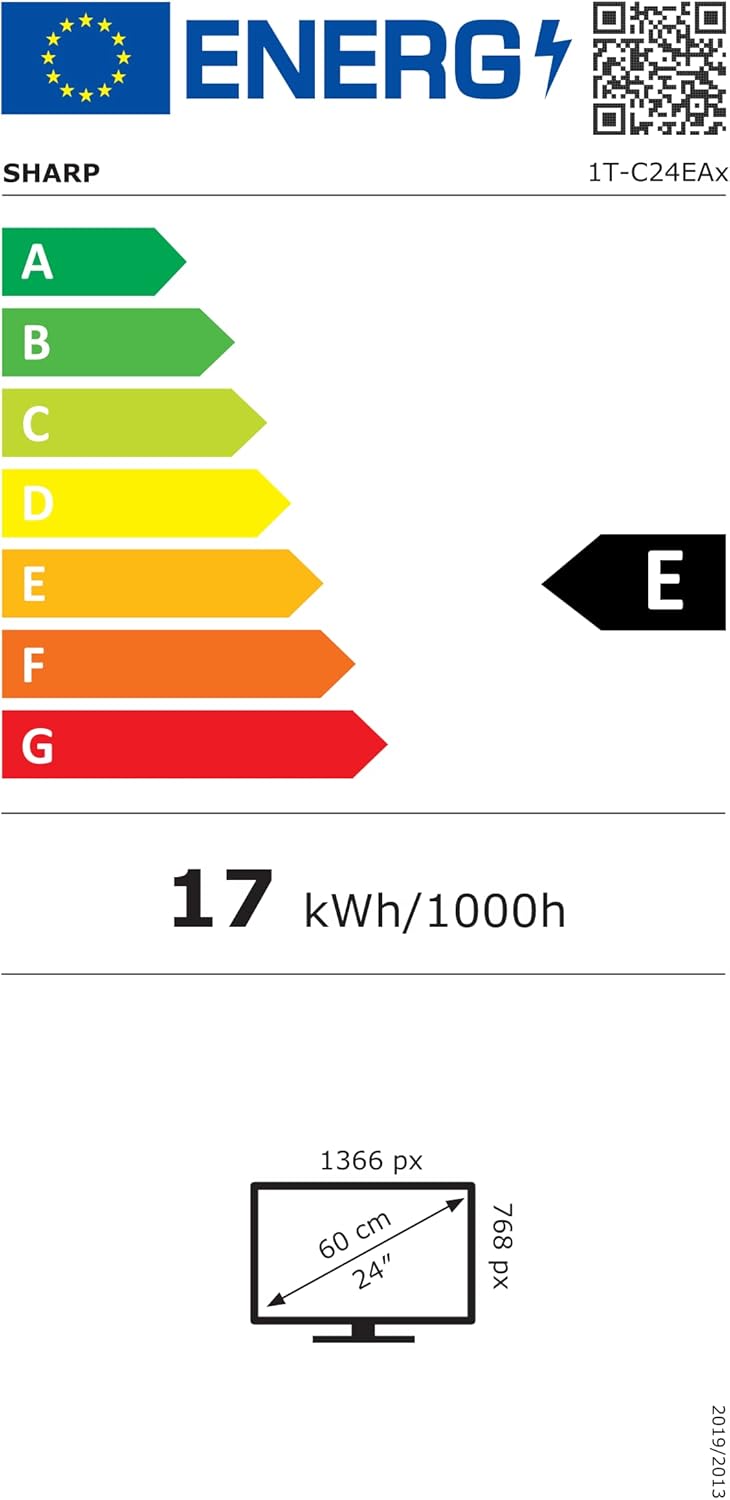
Image: EU Energy Label for the SHARP 24EA4E LED TV, indicating Energy Class E and 17 kWh/1000h consumption.
Para obtener información más detallada sobre el producto, consulte la base de datos oficial EPREL de la UE: https://eprel.ec.europa.eu/qr/1242293
Garantía y soporte
Your SHARP 24EA4E LED TV comes with a manufacturer's warranty. The minimum guaranteed product support is 2 years, and the minimum guaranteed availability of spare parts is 8 years from the date of market introduction.
For warranty claims, technical assistance, or further support, please contact your retailer or visit the official SHARP support webSitio. Conserve su comprobante de compra para validar la garantía.