
Introducción
Welcome to the user manual for your new Amkette Pocket Blast 5-in-1 FM Radio. This versatile device combines an FM radio, Bluetooth speaker, MP3 player, voice recorder, and FM song recorder into a compact and portable unit. Please read this manual carefully to understand the features and operation of your device and ensure optimal performance.

Figure 1: Amkette Pocket Blast 5-in-1 FM Radio
Contenido del paquete
Por favor, marque la casilla correspondiente a los siguientes artículos:
- 1 x Amkette Pocket Blast Unit
- 1 x Manual de usuario
- 1 x Cable de carga (Tipo C)
- Cable 1 x AUX
Características del producto
The Amkette Pocket Blast is designed for versatile audio entertainment and utility.
- Funcionalidad 5 en 1: FM Radio, Bluetooth Speaker, MP3 Player (USB/SD/AUX), Voice Recorder, and FM Song Recorder.
- Calidad de sonido superior: Equipped with a 6W speaker for clear audio with well-defined bass and pleasing vocals.
- Navegación fácil: Full number pad for direct song and FM station selection.
- Reproducción larga: Over 7 hours of battery life on Bluetooth mode.
- Micrófono incorporado: For voice recording and hands-free calls when connected via Bluetooth.
- Carga tipo C: Modern and reliable charging port.
- Antena externa: Para una mejor recepción de FM.

Figure 2: Key Features of the Pocket Blast

Figure 3: Compact Size with Powerful Audio
Controles y Puertos
Familiarize yourself with the buttons and ports on your Amkette Pocket Blast for seamless operation.
Front Panel (Number Pad and Display)
- Teclado numérico (0-9): Used for direct input of FM frequencies or song numbers in MP3 mode.
- Botón REC: Initiates voice or FM recording.
- Botón DEL: Elimina lo grabado files.
- Botón M (modo): Cambia entre los modos FM, Bluetooth, USB, SD y AUX.
- Botón de reproducción/pausa: Controla la reproducción.
- Botones de pista anterior/siguiente: Navigates through songs or FM stations.
- Botones para subir / bajar el volumen: Ajusta el volumen del audio.
- Pantalla LCD: Shows current mode, FM frequency, track number, etc.
Side Panel (Ports)
- Interruptor encendido / apagado: Enciende o apaga el dispositivo.
- Puerto DC 5 V (tipo C): Para cargar el dispositivo.
- Puerto USB: For USB flash drives (MP3 playback, recording storage).
- Ranura para tarjeta TF (MicroSD): For Micro SD cards (MP3 playback, recording storage).
- Entrada auxiliar: Para conectar dispositivos de audio externos mediante un cable de audio de 3.5 mm.
- Antena externa: Antena extensible para una mejor recepción de FM.

Figure 4: Number Pad for Direct Selection

Figure 5: Multi Playback Options
Configuración
Carga inicial
Before first use, fully charge your Amkette Pocket Blast.
- Connect the provided Type-C charging cable to the DC 5V port on the device.
- Conecte el otro extremo del cable a un adaptador de corriente USB (no incluido) o al puerto USB de una computadora.
- The charging indicator on the device will illuminate. It will turn off or change color once fully charged.
- Una carga completa suele tardar aproximadamente 2 horas.
Encendido/apagado
Slide the ON/OFF switch located on the side of the device to power it on or off.
Instrucciones de funcionamiento
Modo Bluetooth
Connect your smartphone or other Bluetooth-enabled devices to the Pocket Blast for wireless audio streaming and hands-free calls.
- Power on the Pocket Blast. It will automatically enter Bluetooth pairing mode (indicated by a flashing Bluetooth icon or voice prompt).
- En su dispositivo, habilite Bluetooth y busque los dispositivos disponibles.
- Select "Amkette Pocket Blast" from the list.
- Once paired, the device will confirm the connection. You can now play audio from your connected device.
- To answer/end calls, press the Play/Pause button. Use the built-in microphone for communication.
Funcionamiento de la radio FM
Disfrute de sus estaciones de radio FM favoritas con una recepción clara.
- Presione el M (Modo) button until "FM" mode is displayed.
- Extienda la antena externa para una recepción óptima.
- Auto escáner: Mantenga pulsado el Reproducir/Pausa Botón para escanear y guardar automáticamente las estaciones de FM disponibles.
- Sintonización manual: Utilice el Pista anterior / siguiente Botones para sintonizar la frecuencia.
- Entrada de frecuencia directa: Use the number pad to directly enter the desired FM frequency (e.g., 94.3 for 94.3 MHz).
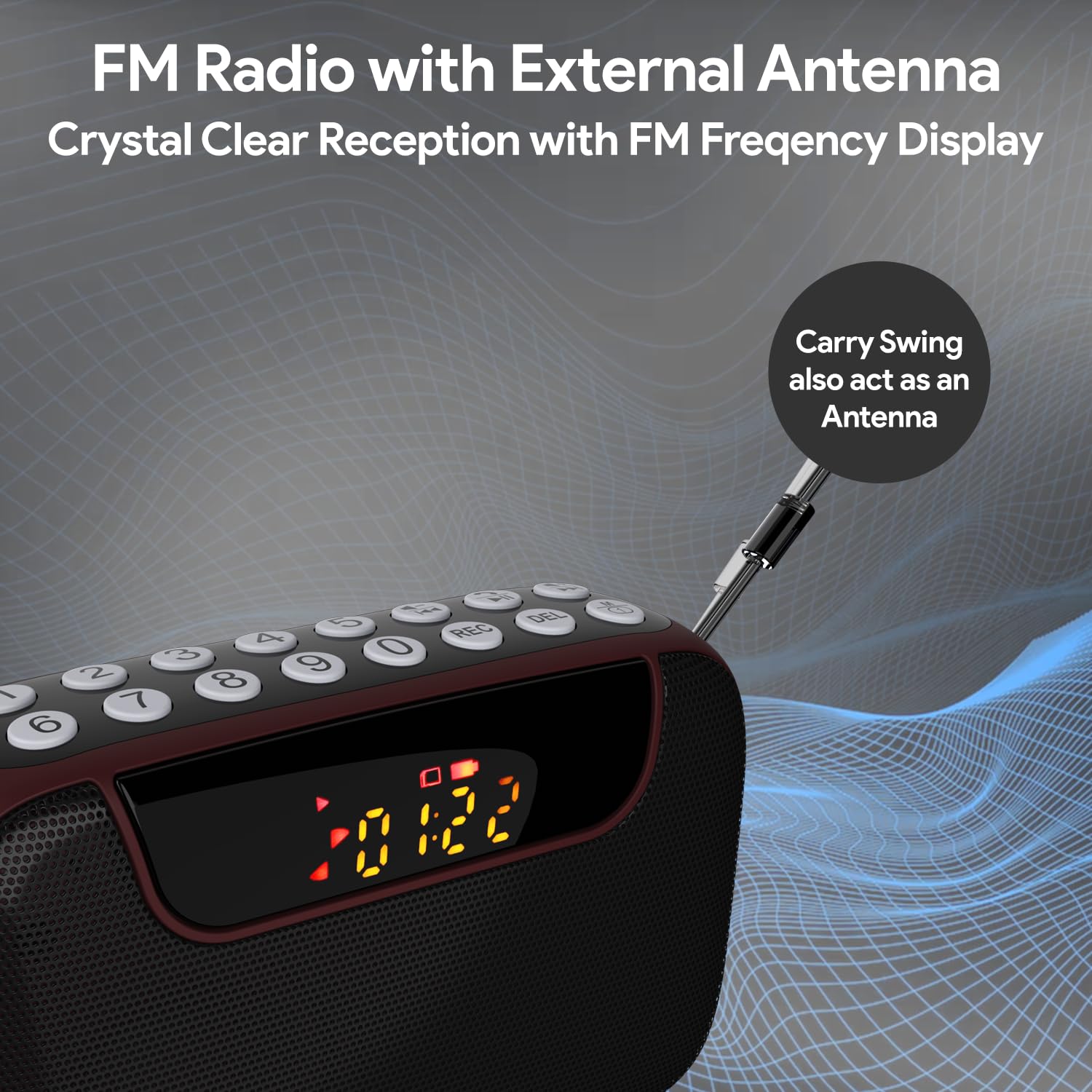
Figure 6: FM Radio with External Antenna
MP3 Playback (USB/SD/AUX)
Play music from USB drives, Micro SD cards, or external audio devices.
- Tarjeta USB / SD: Insert a USB flash drive or Micro SD card (with MP3 files) into the corresponding port. The device will automatically switch to USB/SD mode and begin playback. If not, press the M (Modo) Botón para seleccionar el modo correcto.
- Entrada auxiliar: Connect an external audio device (e.g., smartphone, laptop) to the AUX port using the provided 3.5mm audio cable. Press the M (Modo) Botón para seleccionar el modo AUX.
- Utilice el Reproducir/Pausa y Pista anterior / siguiente Botones para controlar la reproducción.
- Use the number pad for direct song selection (e.g., enter "007" for the 7th song).

Figure 7: MP3 Player with Track Selection
Grabación de voz
Record voice notes directly onto a connected USB drive or Micro SD card.
- Ensure a USB drive or Micro SD card is inserted into the device.
- Presione el REC button to start recording. The display will show a recording indicator.
- Hable claramente a través del micrófono incorporado.
- Presione el REC Presione nuevamente el botón para detener y guardar la grabación.
- To play back recordings, switch to USB/SD mode and navigate to the recorded files.
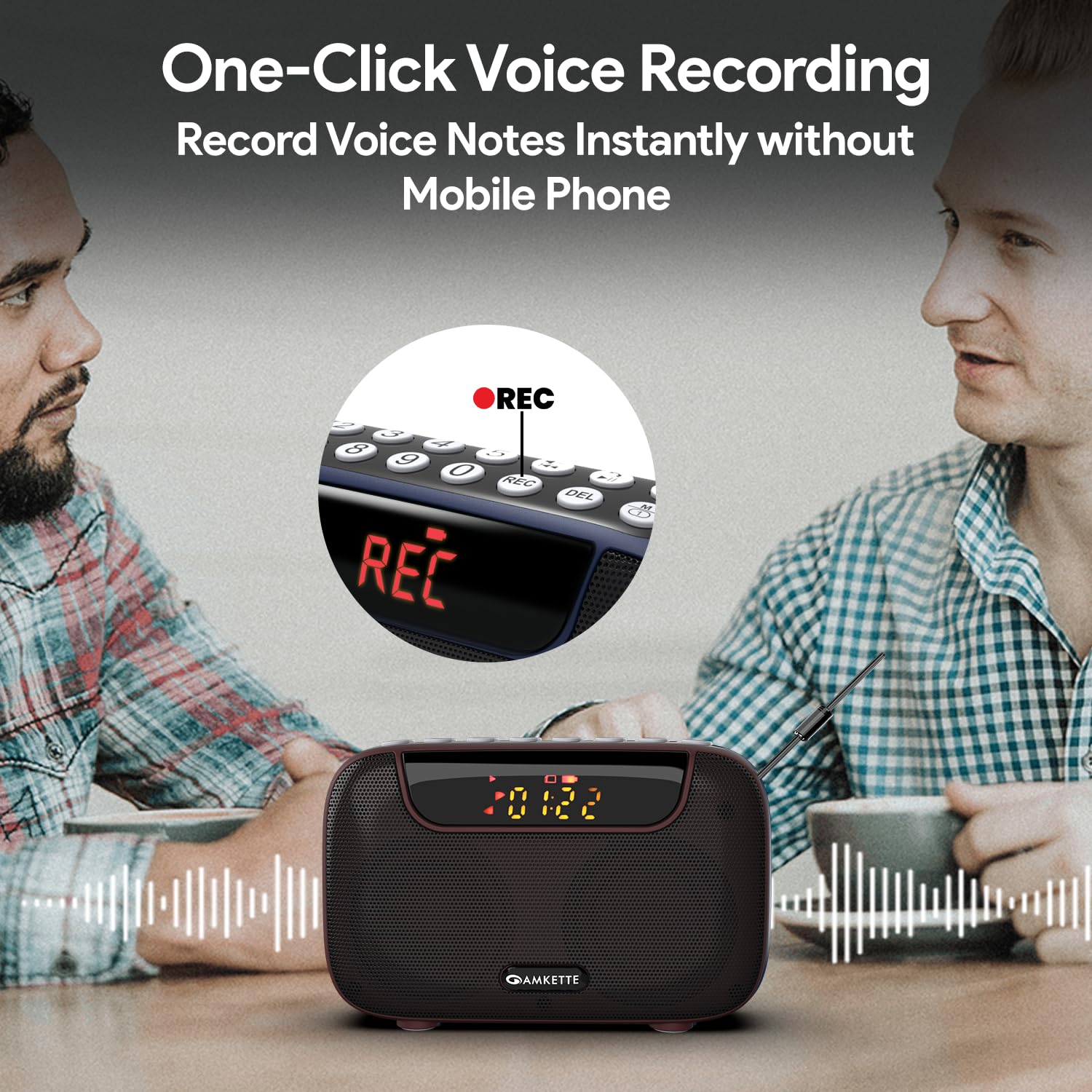
Figure 8: One-Click Voice Recording
FM Song Recording
Capture your favorite FM radio programs or songs directly from the radio.
- Ensure a USB drive or Micro SD card is inserted into the device.
- Switch to FM mode and tune to the desired station.
- Presione el REC button to start recording the FM broadcast. The display will show a recording indicator.
- Presione el REC Presione nuevamente el botón para detener y guardar la grabación.
- Recorded FM songs will be saved on the inserted storage device.

Figure 9: Built-in FM Song Recorder
Cargando
The Amkette Pocket Blast is equipped with a rechargeable Lithium Ion battery.
- Utilice únicamente el cable de carga tipo C proporcionado.
- Connect to a standard USB power source (5V/1A recommended).
- Evite utilizar cables o cargadores dañados.
- No cargue en temperaturas extremas.
- The device offers over 7 hours of playback on a full charge (Bluetooth mode).

Figura 10: Tiempo de reproducción extendido
Mantenimiento
Para garantizar la longevidad y el rendimiento óptimo de su dispositivo, siga estas pautas de mantenimiento:
- Mantenga el dispositivo seco. Evite la exposición al agua o a la humedad excesiva.
- Limpie el dispositivo con un paño suave y seco. No utilice limpiadores abrasivos ni disolventes.
- Guarde el dispositivo en un lugar fresco y seco cuando no esté en uso.
- Evite dejar caer o someter el dispositivo a impactos fuertes.
- No intente desmontar ni reparar el dispositivo usted mismo. Esto anulará la garantía.
Solución de problemas
If you encounter any issues with your Amkette Pocket Blast, refer to the following common problems and solutions:
| Problema | Posible causa | Solución |
|---|---|---|
| El dispositivo no se enciende. | Batería baja; el interruptor de encendido está apagado. | Charge the device fully; Ensure the ON/OFF switch is in the "ON" position. |
| No hay sonido. | Volumen demasiado bajo; Modo incorrecto seleccionado; Dispositivo no emparejado (Bluetooth). | Increase volume; Press "M" button to select correct mode; Re-pair Bluetooth device. |
| Mala recepción de FM. | Antena no extendida; Área de señal débil. | Fully extend the external antenna; Try moving to a location with better signal. |
| No se puede grabar. | No USB/SD card inserted; Storage full; Card format issue. | Insert a compatible USB/SD card; Delete old files or use a new card; Ensure card is formatted correctly (FAT32). |
| Bluetooth se desconecta con frecuencia. | Device too far from Pocket Blast; Obstructions; Interference. | Keep devices within 10 meters (33 feet); Remove obstructions; Avoid strong electromagnetic interference. |
Presupuesto
Detailed technical specifications for the Amkette Pocket Blast.
| Característica | Detalle |
|---|---|
| Marca | amkette |
| Nombre del modelo | Pocket Blast |
| Dimensiones del producto | 12 x 4.1 x 7.8 cm |
| Peso del artículo | 264 gramos |
| Potencia de salida del altavoz | 6 vatios |
| Fuente de poder | Funciona con pilas |
| Tipo de batería | Ion de litio (incluido) |
| Duración de la batería (promedio) | 7+ Hours (Bluetooth) |
| Puerto de carga | Tipo C (CC 5 V) |
| Conectividad | Bluetooth, USB, tarjeta SD, AUX |
| Tecnología de sintonizador | FM |
| Tipo de pantalla | Pantalla LCD |
| País natal | Porcelana |
Garantía y soporte
Your Amkette Pocket Blast comes with a Garantía de fabricación de 1 año.
For any issues, queries, or support, please contact our customer support team.
- Atención al cliente: Please Call or WhatsApp our customer support team in case of any issues.
- Reclamaciones de garantía: Conserve su recibo de compra como comprobante de compra para reclamos de garantía.