
Introducción
The Keychron C2 is a full-size (104-key) wired mechanical keyboard designed for both Mac and Windows operating systems. It features durable Red mechanical switches and retro-colored ABS keycaps, providing a comfortable and responsive typing experience. This manual provides essential information for setting up, operating, maintaining, and troubleshooting your Keychron C2 keyboard.

Image: The Keychron C2 Full Size Wired Mechanical Keyboard connected to a computer setup.
Contenido del paquete
Asegúrese de que todos los artículos estén presentes en el paquete:
- Keychron C2 Full Size Wired Mechanical Keyboard
- Cable USB-C a USB-A
- Extractor de teclas
- Extra Keycaps for Mac and Windows operating systems
Configuración
- Conectar el teclado: Plug the USB-C end of the provided cable into the keyboard's USB-C port and the USB-A end into an available USB port on your computer. The keyboard is a wired-only device and does not require batteries.
- Seleccionar modo de sistema operativo: Locate the operating system switch on the back or side of the keyboard. Slide the switch to the appropriate position for your computer (Mac or Windows). This ensures correct function key mapping.
- Ajustar el ángulo del teclado: The keyboard features 2-level adjustable feet. Flip out the feet on the underside of the keyboard to achieve your preferred typing angle for ergonomic comfort.
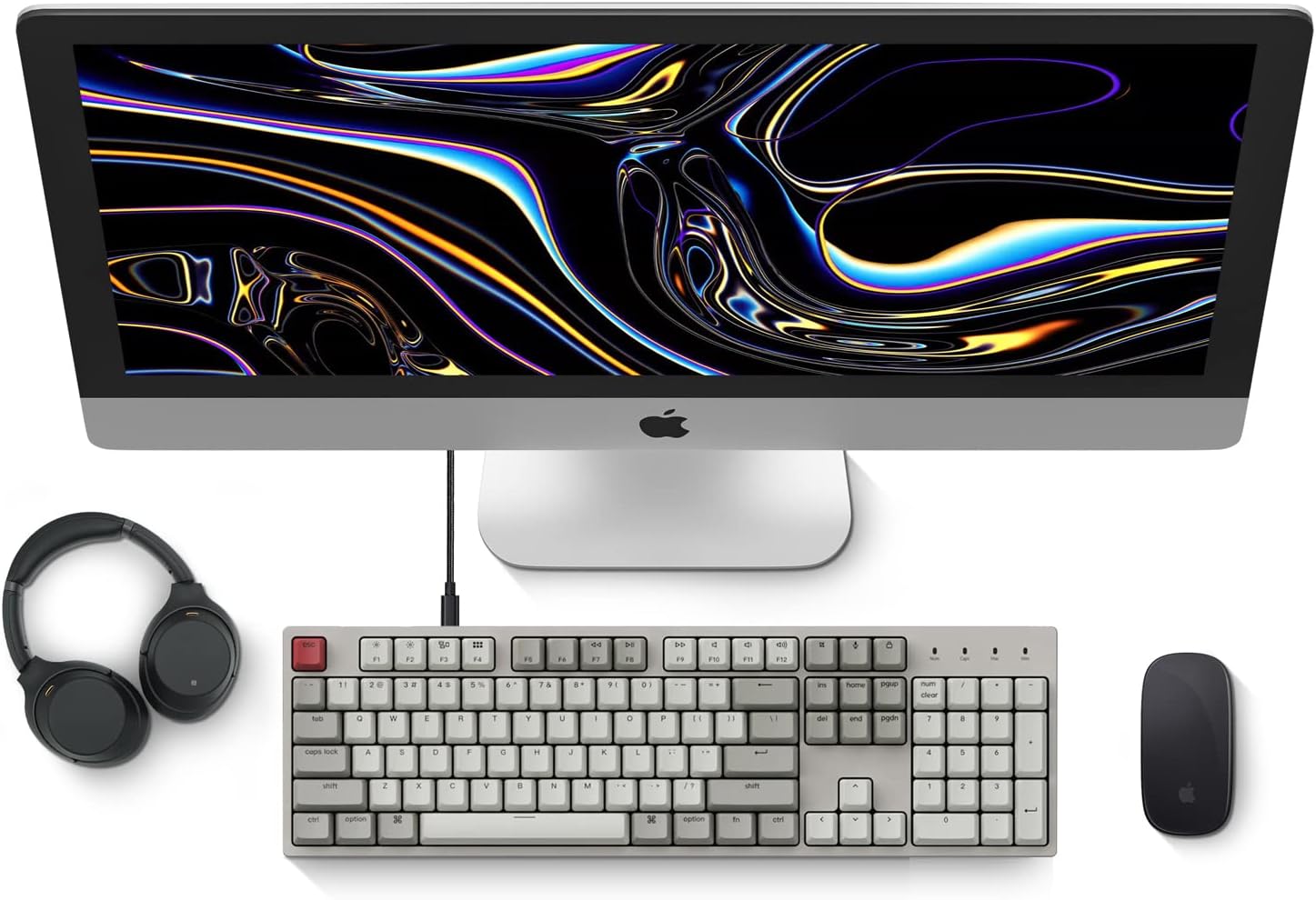
Image: Diagram showing compatibility with Mac and Windows operating systems.

Imagen: Lateral view of the Keychron C2 keyboard illustrating the adjustable feet for angle customization.
Instrucciones de funcionamiento
Funciones básicas
- Mecanografía: The keyboard features a standard 104-key full-size layout.
- Teclas multimedia: The top row of function keys (F1-F12) includes multimedia controls. These functions are optimized for Mac but are also compatible with Windows.
- Siri/Cortana Key: A dedicated key is provided for activating Siri (on Mac) or Cortana (on Windows).
Reemplazo de teclas
The Keychron C2 comes with extra keycaps for both Mac and Windows layouts. To replace keycaps:
- Use the provided keycap puller to gently remove the desired keycap by hooking it onto the keycap and pulling upwards.
- Alinee la nueva tecla con el vástago del interruptor y presione firmemente hasta que encaje en su lugar.

Imagen: Primer plano view of the Keychron Red mechanical switches beneath removed keycaps.
Mantenimiento
- Limpieza: Limpie el teclado con regularidad para evitar la acumulación de polvo y residuos. Utilice un cepillo suave o aire comprimido para eliminar las partículas entre las teclas. Para la limpieza de la superficie, utilice un paño ligeramente húmedo.ampPaño sin pelusa. Evite productos químicos agresivos.
- Cuidado de las teclas: While durable, avoid excessive force when removing or installing keycaps to prevent damage to the keycap stems or switches.
- Sistema de organización de cables: Ensure the USB-C cable is not bent sharply or placed under heavy objects to prolong its lifespan.

Image: Close-up of the ABS keycaps on the Keychron C2 keyboard.
Solución de problemas
- El teclado no responde:
- Check the USB-C cable connection at both the keyboard and the computer. Ensure it is securely plugged in.
- Intente conectar el teclado a un puerto USB diferente en su computadora.
- Verify that the operating system switch on the keyboard is set correctly (Mac/Windows).
- Reinicie su computadora.
- Teclas específicas que no funcionan:
- Carefully remove the non-functional keycap using the keycap puller. Inspect the mechanical switch for any visible damage or debris.
- Limpie alrededor del interruptor con aire comprimido.
- Re-seat the keycap firmly.
- Salida de clave incorrecta:
- Ensure the operating system switch is set to the correct mode for your computer.
- Check your computer's keyboard settings to ensure the correct layout is selected.
Presupuesto
| Característica | Detalle |
|---|---|
| Marca | Clavechrono |
| Nombre del modelo | Keychron C2 |
| Número de modelo | HS-C2K1Z |
| Tecnología de conectividad | USB-C (con cable) |
| Dispositivos compatibles | computadora portátil, computadora |
| Familia de sistemas operativos compatibles | Sistema operativo Mac, Windows |
| Número de llaves | 104 |
| Tipo de interruptor | Lineal (Interruptor rojo) |
| Material de las teclas | ABS (Acrilonitrilo Butadieno Estireno) |
| Disposición del teclado | QWERTY |
| Característica especial | Retroiluminado (un solo color) |
| Peso del artículo | 5390 gramos |
| Fuente de poder | Eléctrico con cable |
Garantía y soporte
Para obtener información sobre la garantía, soporte técnico o asistencia adicional, visite el sitio web oficial de Keychron. website or contact Keychron customer service. Details regarding product registration and specific warranty terms can be found through official Keychron channels.