
1. Introducción
Thank you for choosing the LDNIO SCW1050 WiFi Smart Plug. This manual provides essential information for the safe and efficient use of your smart plug. Please read it thoroughly before installation and operation, and retain it for future reference.
2. Producto terminadoview
The LDNIO SCW1050 is a smart electric plug designed to integrate seamlessly into your smart home ecosystem. It features WiFi connectivity for remote control, a timing function for scheduled operations, and multiple safety protections. Its fire-resistant polycarbonate structure ensures durability and safety.
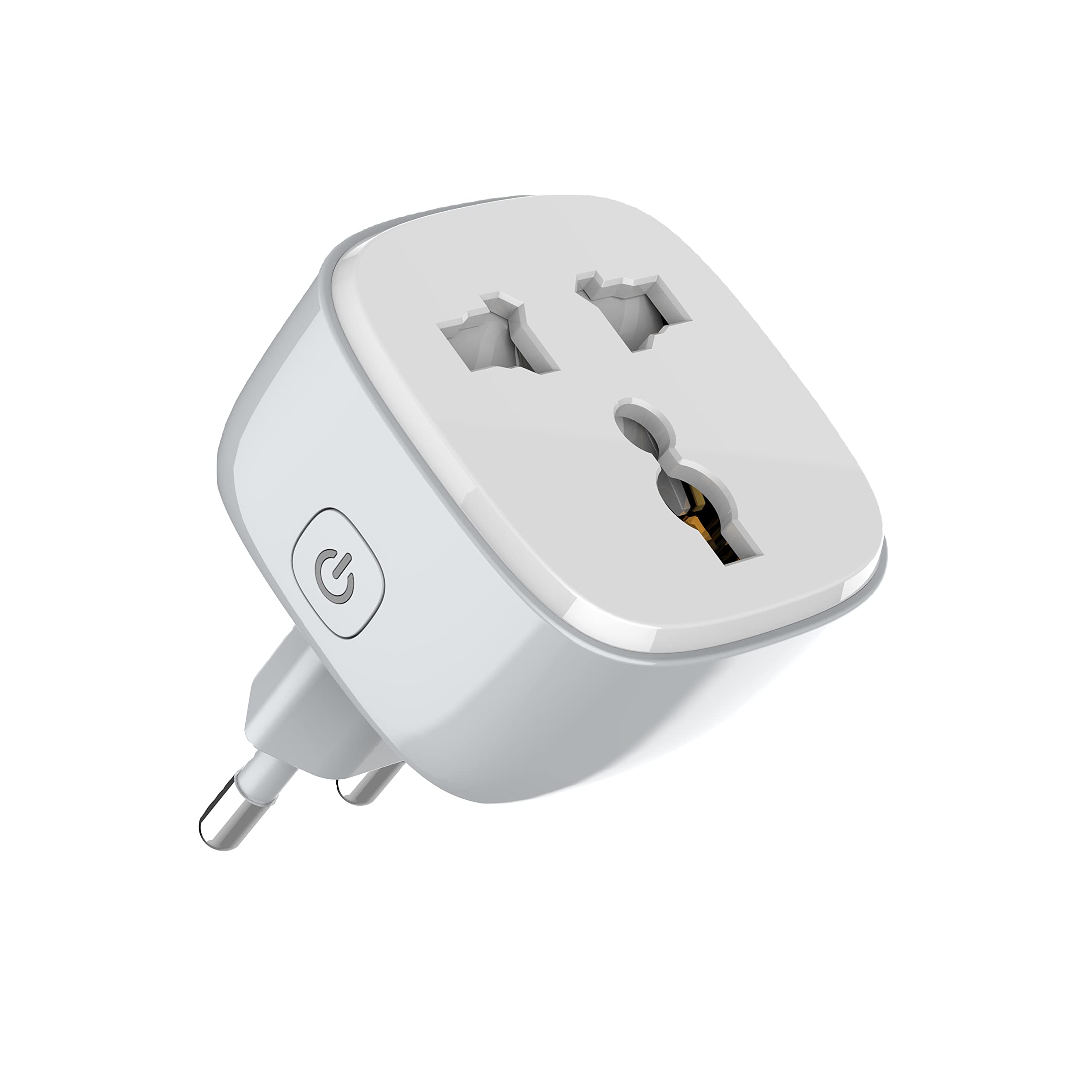
Figura 1: Frente view of the LDNIO SCW1050 WiFi Smart Plug.

Figura 2: Angulado view of the LDNIO SCW1050 WiFi Smart Plug, highlighting its compact design.
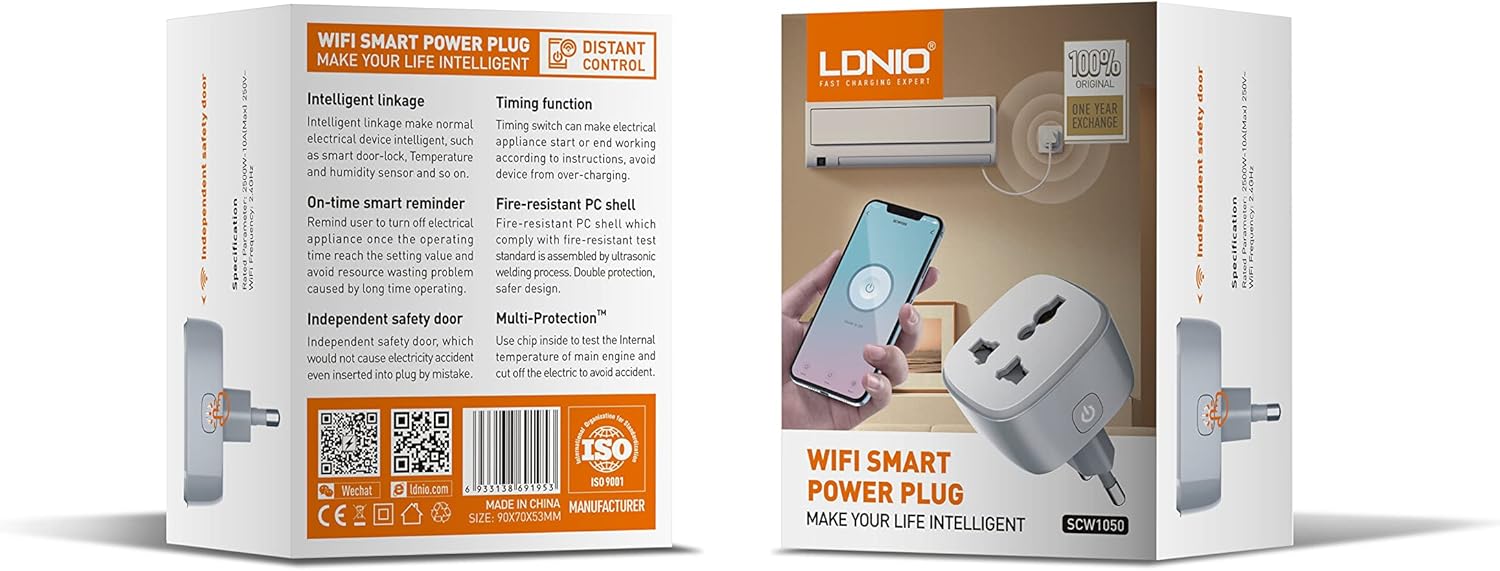
Figure 3: Product packaging illustrating key features such as intelligent linkage, timing function, on-time smart reminder, independent safety door, fire-resistant PC shell, and multi-protection. For more information, visit www.siyoteam.com.
3. Información de seguridad
- No desmonte ni modifique el dispositivo.
- Asegúrese de que el enchufe esté completamente insertado en la toma de pared.
- Do not overload the smart plug beyond its rated capacity (2500W, 10A).
- Mantenga el dispositivo alejado del agua, la humedad y las altas temperaturas.
- Este producto es solo para uso en interiores.
- Si el dispositivo está dañado, deje de usarlo inmediatamente y comuníquese con el soporte técnico.
4. Configuración
4.1 Conexión inicial
- Plug the LDNIO SCW1050 Smart Plug into a standard wall outlet.
- Ensure the indicator light on the smart plug is blinking, indicating it is in pairing mode. If not, press and hold the power button for 5-10 seconds until it blinks rapidly.
4.2 Instalación y emparejamiento de la aplicación
- Download the compatible smart home application (e.g., Tuya Smart or Smart Life app) from your mobile device's app store.
- Regístrate o inicia sesión en tu cuenta dentro de la aplicación.
- Toque el ícono "+" o "Agregar dispositivo" para comenzar el proceso de emparejamiento.
- Seleccione “Toma eléctrica” o “Enchufe inteligente” de la lista de dispositivos.
- Follow the on-screen instructions to connect the smart plug to your 2.4GHz WiFi network. Ensure your phone is connected to the same 2.4GHz network during setup.
- Una vez emparejado correctamente, puedes cambiar el nombre del dispositivo y asignarlo a una habitación.

Figure 4: Remote control of the smart plug using a mobile application.
5. Instrucciones de funcionamiento
5.1 controles manuales
Presione el botón de encendido en el enchufe inteligente para encender o apagar manualmente el dispositivo conectado.
5.2 Control de aplicaciones
- Encendido/apagado: Tap the power icon next to the device in the app to toggle power.
- Función de temporización: Set schedules for the smart plug to turn on or off automatically at specific times. This is useful for managing lighting or other appliances.
- Recordatorios inteligentes: Configure smart reminders within the app to receive notifications or automate actions based on usage patterns or set conditions.
- Enlace inteligente: Connect your smart plug with other smart devices or sensors to create automated scenarios (e.g., turn on a lamp when a motion sensor is triggered).
6. Mantenimiento
- Para limpiar el enchufe inteligente, desconéctelo de la toma de corriente y límpielo con un paño suave y seco.
- No utilice limpiadores líquidos o en aerosol.
- Compruebe periódicamente si hay signos de daño o desgaste.
7. Solución de problemas
- El dispositivo no se conecta a WiFi: Ensure your WiFi network is 2.4GHz. Check that the smart plug is within range of your router. Restart the smart plug and your router, then try pairing again.
- El control de la aplicación no funciona: Verify your phone has an active internet connection. Ensure the smart plug is connected to WiFi and its indicator light is solid. Update the app to the latest version.
- El aparato no se enciende/apaga: Check if the appliance is properly plugged into the smart plug and if the appliance itself is functional. Ensure the smart plug is receiving power.
- Comportamiento de la luz indicadora:
- Parpadeo rápido: Listo para emparejar.
- Parpadeo lento: Disconnected from WiFi.
- Sólido: Connected to WiFi and operating normally.
8. Especificaciones
| Característica | Especificación |
|---|---|
| Número de modelo | SCW1050 |
| Potencia nominal | 2500 W |
| Corriente nominal | 10A (Max) |
| Vol nominaltage | 250 V~ |
| Frecuencia WiFi | 2.4 GHz |
| Dimensiones del producto | 7.62 x 5.08 x 5.08 cm |
| Peso del producto | 70 gramos |
| Material de la carcasa | Fire-resistant Polycarbonate |
9. Garantía y soporte
LDNIO offers a One Year Exchange warranty for this product, as indicated on the packaging. For technical support, warranty claims, or further inquiries, please visit the official LDNIO websitio en www.siyoteam.com o comuníquese con su distribuidor local.
You may also find additional resources and community support through the WeChat platform by scanning the QR code found on the product packaging (refer to Figure 3).