
Introducción
Thank you for choosing the ANNKE 6MP PoE Panoramic Surveillance Camera. This manual provides essential information for the proper installation, operation, and maintenance of your security camera. Please read this manual thoroughly before using the product and retain it for future reference.
Características del producto
- 180° Ultra-Wide Panoramic View: Equipped with two lenses and BSI sensors, this camera delivers a seamless 180° field of view with 6MP clarity, eliminating distortion common in multi-camera setups.
- Alta resolución de 6 MP: Capture vivid details with 6-megapixel resolution, providing superior image quality compared to standard 1080p cameras.
- Visión nocturna a todo color: Two integrated spotlights enable full-color surveillance even in low-light conditions, enhancing visibility and detail at night.
- Advanced AI Motion Detection: Intelligently distinguishes between people and vehicles, sending real-time alerts and minimizing false alarms. Customizable detection zones and lines are supported.
- Audio bidireccional: Communicate directly through the camera with built-in microphone and speaker, allowing for interaction with visitors or deterring intruders.
- Clasificación de resistencia a la intemperie IP66: Designed for outdoor use, the camera is protected against dust and powerful water jets, ensuring reliable operation in various weather conditions.
- Compresión de vídeo H.265: Efficient H.265 compression technology reduces file sizes, saving storage space and bandwidth without compromising video quality.
- Soporte de almacenamiento local: Supports Micro SD cards up to 256GB for continuous local recording (card not included).
- Intelligent WDR Function: Wide Dynamic Range (WDR) technology balances exposure in scenes with both very bright and very dark areas, ensuring clear images in challenging lighting.
- Amplia compatibilidad: Accessible via the ANNKE Vision app on smartphones and compatible with various web browsers including Google Chrome, Firefox, Microsoft Edge, and Safari.

Image: A diagram illustrating how one ANNKE dual-lens camera with a single cable provides the coverage of two traditional cameras, simplifying installation and reducing costs.
Contenido del paquete
Por favor revise el paquete para ver los siguientes artículos:
- 1 x ANNKE Dual Lens Camera
- 1 cable de red de 1 m
- 1 x placa de montaje
- 1 x Mounting Hole Stencil
- 1 x Manual de instrucciones
- 1 x Adhesivo de vigilancia
- 1 x paquete de tornillos
Guía de configuración
1. Desembalaje e inspección inicial
Carefully remove all components from the packaging. Inspect the camera and accessories for any signs of damage. Ensure all items listed in the "Package Contents" section are present.
2. Instalación Física
Choose a suitable mounting location that provides the desired 180° panoramic view and is within range of your PoE network cable. The camera is designed for outdoor use with an IP66 rating.
- Use the provided mounting hole stencil to mark the drilling positions on the wall or ceiling.
- Perfore agujeros e inserte tacos de pared si es necesario.
- Secure the mounting plate to the surface using the screws from the screw pack.
- Attach the camera to the mounting plate, ensuring it is firmly fixed. Adjust the camera angle for optimal coverage.

Image: The ANNKE camera mounted on an exterior wall, demonstrating its IP66 weatherproof construction against rain.
3. Network Connection (PoE)
This camera supports Power over Ethernet (PoE), simplifying installation by providing both power and data through a single Ethernet cable.
- Conecte un extremo del cable de red provisto al puerto Ethernet de la cámara.
- Connect the other end of the network cable to a PoE-enabled switch, NVR, or PoE injector.
- Ensure the network connection is stable. The camera will power on automatically.
4. Initial Configuration via ANNKE Vision App
For initial setup and remote access, download the ANNKE Vision app.
- Download the "ANNKE Vision" app from the App Store (iOS) or Google Play Store (Android).
- Register for an ANNKE account or log in if you already have one.
- Tap the "+" icon to add a new device. Follow the on-screen instructions to scan the QR code on the camera or manually enter its serial number.
- Una vez añadido, puedes view the live feed and configure camera settings.

Image: The ANNKE Vision app interface on a smartphone, illustrating remote access and motion detection notifications.
Instrucciones de funcionamiento
1. Vivir View
Access the live video feed through the ANNKE Vision app or a compatible web browser. The 180° panoramic view provides comprehensive coverage.

Image: A visual representation of the ANNKE camera's 180-degree stitched panoramic view, showing its wide coverage without distortion.

Image: The ANNKE camera's interface displayed across various devices, highlighting its wider compatibility with different browsers and the mobile app.
2. Grabación y reproducción
The camera supports continuous recording to a Micro SD card (up to 256GB, not included) or to a compatible NVR. Recorded footage can be accessed and played back through the app or web interfaz.

Imagen: Un detalle view of the camera's Micro SD card slot, emphasizing its 256GB storage capacity for continuous recording.

Image: A bar chart illustrating the storage benefits of H.265 compression compared to H.264, showing H.265 uses significantly less space.
3. Detección de movimiento y alertas
Configure AI-powered motion detection to receive alerts for specific events.
- In the app settings, navigate to "Motion Detection" or "Event Detection."
- Enable "Person Detection" and "Vehicle Detection" to filter out irrelevant movements.
- Define custom detection zones or lines to monitor specific areas of interest.
- Set up notification preferences to receive real-time alerts on your smartphone.
- Activate the customizable siren for active deterrence when motion is detected.
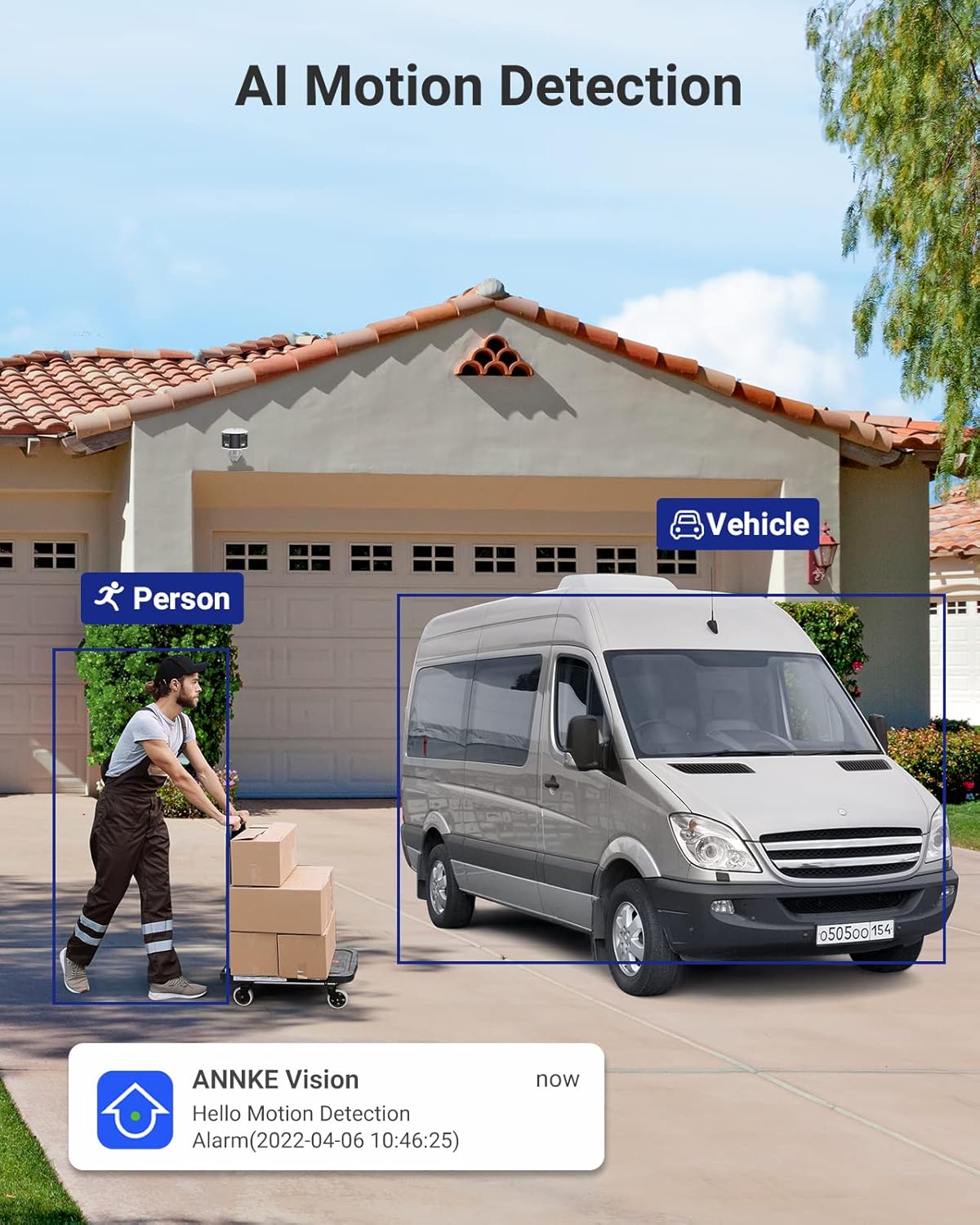
Image: The camera's AI motion detection in action, identifying a person and a vehicle, accompanied by a mobile app notification.

Image: An illustration of the camera's audible siren feature deterring an intruder, highlighting its active alarm capabilities.
4. Audio bidireccional
Utilice la función de audio bidireccional para comunicarse con personas cercanas a la cámara.
- De la vida view in the ANNKE Vision app, tap the microphone icon to speak.
- Tu voz se transmitirá a través del altavoz de la cámara.
- El micrófono incorporado de la cámara capturará audio del entorno.

Image: A delivery person interacting with the camera's two-way audio, demonstrating its communication capabilities.
5. Visión nocturna
The camera automatically switches to full-color night vision in low-light conditions, utilizing its integrated spotlights to provide clear, vibrant images.

Image: The camera's full-color night vision in operation, illuminating a backyard scene with its two spotlights.
6. Wide Dynamic Range (WDR)
The Intelligent WDR function helps to produce clear images in scenes with high contrast lighting, preventing overexposure in bright areas and underexposure in dark areas.

Image: A visual comparison demonstrating the effectiveness of the Intelligent WDR function, showing improved image clarity in high-contrast lighting.
Mantenimiento
- Limpieza: Limpie regularmente la lente de la cámara con un paño suave y seco para garantizar una calidad de imagen nítida. No utilice productos químicos agresivos ni materiales abrasivos.
- Actualizaciones de firmware: Check for and install firmware updates through the ANNKE Vision app or ANNKE websitio para garantizar un rendimiento óptimo, seguridad y acceso a nuevas funciones.
- Administración de almacenamiento: If using a Micro SD card, periodically check its status and manage recorded footage. Consider backing up important recordings to another storage device.
- Inspección de cables: Periodically inspect the network cable for any signs of wear or damage, especially in outdoor installations, to maintain a reliable connection.
Solución de problemas
| Problema | Posible solución |
|---|---|
| No hay energía/La cámara no se enciende |
|
| Sin transmisión de vídeo |
|
| Mala calidad de imagen |
|
| La detección de movimiento no funciona |
|
| Problemas de audio bidireccional |
|
Presupuesto
| Característica | Detalle |
|---|---|
| Nombre del modelo | AP-I51DW0104 |
| Marca | ANNKE |
| Tecnología de conectividad | Cableado (PoE) |
| Resolución de captura de video | 6 MP |
| Características especiales | Night Vision (Full-Color), Motion Detection, Two-Way Audio, AI Person/Vehicle Detection, WDR |
| Dispositivos compatibles | Smartphone, NVR, Web Navegadores |
| Tipo de montaje | Montaje en pared |
| Color | Blanco, negro |
| Factor de forma | Bala |
| Material | Metal |
| Tipo de alarma | Audio y movimiento |
| Tipo de fuente de luz | Infrared, Spotlights |
| Método de control | Aplicación |
| Número de canales | 1 |
| Fuente de poder | Wired Electric (PoE) |
| Volumentage | 12 voltios |
| Viewángulo de ing | 180 grados |
| Dimensiones del artículo | 45 x 32 x 9 cm |
| Soporte de almacenamiento | Tarjeta Micro SD de hasta 256GB (no incluida) |
Garantía y soporte
ANNKE products come with a standard manufacturer's warranty. For detailed warranty information, please refer to the warranty card included in your package or visit the official ANNKE websitio.
For technical assistance, troubleshooting, or any product-related inquiries, please contact ANNKE Customer Support:
- Soporte en línea: Visita el ANNKE Support Center Para preguntas frecuentes, guías y opciones de contacto.
- Soporte por correo electrónico: Refer to your product packaging or the ANNKE webSitio para obtener la última dirección de correo electrónico de soporte.
- Tienda de la marca: Explore other ANNKE products and resources at the official ANNKE Amazon Store.
Please have your model number (AP-I51DW0104) and purchase details ready when contacting support.