
Formovie M146FCN
Manual de usuario del proyector Formovie V10 4K
Model: M146FCN
Introducción
Thank you for choosing the Formovie V10 4K Projector. This smart mini home theater projector delivers stunning 4K UHD visuals and immersive audio, designed to enhance your entertainment experience. This manual provides essential information for setting up, operating, maintaining, and troubleshooting your projector to ensure optimal performance and longevity.
¿Qué hay en la caja?
Por favor, revise el contenido de su paquete para asegurarse de que todos los artículos están presentes:
- Formovie V10 4K Projector
- Mando a distancia
- Cable de alimentación
- Adaptador de corriente
- Manual de usuario
- Tarjeta de garantía

Image: The retail box of the Formovie V10 4K Projector, showing the product packaging.
Producto terminadoview
Familiarize yourself with the main components of your Formovie V10 projector.

Imagen: Frente view of the Formovie V10 4K Projector, highlighting the lens and 4K UHD branding.
- Lente de proyección: Emite la imagen en la pantalla.
- Sensores: For auto-focus, keystone correction, and human detection.
- Rejilla del altavoz: Integrated 2x7.5W full-range speakers and 15W independent subwoofer for immersive audio.
- Puertos de entrada/salida: (Located on the rear/side, refer to specific diagrams in the physical manual for exact placement)
- HDMI (for connecting external devices like gaming consoles, laptops)
- USB 3.0 (for connecting USB drives)
- 3.5mm Audio Out (for external audio systems)
- Ethernet (for wired network connection)
- Entrada de potencia
Configuración
- Colocación: Place the projector on a stable, flat surface or mount it according to your preference. Ensure there are no obstructions in front of the lens. For optimal viewing, coloque el proyector perpendicular a la superficie de proyección.
- Conexión de energía: Connect the power adaptor to the projector's power input port, then plug the power cord into a wall outlet.
- Encendido inicial: Presione el botón de encendido en el proyector o el control remoto para encender el dispositivo.
- Corrección de enfoque y Keystone: The projector features automatic focus and keystone correction. Allow a few moments for the system to adjust the image clarity and shape. Manual adjustments can typically be made via the settings menu if needed.
- Conexión de red:
- Wifi: Navigate to the network settings, select your Wi-Fi network, and enter the password.
- Ethernet: Connect an Ethernet cable from your router to the projector's Ethernet port.
Instrucciones de funcionamiento
Conectar dispositivos
- Dispositivos HDMI: Connect your laptop, gaming console, or Blu-ray player to the HDMI port using an HDMI cable. The projector will automatically detect the input or you can select it from the input source menu.
- Dispositivos USB: Insert a USB drive into the USB 3.0 port to access media files directamente.
- Bluetooth: Pair Bluetooth devices like speakers or headphones via the Bluetooth settings menu. The projector supports Bluetooth 5.
- Duplicar pantalla: The projector supports various screen mirroring protocols.

Image: Display showing support for Huawei Cast+, Miracast, and Mac Airplay for screen mirroring.
Navegación básica
Use the provided remote control to navigate the Android interface. The remote typically includes directional buttons, an OK/Enter button, Back, Home, and Volume controls.
Características principales
- Brillo increíble: Enjoy excellent image performance in any lighting condition with 2500 ANSI Lumens of brightness.
- Stunning 4K Clarity: Experience breathtaking visuals with 4K resolution (3840 x 2160 pixels) and 8.3 million individual pixels for exceptional clarity.

Image: A graphic emphasizing "TRUE 4K Resolution" for the projector's display capabilities.
- Advanced Color Performance: Features 10-bit color depth, 118% DCI P3 color gamut, and 1024 bits color scale for vibrant and accurate colors.

Image: A graphic detailing the projector's color performance with "10 Bit Color Depth", "118% DCI P3", and "1024 bits Color Scale".
- Built for Gaming: Elevate your gaming with a 240Hz refresh rate and low 12ms latency, ensuring smooth and responsive gameplay.
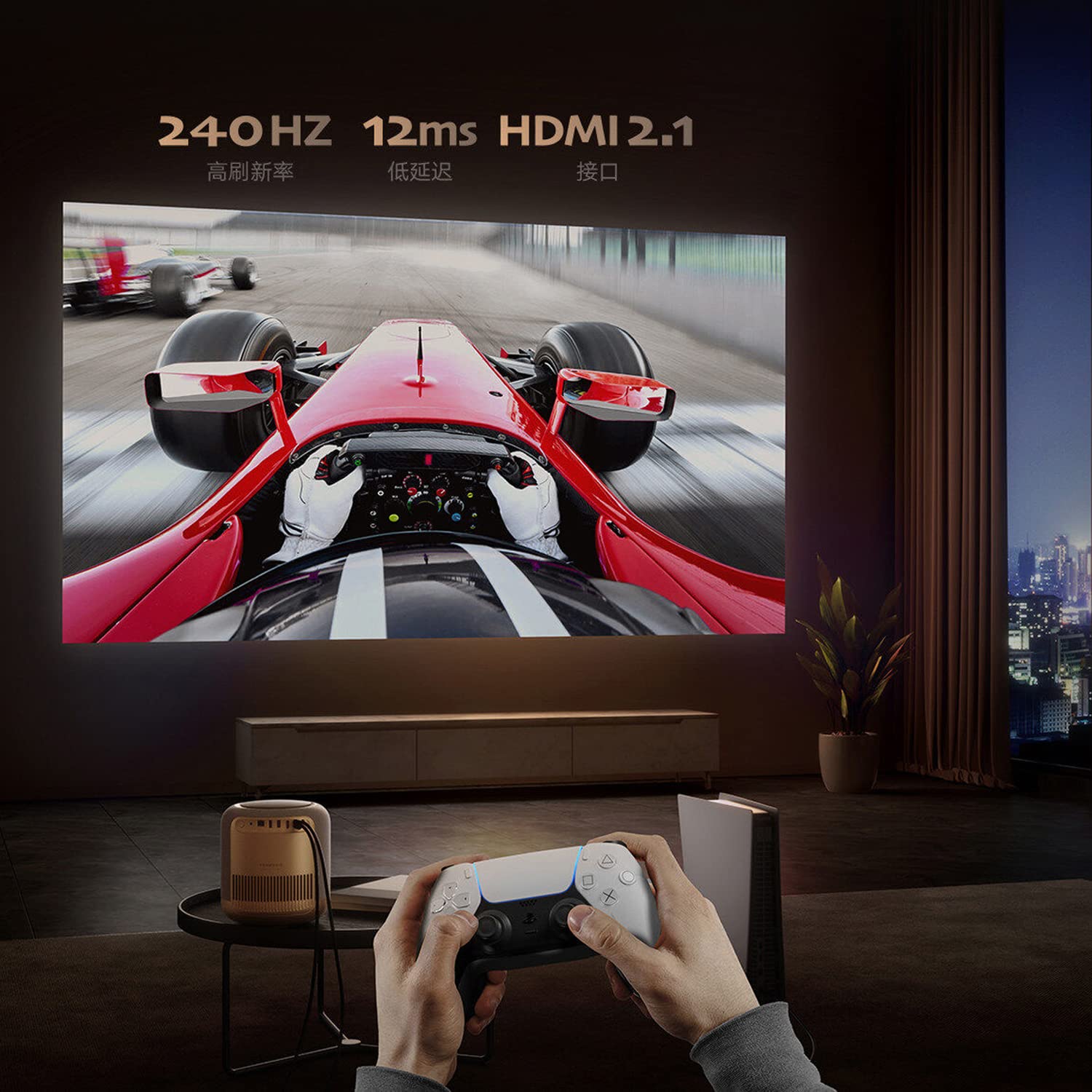
Image: A person playing a racing game projected by the Formovie V10, with text highlighting "240Hz", "12ms", and "HDMI 2.1".
- Experiencia de audio inmersiva: Enhance your experience with 2x7.5W full-range speakers and a powerful 15W independent subwoofer for rich, dynamic sound.
- Protección ocular: Features ToF human detection to automatically adjust brightness and prevent eye injury when someone approaches the light source.

Image: A screen prompt in Chinese warning not to look directly at the light source, demonstrating the ToF human detection feature.
- Uso versátil: Perfect for movies, gaming, and streaming, this projector offers a comprehensive entertainment solution for any setting.
Presupuesto
| Característica | Detalle |
|---|---|
| Marca | formovie |
| Nombre del modelo | FORMOVIE V10 |
| Número de modelo | M146FCN |
| Tecnología de visualización | 4K UHD |
| Resolución | 3840 x 2160 píxeles |
| Brillo de la imagen | Lúmenes 2500 ANSI |
| Relación de contraste de imagen | 10000:1 |
| Relación de aspecto | 16:9 |
| Frecuencia de actualización | 240 Hz |
| Nivel de ruido | 28 dB |
| Audio | 2x7.5W full-range speakers, 15W independent subwoofer |
| Tecnología de conectividad | Bluetooth 5, Wi-Fi, USB 3.0, Ethernet, HDMI |
| Interfaz de hardware | HDMI, LANC, 3.5mm Audio, USB 3.0, Bluetooth 5 |
| Dispositivos compatibles | Laptop, Gaming Console, Tablet, Smartphone, Speaker |
| Dimensiones del producto | 20 x 20 x 21 cm |
| Peso del artículo | 3.8 kilogramos |
| Tipo de montaje | Montaje de mesa |
| País natal | Porcelana |
Mantenimiento
- Limpieza de la lente: Utilice un paño suave y sin pelusa, especialmente diseñado para lentes ópticas. No utilice limpiadores abrasivos ni paños que puedan rayar la lente.
- Limpieza del cuerpo del proyector: Limpie el exterior con un paño suave y seco. Para manchas difíciles, use un paño ligeramente seco.amp Se puede usar un paño suave y luego un paño seco. Evite usar detergentes o disolventes fuertes.
- Ventilación: Ensure the projector's ventilation openings are not blocked to prevent overheating. Do not place the projector on soft surfaces like carpets or blankets that could obstruct airflow.
- Almacenamiento: Cuando no utilice el proyector durante períodos prolongados, guárdelo en un lugar fresco y seco, alejado de la luz solar directa y de temperaturas extremas.
Solución de problemas
| Problema | Posible causa / solución |
|---|---|
| Sin poder |
|
| Sin imagen / Pantalla en blanco |
|
| Imagen borrosa |
|
| Sin sonido |
|
| El control remoto no funciona |
|
Garantía y soporte
The Formovie V10 4K Projector comes with a 1 año de garantía Provisto por el fabricante a partir de la fecha de compra. Conserve el comprobante de compra para reclamaciones de garantía.
For technical support, service, or warranty inquiries, please contact the authorized distributor or the manufacturer directly. The importer for this product is Aytexcel Private Limited.
Información de contacto del importador:
Aytexcel Private Limited
12 Highland, Pali Hill, Bandra, Mumbai 400050
Correo electrónico: hello@aytexel.com
Contacto: +91.9820022205
For more information, you may also visit the official Formovie store on Amazon: Formovie India Direct Store.
Ask a question about this manual
Ask about setup, troubleshooting, compatibility, parts, safety, or missing instructions. Manuals+ will review the question and use this page’s manual context to help answer it.